Hi everyone,
I’ve been working on Mako UI: you write your game’s UI in HTML, CSS and JavaScript, and the engine renders it natively as a draw command list. The Godot version is a GDExtension for Godot 4.7, and it’s still alpha, so take this as an early look rather than a launch:
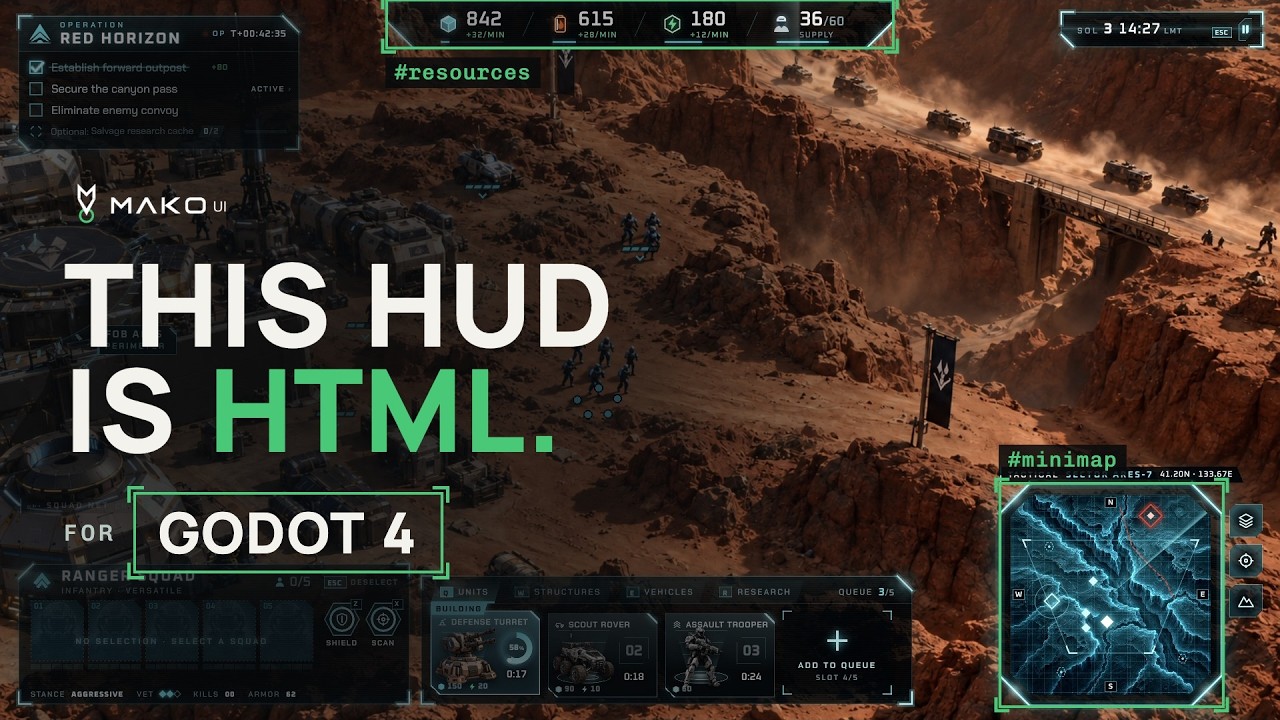
In the video, The demo runs inside the Godot editor with a Mako UI HUD. A few full-screen shots come from my demos in other engines, because the same HTML runs in all of them.
How it works in Godot
- It isn’t a browser: no Chromium, no WebView. A native C++ runtime lays out the HTML and CSS, runs the JS, and hands a draw list to Godot, which draws every pixel. Think of a lightweight, GPU-friendly web runtime that follows the modern web specs, not a basic HTML subset (Grid, container queries, CSS 3D, Web Animations, WebGL/WebGPU, ES modules, Workers and more).
- You add a
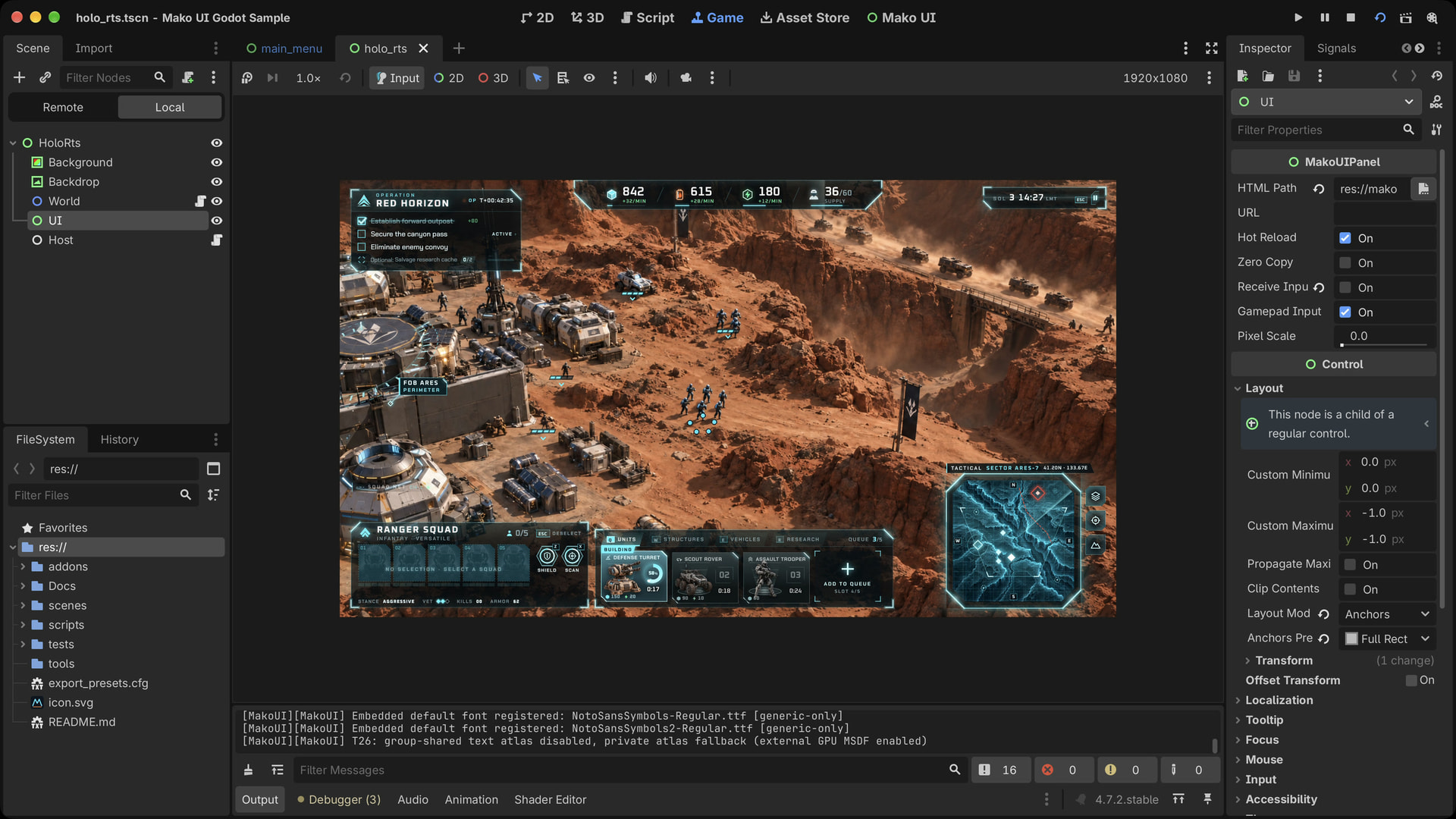
MakoUIPanelnode (orMakoUIWorldPanelin 3D) and point it at your HTML, so it can start as one screen next to your existing UI. Hot reload and gamepad input are switches in the Inspector. Your GDScript pushes state and the UI reacts:
@onready var hud: MakoUIPanel = $UI

func _convoy_destroyed() -> void:
    res.alloy += 250
    hud.set_state("alloy", res.alloy)
// the HUD's ui.js
engine.state.watch("alloy", v => alloyLabel.textContent = v);
- Save the CSS and the running game picks it up.
Main Features
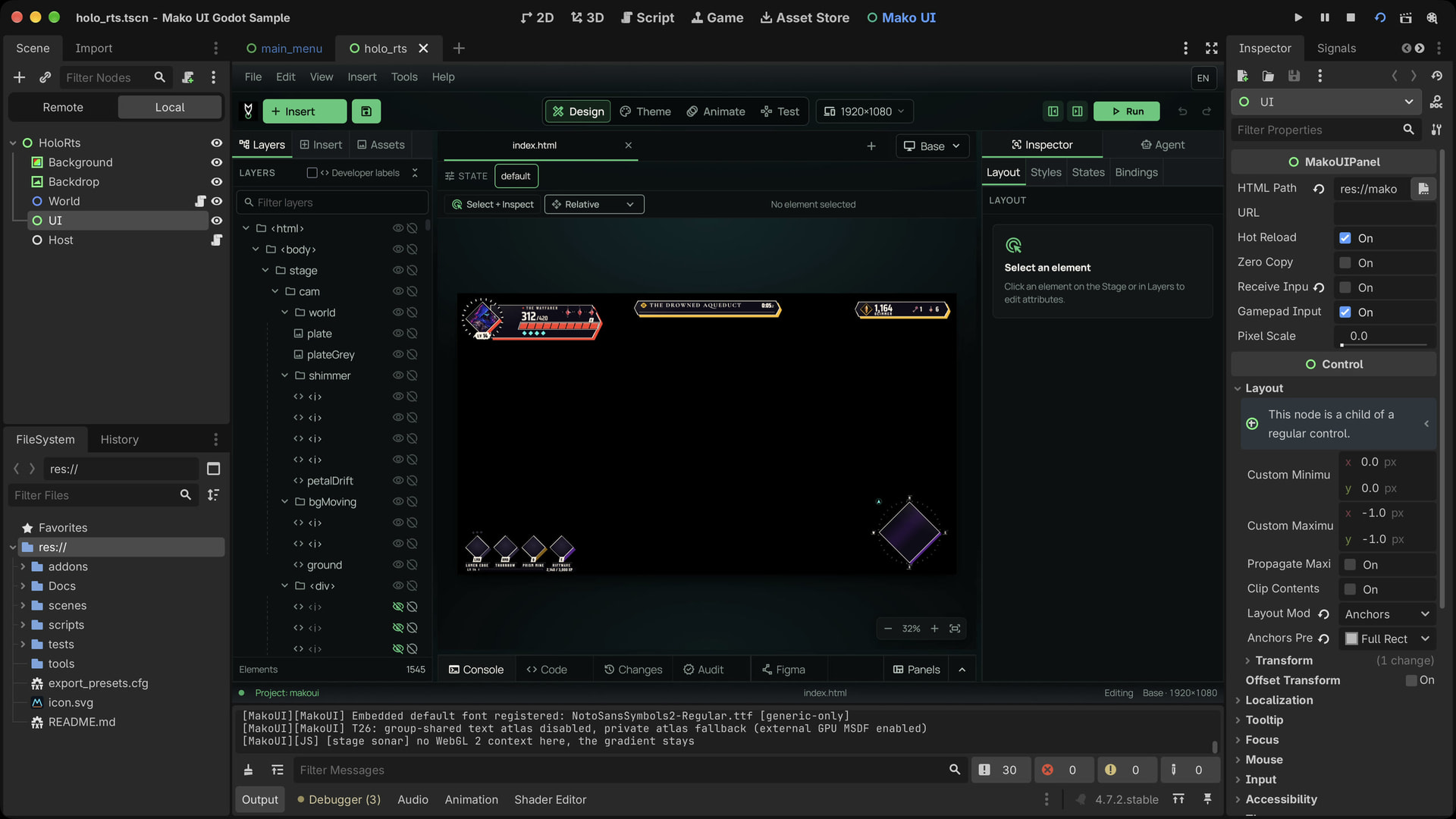
- Mako UI Studio (optional), a visual designer that opens as its own main screen in the Godot editor. You lay screens out on a stage and it writes the HTML and CSS your game ships, so designers and programmers work on the same files. You can drop into code at any point.
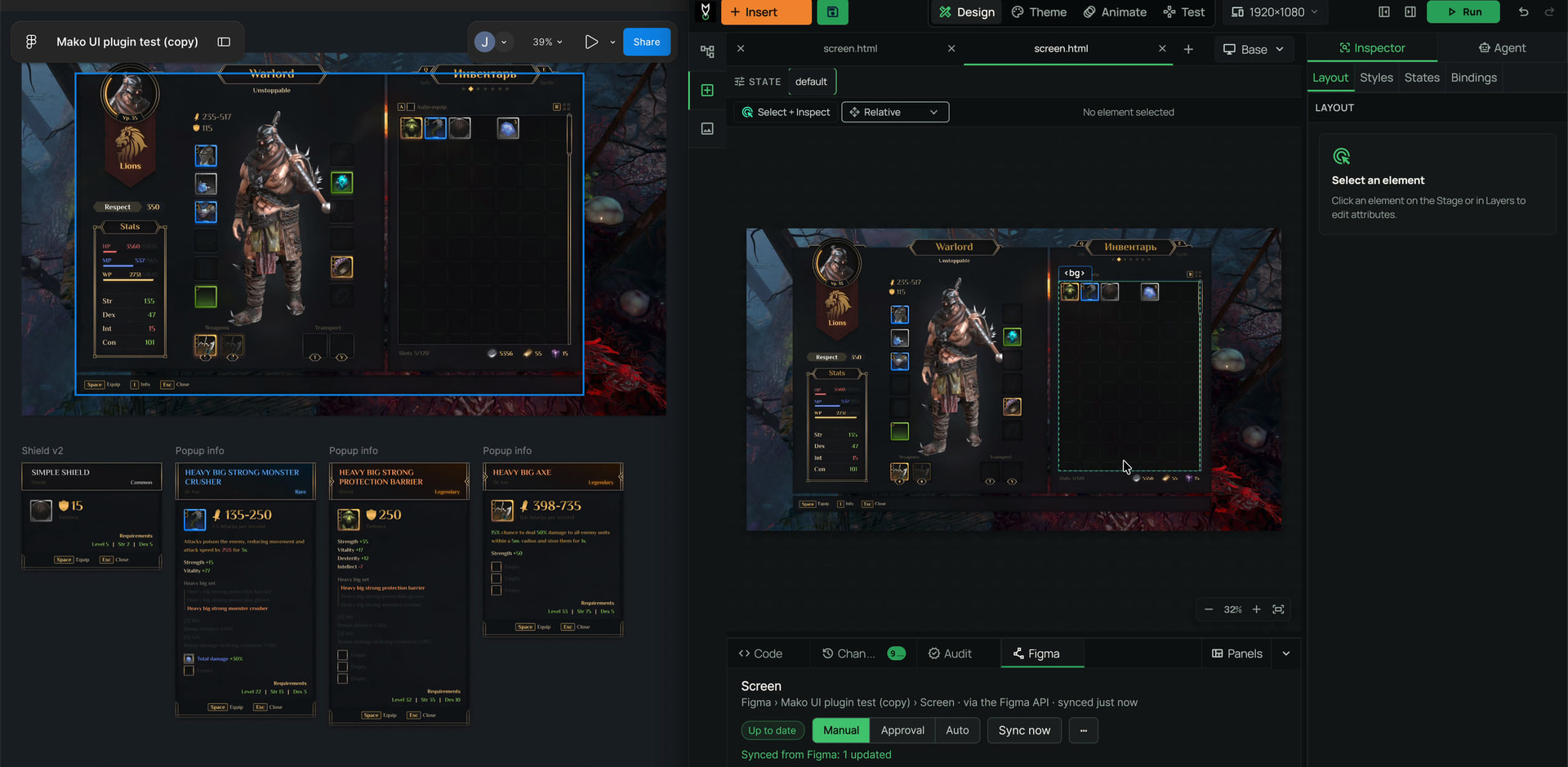
- Figma sync that keeps your work. Send frames from Figma and Studio merges each update property by property, showing you any conflict. The bindings, translation keys, gamepad navigation and events you added in Studio survive every sync.
-
WebGL and WebGPU in
<canvas>, so effects, charts or a 3D model view can live inside the UI (yes, three.js works inside, it transpiles the shaders at edit / build time). -
JavaScript to Native Code: your JavaScript can be compiled ahead of time to optimized native code, so it also runs where JIT isn’t allowed, like iOS.
-
Automatic gamepad navigation: focus moves between elements with any controller, no setup needed. Override the focus order in Studio or in code when you want, style focus states in CSS, and it costs nothing while the controller is idle.
-
Automatic texture streaming: images load and unload based on what’s visible, are compressed for the GPU, and the UI stays within its RAM and VRAM budget.
-
Localization built in: translation keys, plural rules, HarfBuzz shaping, right-to-left text and CJK line breaking, or bridge it to the engine’s own localization. Fallback fonts only load when a language needs them.
-
Editor tools too: the same stack can build your own tools inside the Godot editor, just like Studio, using the richness of the web and all the libraries that already exist.
-
Chrome DevTools: connect to the running game over CDP: inspect the DOM, live-edit CSS, use the console and read the script sources.
-
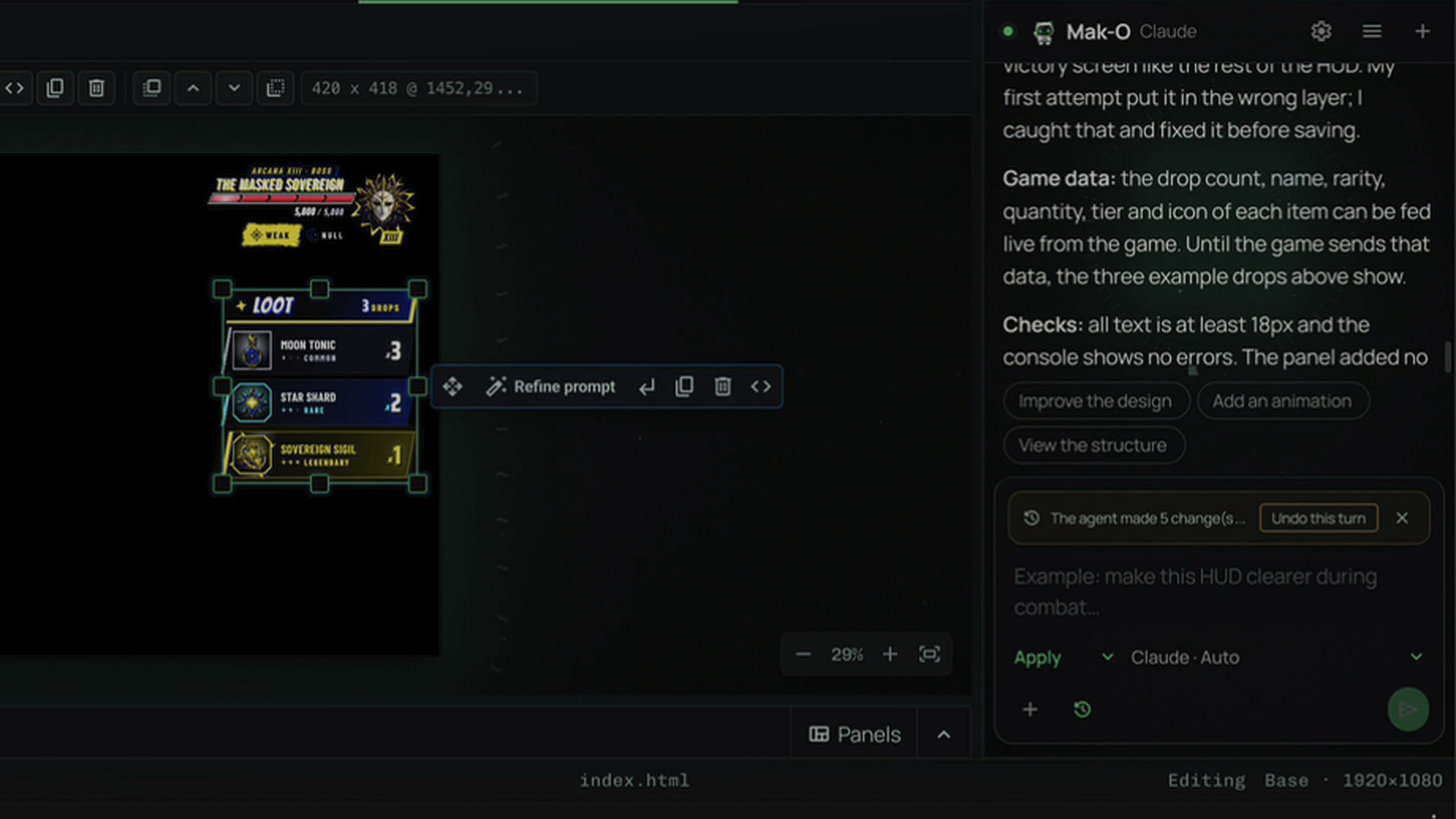
Mak-O Agent: (optional), an agent in Studio. It stays off until you connect it (Claude or OpenAI, with the subscription you already have or an API key). Describe a panel, a menu or a component and it builds it in your game’s existing style, starts from a Smart Template made from your current screen and theme, or designs a new interface from scratch. It plans before it edits, and every change can be undone or iterated: instead of making one big modification in one shot, it stacks small modifications you can edit individually, so you keep full control.
Mako UI is closed source, and for now the Godot version comes from my download portal, since the Godot Asset Store doesn’t take paid add-ons yet. There will be an affordable indie licence, and launch pricing goes to the waitlist first. I know closed source isn’t everyone’s cup of tea here, so ask me anything about how it’s built.
I’d love to get some feedback!
What would you need from a plugin like this?
Waitlist: https://mako-ui.com
Discord: Mako
Thanks!