Godot Version
4.2
Question
I understand this is a very poor choice for a subject… I’m trying to think of a way to build some UI elements (think arrows, buttons, shapes, etc.) and apply some color palette, theme or “skin” to them.
As long as it’s a 2 color schema I can easily produce black/white masks and implement a min/max function that color-corrects them to make black=color1 and white=color2.
But what I’d like to obtain is a 4-color schema, with interchangeable colors, so I’m thinking of ways to implement this so that:
- it can scale to -say- 5, 6 or 10 colors if needed be
- it can be “centralized”, so the player would chose a given skin and the whole UI respond to that
- it won’t pose filtering issues, so that a filtered mask that shows some grey mid-range due to heavy zoom-out for example, won’t produce a third color because of simple linear interpolation
The closest example I can think of it is something similar to the old school GIF palette format, but I’m not sure how to tackle that part, if even possible, in godot.
Hope it makes sense.
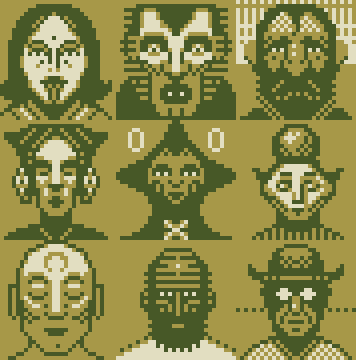
As an example, imagine something like this:
where we have 3 colors, background, dark-ink and light-ink.
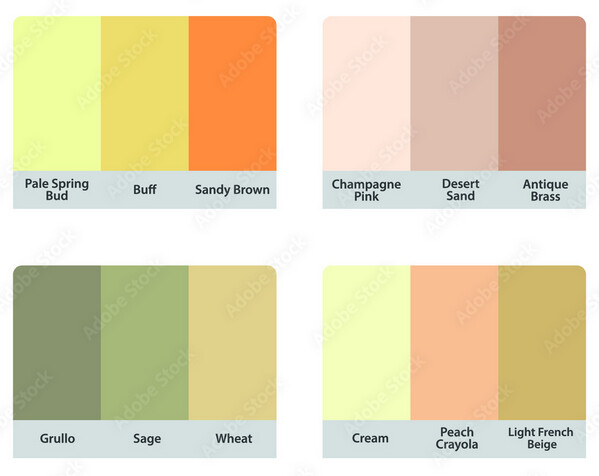
And I want to be able to provide different palettes:
that would affect that image through some sort of mapping
what is the question?
for UI you need to create a theme, there you can edit the visual properties of all UI elements and create variations for the ones that are unique or of a different kind.
the best practice is to use images for this, that way the control over the colors is in the hands of however makes the images for the UI.
you can also create swatches of colors and reuse them in UI elements like styleboxflats and labels.
then you can create multiple themes and switch it.
another alternative would be to work in greyscale and use the modulate property of nodes. this however only supports one tone, but with some clever engineering you can create different sets of controls with different color tones.
if what you need is something with more colors, maybe you will end up getting better results by using a shader on the screen.
I’d like to avoid having to make and store multiple variants of the same icon only for the sake of making it blue or red.
I’d like to have a single definition for all the UI elements and then remap them according to the theme.
For two color, assuming my starting icon is black/white, it should be as simple as:
color1 + ((color2-color1)*value)
If I wanted 3 colors I could linearly interpolate between them following the same logic, to make sure:
black = color1
mid-grey = color2
white = color3
Which only works in theory, because every part of the image that gets antialiased/filtered between balck and white, will not blend between color1 and color3, it will show color2 instead.
In this sense I think a map is the best option, but wanted to hear opinions on what image formats would godot be better suited for or if there’s any other feature I’m missing
This is the kind of thing shaders are good for. Make your source image indexed, and when you pull texel values out of it for fragments, use them to look up the color in a palette texture.
1 Like
Cool, thanks. I’ll look into that