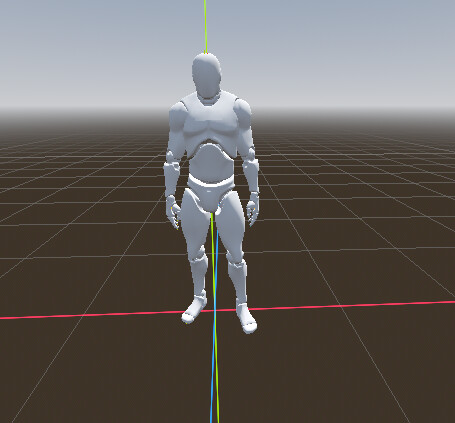
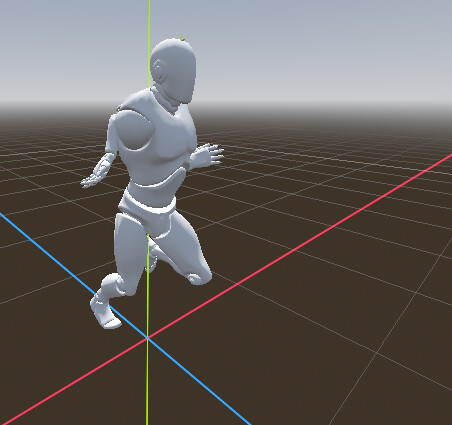
I imported a model without a skeleton into Mixamo and followed the the auto-rigging process. After that, I downloaded two files: one character with an idle animation, and another file containing only the skeleton with a running animation.
I wanted to use animation retargeting, so in Godot I opened the import settings for both files, switched to the Advanced tab, and applied a Bone Mapping using the Humanoid Avatar. All bones appeared to be mapped correctly.
Next, I changed the import settings for the skeleton with the running animation to use it as an animation library, which allowed me to retarget and apply that animation to my character’s rig.
However, when I switch to the retargeted running animation, the character’s arms behave incorrectly — they clip through the body, while the rest of the animation works as expected.
What could be causing this issue, and how can I fix the arm deformation during retargeting?
I played a lot trying to retarget animations from multiple origins and I found that when exporting from Mixamo this pipeline works the best for me:
1 - Export animations from Mixamo as FBX
2 - Import animations in Blender and clean it to keep only one armature and model and all the required animations allowing me to split or remove unwanted Root Motions
Sorry but I exported dozens of animations from Mixamo and I never had that issue IF I tried on an T - Pose model.
Is the model you’re depicting in T-Pose?
The Plugin might not be working anymore in 4.5+.
I forked and refactored it for 4.4/4.5, haven’t tested in 4.6 yet. I opened PR to the original repo, but they haven’t merged it yet.