Multiplayer inactive error when call change_scene_to_file

Godot Version

4.5.1

Question

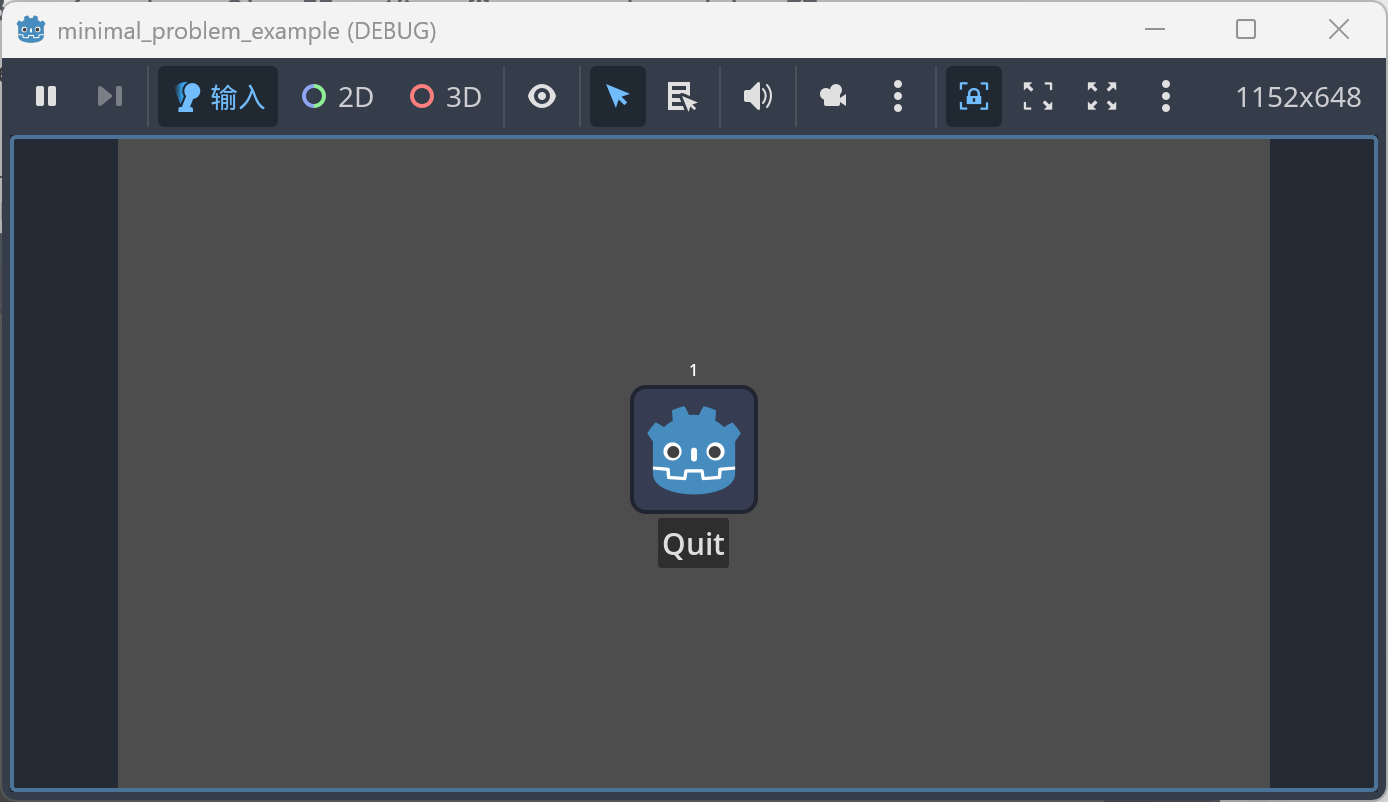
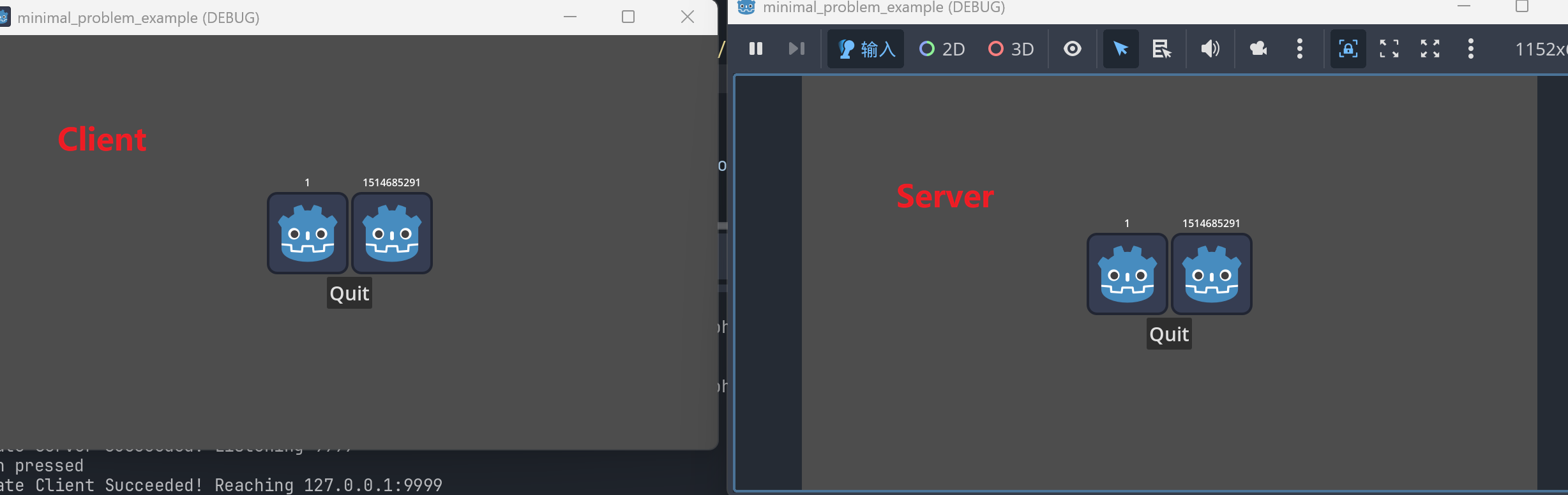
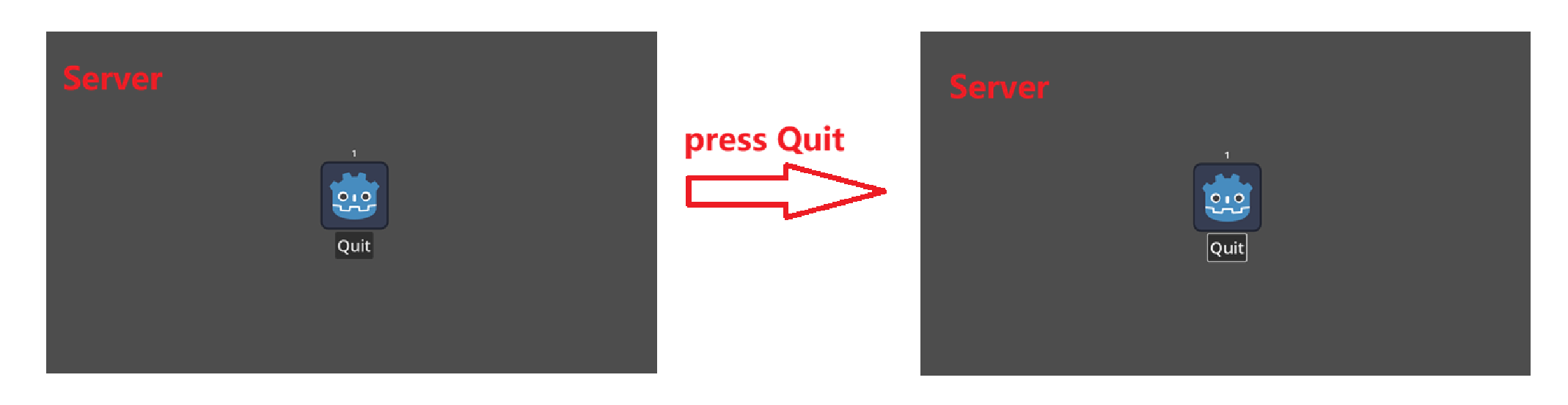
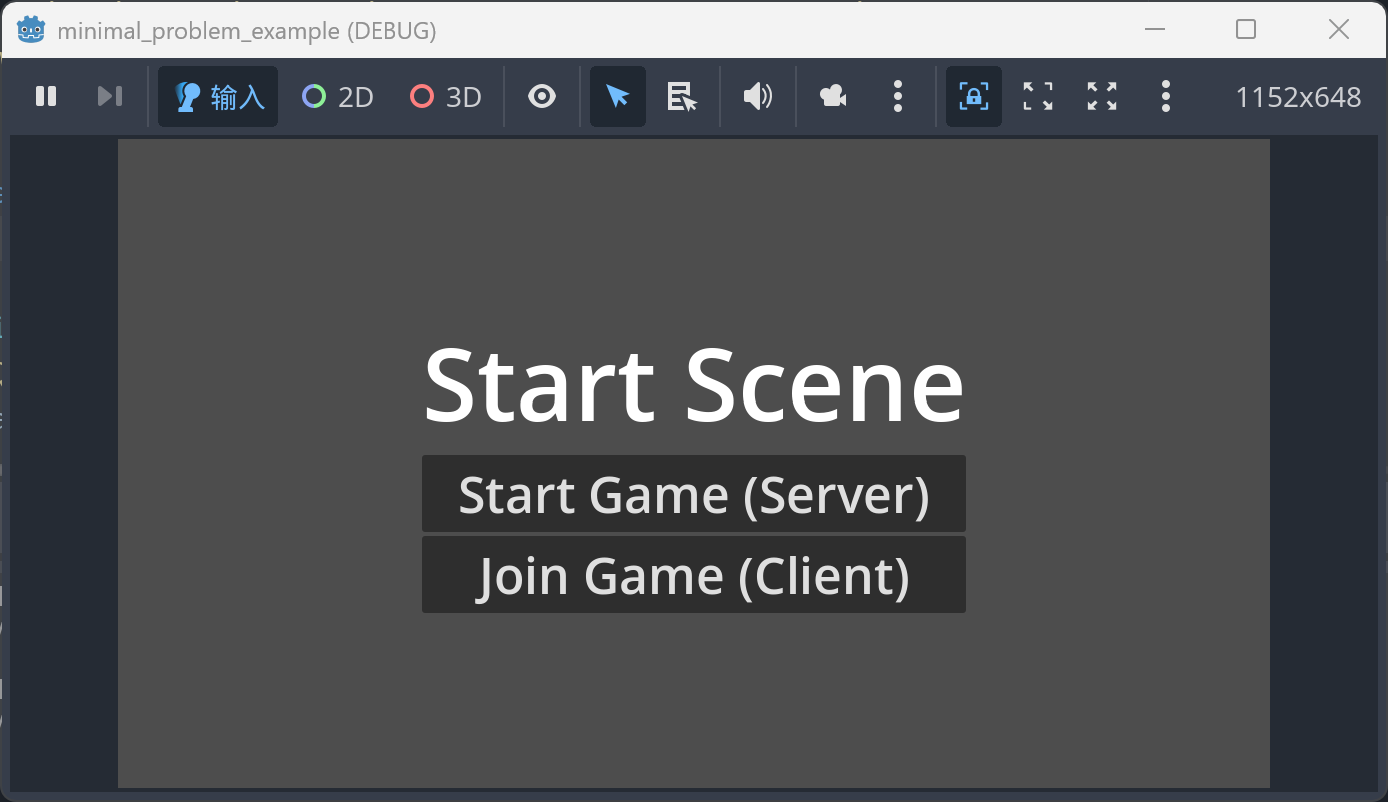
I am trying to create a multiplayer lobby using Godot’s high-level multiplayer API. The project consists of a start scene and a lobby scene. As shown in Fig. 1 and 2, when the Start Game button is pressed, the scene switches to the lobby and a server is created; when Join Game is pressed, the scene switches to the lobby and a client is created connecting to the server.

For simplicity, I have hard-coded the IP address (127.0.0.1) and port (9999) in the multiplayer manager, which is implemented as a global autoload.

After switching to the lobby scene, the server is automatically present in the lobby with its name set to its peer_id, which is 1. In another instance, when Join Game is pressed, the client connects to the server and is spawned via MultiplayerSpawner.

The problem arises when I try to implement the “Quit” functionality (as shown by the Quit button in Fig. 2.).

For the “Quit“ functionality, what I want are:

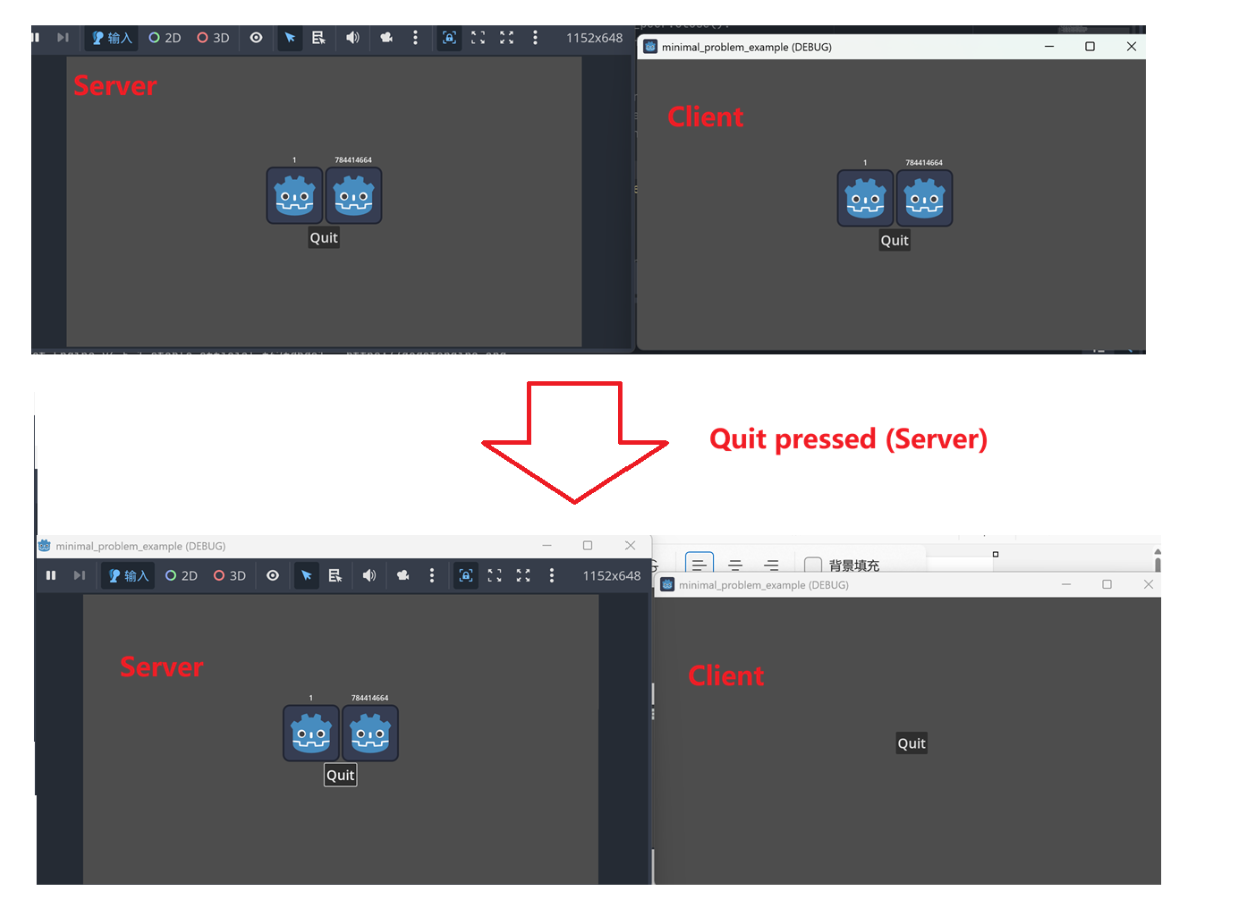
When the Server hits “Quit“:

All Clients and the Server get disconnected and return to Start Scene.

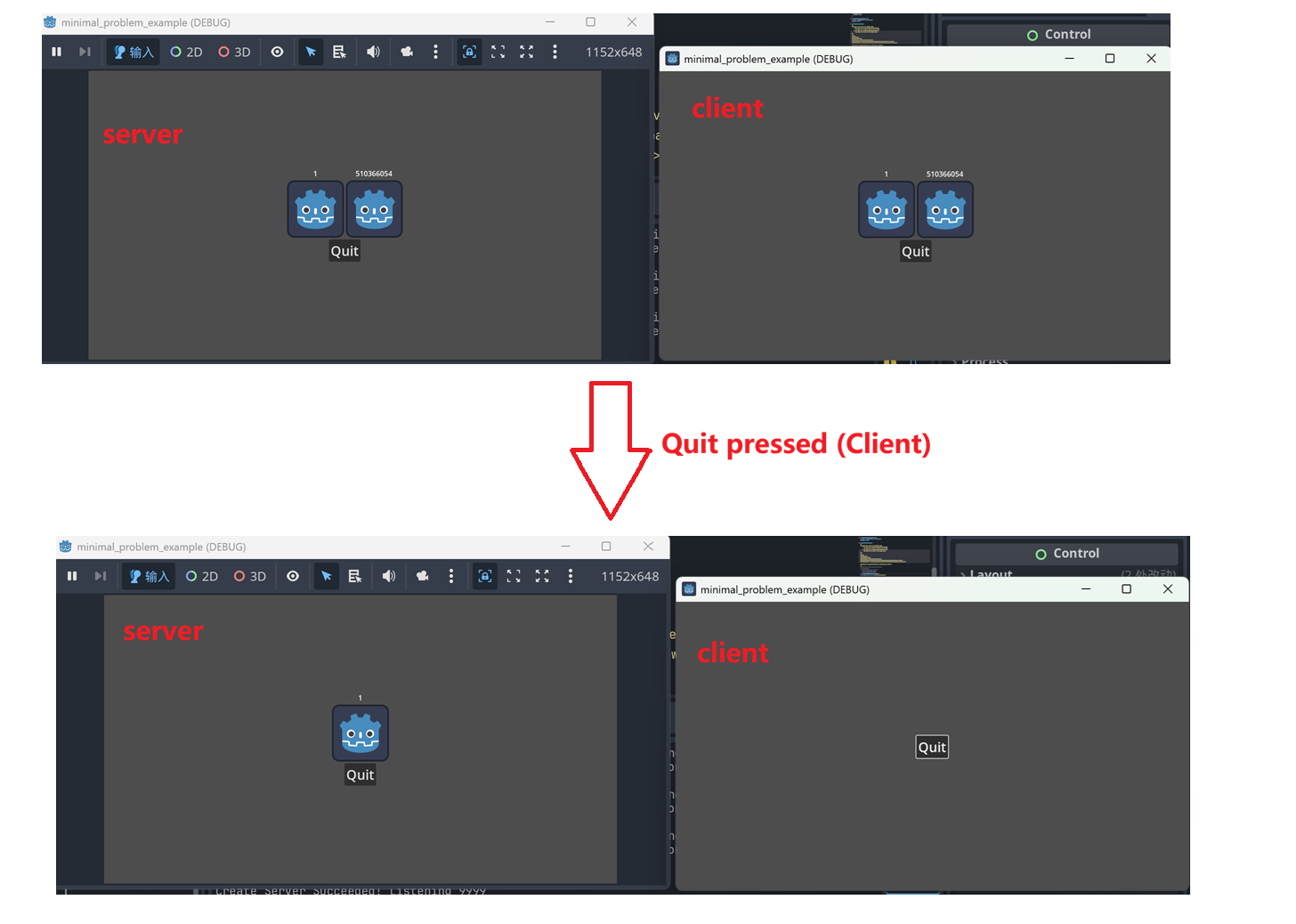
When a Client hits “Quit“:

This Client get disconnected and return to Start Scene and the player of this client will be deleted from the Lobby Scene on Server.

The way I implement “Quit“:

I use multiplayer.multiplayer_peer.close() to close the connection of a peer.

And through some experimentation, I found:

if I call this on client, the peer_disconnected signal will be fired on server, and server_disconnected signal will be fired on the client itself.

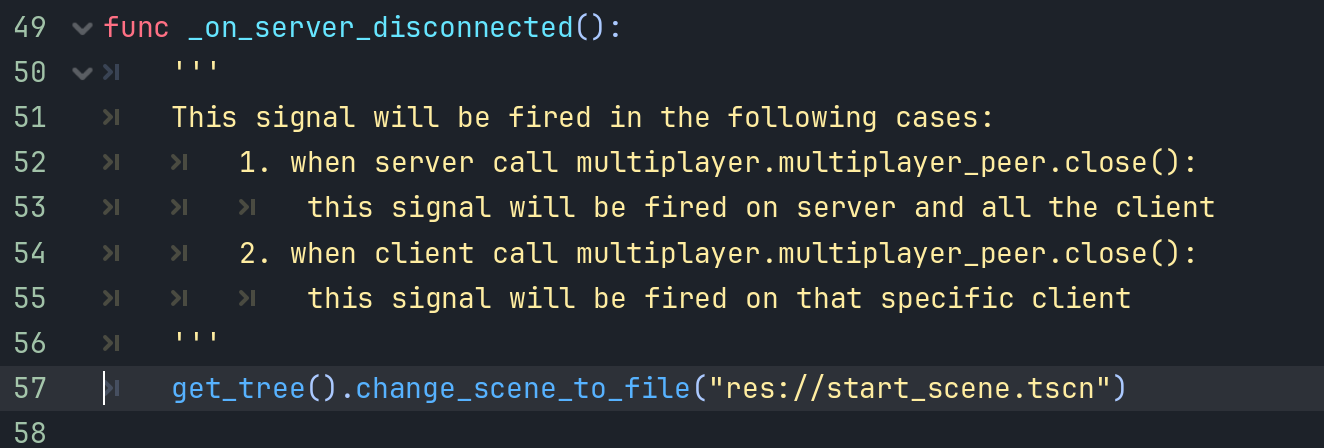
If I call this on server, the peer_disconnected signal will be fired on all client, and server_disconnected signal will be fired on server. (I believe this is different from the documentation. See Fig. 8)

So, for “Quit“ on Client:

  1. Client: Call multiplayer.multiplayer_peer.close()
  2. Server: handle peer_disconnected, queue free the player via the client peer_id
  3. Client: handle server_disconnected, use get_tree().change_scene_to_file() to change the scene.

For “Quit“ on Server:

  1. Server: Call multiplayer.multiplayer_peer.close()
  2. Client: handle server_disconnected, use get_tree().change_scene_to_file() to change the scene.
  3. Server: handle server_disconnected, use get_tree().change_scene_to_file() to change the scene.

After implementing the idea above, the client behaves as expected. When a client presses “Quit”, the player is correctly removed on the server, and the client transitions back to the start scene.

However, the server side has some issues. There are two scenarios:

  1. When there are no clients connected to the server, pressing “Quit” works as expected: both the server and the client return to the start scene without any issues.
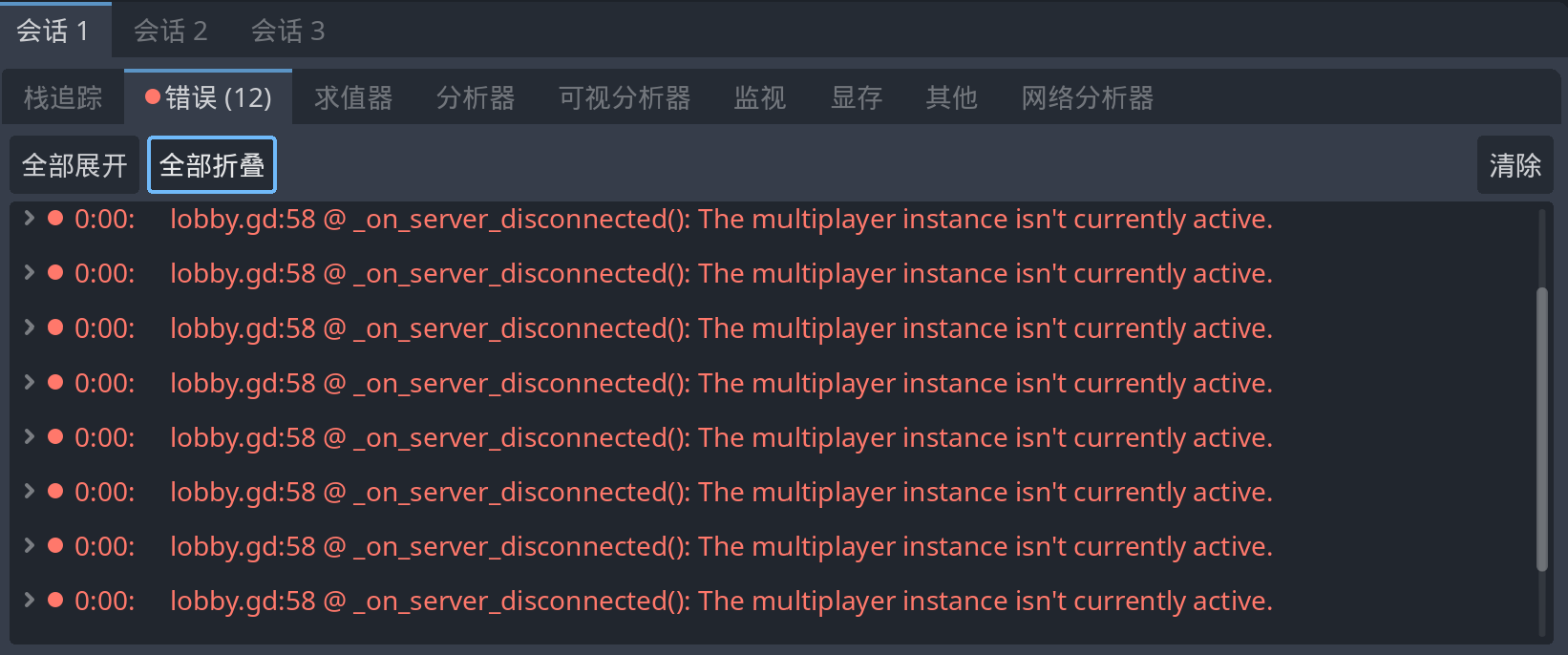
  2. When one or more clients are connected to the server, pressing “Quit” appears to work correctly from a visual perspective—the scene switches back to the start scene as intended. However, several errors are reported in the Godot debugger. These errors are shown in Figs. 4, 5, and 6, and they all point to the same line of code shown in Fig. 7.
    Notably, there is apparently no multiplayer-related logic being used on that line.
Here is the link for the minimal problem example project (I am a new user, not able to put link in the post): https://drive.google.com/file/d/16ZZKYmt7MnBY3z9ImtV5RA6BIAzO-P26/view?usp=drive_link

Based on what I’m reading, it looks like a race condition. Some thoughts:

Is _on_server_disconnected an RPC call? I can’t see the line before it.

Lines 50 to 56 are not comments. They are a declaration of a multiline String. I recommend deleting lines 51 and 56, highlighting the rest and pressing Ctrl+K. It may not be the problem, but it can’t hurt to check. Either way, making comments like this can lead to an eventual memory leak because you are declaring variables in memory every time that code runs. It is being stored in memory, but is not referenced. Because a String is a primitive type, and it is not being stored in a variable, there is no way to free it without closing the program.

What’s the code around multiplayer_manager.gd line 44 look like?


When posting code, please press Ctrl+E in the forum editor and paste the code there to format it.

Some people may click on your Google Drive link, but those can be dangerous. It’s preferable to share you MRP in a GitHub project.

Update 2025/12/21:

Here is all the code for the minimal example project. I have also marked the error locations in lobby.gd and multiplayer_manager.gd respectively (see the comments).

NOTE: The Godot debugger indicates the error is on Line 57 of lobby.gd, but I have removed the multi-line comments from the code. So the line number of the error in the pasted code does not match Line 57 shown in the debugger.

As you can see from the code, I have defined three signals for the MultiplayerManager: peer_connected, peer_disconnected, and server_disconnected. These three signals are emitted when the corresponding signals with the same names from the Godot Multiplayer singleton are triggered. Additionally, I have bound these three MultiplayerManager signals in lobby.gd.

multiplayer_manager.gd (Autoload)

extends Node

const PORT: int = 9999
const IP_ADDRESS: String = "127.0.0.1"

signal peer_connected(peer_id: int)
signal peer_disconnected(peer_id: int)
signal server_disconnected()

func _ready() -> void:
	multiplayer.peer_connected.connect(_on_peer_connected)
	multiplayer.peer_disconnected.connect(_on_peer_disconnected)
	multiplayer.server_disconnected.connect(_on_server_disconnected)
	
func start_server():
	var peer = ENetMultiplayerPeer.new()
	var err = peer.create_server(PORT)
	if err != OK:
		print("Create Server Failed! ERROR = %s"%err)
		return false
	multiplayer.multiplayer_peer = peer
	print("Create Server Succeeded! Listening %s"%PORT)
	return true
	
func start_client():
	var peer = ENetMultiplayerPeer.new()
	var err = peer.create_client(IP_ADDRESS, PORT)
	if err != OK:
		print("Create Client Failed! ERROR = %s"%err)
		return false
	multiplayer.multiplayer_peer = peer
	print("Create Client Succeeded! Reaching %s:%s"%[IP_ADDRESS, PORT])
	return true

func _on_peer_connected(peer_id: int):
	if multiplayer.is_server():
		peer_connected.emit(peer_id)
	
func _on_peer_disconnected(peer_id: int):
	if multiplayer.is_server():
		peer_disconnected.emit(peer_id)	

func _on_server_disconnected():
	server_disconnected.emit() # Line 44 mentioned in the error

lobby.gd

extends Control

@onready var player_spawner: MultiplayerSpawner = $PlayerSpawner
@onready var quit_button: Button = $CenterContainer/VBoxContainer/Quit
@onready var player_list = $CenterContainer/VBoxContainer/PlayerList

func _ready() -> void:
	player_spawner.spawn_function = _custom_player_spawn
	MultiplayerManager.peer_connected.connect(_on_peer_connected)
	MultiplayerManager.peer_disconnected.connect(_on_peer_disconnected)
	MultiplayerManager.server_disconnected.connect(_on_server_disconnected)
	quit_button.pressed.connect(_on_quit_pressed)
	
	if Config.connection_mode == "server":
		if MultiplayerManager.start_server():
			# create a server player
			player_spawner.spawn({
				"peer_id": 1
			})
	else:
		MultiplayerManager.start_client()

func _custom_player_spawn(data: Dictionary):
	var player_scene = preload("res://player.tscn")
	var player = player_scene.instantiate() as Player
	player.name = str(data.peer_id)
	player.set_multiplayer_authority(data.peer_id)
	return player
	
func _on_peer_connected(peer_id: int):
	player_spawner.spawn({
		"peer_id": peer_id
	})
	
func _on_peer_disconnected(peer_id: int):
	var player = player_list.get_node(str(peer_id))
	player.queue_free()
	
func _on_server_disconnected():
	get_tree().change_scene_to_file("res://start_scene.tscn") # line 57 mentioned in the error


func _on_quit_pressed():
	print("Quit by %s"%Config.connection_mode)
	multiplayer.multiplayer_peer.close()

start_scene.gd:

extends Control

@onready var start_game_button = $CenterContainer/VBoxContainer/StartGame
@onready var join_game_button = $CenterContainer/VBoxContainer/JoinGame

func _ready() -> void:
	start_game_button.pressed.connect(_on_start_pressed)
	join_game_button.pressed.connect(_on_join_pressed)
	
func _on_start_pressed():
	print("start pressed")
	Config.connection_mode = "server"
	get_tree().change_scene_to_file("res://lobby.tscn")

func _on_join_pressed():
	print("join pressed")
	Config.connection_mode = "client"
	get_tree().change_scene_to_file("res://lobby.tscn")

player.gd:

extends Control
class_name Player

@onready var name_tag: Label = $NameTag

func _ready() -> void:
	name_tag.text = name

config.gd (Autoload)

extends Node

var connection_mode: String = ""

Thank you for your response. _on_server_disconnected is a bound function in lobby.gd that is tied to the server_disconnected signal of the multiplayer manager.

I’ve put the complete project code in the comment section below. I tried editing the original post to add the code there, but the edit wouldn’t save. The system gave a warning stating that new users are limited to just one embedded media item per post.

Ok, so both errors come from this file: godot/modules/enet/enet_multiplayer_peer.cpp at master · godotengine/godot · GitHub

Based on what I’m seeing of your code, my best guess is that this is a race condition. The two functions are put_packet() and get_unique_id(). So if each one is duplicated twice, we are looking at what I believe would be one set from the server, and the other from the client. You could test that by creating a second client, and having all three close out, and seeing if you get three of each, or two of one and four of the other.

As for what’s triggering them…

Try changing the change scene line to a print() and see if the error goes away. If it does, then it’s related to that line. If it doesn’t, it’s something else that’s happening when the interpreter hits that line and most likely isn’t related even though the debugger thinks it is.

Thanks for your reply!

When I replaced the change_scene_to_file line with a print statement, no errors popped up—this confirms the issue is related to the change_scene_to_file function.

I also tested with more than two instances: specifically, 3 instances (1 server + 2 clients). When I clicked “Quit” on the server, 12 alternating errors appeared on server side (no errors for clients), repeating the pattern: put_packet unconfigured → get_unique_id return 0 (and so on).

For reference, with 1 server + 1 client, quitting the server only causes 4 alternating errors. So the number of errors is not proportional to the number of instances or clients.

I’ve uploaded the example project to GitHub here:

1 Like

So, I downloaded your project. Upon loading, lobby.gd had a parse error:

  ERROR: res://lobby.gd:55 - Parse Error: Used space character for indentation instead of tab as used before in the file.
  ERROR: modules/gdscript/gdscript.cpp:3041 - Failed to load script "res://lobby.gd" with error "Parse error".

There were also 4 errors in the file:

Line 55:Used space character for indentation instead of tab as used before in the file.
Line 55:Mixed use of tabs and spaces for indentation.
Line 57:Expected statement, found "Indent" instead.
Line 65:Expected end of file.

I fixed them all, even though that was not the issue.

Testing

I setup a client and server and got the same results. I realized something in seeing the errors in the IDE. When you close the client first, no errors are thrown because it is closed. When it is open, it tries to connect to the host or pings it twice before getting the message that the server is closed.

Taking the Problem Apart

So, I changed line 51 to two lines:

	var tree = get_tree()
	tree.change_scene_to_file("res://start_scene.tscn")

The second line is the one that is throwing the error. So it’s the change_scene_to_file() method. It is not calling get_tree(). This was information, but not really helpful.

Testing to See if it was a race condition

It is was a race condition, waiting a second before running that line of code might slow things down.

	await get_tree().create_timer(1.0).timeout
	get_tree().change_scene_to_file("res://start_scene.tscn")

This resolved the error. It proves it was a race condition.

Creating a Solution

So the problem is that when the server disconnects, it send out its disconnect4ed signal BEFORE the peer sends its out. Which makes sense. The potential solution was then just to wait for the peer_disconnected signal to be sent before running the line of code.

	await MultiplayerManager.peer_disconnected
	get_tree().change_scene_to_file("res://start_scene.tscn")

This works. Your errors go away.

Conclusion

I will note that I do not like change_scene_to_file() I think that it is an anti-pattern. By creating a Main scene that contains every level, UI etc, you get a lot more consistency and it is easier to handle a number of scenarios.

1 Like

If that solved your problem, please mark it as the solution.

Thanks a lot for reading through my code, debugging it, and coming up with a solution! Sorry about the parse errors in the GitHub repo, it’s probably because I edited the code in VSCode and used spaces for indentation (which must have caused the issue).

I gave your idea of adding a Timer before changing the scene a try, and it worked. But like you said, there’s a bit of lag between hitting the “Quit” button and getting back to the start scene, both on the server and client.

I also tried your other solution: waiting for the peer_disconnected signal to trigger before switching scenes. I just added await MultiplayerManager.peer_disconnected right before get_tree().change_scene_to_file(…)in the _on_server_disconencted function in lobby.gd, but this didn’t work. I’ve included screenshots below that show what happens in different scenarios when I press “Quit”.

Only 1 instance, start as server and hit “Quit”

The scene fails to switch successfully.

Two instances, 1 client + 1 server:

Hit “Quit” on server side:

The scene fails to switch successfully on both the server and client sides. Additionally, since the server has already called multiplayer.multiplayer_peer.close(), players are being purged from the client side.

Hit “Quit” on client side:

The scene fails to switch successfully on the client side. Moreover, when the Quit button is pressed on the client side, it triggers a call to multiplayer.multiplayer_peer.close(). This in turn fires the peer_disconnected signal on the server side, resulting in the player being removed from the server. Also, once the client loses connection with the server, the player on the client side gets purged right away.

I’m a bit stuck at this point, so I’m wondering: could it be that other parts of the code were also modified but not included in your solution?

Additionally, I find the behavior a bit counterintuitive. The line await MultiplayerManager.peer_disconnected is added in the server_disconnected bound function, but by that time, the server (or client) has already been closed via multiplayer.multiplayer_peer.close() in the Quit button’s callback function. This makes me question how the code can wait for a signal to fire when it’s no longer able to receive any signals at all.

Nope, I told you everything I changed. This is the complete diff for the project:

diff --git a/lobby.gd b/lobby.gd
index c10feae..26bf1af 100644
--- a/lobby.gd
+++ b/lobby.gd
@@ -48,13 +48,15 @@ func _on_server_disconnected():
        # If replace the code below with print, no errors will pop up:
        # print("%s change scene"%Config.connection_mode)
        # So, the errors do occur when changing the scene.
+       #await get_tree().create_timer(1.0).timeout
+       await MultiplayerManager.peer_disconnected
        get_tree().change_scene_to_file("res://start_scene.tscn")


 func _on_quit_pressed():
        print("Quit by %s"%Config.connection_mode)
-       # Regardless of server or client, close the connection when the "Quit" button is pressed
-       multiplayer.multiplayer_peer.close()
+       # Regardless of server or client, close the connection when the "Quit" button is pressed
+       multiplayer.multiplayer_peer.close()

 # Multi-client scenario:
 # When running 3 instances (1 server + 2 clients) and quitting the server,

The first change was just adding the two options and commenting one out. The second change was just fixing spaces.

Both signals are technically being fired at the same time, but they are not multi-threaded, which means they are not actually being fired at the same time. In a single-threaded program, things that appear simultaneous, are still sequential.

So when you disconnect the server, that signal is sent. Milliseconds or even nanoseconds later, the peer disconnect is being sent. Your switch scene code is being called in the time between when the first signal is sent and the second. It’s a race condition.

The two solutions I gave you are to resolve the race condition. There are four other possible solutions.

The first is to find the issue between your MRP and your game that’s preventing the solution from working.

The second is to make your program multi-threaded. This will open up a huge can of worms. I do not recommend it.

The third is to log a bug in the Godot project - once you figure out how to make the MRP actually reproduce the bug you are seeing now.

The fourth is to not use change_scene_to_file(). As we proved, you can call other methods without blowing up your code. So if you add all your screens as children of a UI you will not see this problem. You’ll just be hiding and showing branches of an existing tree.

I strongly recommend number 4. If you want to see an example of how to do this, check out my Game Template plugin.

2 Likes

Okay, thank you for your comprehensive explanation!:blush:

1 Like