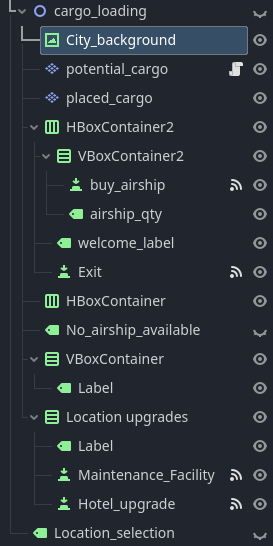
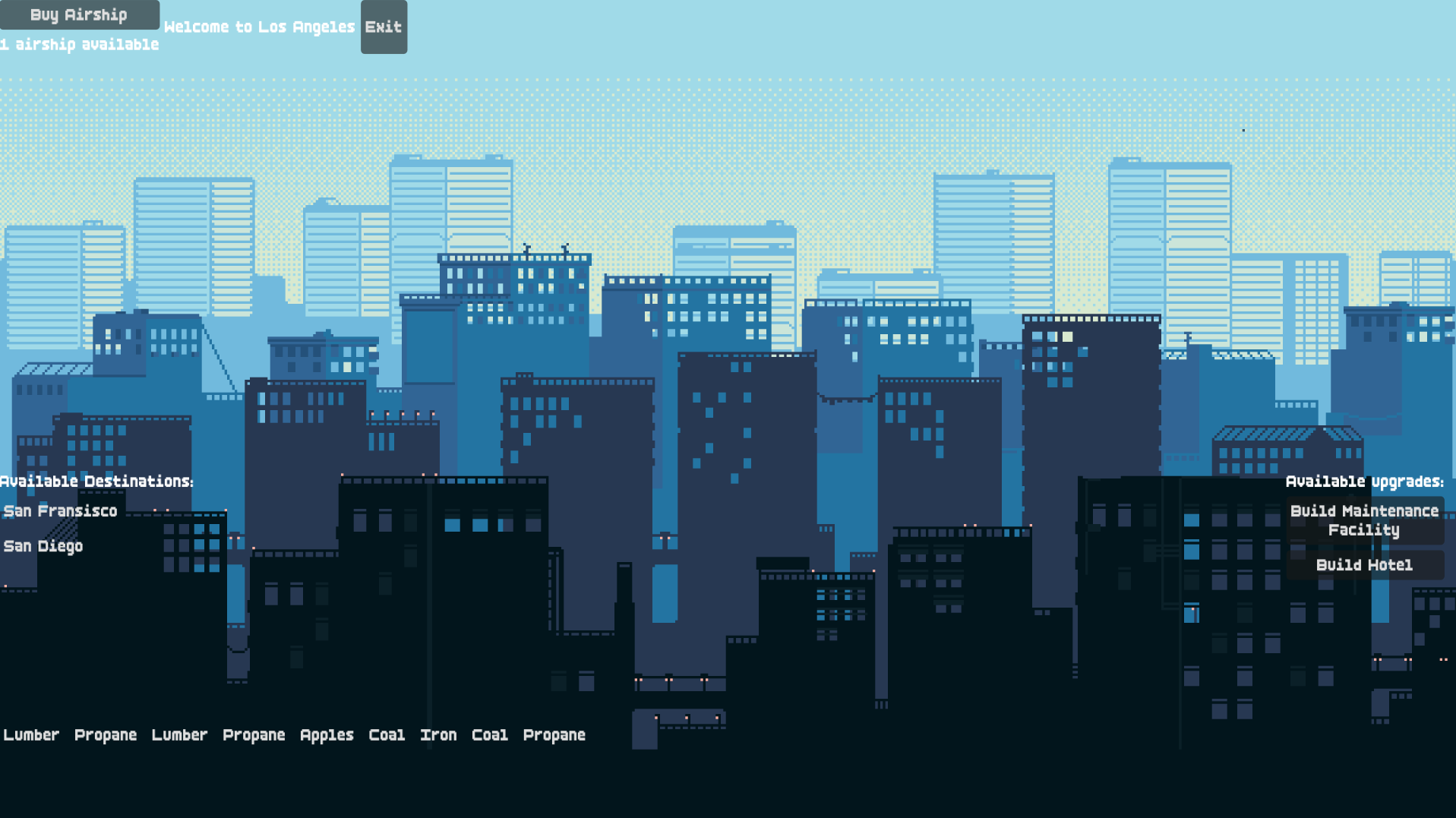
I’m not sure why the buttons are not reacting to my clicking. It was fine before I added the background but now, the buttons don’t react to the clicking. Screenshot below:
I have the nodes arranged to where the “cargo_loading” is placed on top of the world map. If the player wants to load cargo, the “cargo_loading” node’s visibility is made true.
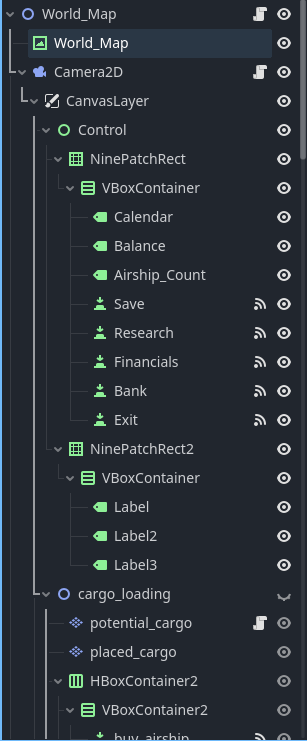
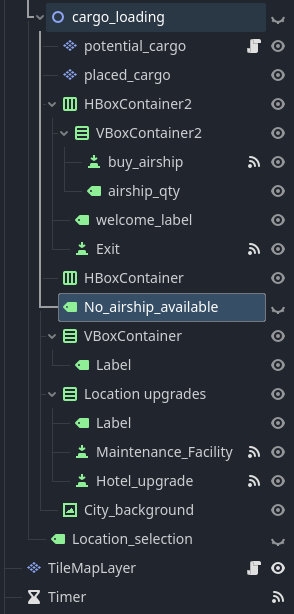
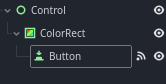
if the only thing you were changing since it last worked was the background, then it might be the background which overlays your buttons now. A fast check could be to drag-drop one of the buttons onto the background node and see if it can be interacted with now. Like so:
(good)
Note: this should make the button visible, even though it has a lower z-level than what covers it.
If this doesn’t yield any results, you should ask yourself if you touched any of the z-level properties. The item with the higher z-level will be on top of the others. Therefore setting a button to a very high z-level should put it on top (high z-level for Button = good). You could try this and see if one of the buttons can be interacted with.
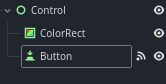
If the button and the thing which covers it have the same z-level you want the button to be lower in your scene tree than the thing which covers it for it to be on top. Like so:
(good)
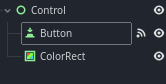
If the z-level is the same, but the button is higher than the covering element the button might be inaccessible (see below).
(bad)
I hope this can help you debug the accessibility of your user-interface button.
 (good)
 (good)
 (bad)
(bad)