Godot Version
Godot 4.5.1.stable
Question
I’m trying to convert a canvas_item highlight shader to work on a CanvasGroup node. I’ve actually tried it with two shaders, and on the second one, I can see it moving in the alpha-blended edge of the node - basically the highlight is under the combined images. I do not know enough about shaders to understand what is going on, and I could use some help.
- I’d like a solution to make either one of the shaders below work.
- Bonus points for explaining to me what’s actually going on/where I made my mistake.
I learned about CanvasGroups through this video here:
I tried to apply what I learned from it. Specifically that CanvasGroup nodes have their own code:
shader_type canvas_item;
render_mode unshaded;

uniform sampler2D screen_texture : hint_screen_texture, repeat_disable, filter_nearest;

void fragment() {
	vec4 c = textureLod(screen_texture, SCREEN_UV, 0.0);

	if (c.a > 0.0001) {
		c.rgb /= c.a;
	}

	COLOR *= c;
}
You must integrate that code into a shader for it to work on a CanvasGroup node.
Shader 1
So my first try was with the shader, Shine 2D – Configurable - Godot Shaders. I followed what I learned in the video and got the two images showing up.
Shader 1
shader_type canvas_item;
render_mode blend_premul_alpha;

uniform sampler2D screen_texture : hint_screen_texture, repeat_disable, filter_nearest; //CanvasGroup shader
uniform vec4 shine_color : source_color = vec4(1.0);
uniform float shine_angle : hint_range(0.0, 180.0, 0.1) = 45.0;
uniform float shine_speed : hint_range(0.01, 10.0, 0.01) = 0.3;
uniform float shine_delay : hint_range(0.0, 5.0, 0.1) = 0.0;
uniform bool shine_reverse = false;

uniform float Line_Width : hint_range(0.0, 0.2) = 0.09;
uniform float Line_Smoothness : hint_range(0.001, 0.1) = 0.045;
uniform float Brightness : hint_range(0.0, 10.0) = 3.0;
uniform float Distortion : hint_range(1.0, 3.0) = 2;
uniform float LensStrength : hint_range(0.0, 0.1) = 0.05;

void fragment() {
    vec2 uv = UV;

    // Dirección y normal
    float angle_rad = radians(shine_angle);
    vec2 shine_dir = normalize(vec2(cos(angle_rad), -sin(angle_rad)));
    vec2 shine_normal = vec2(-shine_dir.y, shine_dir.x);

    // Gradiente radial
    vec2 center_uv = uv - vec2(0.5);
    float gradient_to_edge = max(abs(center_uv.x), abs(center_uv.y));
    gradient_to_edge = 1.0 - gradient_to_edge * Distortion;
    gradient_to_edge = clamp(gradient_to_edge, 0.0, 1.0);

    // Animación
    float cycle_duration = (1.0 / shine_speed) + shine_delay;
    float time_in_cycle = mod(TIME, cycle_duration);
    float shine_progress = clamp(time_in_cycle * shine_speed, 0.0, 1.0);
    if (shine_reverse) {
        shine_progress = 1.0 - shine_progress;
    }

    float max_offset = 1.5;
    float offset = mix(-max_offset, max_offset, shine_progress);
    vec2 shine_origin = vec2(0.5) + shine_normal * offset;

    // Brillo
    float distance = dot(uv - shine_origin, shine_normal);
    float smoothness = clamp(Line_Smoothness, 0.001, 1.0);
    float half_width = Line_Width * 0.5;
    float shine = smoothstep(-half_width - smoothness, -half_width, distance) -
                  smoothstep(half_width, half_width + smoothness, distance);

    // Lens flare
    vec2 lens_offset = shine * LensStrength * shine_normal;
    vec4 base_color = texture(TEXTURE, uv + lens_offset);

    // Respetar transparencia
    if (base_color.a <= 0.0) {
        discard; // opcional: no renderiza nada
    }

    shine *= base_color.a;

    float final_intensity = shine * gradient_to_edge * Brightness;
    final_intensity = clamp(final_intensity, 0.0, shine_color.a);

    vec3 final_color = mix(base_color.rgb, shine_color.rgb, final_intensity);

	// <----------------------------------------------------------------------->
	// Added from CanvasGroup shader
	vec4 c = textureLod(screen_texture, SCREEN_UV, 0.0);

	if (c.a > 0.0001) {
		c.rgb /= c.a;
	}

	vec4 shader_color =vec4(final_color, base_color.a);
	float base_alpha = min(base_color.a, 1.0);
	COLOR = mix(c, shader_color, c.a - base_alpha);
	// <----------------------------------------------------------------------->


	// Aplicar alpha como máscara final
    // COLOR = vec4(final_color, base_color.a);
}
Original (No shader)
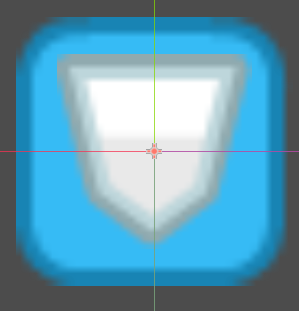
With Shader 1
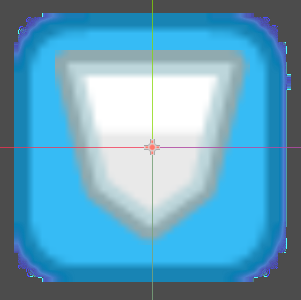
Shader 2
In my second attempt, I took a look at a CanvasGroup shader: Canvas Group Outline - Godot Shaders. Then I tried to adapt what I saw in it. I also wondered if the line render_mode blend_premul_alpha; was giving me problems, so I found another shader to adapt that didn’t have that. Specifically this one: Shine - Godot Shaders
Shader 2
shader_type canvas_item;

// --- Includes --- //
//#include "res://shaders/includes/generic_functions.gdshaderinc"

//CanvasGroup Shader
uniform sampler2D screen_texture : hint_screen_texture, repeat_disable, filter_nearest;

// --- Uniforms --- //
uniform vec4 shine_color: source_color = vec4(1.0, 1.0, 1.0, 0.25);

uniform float line_width: hint_range(0.0, 2.0, 0.01) = 0.1;
uniform float angle: hint_range(0.0, 6.28318530718, 0.1308996939) = 0.785398163397;

uniform float speed: hint_range(0.0, 10.0, 0.1) = 1.0;
uniform float wait_cycles: hint_range(0.0, 10.0, 0.1) = 1.0;

// --- Functions --- //
vec2 rotate_precalculated(vec2 _pos, float _sine, float _cosine) {
	return vec2(_pos.x * _cosine + _pos.y * -_sine, _pos.x * _sine + _pos.y * _cosine);
}

void fragment() {
	//vec4 c = textureLod(screen_texture, SCREEN_UV, 0.0);
	vec4 c = texture(screen_texture, SCREEN_UV);
//
	//if (c.a > 0.0001) {
		//c.rgb /= c.a;
	//}


	float sine = sin(angle);
	float cosine = cos(angle);
	float len = 1.5 - max(abs(sine), abs(cosine)) + line_width;
	float line = smoothstep(-line_width, line_width,
			rotate_precalculated((UV - vec2(0.5)), sine, cosine).y - mod(TIME * speed, (len * 2.0) * wait_cycles) + len);
	//COLOR.rgb += shine_color.rgb * shine_color.a * vec3(line * (1.0 - line) * 4.0);
	vec3 shine = shine_color.rgb * shine_color.a * vec3(line * (1.0 - line) * 4.0);
	vec4 shine_four = vec4(shine, c.a);
	COLOR = mix(shine_four, c, c.a);
}
Shader 2