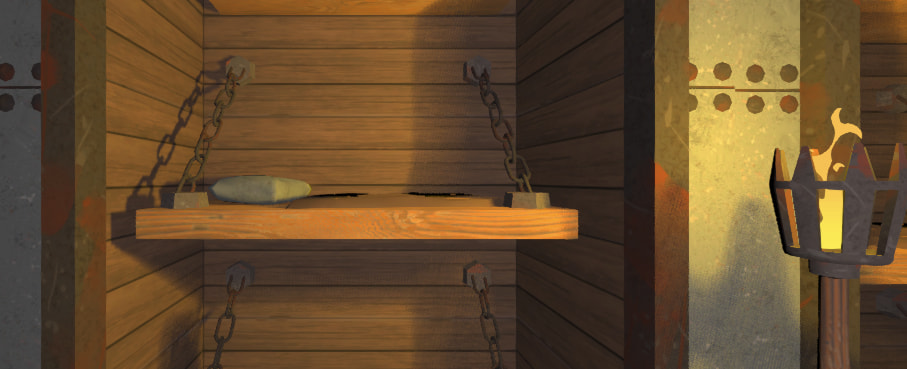
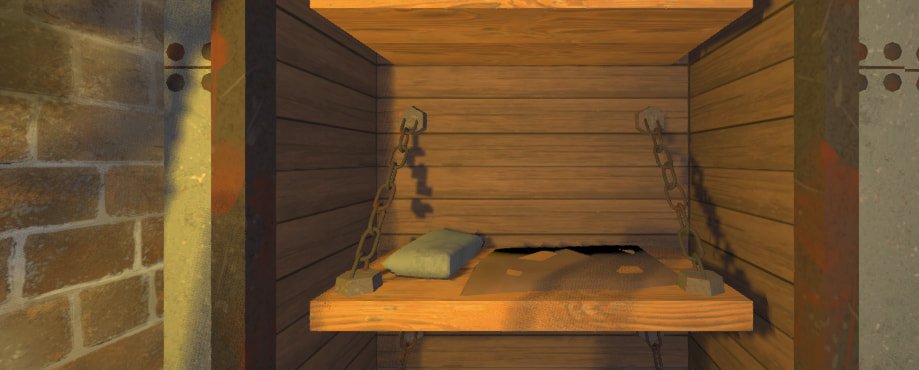
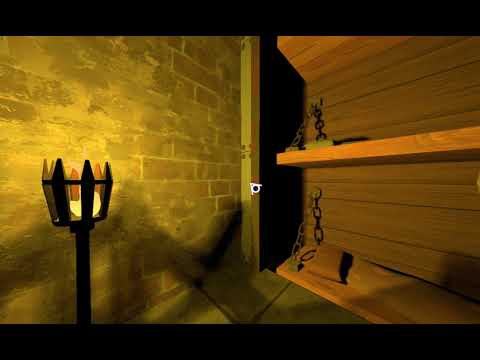
I noticed that an OmniLight3D’s shadows get very pixel-y (and sometimes even jittery) when the light source is not inside the camera’s view frustum. At least that’s my assumption.
The question is if that is a bug, or if there is a way to improve the situation somehow (there doesn’t seem to be a way to change a light’s AABB, like you would do it with particles).
It’s pretty much the same as my second screenshot above.
“Dual Paraboloid” also doesn’t make a difference.
There is something amiss here. As soon as I rotate the camera slightly (in the context of my game), the quality of the shadows improve,s but as soon as the camera “rests” again, it decreases again. I’ll investigate further when I have more time.
godot uses a technique to optimize rendering of shadows similar to the ones used in deferred, so it might be that.
godot shares a shadow atlas between the lights visible on the scene, so if you have a hundred lights, the shadow quality is going to decrease to account for all the lights.
only important lights should have shadows, if there are many. if you need precise shadows and are not going to move them, another alternative is to use a LightmapGI.
godot uses jitter on the shadows to get performant soft shadows.
there are 2 solutions to this:
1 - use upscaling or downscaling, this will break the pixel perfect jitter making the shadows soft.
upscaling is more expensive but gives better results, while downscaling will make the scene run faster but with less quality.
2 - activate TAA, this brings all the problems of TAA, but it’s designed to get rid of shadow jitter.
you increased the atlas size, not shadow quality. increasing atlas size brings problems of their own. depending on the GPU you can run into bugs because you reach texture size limit, this can be something like 2k or 4k in some GPUs.
try resetting everything to default.
it is very weird that the shadows are fine until the camera stops. I noticed that you are using some kind of shader for selection, this can create problems, more so with screen space and vulkan shaders. try disabling them.
you are also using angular size for lights. it appears to be something like 2.0 or 4.0 or higher, it should not be this high for real time and for multiple lights, and it could be what’s causing the problems.
for soft shadows like these, use godot’s GI solutions:
if your map is enclosed and not too big, you can use a VoxelGI to improve the lighting.
another solution is to enable SSIL, it will simulate light bounces. SSAO can be used to darken edges. SSR is for precise reflections, specially on metal surfaces. these are very cheap, probably cheaper than angular size shadows.
I don’t know how angular size works with omnilights, but with direct light it renders the shadow buffer 4 times at different resolutions and then blends the results to create the soft shadows. omnilights use 6 spot shadows, so I imagine it has to render 12 or 24 buffers, maybe more.
the problem is also over time. is TAA enabled?
there is a similar glitch with reflection probes when they begin to render when the project starts, this glitch looks like the shadow buffers being recalculated when the camera stops moving, for some reason.
As I said, I increased all the other settings too. I played around with them, and in the video they were reset to the standard settings already.
I disabled the full-screen highlighting effect and it didn’t make a difference.
I don’t know what you mean by “angular size”. If you mean the light_size parameter, it’s 0.5. If I set it to 0.0, the shadow pixelation is even worse (because blurring is off).
TAA (rendering/anti_aliasing/quality/use_taa) is disabled. Enabling it makes no difference in regards to the problem.
It does looks like shadow atlas quadrant switching, which shouldn’t be happening with small number of positional lights and default atlas quadrant settings.
In any case, best to make a minimal reproduction project.
In the video, there appear to be two successive swaps towards lower resolution quadrant with some time delay in-between. Hard to tell what may be causing it without seeing the actual scene.
Setting the same number of shadows per each quadrant should eliminate the apparent swapping to lower resolution. If not, then something really weird is happening there.
Indeed, the issue on Github describes exactly what I’m experiencing, and setting all quadrants to 4 “solves” it. I can’t imagine though that this is without caveats, especially when there are several lights with shadows visible in the scene.
Funnily enough AThousandShips removed the issue from 4.x milestone after I posted in the thread, so I guess this bug is going to be ignored. Especially as it exists since 2023.