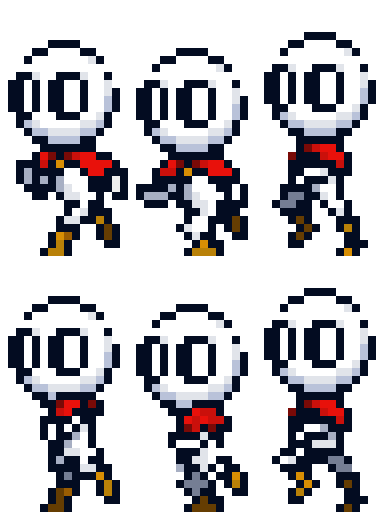
Hi! I would like some advice or tips for pixel animation! So i made a running animation of my pixel character! I’m kinda new to pixel animation so i would like some help from the experienced animators:) and i’m not sure if this looks like walking instead of running…
(I changed the run animation)
I added a video version so that you could see it with a white backhround.
I would like some pixel animation tips for this animation and for any animation, thanks!
(I will shorten the arm on the back of the character later because it looks long AND I didnt animate the cape yet only the body just so you know.)
(I can post the idle animation if you want for some reason.)
I would like some feedback on my animations and describe what you think is happening in the animations because I don’t know if people are seeing the same thing as me.. oh yeah and tell me what to improve=/
Number 1
Number 2
Number 3
Number 4 (this has 2 animations so i could take less videos)
Last one (this has 2 animations too)
(Unfinished animation)
Of course you can choose not to follow this request .
RIP my net speed or maybe unoptimized site,
1.goofy little guy ,looks great ,The cape anim is good but maybe he should have some pixels in the head. Looks like just saved the whole snow mountain!
2.LOADDDDDINGGGGGGGGGGGGG
the “run” animation is good, but as you said.. it looks more like walking. If you want it more look like running, give the movement more force. (like the old Mega Man). Animation is hard enough, but pixel animation is another level
Overall all animations look very good so far, but you are asking for tips
Run animation) Try to add more force in the movement. take the arms and legs higher.. i did this animation years ago and it took me days to let it look like running without any stutters.
Idle) The Idle animation with the coat looks good too. If you want it more epic.. you could add a few more pixels to the left, so you could give more “attention”.
Jump) Looks either very good. If you want to let the player jump very high, give it more force. Pull the legs higher.
I dont know what exactly this is.
Crouch) Theres nothing wrong with it. If you want to let it look more like crouching, maybe you could take the head lower?
Let me know if you have a prototype. I will test it
It will look like dashing in game not in a static gif.
to make a game look good if you suck (Kinda) at art then add 40% animation,30% visual effects and 10% sound effects and 20% other such as screen shake and etc.
Wait I have a question… if im gonna add puking to the enemy… do I animate the puke in the enemy animation? Or do I create a seperate animation for the puke? And if I do have to create a seperate animation… then how do I connect it to the enemy?
I’d create a separate animation for the puke and or projectiles. Then you can move the projectile independently of the enemy/character. Even melee particle effects/hit Marks I would do this way.
You’ll still want an attack animation to play on your characters.
It’s all about workflow and what works for you though, but I’m pretty sure in post cases it will be better to keep the character sprite separate from attack effects.
Hi sorry for another question but if I want to make a puke attack then I would need to add a hitbox right? But I don’t want that hitbox to be there at every frame, so how do I add a hitbox/collision on a specific frame? Because it doesn’t make sense if the puke hitbox is always there, I want it to only be there if it’s at the puke frame. (Puke or whatever attack, like a sword or whip, whatever.)
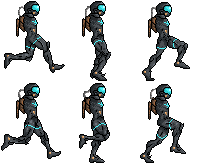


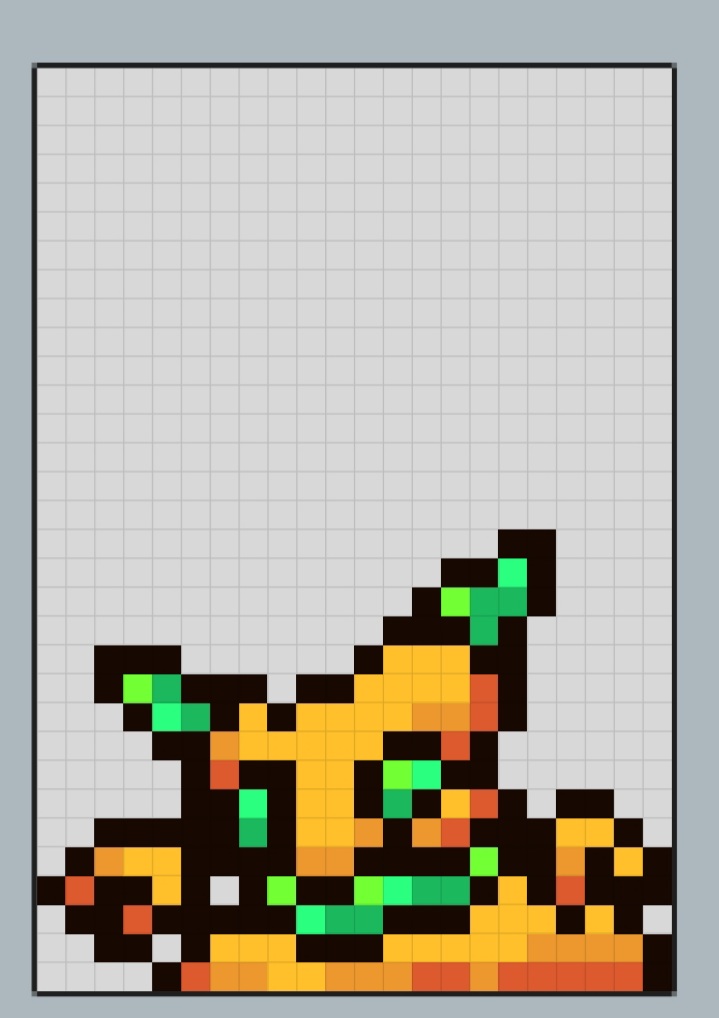

 your game looks fun, the pc virus game? (Sorry i forgot what it was about because i saw it a long time ago.
 )
)