[plugin] Godot ASCII ToolKit

Hi everyone!

I am really excited to share my first plugin with you!

It’s called Godot ASCII Toolkit and, well, I hope the name stands for itself! :'D

minimal_game_ASCII

It is still in development, I will (hopefully) add new features every now and then.

Quick summary of features

  1. Adds an ASCII Godot splash screen! :godot:

  2. Adds custom Control nodes for building ASCII looking UI using the editor, notably:

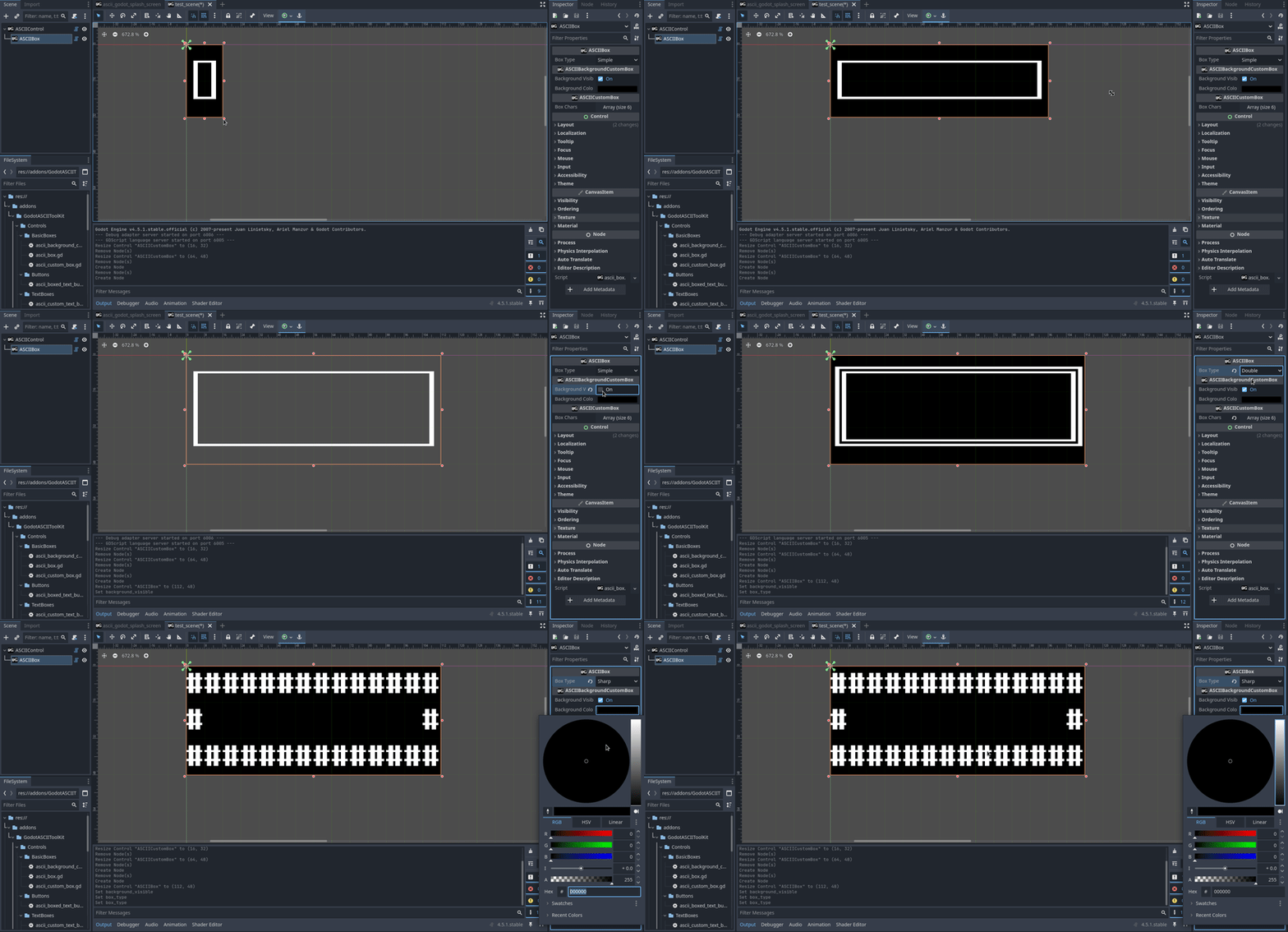
    • ASCIIBox: ASCII Box where the box characters are chosen from a list of types.
      ASCIIbox
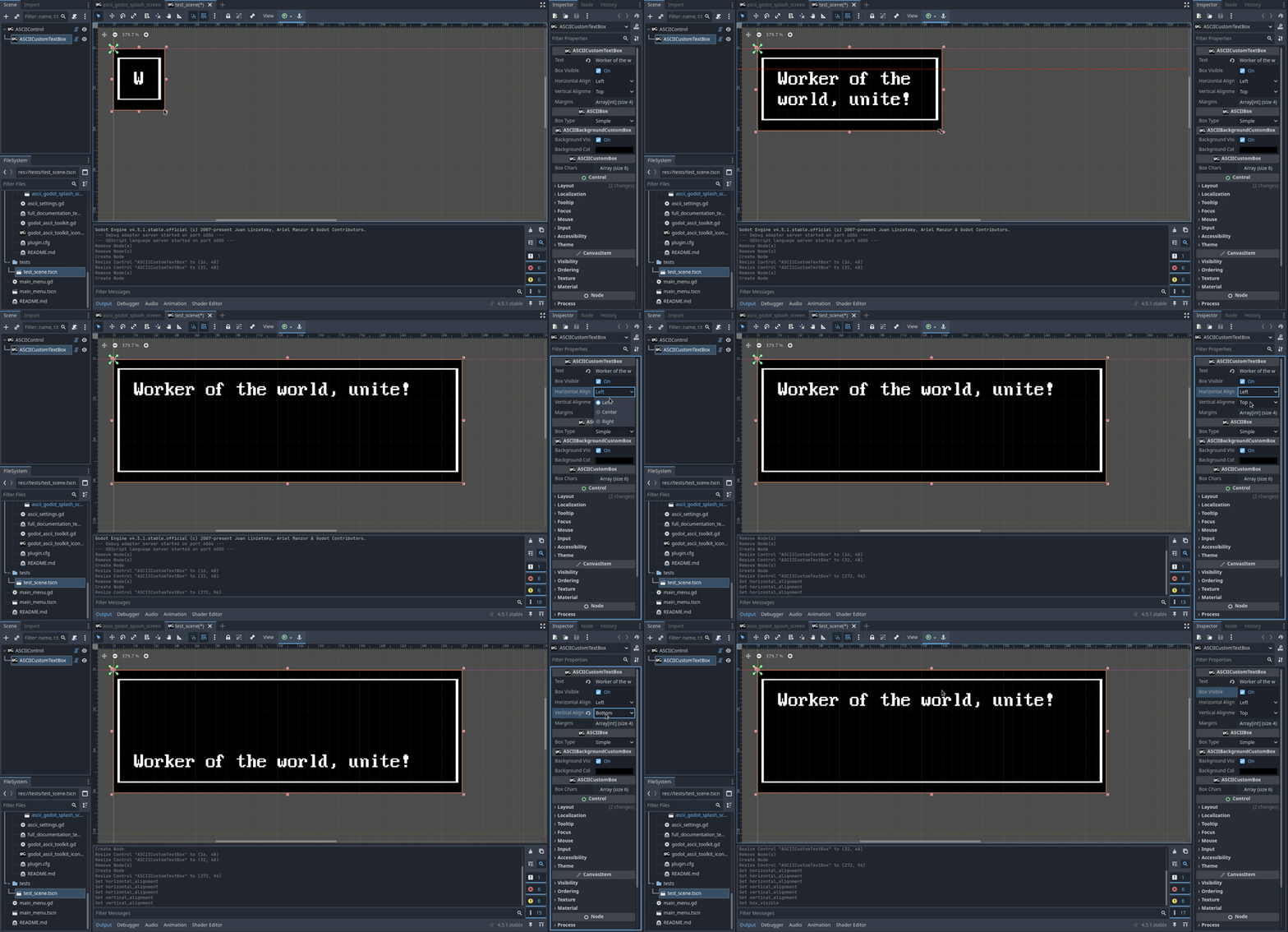
    • ASCIICustomTextBox: ASCII text box with custom margins
      ASCIICustomTextBox
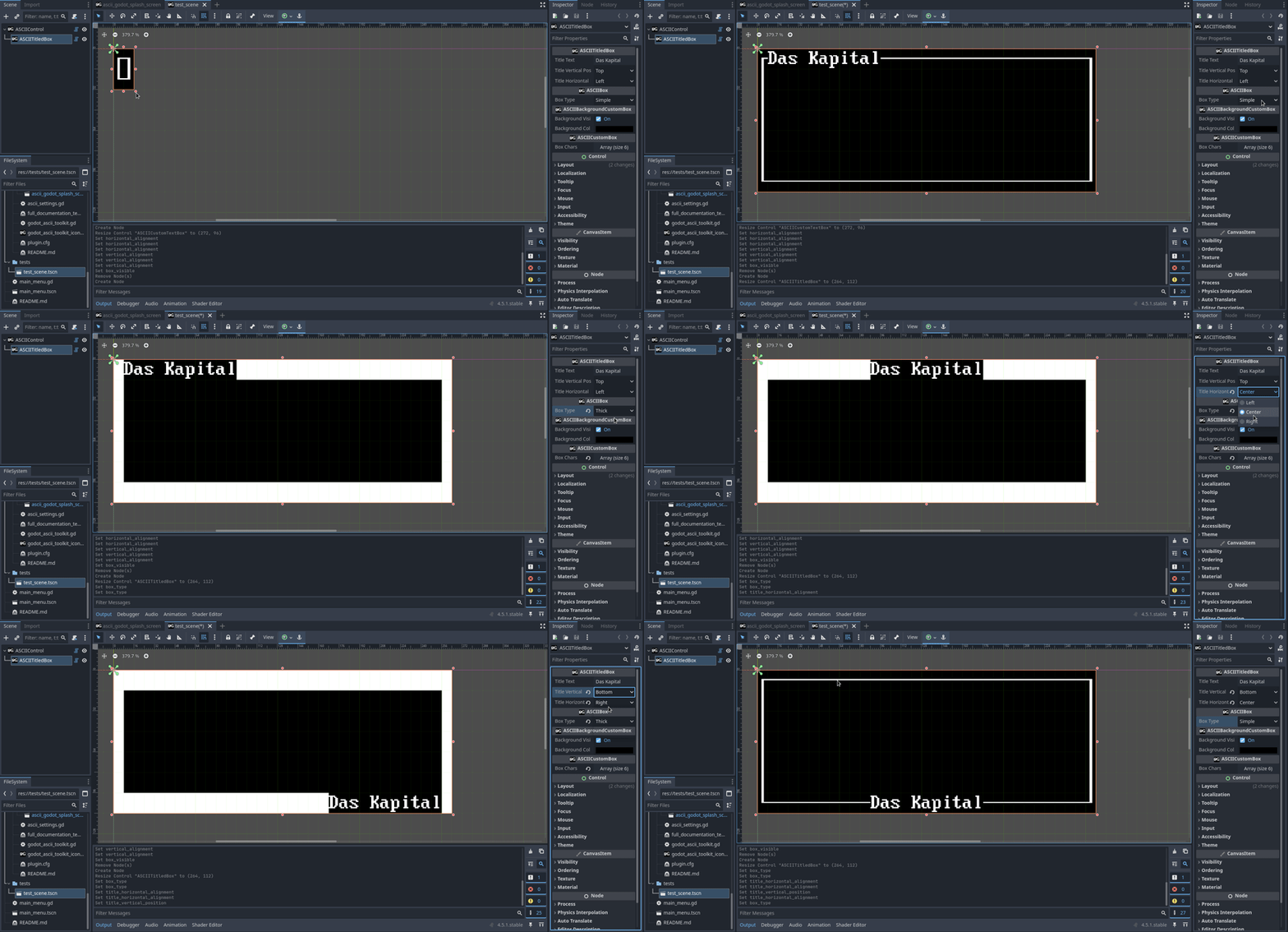
    • ASCIITitledBox(ASCIIBox): A box with a title on the frame.
      ASCIITitleBox
    • ASCIIBoxedTextButton: ASCII looking button with text and frame box (cf. the minimal game example GIF).
  3. Possibilty to customize your ASCII UI elements through custom ASCIIThemes!

More information in this README.

Future plans:

  • ASCIIProgressBar;
  • ASCIISlider;
  • ASCIITabs;

External Links

Motivations

One day, I played Candy Box, then Candy Box 2, and they literally blew my mind (especially the second one).

I was fascinated about how good were both the gameplay (I couldn’t imagine an idle game to be so creative) and the atmosphere (the ASCII graphics are awesome and also very creative) while only relying on text (which may be seen as ‘simple’).

More recently, I play their spiritual successor: Stone Story RPG. The scope is even bigger while remaining awesome (the scripting part is just too much) and most importantly: it is the most beautiful piece of ASCII art I have ever seen.

Unfortunately, I read that Stone Story RPG was made using Unity and… Well, do I have to say anything else here? :smiley:

So, the question raised naturally: what would it take to create a Stone Story RPG-like with Godot? I did a quick review of existing features, found the ASCII Screen plugin from Nofacer to handle placing objects on a ASCII grid in a very roguelikedev way. It is very cool but it felt like trying to make a game as graphically complex as Stone Story RPG would be a pain as it would require recoding everything from the ground up. While it is very good for learning aspects, I think (or at least hope) that I am past that.

That’s how I ended up learning about tool and made my own plugin!

Main things I would love to have feedback about

I have some very precise questions regarding Godot (especially the editor):

  • How can I configure grid size and activate grid snap in the 2D editor through gdscript? I know about EditorSettings, but it does not seem to include it… Other “solutions” I found were more like messy workaround and, when you have to do things like that, it usually means that you’ve missed something (at least in my own experience).
  • I am really confused about themes. I didn’t manage to create it from script, so I have to rely on a ressource created from the editor…

However, I am also wondering about other aspect:

  • Does relying on Labels to make custom ASCII Controls seem like a good idea to you? Or are you already seeing the limitations of the approach?
  • Does this approach seems relevant to you? The main idea was to reuse Godot features at maximum but maybe it is useless…
  • What do you think of the code in general? Are there bad practice I should avoid?

Thank you for reading!

12 Likes

Awesome work! I would love to give it a try. :smiley:

Can you use an ASCIICustomTextBox as a button?

1 Like

Thank you for the nice comment ! :smiley:

And for your question, yes, ASCIIBoxedTextButton basically does that (with a background color change when hoovering but it can be toggled off from the editor)! There is a color inversion of the background/font color when clicking though!

1 Like

This is dope!

2 Likes

Thanks! :3

Haven’t checked the plugin yet, but man! That reference to Marx and Engels is priceless :slight_smile:

1 Like

Haha! Glad you liked it! Maybe there’ll be more in future updates! :stuck_out_tongue:

If you give it a try (no pressure), it might be a better idea to download it from github as I push updates more regularly than on the godot asset library or itch.io! :slight_smile:

This is super cool! I’m a sucker for a good ASCII aesthetic.

Case in point… Effulgence RPG on Steam (not my game, but I’ve been waiting for it to go Early Access for a while and it did in the last week!)

1 Like

Ohhh it looks beautiful indeed! I wonder how it is done technically speaking… It looks like ASCII texts used as textures on 3D models!

Anyway, thank you for the nice comment! :3

1 Like

GodotASCIIToolKit version alpha 0.1

Summary

This new version:

  1. Completely removes the autolad ASCIISettings which was causing errors in the Godot editor when first enabling the plugin. Instead, it relies on ProjectSettings.
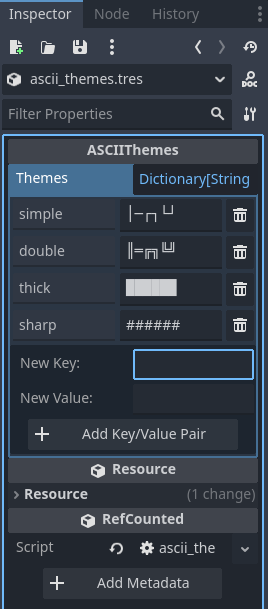
  2. Adds the notion of ASCIIThemes, which is basically a custom Godot Resource which handles the graphical appearance (i.e. which characters are used) of the custom types!

More details about ASCIIThemes

  1. So, What is an ASCII theme?

What I call ASCII theme is a string containing characters used to build ASCII UI elements. Each index in the string correspond to a given “character function”. For instance, the character at index 0 is used as a vertical line, the character at index 1 as an horizontal line, etc.

  1. How does it work in practice?

In practice, all available themes are embedded within a Godot custom Resource called ASCIIThemes. ASCIIThemes contains a Dictionary[String, String] which makes the correspondance between themes names and their respective constitutive strings (i.e. the string containing the characters used to build graphical elements such as corners or lines). ASCIIThemes also contains an enum embedding the correspondance between the character fonction and the index in the constitutive string:

enum {
	VERTICAL_LINE,
	HORIZONTAL_LINE,
	TOP_LEFT_CORNER,
	TOP_RIGHT_CORNER,
	BOTTOM_LEFT_CORNER,
	BOTTOM_RIGHT_CORNER,
}
  1. How to add custom themes?

When the plugin is enabled, the file res://addons/GodotASCIIToolKit/Resources/ASCIIResources/ascii_themes.tres is (if it does not exists) created from the ASCIIThemes Resource. This way, the user can add custom new themes by editing this file directly in the Godot editor!

Another way, for customizing only one instance for an ASCII tool that derives from ASCIICustomBox is to modify its box_chars property.