I’ve tried that, still there is problem that in console I see that even thought player hasn’t fallen, somehow the code thinks he did and only on 3 blocks of the game when I jump
Is there any enemy on your game?
what are the 3 blocks?
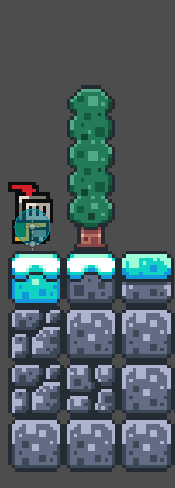
Do u mind showing us the tree structure for your main scene?
hmm, there could be 2 things then:
1.The first few blocks are at 1000 or higher in y axis,
2.some enemies fall and the area counts it as player
Are you using the both y axis-coordinate and area2D border system at once?
- I checked it and the few first blocks are at less than 100 y axis
- Ye, that’s possible. So I assume I should add class to enemy/player to differentiate them
Yes, because for some reason (I still haven’t found out why) the kill zone doesn’t work when player falls in it - he was able to walk on it

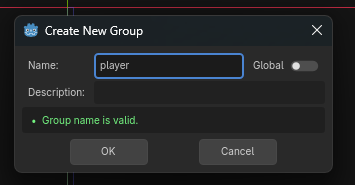
Okey, thank you, it’s the enemy problem (but still the killzone doesn’t recognize player when he falls there)
what the console shows?
Imposter fell in the void
Isn’t your player a character body?
Nope, it’s animated sprite and collision shape
Could u please show us the tree structure of your main scene or the collision masks and layers for the player and the killzone?
I’ve been through the tutorials and it happens alot that the collision mask is set wrong, or u accidentally pull the collision shape out of the killzone or did not attach the script. Alot of things can go wrong.
I am not trying to rob u… I am trying to help you! I can produce the tutorial if I want! I’ve finished it!
Screenshot out the scene tree and the Collision properties of the Player and the Killzone and paste it here.
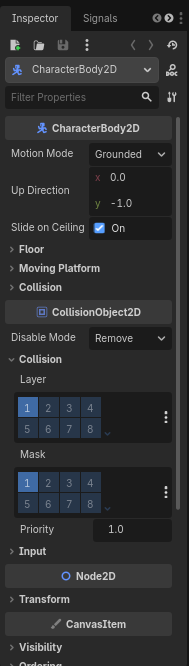
I see it now, I accidentally put killzone under player

Yeah I am laughing now, but yeah it also happened to me where I accidentally dragged something out of place. There is a lock layer function to stop that BTW
Ye, btw, that’s why I put in the first post of this thread that I am a beginner, I don’t have any experience whatsoever : D