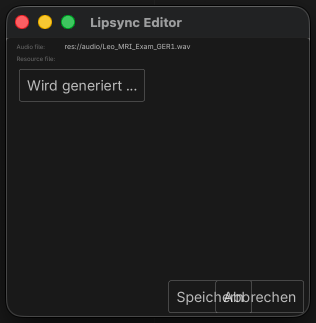
I’m desperately trying to create lip animation in Godot using the Baked Lipsync plugin. When I open the Lipsync tab, I see my .wav file. I double-click on it and the Lipsync Editor opens. So far, so good… but when I click on ‘Generate Lipsync’, I get the following error:
ERROR: res://addons/baked_lipsync/oven/animation_baker.gd:22 - Out of bounds get index ‘-1’ (on base: ‘Array’)
ERROR: res://addons/baked_lipsync/editor_panel/lipsync_editor.gd:154 - Trying to assign value of type ‘Nil’ to a variable of type ‘String’.
Baked Lipsync error: Rhubarb failed to process the file
Does anyone know this problem? Rhubarb is located in the project under the tools folder…
I just can’t manage to create a .tres file. I also tried changing the files from the example folder… but then the lips are not synchronized with my .wav.
As for your problem, the error looks like you didn’t assign something it’s looking for before pressing the Generate Lipsynch button. My guess would be it expects an array of expressions to apply to your model perhaps, and it cannot find those. But again, this is a guess. I’ve never used it.
I’d look to see if there’s a YouTube video explaining how to use it.
Also keep in mind this code hasn’t been updated since 4.4-beta2. (Based on the repository not being updated in 10 months.)
Yes, I’ve searched everywhere for videos, etc., but unfortunately haven’t found anything useful. That’s why I was hoping that someone from the forum had already done it. And I’ve tested it down to version 4.4…
In my opinion, I don’t have any other option to specify any parameters, since the sync editor only has a generate button… and I thought that the .tres file would be generated here first…
What I would do in your situation is take a look at the two examples provided and see how they are structured. See if you can get a new wav file to work with them, and then go from there.