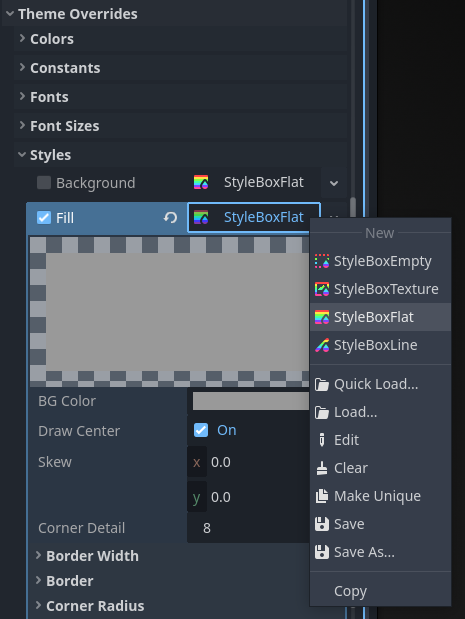
Hey I am a beginner learning Godot, I come across a tutorial, it teach me how to add a health bar using Progress Bar. The default progress bar color is gray, it teach me to change it to green by click Theme Overrides -> Styles -> Fill and change BG color in there. However when I click it, it bumps out an error message "Toggling the checkbox is disabled for Resource properties. Modify the property using the resource picker instead.” really appreciate if anyone can help me with this.
I think I figure it out, I right click on sytleBox dropdown, and it allows me to select styleBoxflat, after I pick, fill is auto ticked. I am not sure if this is your way. But really appreciate your help
But I am also very curious why this happens, like in video tutorial, the youtuber click tick directly with no problem, it is because of updated version? or it is my editor setting issue?
This is a newly added limitation to the engine in version 4.5, that’s why the author of the tutorial still could do that using an older version of the engine, but you can’t do that in the newer versions anymore. You can read more about it, including the reasoning behind this change, in this PR: