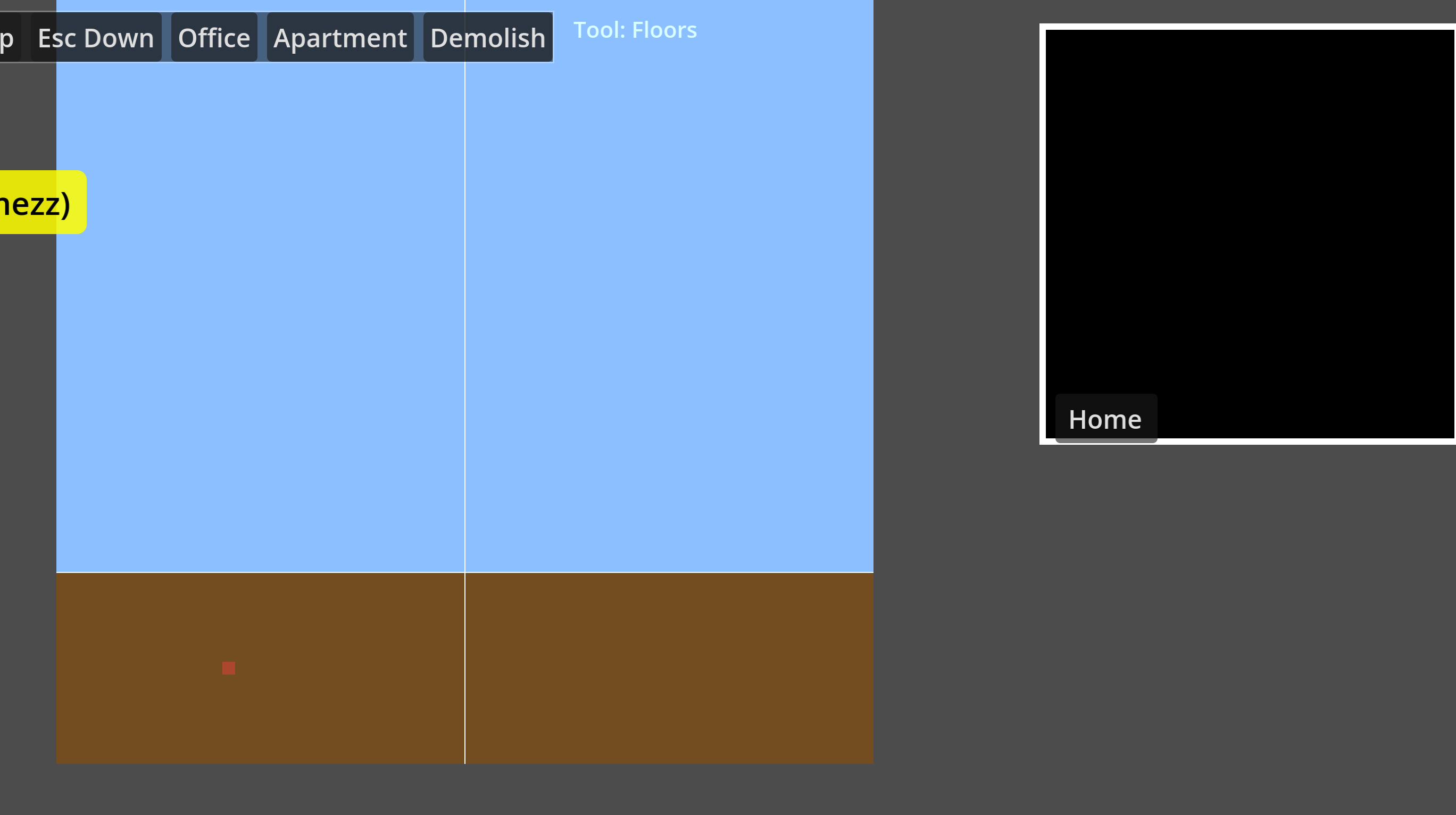
I am trying to build a game which is tower building game, i have got the main game working so far but i am having issue with the minimap, it either comes up black, grey or blue/brown but only the top 1/4 of the minimap as i am ew to godot i suspect i am coding it wrong, would anyone be able to have a look and advise what i am doing wrong so i can get the minimap to look like the main map with clickabilty and scrolling with highlightor to know where you are on teh minimap and the minimap show everything the main map shows?
Hi Tibaverus, I was not sure if anyone would be willing to help so i kept the question to ask if people could help but i understand what you mean i will post this now.
the bit on the left is the main map the bit on the right is the minimap, basically what i am trying to do is make the minimap replicate the main map so you can click on the minimap and move to that part especially when you are zoomed in this is currently zoomed out fully.
Its really tough to say. There is a lot of positioning code that needs to be checked by running it.
If you are willing to host the project (or a dumbed down version) on github I would be happy to look at it.
At any rate (and I don’t know if this is the problem or even related to the problem) this code creating a rect seems flipped on the height calculation
im happy to host it on github my lpan is to eventually host it there so people can modify it or create addons of there own just need to wokr out how i create a github hosting
So I am taking a look at this.
I am struggling to understand how you are building the minimap.
Can you describe the intended method to draw the minimap?
I notice this code:
	if _minimap_overlay.has_method("set_viewbox"):
		_minimap_overlay.call("set_viewbox", rect_pos, rect_size)
There is no method set_viewbox. And there really can’t be (at least not easily) because _minimap_overlay is a Control that is added dynamically. You would have to attach a script to it to add that method.
Is this some future consideration thing?
Ordinarily, seeing the code and being able to run it makes things so much easier. In this case the coding style makes it not so.
You are putting a lot of code into a single file. In any project there is going to be logical entities that deserve their own code file. Godot forces you to create an object in order to separate code files as that is usually what makes the most sense.
You can even see in your script where some may be. You have class level variables declared at the top, then functions then another set of class variables (ex. for build system) and functions ostensibly for that section and this gets repeated.
Don;t those sections deserve their own space? I think they do.
The inner classes are also likely targets for full classes. Some people argue against the need for inner classes at all and you have at least 4 of them.
I don’t deny that there is a system of organization here, but it is going to lead to harder and harder debugging.
Please don’t be offended and in fact be encouraged.
No offense taken i appericate the feedback, i originally built it with pulling out things like teh minimap to seperate code but i ended up having loads of errors i found it easier to keep it in the main script and look to pull it out later when i have got it working the way i want it to. i will need to look at the code again to work out why i put set viewbox i think it for a future upgrade, i might have misinterupet the godot code for this one, basically i want a rectriangle that overlays the minimap and shows you where you are on the main map and you can drag that rectrainagle and you move the mian map, i did get it working in my old split out code but as i say it broke the whole code cause i was calling things from a seperate script and the variables where not passed correctly. i also plan once the mian game is working to then fork a 3d build of it not sure if that why i put viewbox.
thank you for the feedback, i will look to do two projects one with the single code and second with the code into logical block script of there own once i get that done i will post teh git for it once done i have taken a break from the coding as i think that can cause me to have fresh eyes for it when i come back in the new year