Redundant, erroneous Warning and Error messages

Godot Version

v4.8.dev5.official [9552dfb68]

Question

Good evening…

Apologies in advance if this comes across as slightly terse; it’s an issue I thought solved way back, but which has re-surfaced.

I have had, in the past, Warnings concerning the use of Upper case letters in file names, to the effect that they may not work on other Systems. The only System I’m concerned with is my Windows 11 Pro, which has no issues with these files. I did, however, diligently go through all of the hundreds of files flagged, and, after long hours, was finally rid of these Warnings.

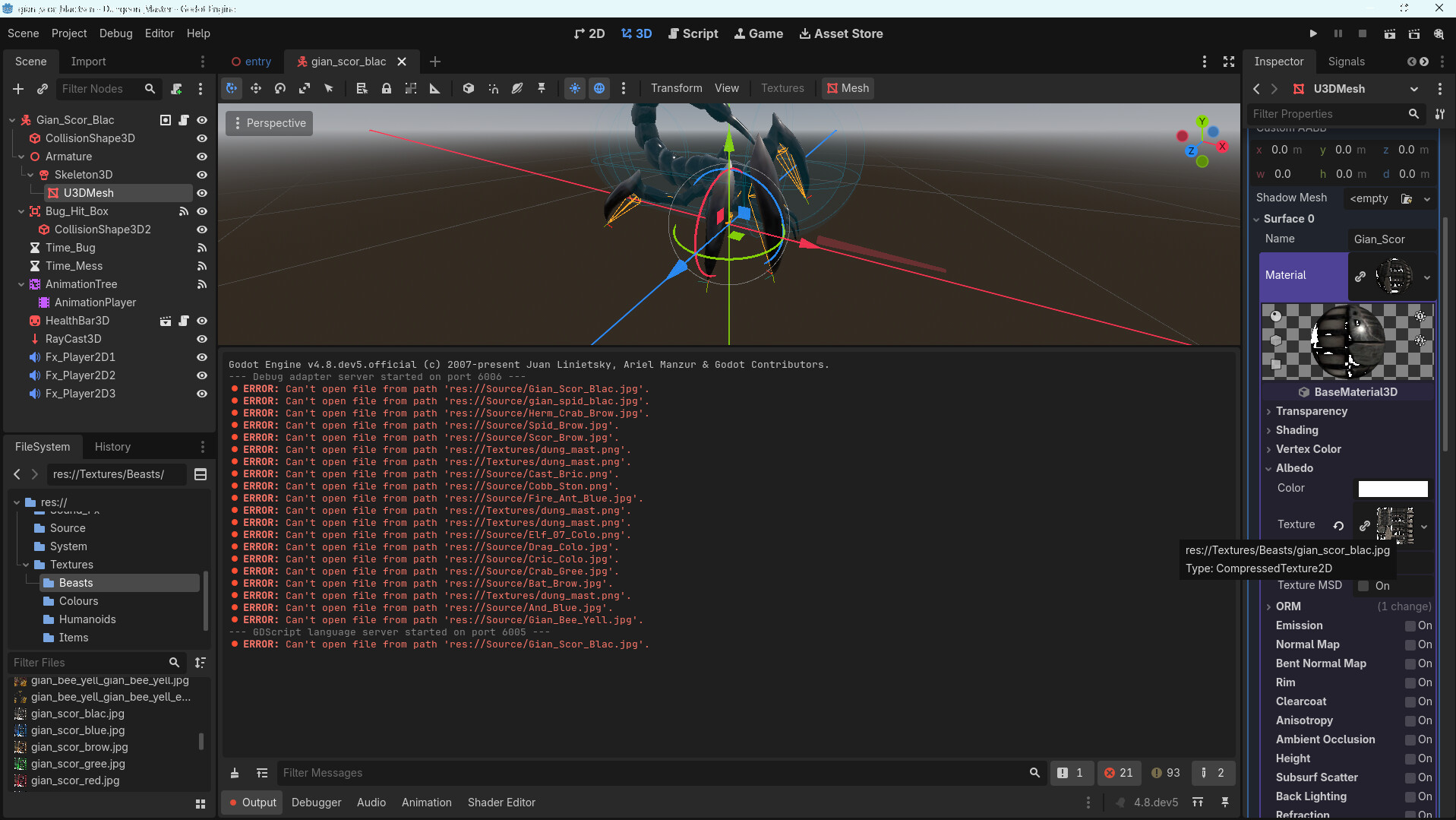
I have updated from v4.8.dev4 to v4.8.dev5, and suddenly I have, once again, a series of Errors and Warnings about Upper case, and missing files. These seem to come from the ‘cpp’ side of Godot, to which I have no direct access, and wouldn’t know what to do with, in any case. I have, once again, checked; the relevant files for the Project are all in place, the Objects using these files are missing nothing; all is well as far as my Project goes. I’ve added two screenshot, showing one of the Objects (a black scorpion…), with its correct texture, where one may see the Error and Warning messages. My question, then, is this…

How may I be rid, once and for all, of these erroneous messages..? My files are in conformity, my Objects have the correct textures, and I have no need to be warned of problems I shall never have.
I had thought it may help to close Godot, delete the .godot folder and open Godot again, hoping that the issue was a non-updated cache of some sort, but this did nothing. I have no idea where Godot is dredging up this false information, but would dearly like it to stop. Thanks in advance for any offer of a solution (hopefully permanent…); meanwhile…

Have a great day.

Douglas
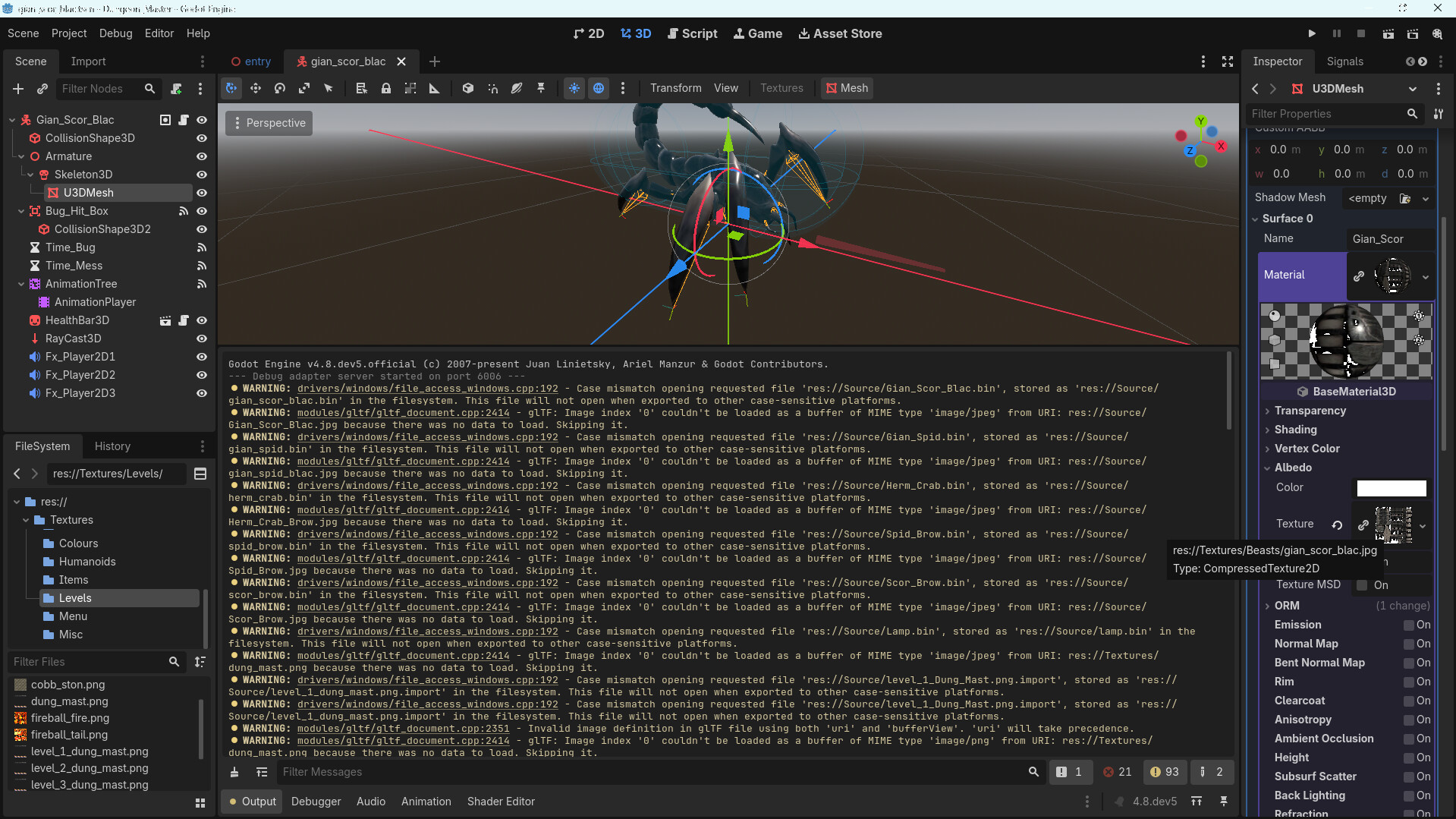
Are you sure about this? In the bottom image I can see the paths in the error messages do not match the paths under ‘filter files’.

This is an unrelated friendly suggestion, but you shouldn’t do any serious work in dev branches. There’s no guarantee that something that worked in dev branch 4 will work the same in dev branch 5, or even work at all.

If the second picture is the most current run, then you for sure have at least one file referencing the old paths.
I would start by opening .tscn files in a text editor and look for references to the uppercase versions of the error listed files.
Remember that even when you don’t specifically load/run the .tscn file, it is still parsed.

Indeed, the paths in the Error messages are incorrect; the imported textures files had been moved (by Godot…) into the Textures folder straight after importing the model many moons ago. The old Source path has never been used since for image files; the Model knows this, and has the correct image Texture.
When moving from dev4 to dev5, the System has dredged up some old info from goodness knows where. It seems to have settled down now, as I did, indeed, find some Upper case file names in the old Gltf files, used, I presume, when dev5 re-imported stuff.
I still maintain, stubbornly, that these Upper case warnings are superfluous, and should be able to be switched off by the User when not required. Windows has no issue with Upper case files since… Well even longer than that.
Thanks, too, for the reminder; be assured that none of my Projects fall under the description of ‘serious’. It’s all simply for my own pass-time, as I’m old, and now retired. BC_Thum

I’ll set this as the Solution; the files concerned were the Gltf files of the original Models, containing these Upper case file names. I’ve tracked them down, and there are no more Error nor Warnings. All for nothing, really, as there was no issue with Upper case in the first place, but ‘it is what it is’. Thanks; it’s all working now (until the next time..?). Chum