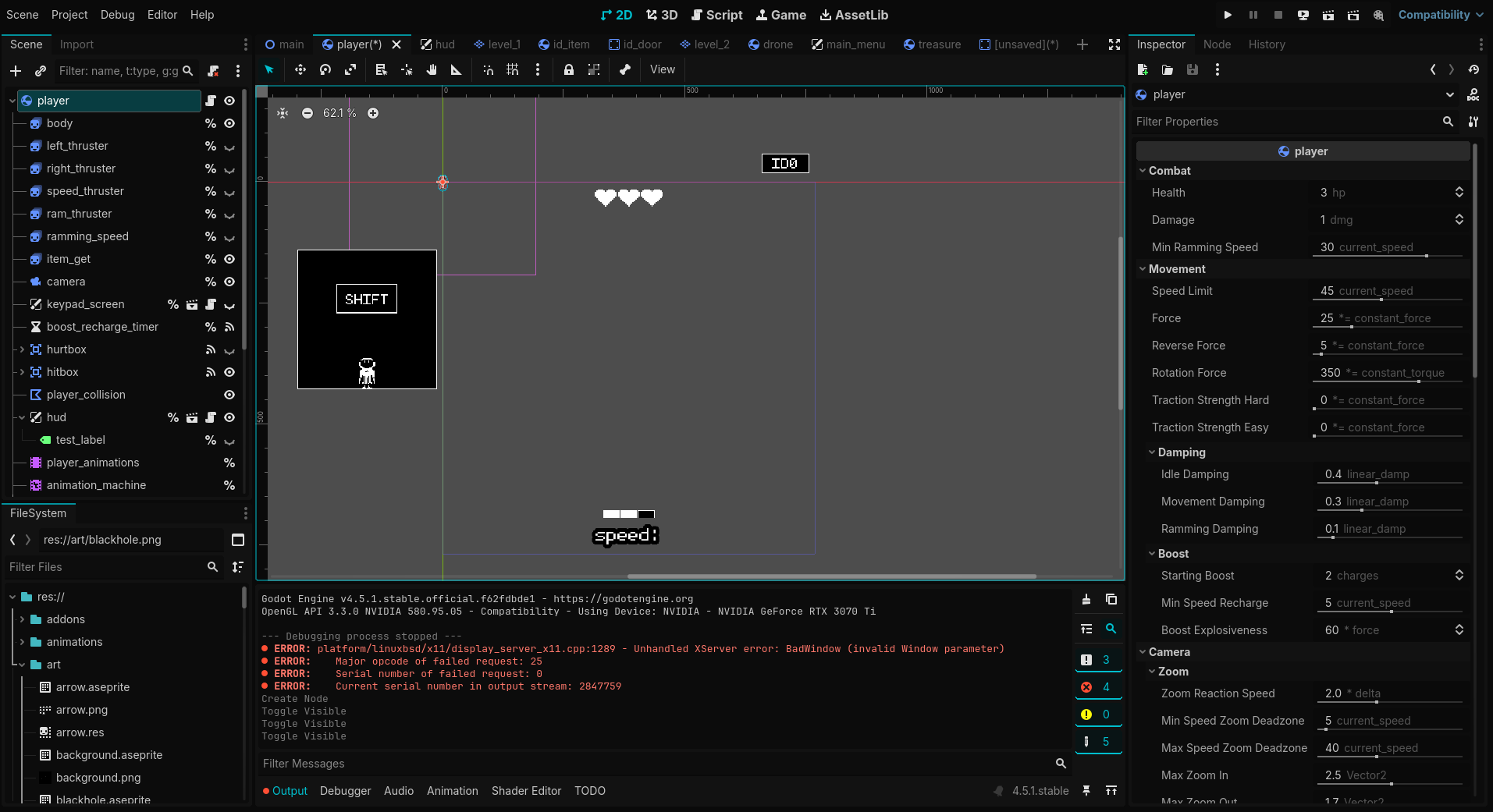
After completing the 2d and 3d tutorials, I created a 2d project of my own to use as a learning sandbox (just a way to get ideas out and onto the screen). This is my first real attempt at creating a game in Godot. I have some basic experience with object-oriented programming.
The more I add to this project, and the more complex it gets, the more quickly I run into jams and find myself thinking that perhaps I did not think (or know how to think) far enough ahead in planning the project's architecture. Right now, I seem to have worked my way into a corner with the way the game is managed.
I think I'd like to build out a game_manager singleton/autoload for the game states. Game state is currently node based and only controls play/pause. This system was copied from the player state machine that was completed first (before I realized game states make sense). I've tried to replace the current game state setup with the simpler "enum approach", and every time I do I break the game and lose my grasp of the code). This node based game state system is built under a series of scene changes called from scenes like intro, and title.
In a nutshell... I'm trying to setup a system to handle the flow of scenes while maintaining common "layers" (ex. hud, debug & pause). I've complicated it even more by adding story and prototype "forks", where I want the hud/debug/pause layers to work in.
Wow. This is harder to explain than I anticipated, and that is clear evidence to me that something is wrong.
Here is a screenshot of my game folder (a piece of the larger project file structure). The game_manager singleton in progress lives outside of this tree. Right now the github repository is private (I'm learning git at the same time, and will make it public if it will help and I understand what I'm doing with the license, etc.) Please help. I've jumped into the deep end and break everything when I try to swim out by attempting to fix this. I don't want to give up, and I don't want to leave this mess as I'm sure it will compound issues down the road. How can I simplify this abomination?
Player movement? I’d like to build out a way for the player the move around within and between worlds (side scrolling). The player state machine (for jumping, moving, climbing) is working though.
Managing the worlds, particularly a prototype world in parallel (to prove ideas without cosmetics), seems to be a challenge for me right now. Also, incorporating the title/game_over screens as states seems impossible if I continue with the node based state machine. The debug/hud layers also complicate things more when I try to rework the node base state machine, or move to an enum based system.
From that screenshot I don’t really understand how the game is structured. In my project I am starting the game from a main menu node and branching out to levels and options etc…
A “state machine” is a system that controls something’s changes between modes of “attitude” and the possible behaviors within each “attitude” (at least that is my basic understanding. Maybe wrong.)
I think a player state machine makes sense to me (if you are moving, you can jump, and if you’re in a jump you can fly, but you cannot fly when idle). A state machine for the overall game (title screen, level1, level2, game_over) makes less sense to me, but from what I’ve read it’s a good practice.
If you painted yourself into a corner, may I suggest starting from scratch, but this time:
don’t use state machines
don’t use components
don’t use managers
Implement the player controller, a menu scene, two scaffold level scenes and some buttons to switch between them by swapping top node(s) of the scene tree.
Do you instantiate your HUD in every level, or add the HUD and level as children of a main “Game” tree when playing through?
I wouldn’t say platformer because the objective is not to get through to the end of each level. More puzzles than projectiles. There will be a lot of going back, and going between levels. That makes me think top-down, but with side-views.
This has been an evolving education. The lesson I’m learning now is that decisions need to be made early on. For the sake of this thread, should we say it’s a platformer?
“Swapping out the top node” may be a key for me. Right now my top node is “Game”. Now that you mention that, I think a lot of my confusion comes from not maintaining the “current world” (be it a title screen, or level1) as the top node.
With the input I received, I was able to rework the way play/pause was handled. It is now handled by the GameManager singleton. This allowed me to remove the play/pause node-based state system, and further simplify the project. Reparenting the HUD, debug and pause canvas layers as children of the player node was an important step. Now the HUD, debug and pause work wherever I need them to, and I am able to simply switch out the top level node whenever I want to (title, prototype, story).
I assume that “completing tutorials” means you’re generally new to game development, or just this particular engine, therefore roadblocking yourself is normal.
What’s a “game state”? This could be which menu screen you are in, what game mode you play, what level the player is currently playing, or a collection of numerous values that indicate progress. There’s a lot of individual states to be found in a game.
You need to be precise including to yourself what you mean by that, otherwise you will build the same obstructions.
Exactly, because that explanation forces you to think of these things and unless you do that and have a clear understanding of what these things are and how they relate to each other, you will continue to write code where architecture evolves by chance and split-second decisions.
You need to create a software architecture first, then the implementation becomes a lot easier. However that’s easier said than done if you’ve never done that before. So just try to improve one thing at a time and consider how it connects back to the overall structure.
Your sample shows you’ve only considered very few, very broad aspects of what your game is to become: Story, Play/Pause state, and some UI screens/overlays. What you need to think of is systems - what advances the game UI? What makes the player interact with the world? What makes enemies tick? What makes the story progress? And so forth. Those are individual systems you ought to define.
One of the guiding principles of software architecture is to find dependencies and define the interaction between systems. Because the last thing you want is a situation where it’s not clear whether the player tells the UI to do something, or whether the UI keeps responding to signals from the player - and worst of all: both at the same time (that’s called a circular dependency and singletons make those especially easy to set up).
.. is the anti-pattern for designing a proper architecture.
Think of what’s in the name: it implies it’s the code that manages the game, in its entirety. That is too many concerns for a single object/class to take on. It’s like in Godot you wouldn’t have various nodes but rather a single class called “Godot” that encompasses all of its functionality.
And no, I’m not suggesting to implement the same deep OOP hierarchy - that too is an anti-pattern.
Here’s a food for thought and an exercise for you: design your game to deliberately avoid any singleton (or static). This forces you to consider who initializes/constructs what, and who owns what, and in which ways information flows.
Start with coming up with a single, central system that doesn’t use the word “manager” (it’s too broad) which owns the state of a small, confined, independent aspect of your game. Say the UI screens: Main Menu - Level Selection. Just those two, managed by “MenuScreenState” which is a Node in the startup scene (not a singleton) and that allows you to toggle between two fullscreen menus - whichever way you do so but it must happen in a manner where MenuScreenState does not go out of scope.
Next you design how to transition into the gameplay scene - which unloads the menu and loads a game scene, where you do the same with a “PlayerState” node that determines whether your player is moving and interacting, or perhaps frozen in place due to a dialogue or cutscene.
Then to persist state, you need a mechanism - the simple stupid solution is to write a file every time you transition between menu or game (or next level). But how can you keep that state in-memory without a singleton?
That requires a new solution: you no longer swap out Menu with Gameplay scenes but rather have a single, overarching “game” scene that never unloads. You simply load and unload the scene that is the menu into that SceneTree, and the same with the Gameplay scene. This means anything in the overarching “game” scene persists in your game automatically. And that’s where you will have your data-holding nodes for “Progress” and “Settings” and so forth. Since they only initialize once when the game launches, it’s also the ideal place to load the persisted game state from files in their _ready method.
And that’s how you flesh out a design by thinking about the technical aspects that need to happen, not focusing on what you “see” on the screen - that’s the result you want to get. Diving into that requires experience and you will get it wrong for a while, but once you make the transition from thinking of your game visually to how it operates technically (what data exists and how it is modified), you’re halfway there.
You’ve gotten a lot of advice, and I’m going to give you some more.
Game Jams
If your game concept is ambitious, I recommend you take a step back and go do some game jams. Spending time creating an entire game in a limited amount of time will help you in so many ways. When it’s over, it’s over. You take what works and leave the rest. It also teaches you the value of execution vs planning. I spent SO much time architecting my first few Godot games before realizing I didn’t know enough about how Godot works to fully architect my system. And I am a software architect - like I’ve been paid professionally to do that. I’ve also worked on video games, and I’ve been a programmer for three decades. Practical experience counts for so much.
Bluntly, you don’t know enough about Godot yet to architect a working system. However, we all start there and that’s the fun of programming! Learning how to do things in new ways!
Kill the Managers
I strongly agree (in part) with @CodeSmile about the GameManager. there was a C++ talk I listened to years ago about eliminating the word “Manager” from all object names. Just doing that remaps the way we think about objects.
Singletons/Autoloads
I disagree that you should have no singletons/autoloads in your game. It is a fun mental exercise, but a poor practical one in a game. Some data needs to be easily accessible.
In my games (I will show you the structure in a bit), I use Main as the node that all my games run from. It contains a state machine. Then I have a Game autoload singleton that tracks things like what level is loaded. I do keep it as bare as possible. Mainly, I use it as a signal bus.
For example:
signal load_level(level_name: String, player: Node, target_transition_area: String)
This signal it emitted whenever I load a level. It can be emitted by a button in my UI, a transition Area2D/3D in my game, or the death state of the player StateMachine to name a few. The loading screen catches this signal and actually starts the level loading. It parses the level name and either finds the scene that matches or the UID if passed a UID. Meanwhile the Gameplay state monitors the level loading process (which is built into Godot) and when it is finishes, launches the level.
When the signal is emitted, the level gets passed the player, allowing me to reparent the node and move it around. If the value is null, the Game object has a reference to the Player scene to instantiate it - typically for a new game. If a transition name is provided, a player is moved to the corresponding node location. Otherwise, the level itself just moves the player to the starting point.
All of this developed over time.
StateMachine and State classes
I developed my own StateMachine plugin. The code is very streamlined. It focuses on the Kanban method of project management - pulling tasks instead of pushing them. The StateMachine is not a “manager”. It is a machine with states. It tracks what state it is in, and activates and deactivates states within itself. It does not decide what state to transition to.
The State class has an _activate_state() function. This is where the stuff that normally goes in the _ready() function goes. This is because when a node is readying itself, it initializes all its children first. The StateMachine activates the states after itself and its owner are fully constructed. It also has a _deactivate_state() class which is rarely needed, but is there for when it is needed.
A State also has an _enter_state() and _exit_state() function. You’ll notice all these fucntions start with undersacores - indicating that they aren’t intended to be called by the user. They are used internally. Instead a State usually turns on one of the process or input functions in _activate_state() (because _ready() turns them all off). Then when a button is pressed, a signal is received, or something happens that is being monitored, the state calls switch_state(). This requests the StateMachine to make the transition.
The StateMachine then calls the current state to exit, and the new state to enter, unless a state is marked as can_transition = false. It which case, nothing changes. This handles things like the player not being able to become Idle in the middle of a Jump.
So now we get to my game state machine. This is a StateMachine node that is renamed. You can tell by the greyed-out script attached to it that there’s no custom code to it. I then have four states (sometimes more in some games). One to run the Splash Screens at the beginning, which upon completion deletes itself. Then Loading, which as mentioned before, handles loading of levels, as well as the loading screen and progress bar. Gameplay handles actually loading the player into game itself, as well as everything going on in the game. When a level is loaded, it is placed here. Then Main Menu handles the UI (not the HUD, which as discussed in other posts makes sense to be part of the Player).
Here’s the full thing laid out, and as you can see, each part handles its own screens.
If you want to see the whole thing in detail, check out my Game Template plugin, which has 2D and 3D example games and full instructions in the Readme in how to set it up. Y0ou can also check out the many plugins I have and how they work together to create the base for all my games.
And now the fun begins again! @CodeSmile Thank you for such a thoughtful response. Candidly, I didn’t expect it, and sincerely appreciate the dialogue.
Since posting on the 13th, I’ve completely turned my approach upside down. Rather than trying to build the vision on the fly, I’m building tools and prototypes, which can be reused and refactored to better tools and more prototypes in the future. Now that I look through this lens, what I find in terms of research is far more fruitful.
My first basic game is now “Tag". Simple pieces, simple goal, and it’s fun to iterate on a familiar idea.
I’m also taking that advice about getting rid of the concept of “manager” to heart. I’d added a few links to some related resources that I’m working through at the bottom of this post.
In short, painting myself into the corner turned out to be massively beneficial in the sense that it made me tweak my perspective, and I’m grateful for your response and the responses of others.
@dragonforge-dev Thank you for taking the time to share your work, and respond thoughtfully to my first attempt! Seeing the ‘Main’ tree is extremely helpful to me. In the current version of my project, I now use a ‘Main’ node as well and use method I’ve written to load/unload scenes into it.
Joining a game jam sounds like fun! I will try to make some time to join one after the holidays. Is there one place better than others where I can find information about upcoming jams?