Godot Version
4.4.1
Question
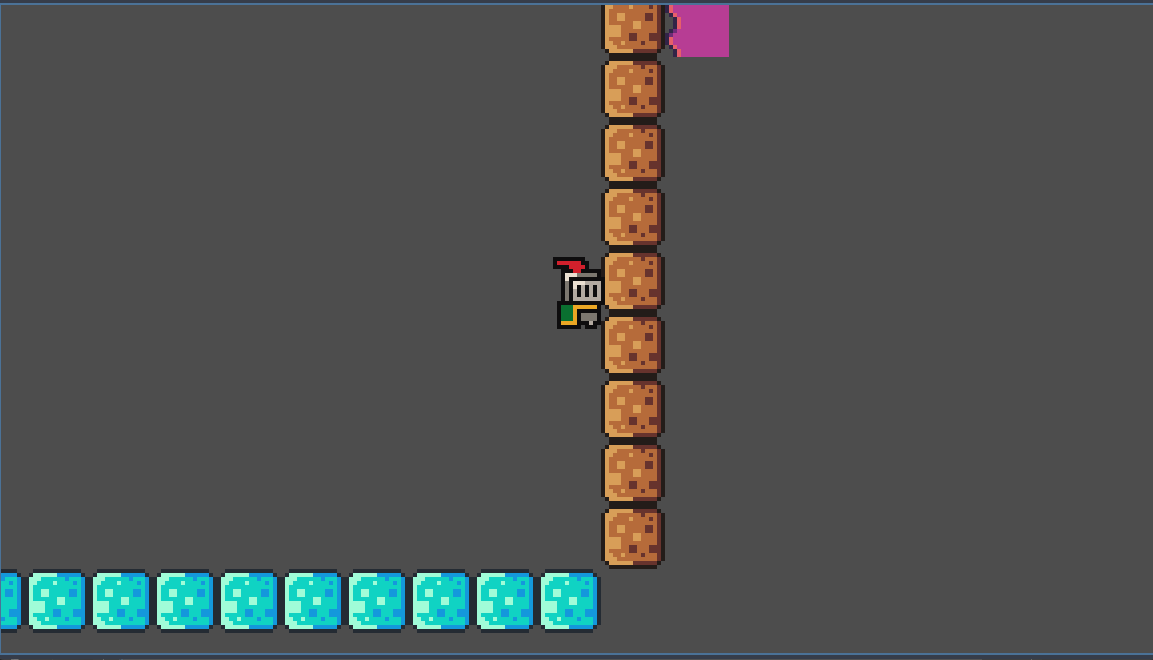
Im trying to make a game like Rotate 🕹️ Play on CrazyGames where u rotate the player to solve puzzles, I tried to make code that does this, but with turning the tile.set instead of the player because vectors are hard. I managed to make turning left with q work however turning right with e does not seem to work and I have no idea why. Anyone have a fix for this?
this is my code:
extends Node2D
@export var world: TileMap
@export var player: Ch@exportracterBody2D
func@export_ready() → void:
pass # Replace with function body.
var target_rotation = 0
var target_position_x = 0
var target_position_y = 0
func _process(delta: float) → void:
if Input.is_action_just_pressed(“rotate_player_left”) and player.is_on_floor():
target_rotation -= 90
if Input.is_action_just_pressed("rotate_player_right") and player.is_on_floor():
	target_rotation -= 270


world.rotation_degrees = target_rotation % 360 # wrapf(, 0.0, 360.0)
And for jumping:
extends CharacterBody2D
const SPEED = 120.0
const JUMP_VELOCIT@export = -300.0
@export var camera: Camera2D
func _physics@exportprocess(delta: float) → void:
Add the gravity.
if not is_on_floor():
velocity += Vector2(0, -600) * delta
# Handle jump.
if Input.is_action_just_pressed("ui_accept") and is_on_floor():
	velocity.y = JUMP_VELOCITY

#print("Hello, world!")
# Rotate with E (or whatever "rotate_level_right" is mapped to)


	  # rotate right 90°

# Get the input direction and handle the movement/deceleration.
var direction := Input.get_axis("ui_left", "ui_right")
if direction:
	velocity.x = direction * SPEED
else:
	velocity.x = move_toward(velocity.x, 0, SPEED)

move_and_slide()
picture that shows that turning right does not work like i want it to: