Godot 4.5.dev1
I am using the pixel-platformer-template from Darkpalettegames; I cannot cope with changing platforms position within the scene. After I edit position and saving if I will be going to play the game, I see platforms in their former position…
How do you change the position of the platforms?
I just select the platform and move it (W)…I dont set any property value..
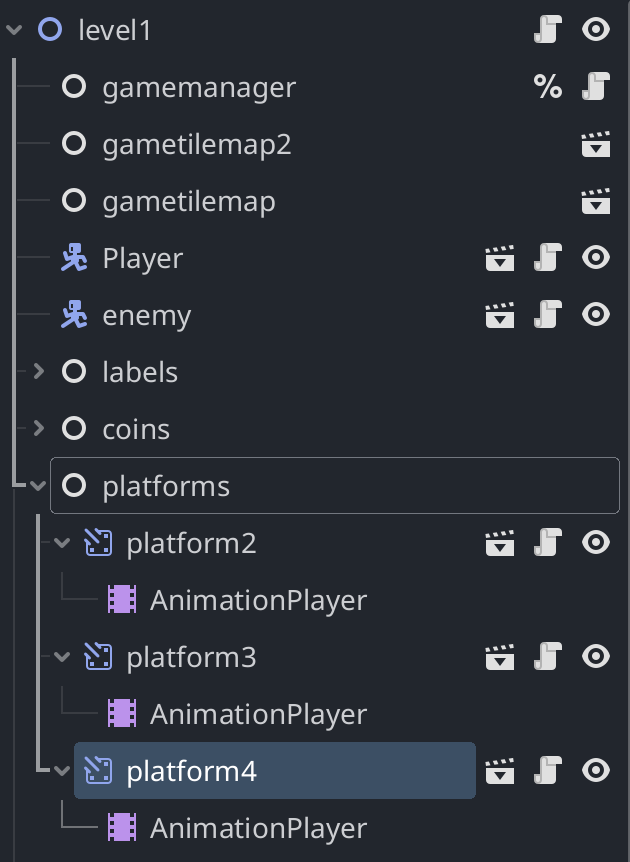
is it possible for you to show a screenshot of the scene in the editor?
sure; following the screenshot of scene:
The position of the platforms is probably set inside the animation of the animationplayer.
An easy way to change the position with this setup is to move the parent (Which isnt possible here since it is a node and not a node2D)
i am going to modify animation
system
August 17, 2025, 1:09pm
8
This topic was automatically closed 30 days after the last reply. New replies are no longer allowed.