Shading artifacts when importing a model with deformation bones and overlaping UVs

Godot Version 4.5.1 stable

Question

When importing a model into Godot, shading artifacts appear, as if the model has inverted normals in some places.
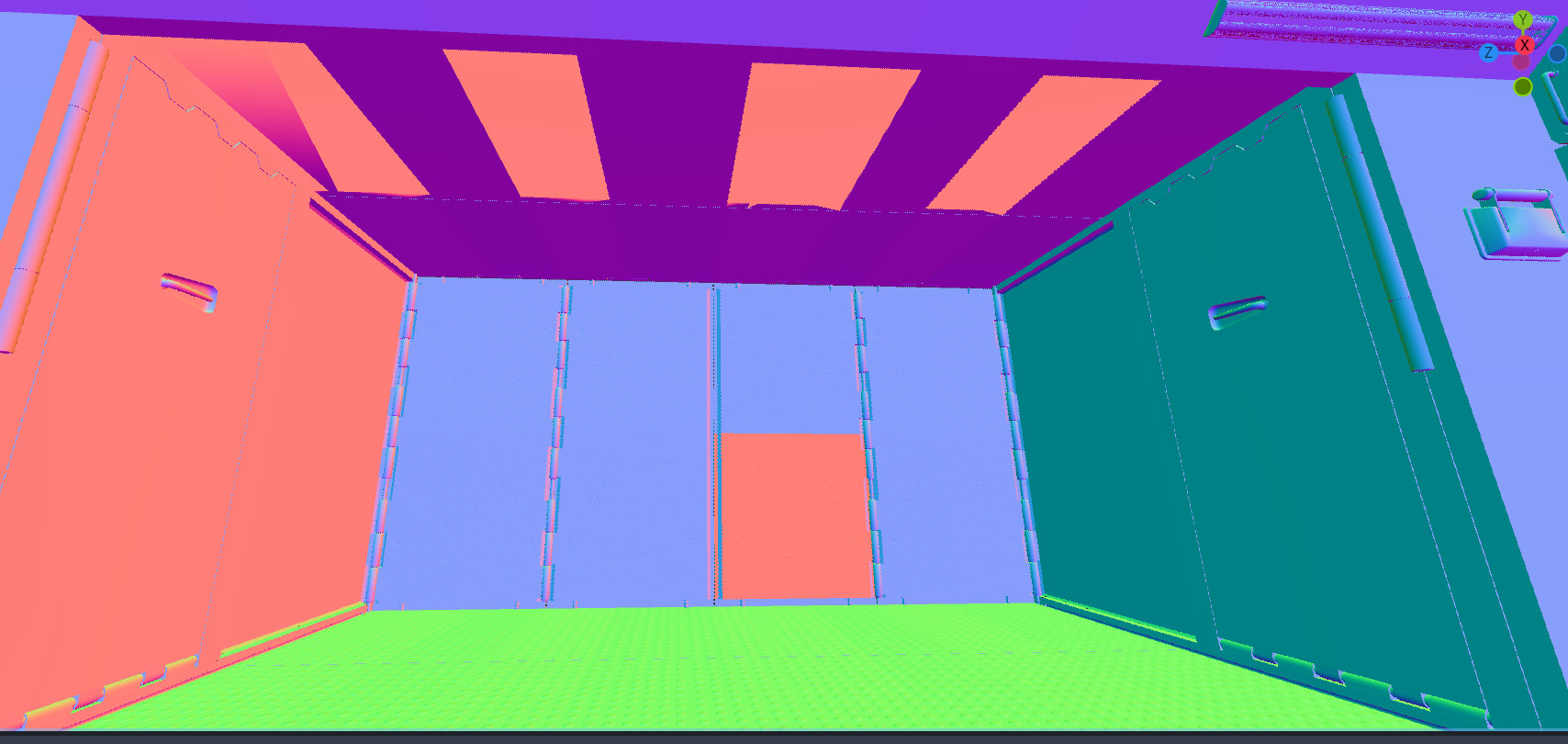
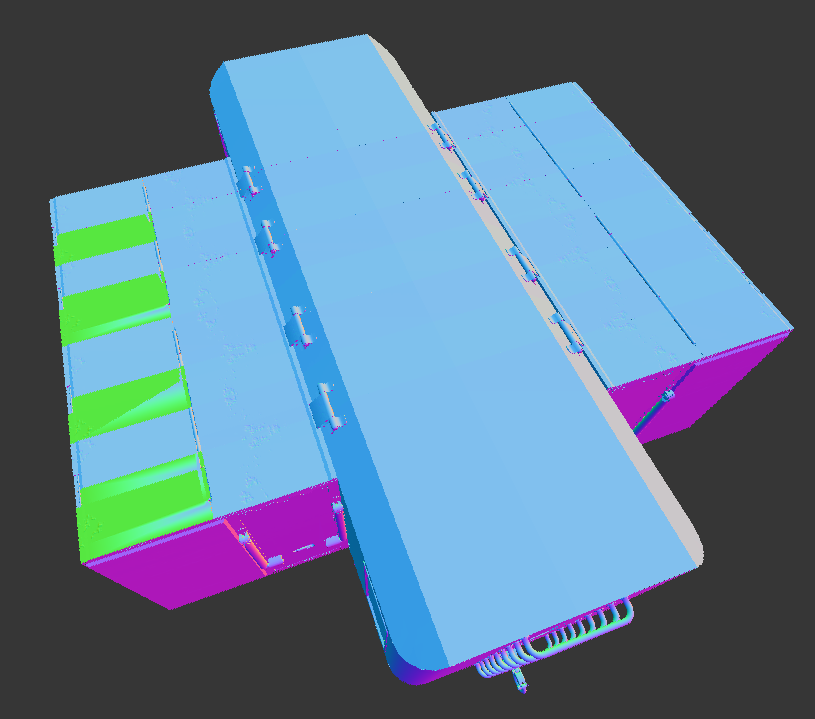
An important clarification: these are areas where parts of the model are mirrored using the “mirror” modifier or manually mirrored by changing the scale to -1 and recalculating the normals outward. Or simply in areas where UV islands are overlapped to save texture space.

Confused observations:

  1. If you disable bones when exporting from Blender, the model imports perfectly, just as it looks in Blender.
    But, of course, you lose the ability to animate the object.

  2. If you delete some bones, the shading artifacts become less pronounced, but they don’t disappear completely.
    I suspected there were too many bones, but that doesn’t seem to be the issue.

  3. If you move the UV map to channel 2 or 3 and unwrap channel 1 without overlapping, the shading errors disappear. I consider this method an acceptable solution, but more of a workaround. The third UV channel can be obtained and assigned to textures using custom properties in the visual shader, but this adds complexity to model preparation, and you may need to rework existing assets.

  4. If you add animation and move the bone by at least 0.001, the shading errors also disappear.

  5. If you disable tangent export and also disable the “check tangents” function in Godot import, the shading returns to normal.
    However, it seems tangent tangents are necessary for materials and some effects to work correctly, such as correct normal map lighting.
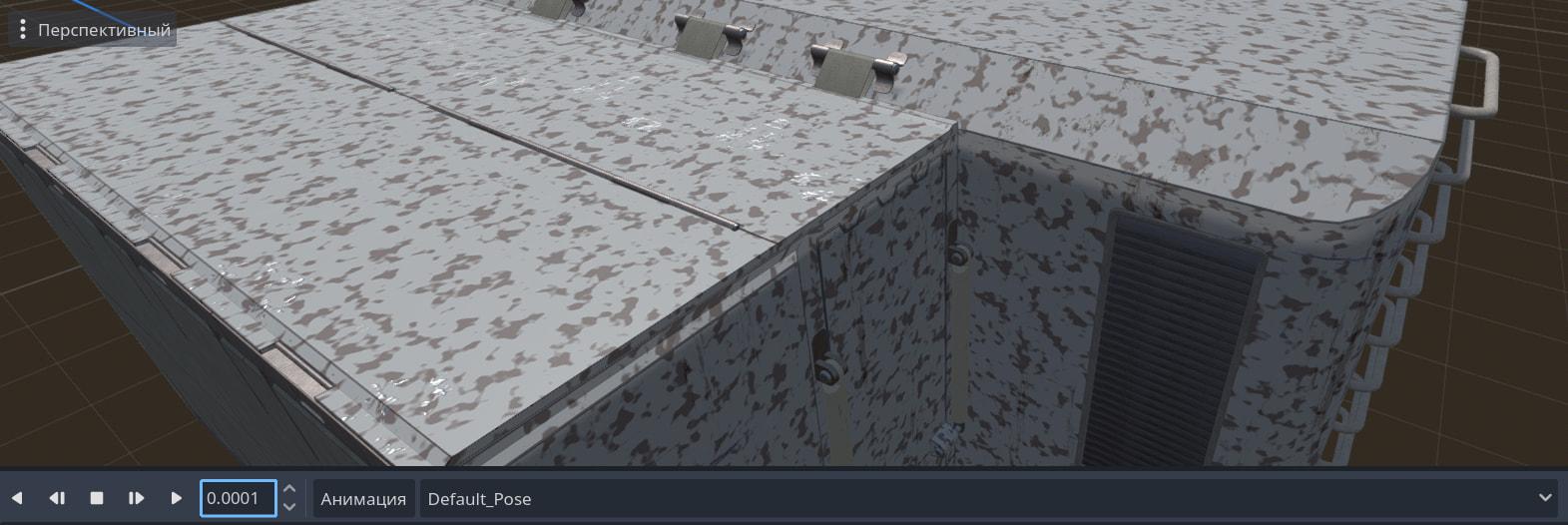
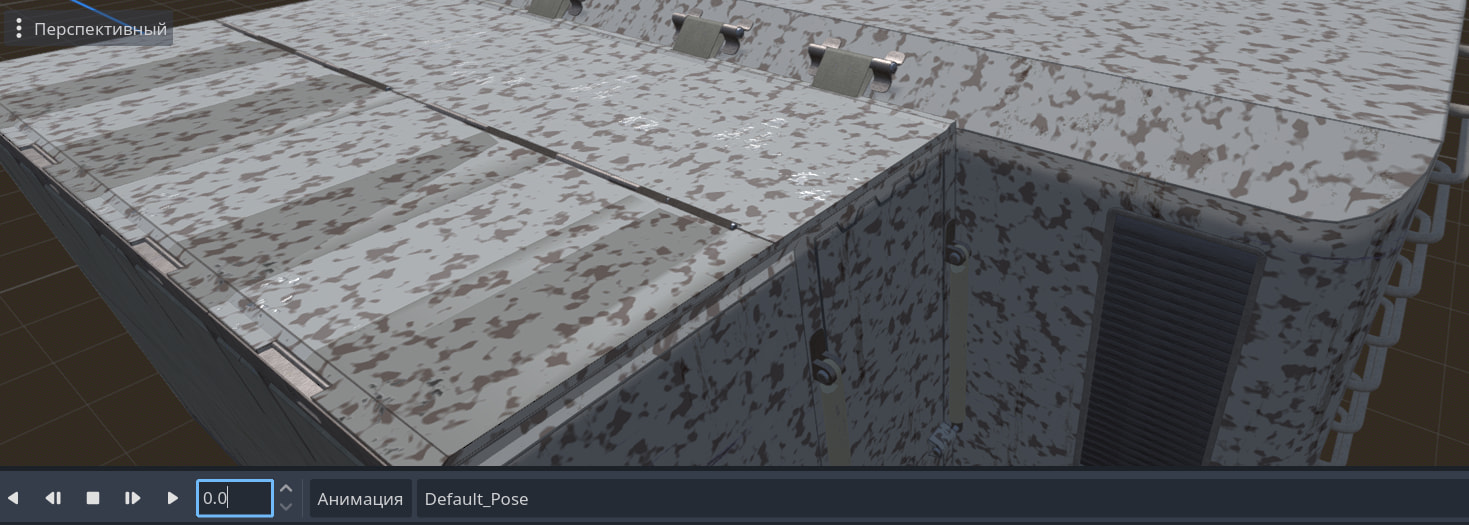
What have I already tried?
I first tried checking the exporter for errors. I used F3D version 3.4.1 for double-checking, and in this program, the model looks as expected (normal).
I re-imported the model into Blender for double-checking, and as expected, the model looks normal. I tried various export combinations to identify possible errors in the model settings. Enabling “Export only deformation bones” and disabling “Shape Key” had no effect on the result.
In the Godot importer settings, I enabled “Force Disable Compression” in the mesh category. Enabling “Use Named Skins” didn’t affect the artifacts.
In the Godot import preview window, if I select the mesh itself, it looks fine, but if I select the “MeshInstance3D” node, artifacts appear.
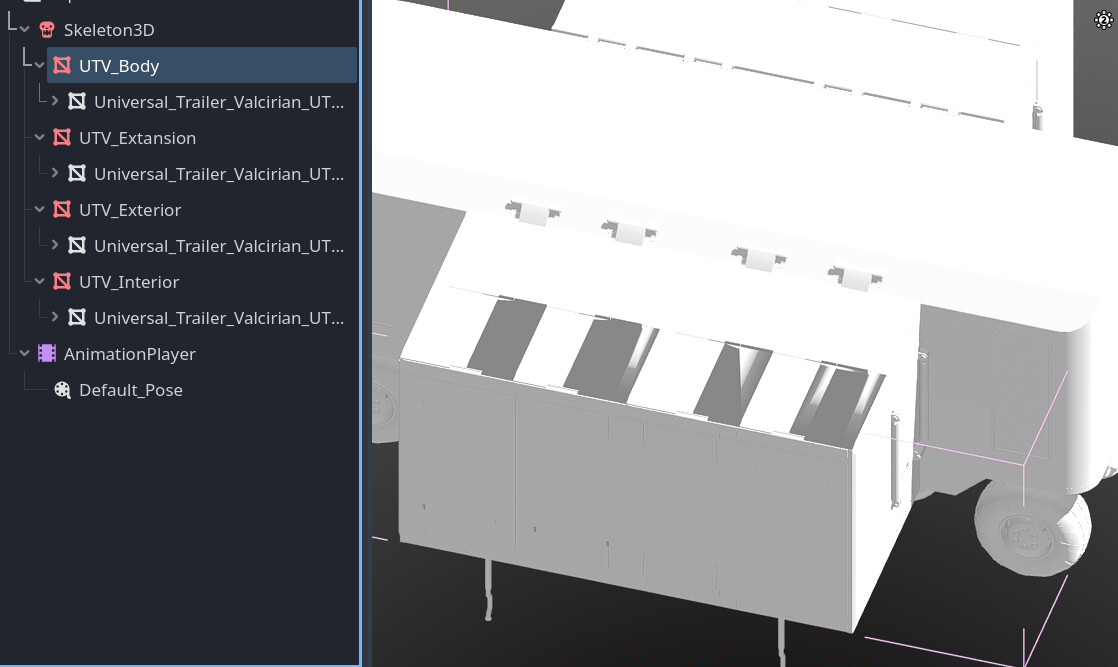
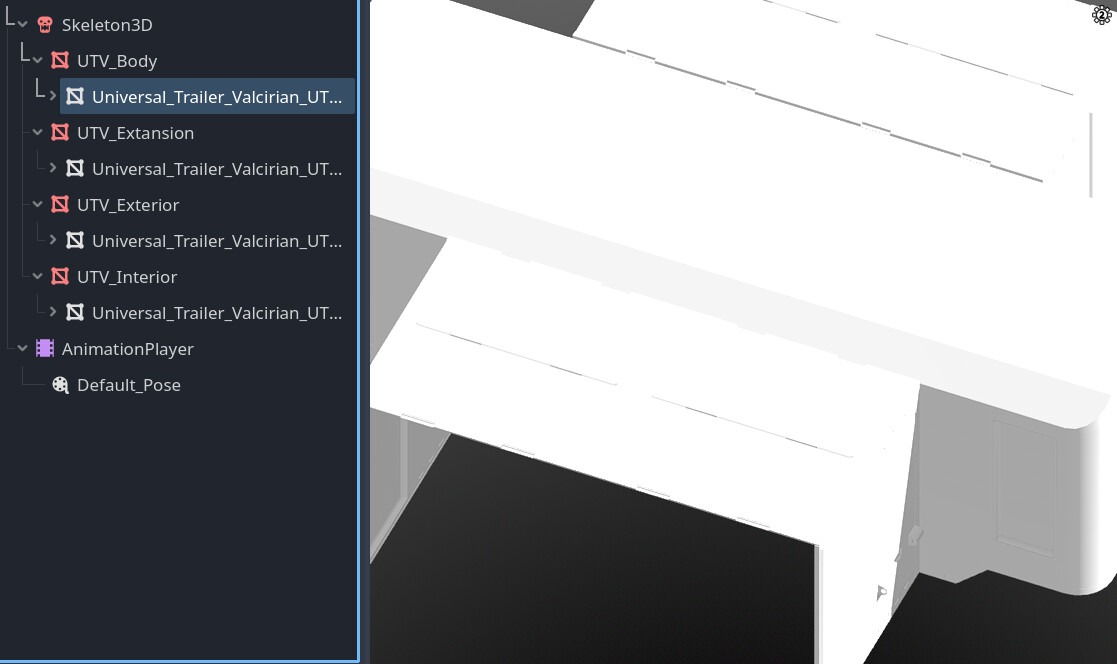
The question is, is it possible to fix this myself, or should I expect a fix in the next updates?
Is this an engine error, or did I make a mistake exporting the model?

If it’s possible to upload models here, I can share the model for testing as a blender file or an already exported version in the “GLTF” format.
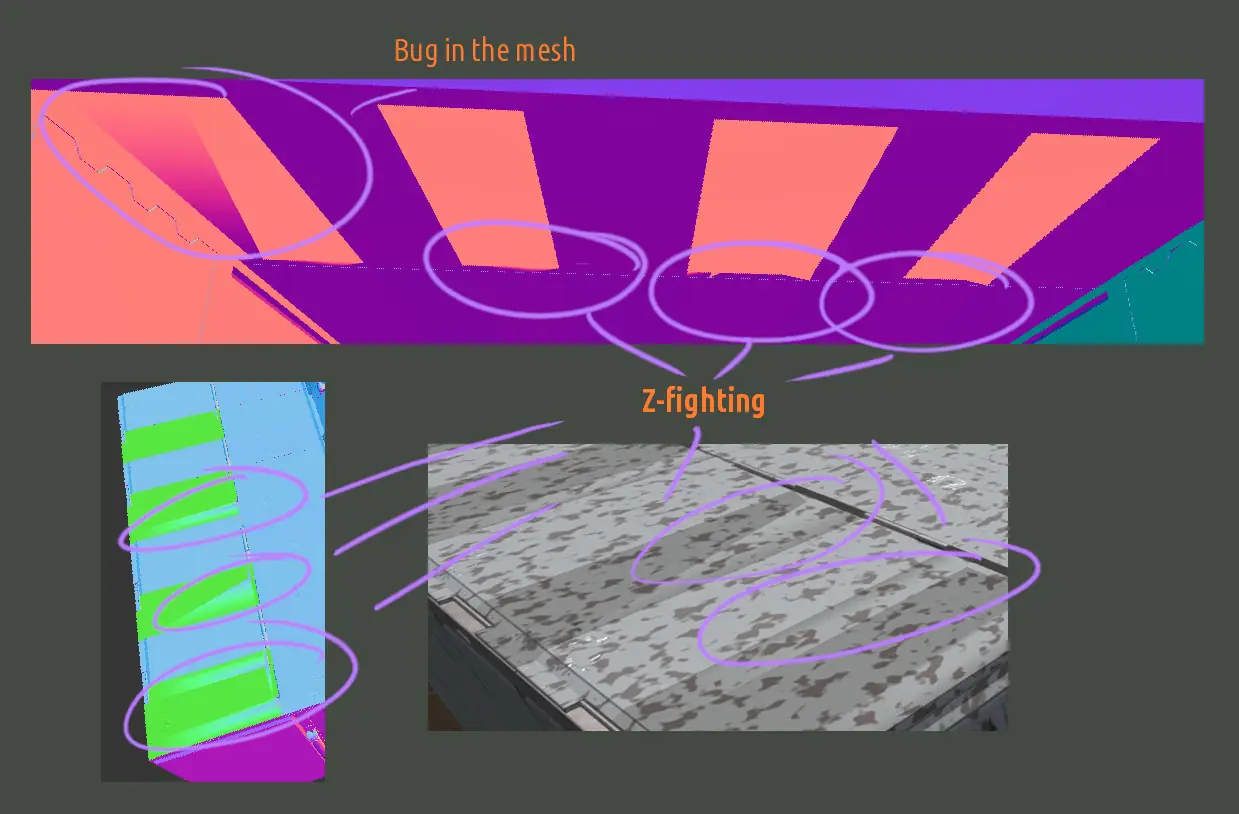
Not sure what your problem could be.
Some of the glitches look like z-fighting, when coplanar faces are too close together and the renderer can’t decide which of the faces to draw. Are some objects doubled?
For what do you need bones here? You can animate objects without bones. There are situations where you want to use bones, but most of the time for deformation of a mesh. It would be interesting what you want to animate in your model.

If you’re talking about z-fighting, I checked for double vertices and edges, and there aren’t any. I also use 1.25mm margins in my models to avoid z-fighting.
(If I understand what you mean correctly, of course. This would also be noticeable in Blender itself. I’m almost certain it’s a problem with the Godot importer or its internal optimizations.)

This is a model of a transformable trailer. I have limited time, so I tried to combine three things to avoid modeling three separate objects:

  1. It’s a regular enclosed trailer that can be attached to a car and used for transportation and storage in the game.
  2. It can fold out its side supports and extend its walls if you need to expand the space and use it as a room.
  3. It’s modular, and one trailer can connect to another to create a corridor of rooms to create a large hub.

I’d ditch the bones if it weren’t for the amount of detail. I’m not sure I’m optimizing correctly, but online research seems to suggest it’s better to make a couple of objects and assign them to bones than to make, say, 50 objects and increase the number of draw calls.

Also, I’m good at depicting suspension movements using bones. I’m not sure I could do the same with pure objects.

If you’re good at this kind of thing, I can just send you the model for testing; I wouldn’t mind.

I was talking about z-fighting, because some elements have clear z-fighting.

But if the splotches on your surface comes from z-fighting, too, I’m not sure. There I would guess some kind of selfshadowing, that could be maybe fixed with bias. Could you switch off the shadow of your light in Godot, to see if the blotches are shadows or not?

IMHO, with the impact of draw calls depends a little bit on the target hardware. Not sure that a complex mesh with 50 bones (calculated on CPU) are that much faster than 50 Objects with their own boneless animations and draw calls. What are the 50 elements that are animated in the trailer with bones? Just a feeling, I would prefer them as logical objects in a logical hierarchy than as bones. But would need more information.