Ok, so I agree with @wchc, and I like the video, but I think there’s a piece of the video that should be highlighted - Code Documentation. First, code should be self-documenting which the first part of the video handles. I just went into great detail in this thread here about that: Modular Character Controller (v4.4-4.6) - #21 by dragonforge-dev Since I spent like 2 hours writing that post, I’m going to recommend you read that instead of trying to re-iterate it here in detail. The short version is that naming things appropriately makes comments (largely) unnecessary.
However, you are using Godot. Which means that every public function and variable you create should have documentation. (A function or variable is private if it starts with an underscore, public if not.) There are a few reasons for this.
First, Godot will create a Documentation page for you.
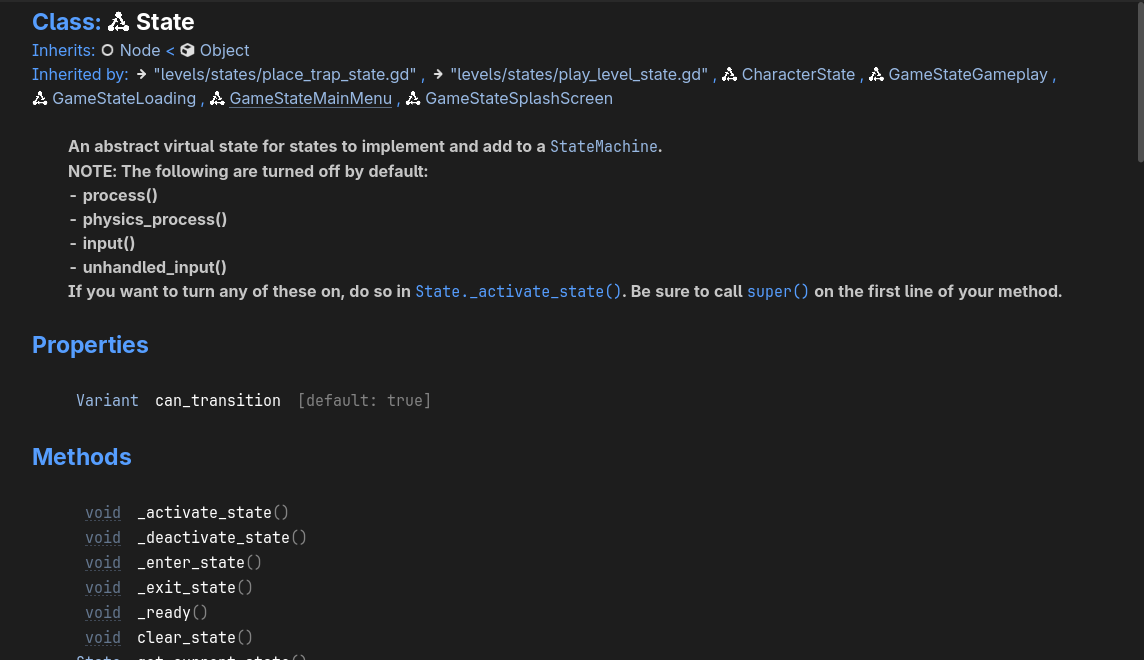
This is an example of the documentation for my custom State class, automatically generated by Godot for me, and everyone who uses my State Machine Plugin. Now, as @wchc pointed out, this is essential for plugins, but I believe it’s a good habit to get into anyway. (More on that in a bit.)
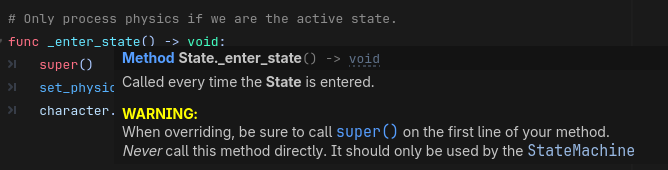
Second, for functions, it provides context-sensitive pop-up help when you hover over a documented function name.
Third, for @export variables it allows you to hover over the value and see the comments in the Inspector.
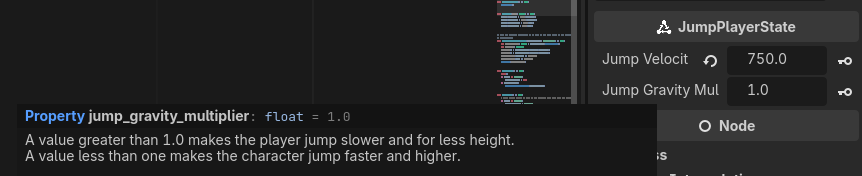
Fourth, for public variables it allows you to hover over the value in code and see the comments.

Finally, it’s a good habit to document your code because there is always someone using your code after you who needs to know what you were thinking when you made a decision. 90% of the time, that person is future you who is no longer steeped in the problem and cannot remember the decisions you made to get to that point. If your code is self**-documenting**, and your public functions and variables are documented - you will spend a lot less time saying, “What was I thinking here?”
Usually people figure this out after re-writing something that looked insane previously, and then realizing they broke the code and having to revert back to the insane code.
Keep in mind that comments in GDScript start with one pound sign (#) and documentation start with two pound signs (##).
## This documentation will show up in the editor.
## A value greater than 1.0 makes the player jump slower and for less height.
## [br]A value less than one makes the character jump faster and higher.
@export var jump_gravity_multiplier: float = 1.0 # This comment will not but I want to remind myself of why I defaulted to 1.0 so I don't try to change it later when I look at this code.