i was creating a game for a tutorial on youtube and once finished i decided i wanted to add a kill counter for the enemies, my problem is that i would need to get a signal from my enemy scene to the main scene. and I have no idea how to do that
The simples solution is to add the enemy tho the scen wher they spawn conect the signal ther and delete it the enemy then.
if this dose not worck you can conect a signal at runtime with code.
Connecting signals between scenes can be fiddly. You don’t really need to send a signal from one scene to another to make a kill count anyway, you can make a global script that holds any information needed for all scenes, and every time an enemy dies you increment a value in there.
Like this:
---Global script---

var killCount : int = 0


---Enemy script---

func _on_death():

  GlobalScriptName.killCount += 1


---Killcount script---

func _process(float: delta) -> void:

text = "Kills:" + str(GlobalScriptName.killCount)
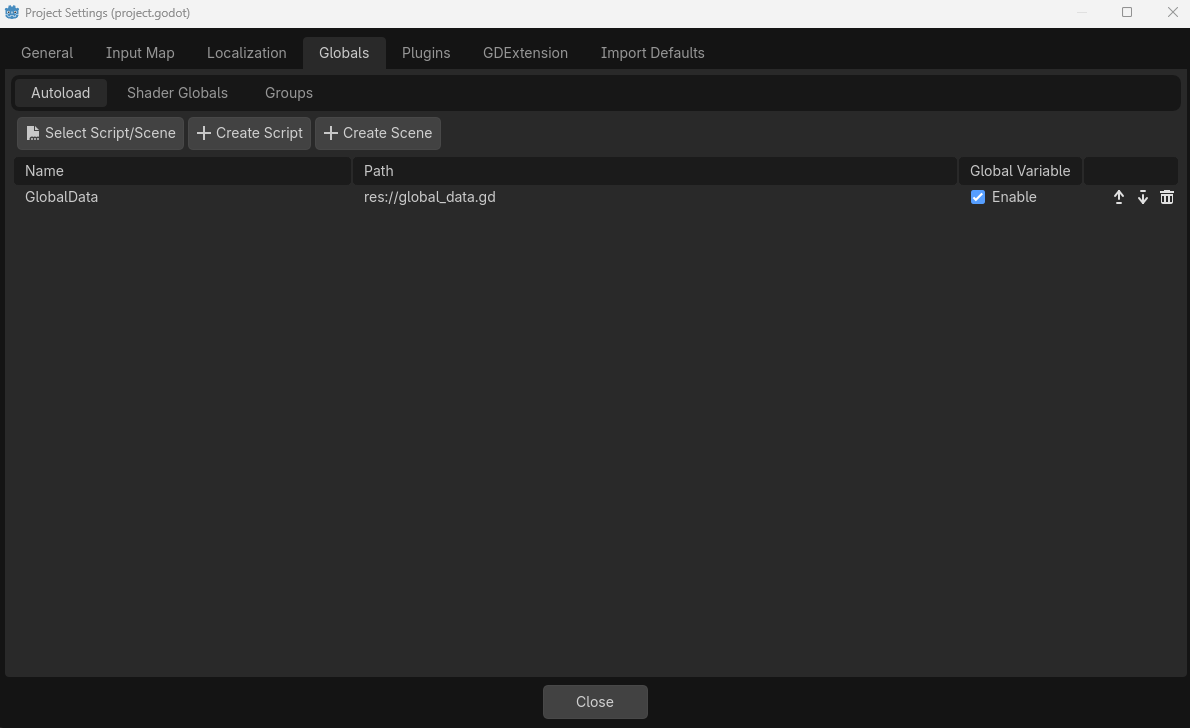
You can find the menu to make global scripts in Project > Project Settings > Globals. The window should look like this:
Globals are like regular scripts and scenes, but they exist “above” the scene tree, so they’re treated like always being in the same scene as the script they’re being accessed from.