Godot Version
4
Question
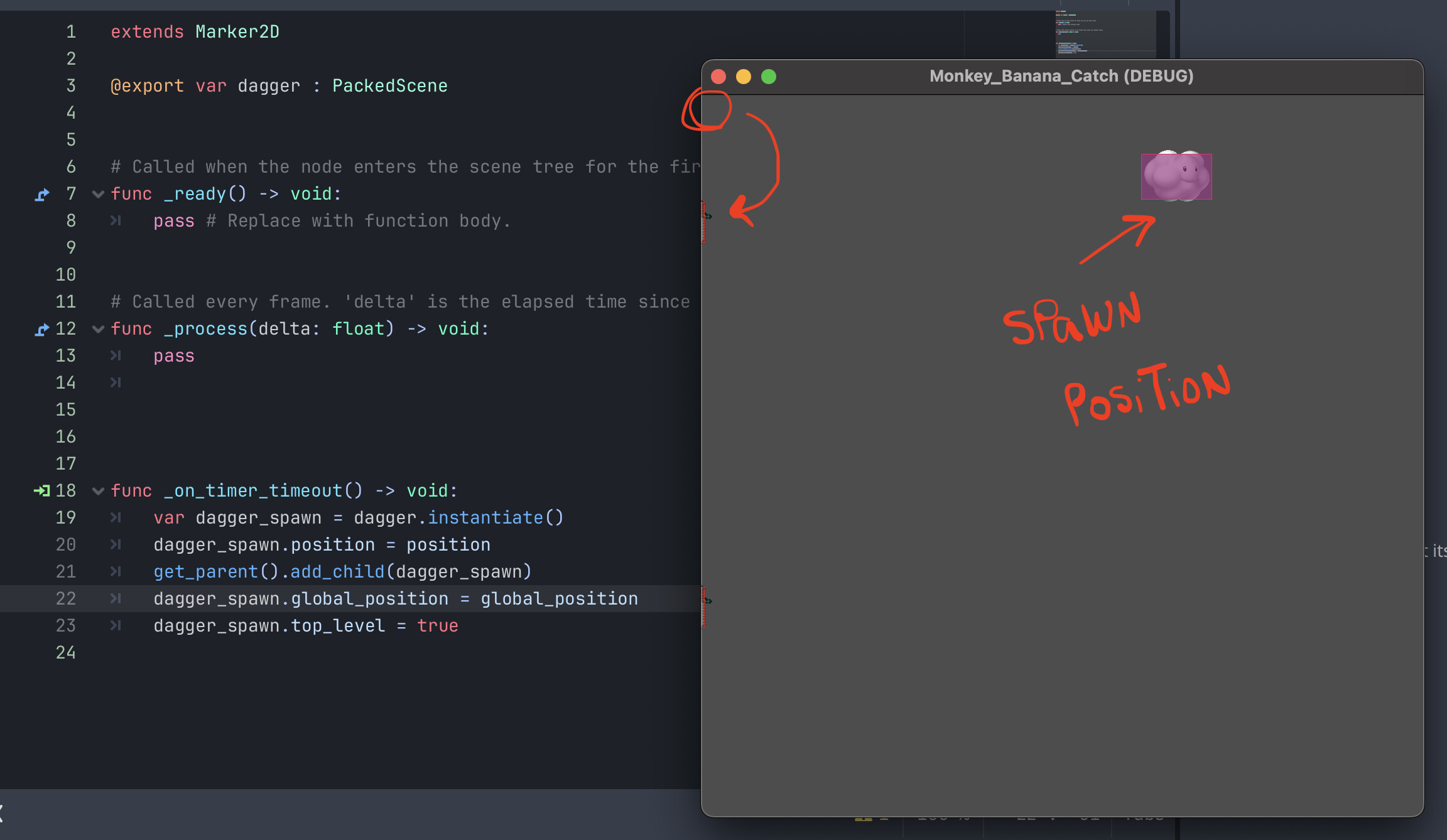
I recently made a spawner for my enemy’s projectile, and I had an issue where the projectile would spawn on the top left corner of the main scene. I fixed this by using global_position and top_level on the spawner. It worked fine but recently I had to make an edit to the projectile’s animation player, and now the spawn issue is back, even with the global_position and top_level lines of code that solved the original issue.
I have attached a screenshot displaying the issue, alongside the line of code for the spawner.
Thank you.
Is animation player animating the position?
It is, just the y axis.
When I remove the following lines of code, the dagger spawns into the spawner position.
dagger_spawn.global_position = global_position
dagger_spawn.top_level = true
The dagger moves with the cloud, like its tethered. Before this issue, I managed to have the dagger spawn from the cloud and move independently.
For context, the cloud moves from side to side while spawning the daggers, that fall from top to bottom. Both moving with an animation player.
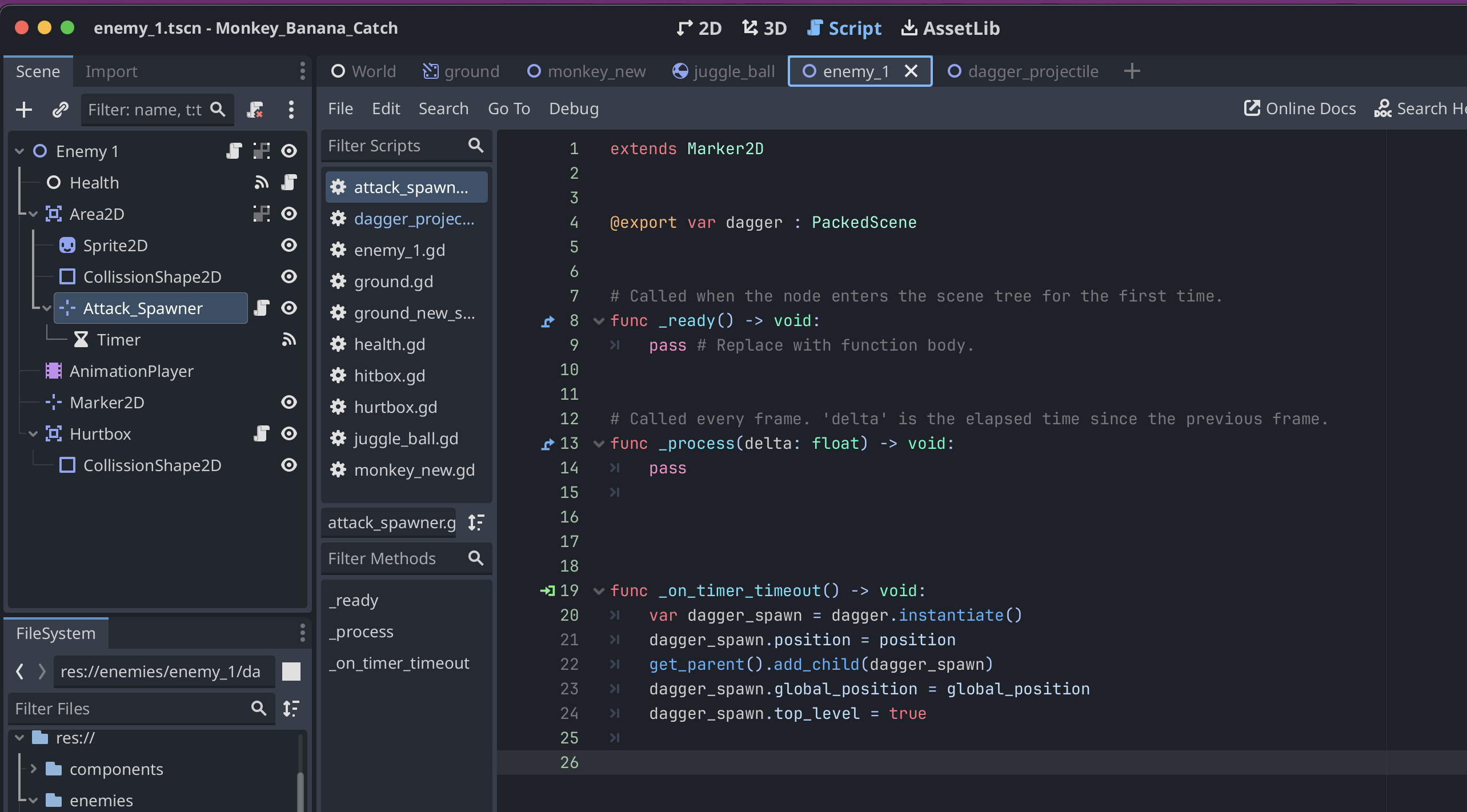
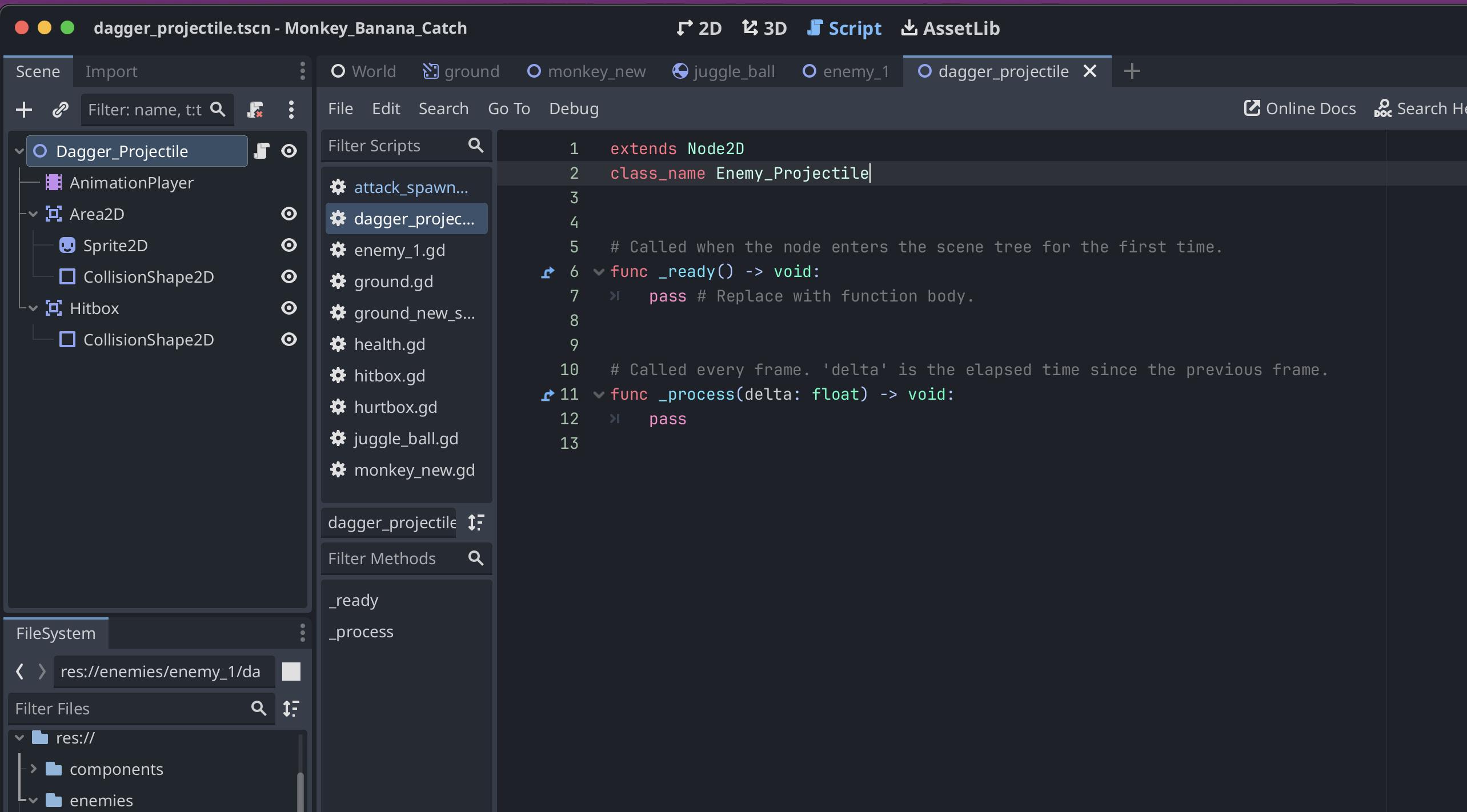
Post your scene structure.
This one is the enemy, who has the node that is used as the spawner
This next one is the dagger, that is being instantiated
Hey! I got it fixed by making the Area2D node be the one animated instead of the root node. Originally it was like that, but then I animated the root node after I added the hurtbox collission shape. I was told that with the animation player, it is not recommended to animate the root node.