I would avoid Spine due to licensing issues. (I don’t mind paying for the tool itself, but I require the runtime to be freely redistributable.)
I would consider DragonBones (DragonBones Download), which is Open Source and moderately popular. There’s even a GDExtension project to integrate DragonBones into Godot, although I haven’t tried it.
But mostly, when working with artists, I would ask the artists what they want to use.
I have been in touch via the opengameart discord. I get the impression that opinions differ a lot.
As I am not actively making a game myself I’m talking to everyone.
I want to focus on 2D Vector Graphics, because I feel it’s pretty inflexible to work with huge rasterized sprite sheets. Native vector drawing saves a ton of disk space as well, which translates to bandwidth for web games for instance.
My showcase game is about 8MB small as a packed gzip:
The dragonbones webpage looks nice, would have to look at their technical docs for which file format they use natively.
I’ll try and find this gdextension as well, but so far I’ve been really happy building my plugin with purely gdscript.
(Sorry for my English, I’m using Google Translate)
I think one good thing about Grease Pencil is that scale doesn’t matter within Blender (it’s like a vector drawing tool but without having to draw like vector drawing tools like Illustrator). You can then create rasterized images at the appropriate size for your game.
It wouldn’t be necessary to use SVGs in Godot.
I suppose processing SVGs in every frame of a game isn’t very efficient, considering it’s XML. It would be different if Godot decided to process the XML and then cache the image, so whether it’s an SVG or not would only serve to generate different sizes and use them as a kind of LOD (level of detail) for 2D. In that case, it would be better to generate those images at those different sizes directly from Blender.
Another good thing about Blender is that it has a mature API for scripts.
I get where you’re coming from, but native 2D vector shape drawing is not where the majority seems to be at.
Myself I’d spend 4x the effort to try and put all this in a fork. But at least it’s something.. a plugin I mean.
What is it that you miss most now? Maybe it’s a fit for Scalable Vector Shapes 2D… I have some time.
I mean, I’m pretty sure I can add editor functionality via plugin/tool nodes a lot faster than it can possibly be done in the core. It also kind of fits the Godot philosophy.
I have skimmed through your A to Z video and am very impressed by what you did. I yet have to spend some time playing with it, but this will have to wait for a few weeks, sadly.
But, from what I have seen:
Cut-Outs seem to be a bit cumbersome at the moment and look like a lot of manual process. Would it be possible to introduce a parent node for adding/substracting/blending shape nodes instead of having that operation as a child node? This would allow to work on two separate shapes and combine them as needed similar to Illustrator’s Pathfinder tool.
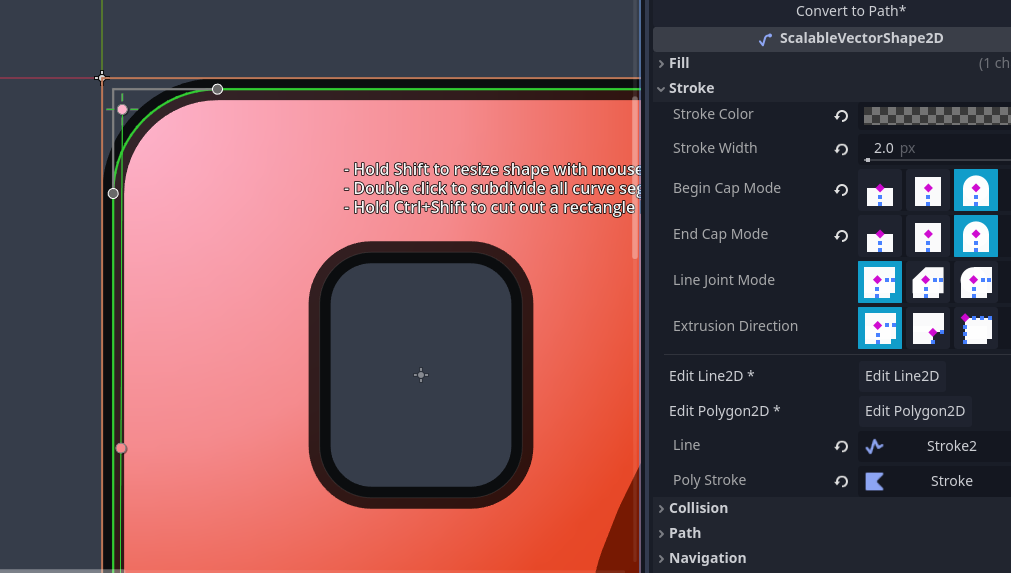
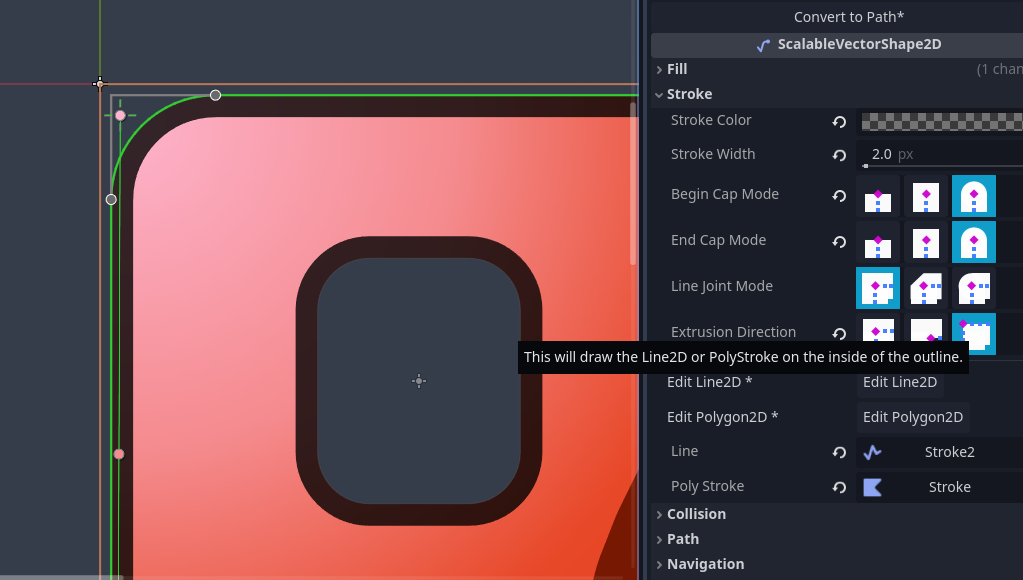
One pet peeve I have with Inkscape is the lack of non-SVG standard stroke extrude direction. SVG limits stroke width to always be calculated from the middle out in both directions. So setting the stroke to 8px will lead to a shape’s expansion of 4px out, while reducing the volume inside the shape. Illustrator (and I think Graphite now, too) allow to define the stroke extrusion (for closed shapes only, naturally) to be defined directionally: inside or outside. So setting the stroke width to 8px and the direction to outside would make the shape grow 8px out but not reduce volume inside. Did i explain that understandably?
Also, I think I missunderstood your initial intend: I thought you were talking about animation, not vector drawing.
@ximossi , I’m sure you’re too busy now, but just in case you aren’t and want to review, in this pull request I have added stroke the extrusion direction option: