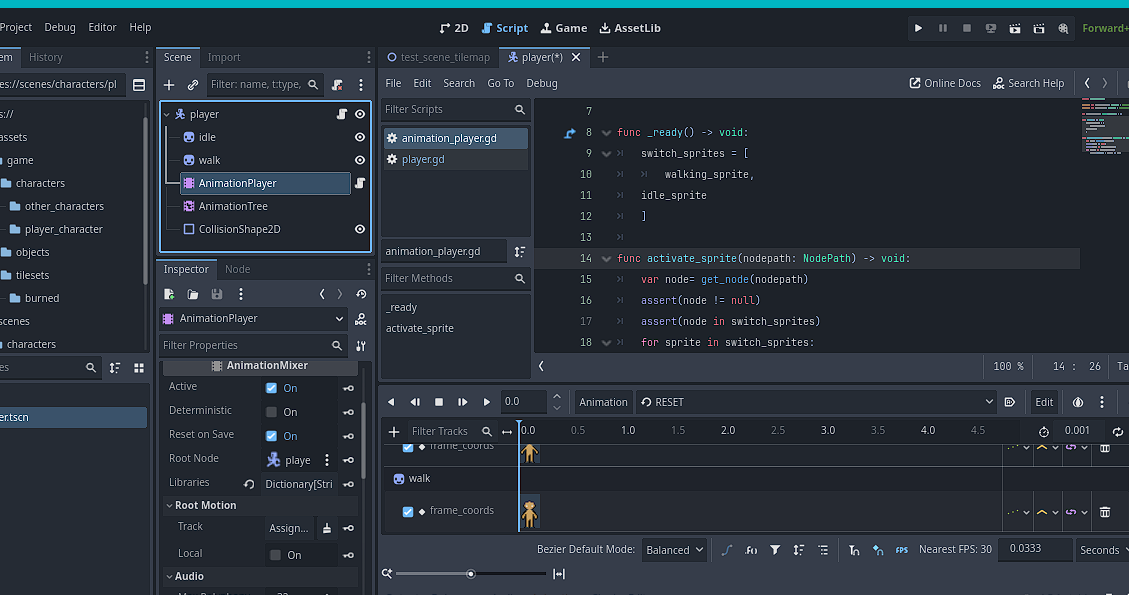
Sprite 2d multiple sprite sheets visible animation problem: both sprites visible

Godot Version

4.5.1

Question

I am trying to use this code from a previous godot forum post. What is the best way to work with multiple sprite sheets using Animation Player?

I put in the code and the animation is working but the sprites are both still visible. I have no idea what im doing. This is my literal first time coding and I am trying to do this because I want to add clothing options and also be able to add more sprite sheets as I work on the project.

I am attempting to add it in the animation tracks. Is this incorrect? specifically a call method.

extends AnimationPlayer

@onreadyonready var walking_sprite: Sprite2D = $“../walk”
@onready var idle_sprite: Sprite2D = $“../idle”

var switch_sprites: Array[Sprite2D] =

func _ready() → void:
switch_sprites = [
walking_sprite,
idle_sprite
]

func activate_sprite(nodepath: NodePath) → void:
var node= get_node(nodepath)
assert(node != null)
assert(node in switch_sprites)
for sprite in switch_sprites:
sprite.visible = sprite == node

The node path you’re passing into the function via nodepath argument seems to be incorrect. The function that’s calling activate_sprite is passing in the wrong path so check that.

How do i fix it (the node path)? I saw that on google but I dont know how to fix it.

First you need to determine what caused it.
Let the assert fail and then look at the call stack in the debugger to see who called activate_sprite() then go to that part of the code and look why is it passing an incorrect path to the function.

I swapped it back over to the animation player as the call method track. no errors but i still see both idle and walking animations at the same time.

the animations are still stacked and will not swap back and forth

solution found:

I applied it in the code like this. The code goes in the normal characterbody2d

code initially from: https://www.youtube.com/watch?v=cnXmwMpn4pw

side note: make sure that you do not connect your animation tree nodes or it will over ride it.

extends CharacterBody2D

@export var speed: float = 100
@export var animation_tree : AnimationTree

var input : Vector2
var playback : AnimationNodeStateMachinePlayback

func _ready():
playback = animation_tree[“parameters/playback”]

func _physics_process(_delta: float) → void:
input = Input.get_vector(“left”, “right”, “up”, “down”)
velocity = input * speed
move_and_slide()
select_animation()
update_animation_parameters()

func select_animation():
if velocity == Vector2.ZERO:
playback.travel(“Idle”)
$walk.visible = false
$idle.visible = true
else:
playback.travel(“Walk”)
$walk.visible = true
$idle.visible = false

func update_animation_parameters():
if input == Vector2.ZERO:
return

animation_tree["parameters/Idle/blend_position"] = input
animation_tree["parameters/Walk/blend_position"] =input

Sry if this reply is little bit of topic, but I think that using multiple Sprite2D nodes per state (idle, walk, etc.) and toggling visible is generally a bad pattern (referencing post that you mentioned). It duplicates render nodes, splits animation state between code and the animation system, and quickly becomes hard to maintain or extend (especially with more states or layers).

A cleaner approach is to use AnimatedSprite2D with multiple animations (via SpriteFrames) and using AnimationPlayer (+ AnimationTree) as the orchestrator. This keeps animation state centralized and scales much better (especially if you have different outfits for a player).

In short you can have one AnimatedSprite2D that have multiple animations referencing multiple spritesheets (walk animation will reference walk spritesheet, idle animation will reference idle spritesheet, …) In that way AnimatedSprite2D is just container for all animations. And you can use AnimationPlayer to animate AnimatedSprite2D by animating it’s frames :slight_smile:

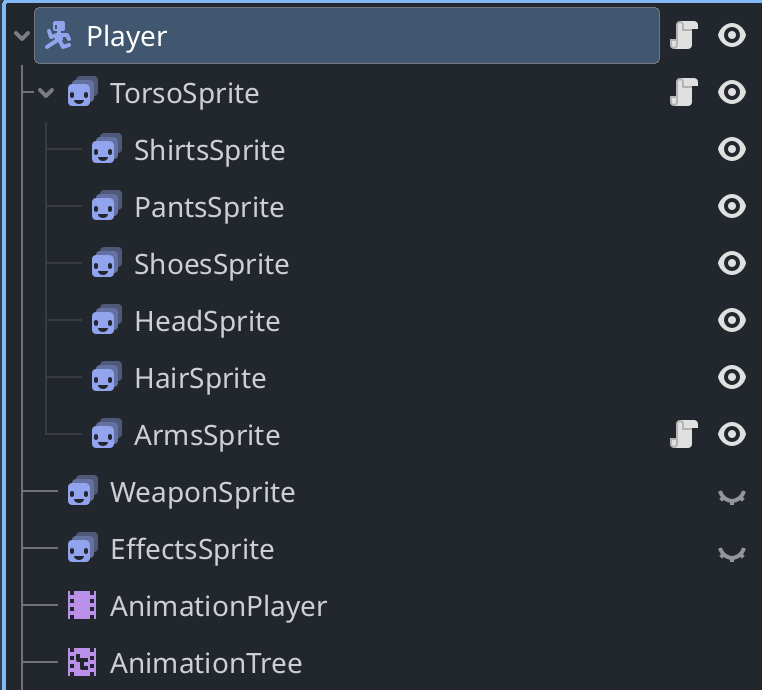
Here is my (more complex setup where I have multiple AnimatedSprite2D for player parts/outfits - but in your case you can just have one AnimatedSprite2D) :

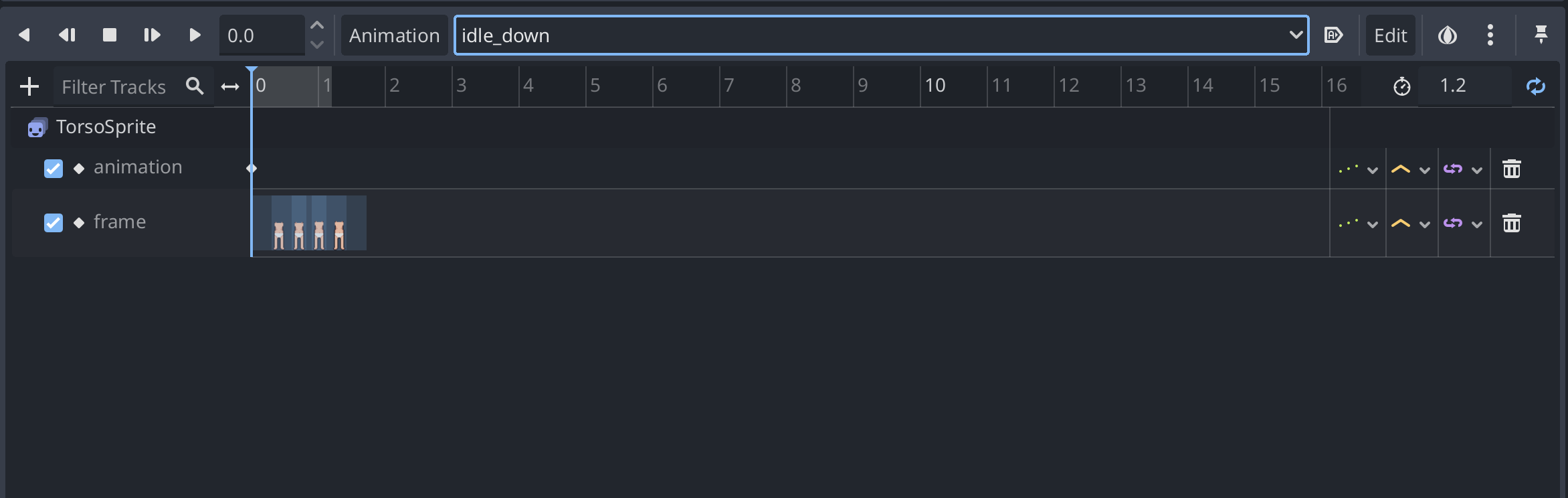
TorsoSprite is AnimatedSprite2D having different animations that can reference different spritesheets:

Instead of using AnimatedSprite2D play method you will use AnimationPlayer to animate sprite by animating ‘animation’ and ‘frame’ properties

You can use “idle_down” directly from AnimationPlayer or using AnimationTree to transition between walk, idle, … and other states.

In your case, hierarchy can look like:

Player
-> AnimatedSprite2D
-> AnimationPlayer
-> AnimationTree (optional)

Fill AnimatedSprite2D SpriteFrames with all animations that you can have (they can reference different spritesheets). And than use AnimationPlayer to animate AnimatedSprite2D.

It has little overhead but it scales nicely later on. At the end you do not need extra code to show/hide sprites and manages drawing states - everything is controlled form AnimationPlayer/AnimationTree.
1 Like

Thanks! I couldnt find any tutorials for clothes with animated sprite 2d and assumed it wasnt possible! I think when im done testing ill switch to this!

Yeah, there are no good tutorials (or at least I didn’t find them) for clothes. But I will suggest to skip clothes and for start just have a player with “baked” clothes. Iterate over your game and once your gameloop looks promising than implement clothes.

Thats my current plan. Im trying to test an aspect to perfect it first. Is there a way to have multiple clothing layers on the animated sprites? I didnt see that in your pictures.

In my case I’m having base/naked player animation (TorsoSprite, HeadSprite, ArmsSprite) + on top of that I’m adding outfits (ShirtsSprite, PantsSprite, ShoesSprite, HairSprite). You can add as many layers as your game needs. Im having EffectsSprite for some special effects for special clothes, but in general you can have them as many as you need.

Also TorsoSprite is having script that will propagate frame and animation changes to its children so i do not need to animate them through AnimationPlayer. Im only animating TorsoSprite and each child will change automatically ‘animation’ and ‘frame’ property. You can use frame_changed and animation_changed signals to propagade animation and frames to it’s children:

func _ready() -> void:
	frame_changed.connect(_on_frame_changed)
	animation_changed.connect(_on_animation_changed)

func _on_frame_changed():
	_update_frames()

func _on_animation_changed():
	_update_animations()

func _update_frames():
	shirts_sprite.frame = frame
	pants_sprite.frame = frame
	shoes_sprite.frame = frame
	head_sprite.frame = frame
	hair_sprite.frame = frame
	arms_sprite.frame = frame

func _update_animations():
	shirts_sprite.animation = animation
	pants_sprite.animation = animation
	shoes_sprite.animation = animation
	head_sprite.animation = animation
	hair_sprite.animation = animation
	arms_sprite.animation = animation

Also, each outfit like shirt/ShirtSprite have SpriteFrames saved as resource and when player changes shirt I’m cloning SpriteFrames and just changing referenced texture to change to different shirt (so im having same animations and texture rectangles and from code i change referenced spritesheet/texture from other shirt).

Thank you so much! Ill definitely go this route.

1 Like