Sprite Sheet Frame Size Miscalculation (I think)

Godot Version

4.4.1

Question

I’m having trouble with sprite sheet slicing (AnimatedSprite2D) in Godot.

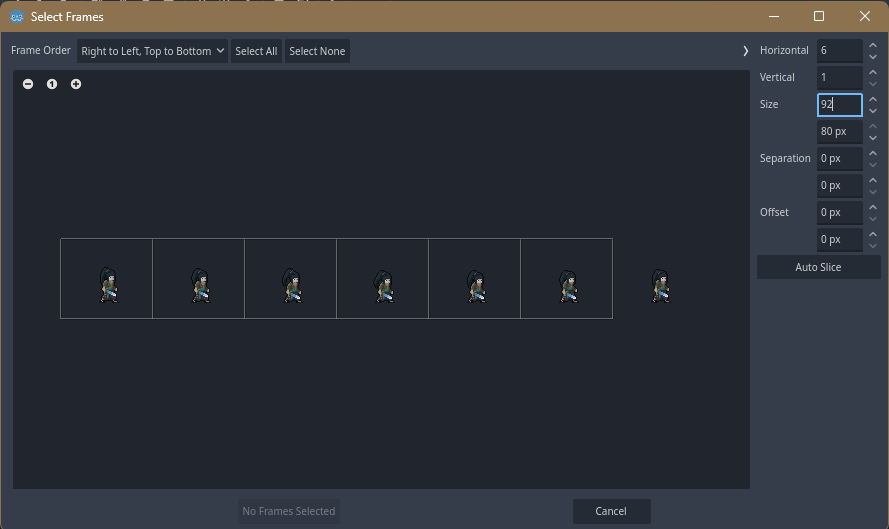
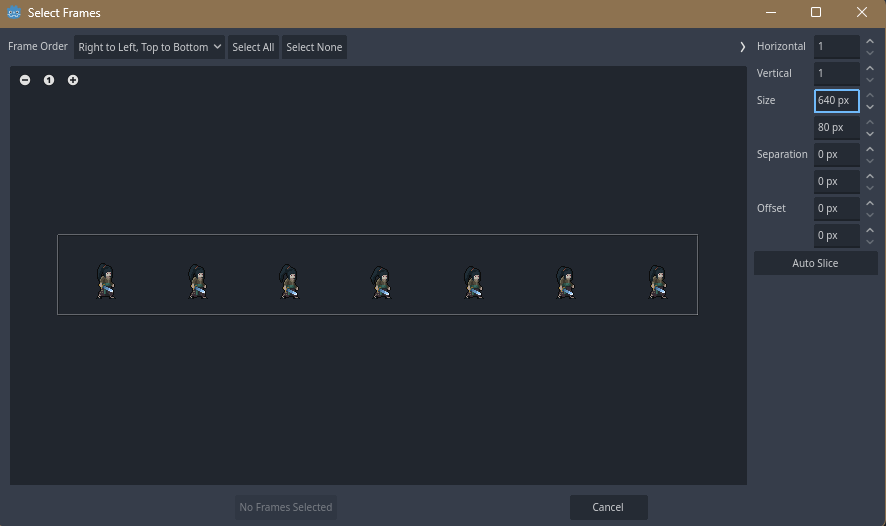
full sprite width 640px and height should be 92 but in Godot it reads 80px:

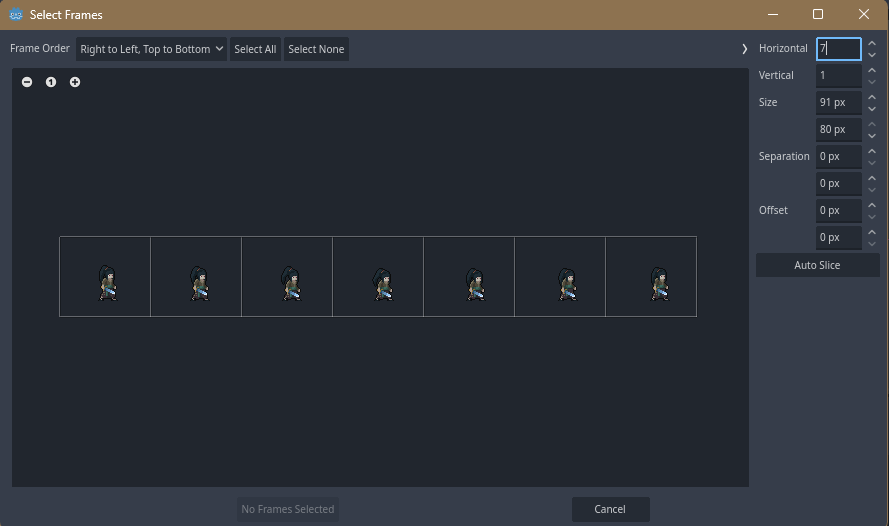
When I try to divide by 7, it should be 92px width each, but Godot read it 91

And when I try to give each 92px, the last frame won’t

the character has 32x32px and the canvas each has 92x92px

In that last screen shot, horizontal is set to six. Did Godot automatically set it to six, and can you just set it back to seven?

1 Like

How much is 92 times 7 ?

1 Like

if I set it back to 7, the width also back to it max (91px)

644, but my artist said his canvas was right 92, fixed animations (not moving cause the pivot pixels are the same every same), if I play that sprite on online animator sprite, and set it to 92 x 92, it work well

It is straight forward math.
640/7 = 91.4x
That is all Godot is doing with the image; slicing it by the horizontal frame count.
As for the vertical; again Godot will go by the image size in the file and divide by the vertical frame count.
Open the image in a graphics editor and change the vertical size to 92 and try adding the 4 pixels to the end of the image.
2 Likes

The sprite on the far right seems closer to the edge than it should be. maybe the sheet is cropped off its rightmost 7 pixels for some reason?

1 Like

This topic was automatically closed 30 days after the last reply. New replies are no longer allowed.