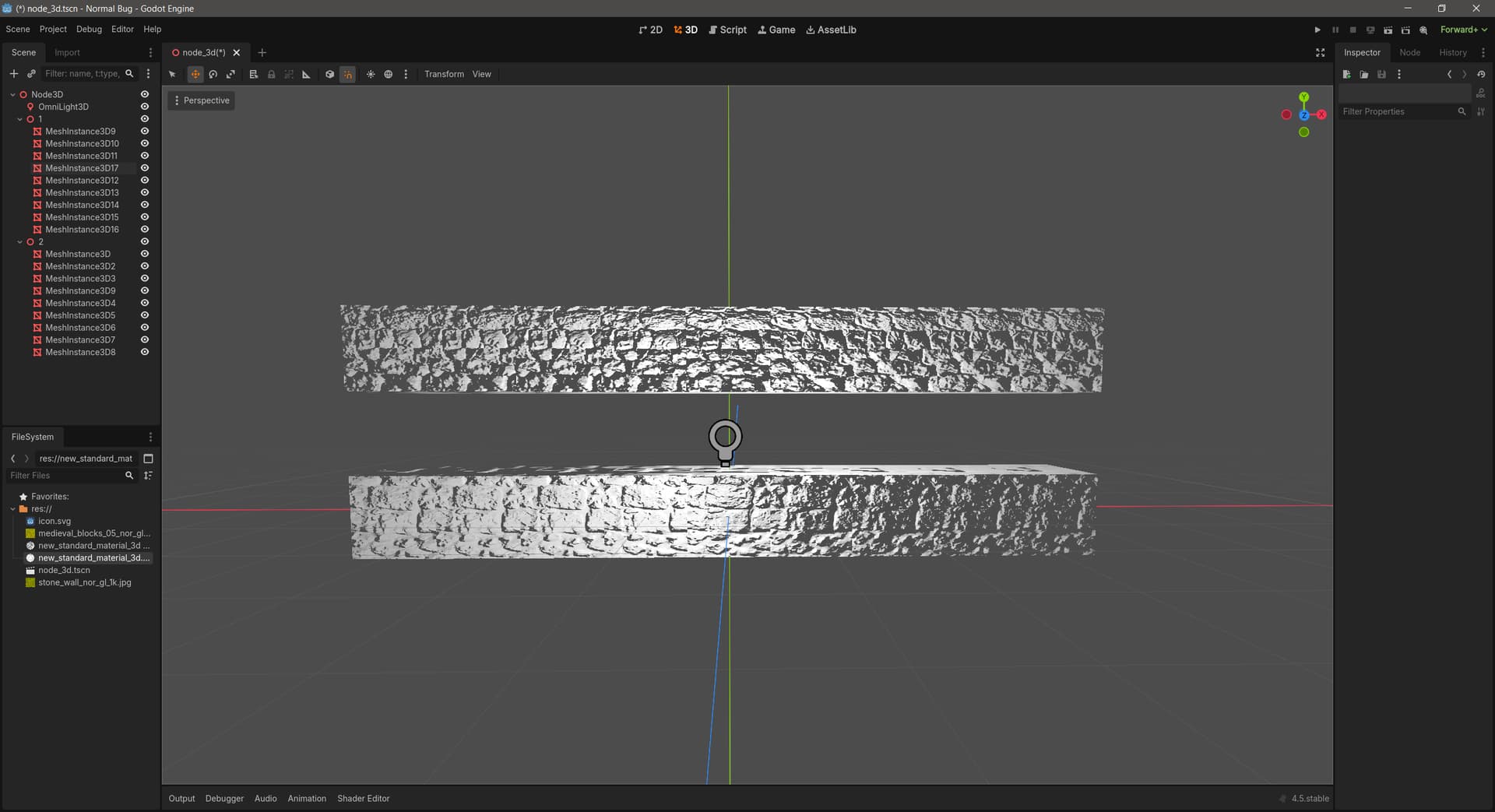
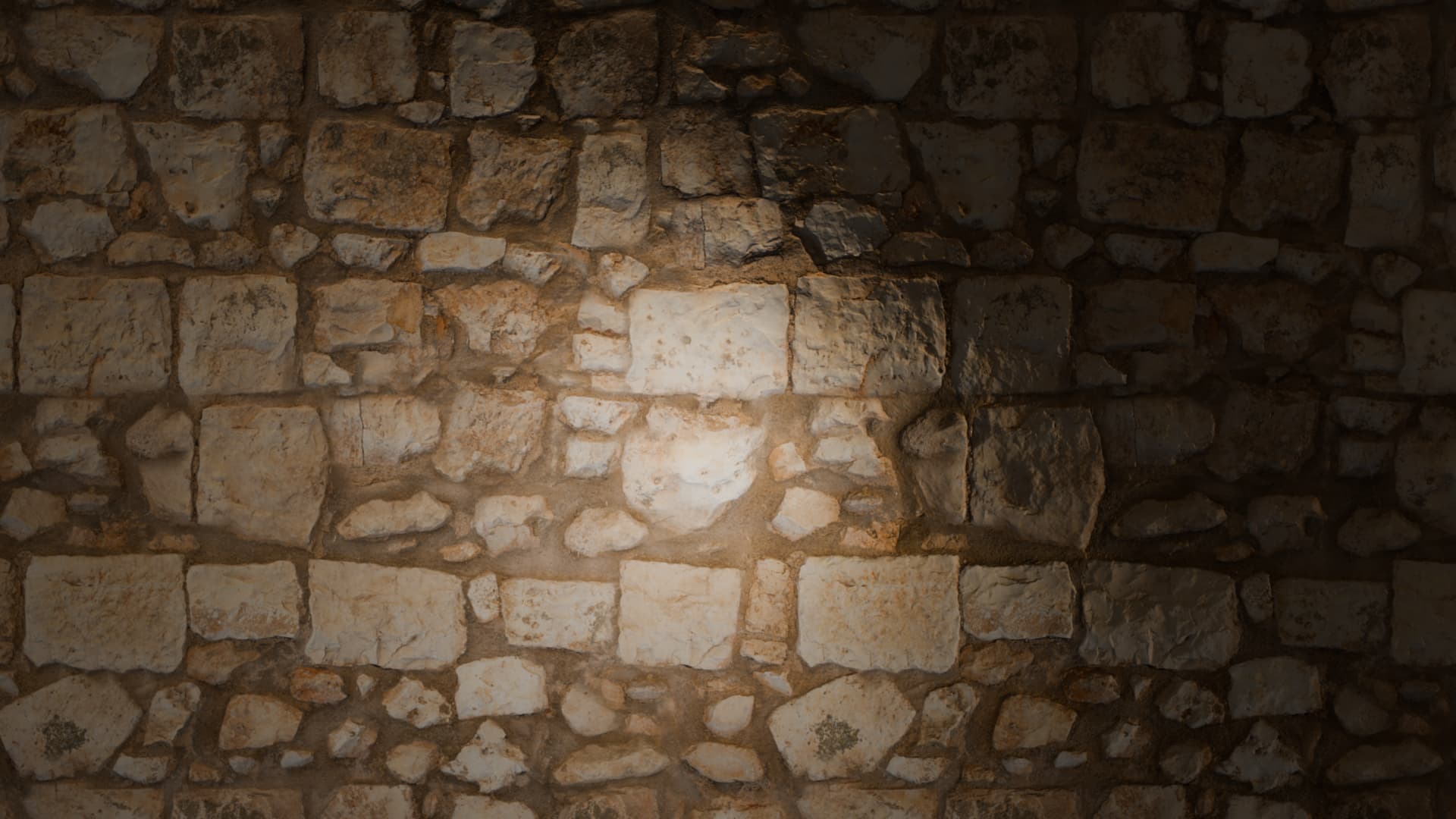
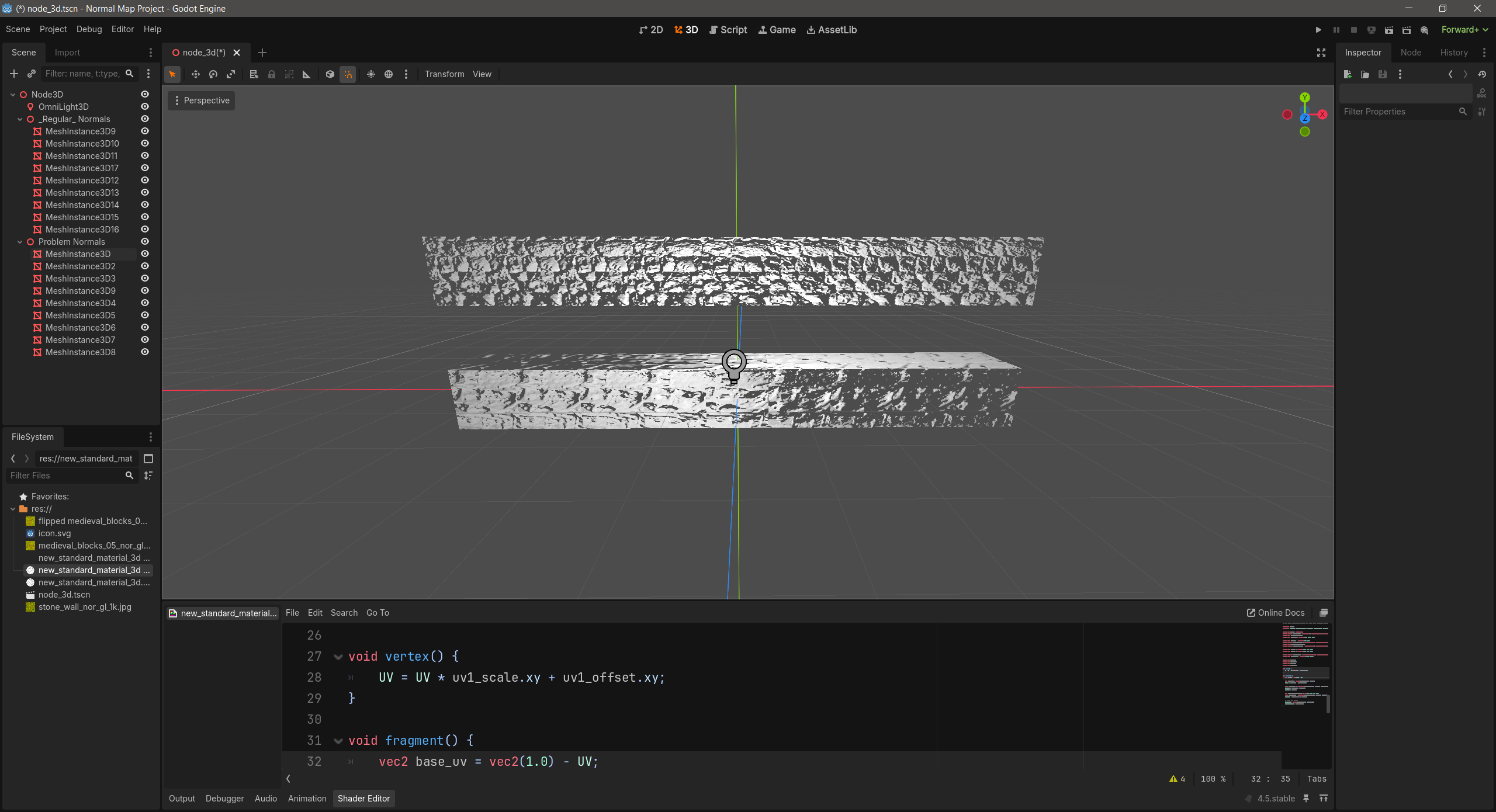
I ran into this issue where this one particular normal map was, for some reason, being really blotchy when it was on one side of the light, as you can see in the picture (bottom is weird normal map, top is fine). This is just a test project to show the issue, both of these rows of meshes are using a plain material with the only thing on them being the normal maps (with the normal scale cranked up to showcase the issue). I’m not quite sure why it’s this specific normal map that’s causing the issue. I’ve tried every import option that I can think might be causing problems, flipping the green channel, etc., but so far nothing. Flipping the image itself does not flip the side that the issue occurs on. And as far as I can tell, the normal texture itself is fine, but I’m by no means a graphics expert so I’m probably missing something. I got it from Poly Haven.
I would expect that it look roughly the same on both sides. It obviously wont be symmetrical but one side is much darker than the other. I tried this in blender and got the same result. I’m not sure what the problem with the normal map is, or how I would go about fixing it. It’s much darker in one direction than the other, which doesn’t make much sense to me. I wouldn’t think a normal map would look consistently darker in one direction.
This is also happening with other materials as well in both blender and Godot… am I just missing something about normal maps I never knew about? I feel dumb right now.
I went into a blank Godot 4.5 project, got 8 1x1x1 box mesh instances and lined them up, then I applied to each of them a material with the only thing changed being the normal map, with its strength turned up a bit to more easily see the issue. Then I placed an omnilight3d in the scene with its brightness turned up to highlight the whole array of meshes. Then I could see the issue.