Godot Version
Godot 4.5.beta (experimental branch)
Question
I’m making an environment that I can traverse in VR. Movement in the environment does not translate to movement in the real world, so I drew a simple TorusMesh (doughnut shape) around my player that represents “real-world” boundaries to be seen at all times (a mesh instance called “RWAnchorBarrier”). As a general breakdown:
CharacterBody3D
----->XROrigin3D
---------->XRCamera3D
---------->RWAnchorBarrier
The problem is, the RW barrier clips through the environment I traverse, like walls or hills, so it’s not always visible. I set out to create a way to see the barrier at all times, since it represents real-world boundaries I’ll always want to see.
I saw a tutorial once that achieved something similar with weapons in a FPS demo - they set up a SubViewport camera that could only see Layer2 masks then made their weapon visible on the second layer. That way the weapon didn’t “disappear” into the wall if the player ran into one. So, I followed the tutorial by:
- Creating a SubViewportContainer node, a child of my player node, Anchor Preset set to Rect (full screen).
- Made a SubViewport child of my SubViewportContainer. I set transparent_bg to on.
- Made a Camera3D child of my SubViewport. I set the cull mask to only see layer 2.
- Made a RemoteTransform3D child of my XRCamera3D and pointed the remote path to my Camera3D node.
- I set my RWAnchorBoundary mesh instance to be visible on both layers 1 and 2.
And, unfortunately, can never really see anything out of this camera - if I set the main camera to not see layer 2, the boundary disappears entirely. It still clips into walls and hillsides.
For a general breakdown:
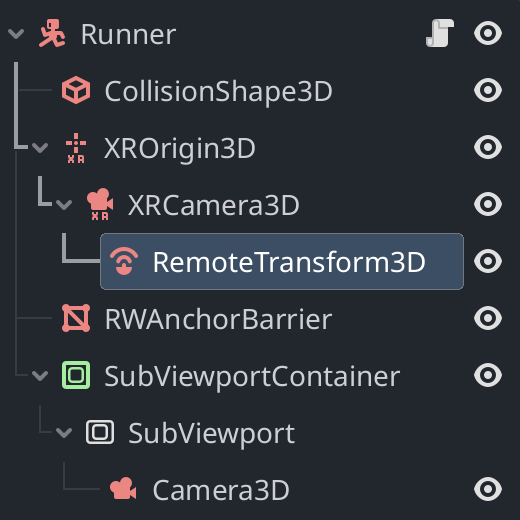
And what my player generally looks like:
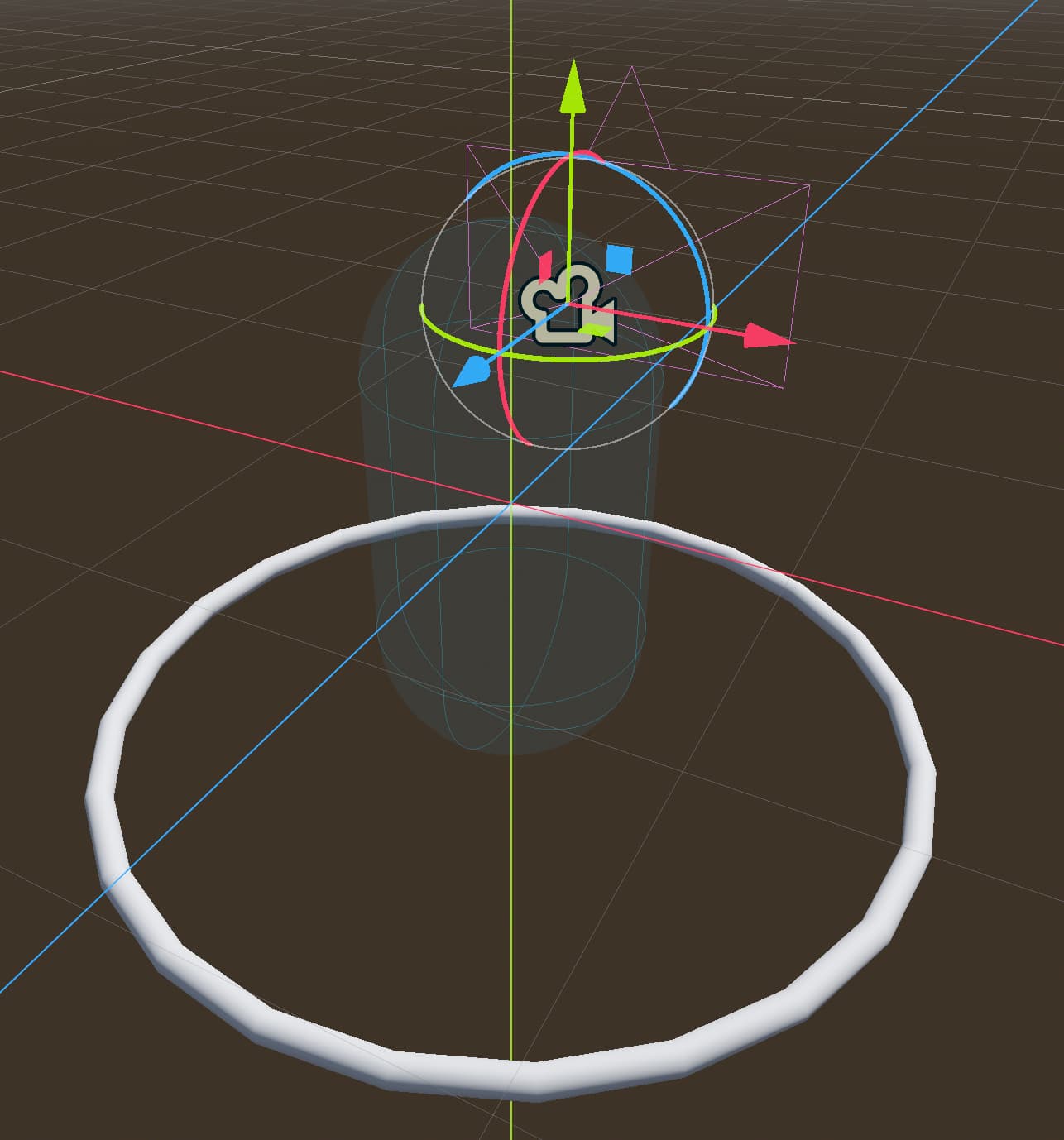
I tried a few variations - I tried to use an XROrigin3D and XRCamera3D parent/child under the SubViewport instead of Camera3D, with and without the RemoteTransform3D node pointing at it. I tried various visual masking strategies, none of which had anything unique to the subviewport camera appear.
Overall, I’m not sure if I’m misunderstanding the nature of SubViewports - not doing the tutorial correctly, more or less - or if there’s something special about XRCamera3D that makes this especially tough.
Any ideas on what the solution might be?
A general image of what’s happening:

