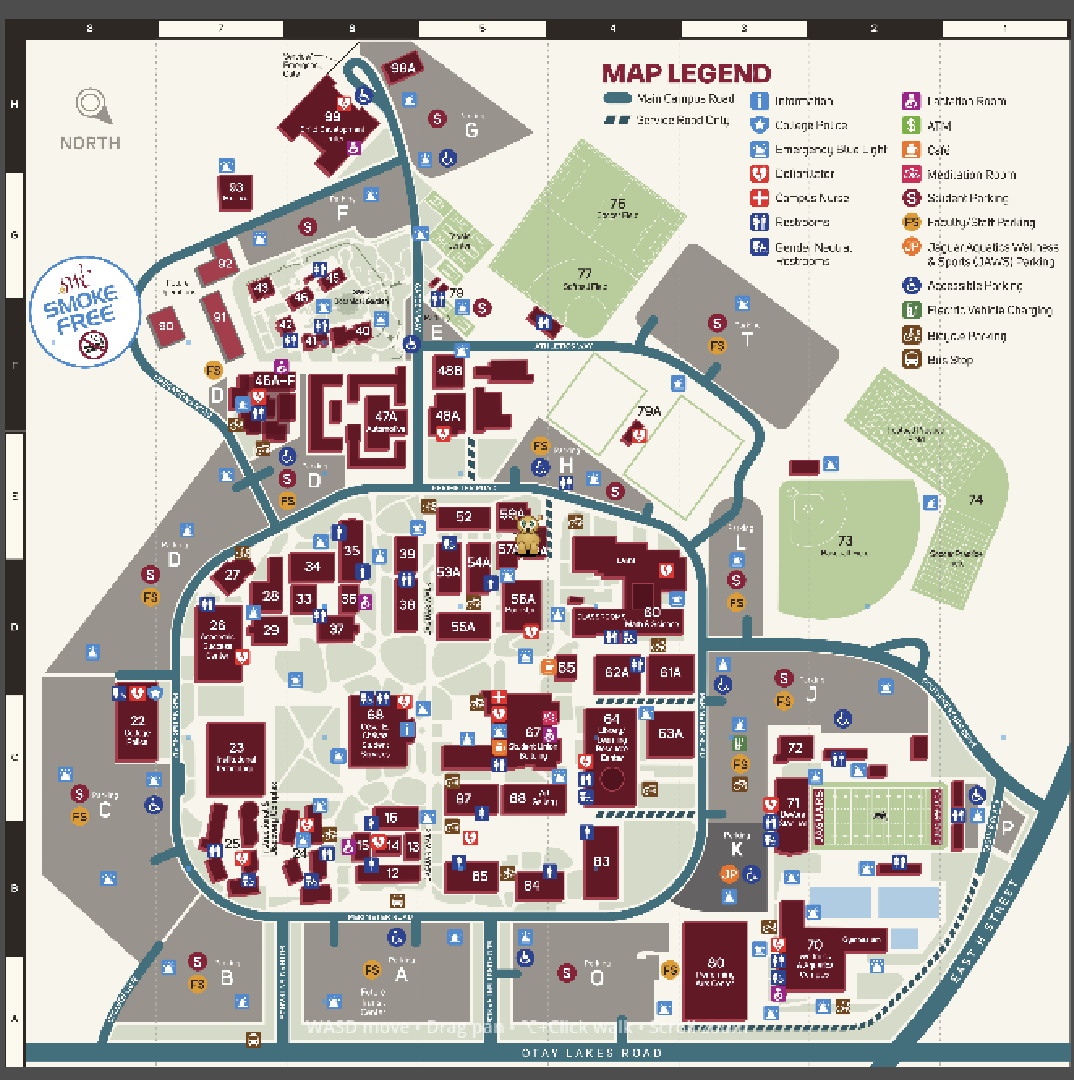
SVG Texture Quality Issues - Sharp When Zoomed In, Blurry When Zoomed Out
Engine: Godot 4.5
Project Type: 2D top-down game with camera zoom
Issue: SVG map texture looks crisp when zoomed in close, but appears blurry/pixelated when zoomed out (default view)
Open Source: Full code available at GitHub - theslyprofessor/jagquest
The Problem
I’m using an SVG campus map (802.583 x 779.52 units) as the main texture in my 2D game. Players can zoom in/out using a Camera2D. The texture looks great when zoomed in close to the map, but when zoomed out to see the full map (which is the default starting view), it appears blurry and loses detail.
Current Configuration
SVG Import Settings (campus_map.svg.import):
svg/scale=6.0
compress/mode=2
compress/high_quality=true
mipmaps/generate=false
detect_3d/compress_to=0
anisotropic=true
Project Settings (project.godot):
[rendering]
textures/canvas_textures/default_texture_filter=0
quality/filters/anisotropic_filter_level=16
Scene Structure:
Main
└── VBoxContainer (Layout)
    └── SubViewportContainer (texture_filter = 0)
        └── SubViewport
            └── Overworld
                └── CampusMap (Sprite2D, texture_filter = 0)
Camera Settings:
- Default zoom shows full playable area (802.583 x 779.52 world units)
- Viewport size: 1200 x 900
- Players can zoom in/out with scroll wheel or R/T keys
What I’ve Tried
- Different SVG scales: 1x, 2x, 3x, 4x, 6x (currently at 6x = 4815 x 4677 pixels)
- Texture filtering: Set
texture_filter = 0on both Sprite2D and SubViewportContainer for nearest-neighbor filtering - Mipmaps: Disabled (was causing blur)
- Compression: Tried both lossless (mode=2) and disabled (mode=0)
- Anisotropic filtering: Enabled (primarily for 3D but tried anyway)
The Dilemma
- Zoomed in: Map looks crisp and detailed

- Zoomed out (default view): Map looks blurry/pixelated

- Higher SVG scale: Better quality but massive memory footprint
- Lower SVG scale: Worse quality overall
Questions
- Is there a better way to handle SVG textures that need to look good at multiple zoom levels in 2D?
- Should I abandon SVG and use a high-res PNG instead?
- Are there texture filtering settings I’m missing that could help maintain quality when zoomed out?
- Is this a fundamental limitation of how Godot rasterizes SVGs at import time?
The core issue seems to be that Godot converts SVGs to raster textures during import, and then the GPU has to downsample that texture when the camera is zoomed out, causing quality loss. I’m using nearest-neighbor filtering to avoid blur, but that makes individual pixels more visible.
Any advice would be greatly appreciated!
Screenshots (as a new user, I can only post 1 sadly):
-
[Zoomed out view - blurry/pixelated]