Godot Version
4.6
Question
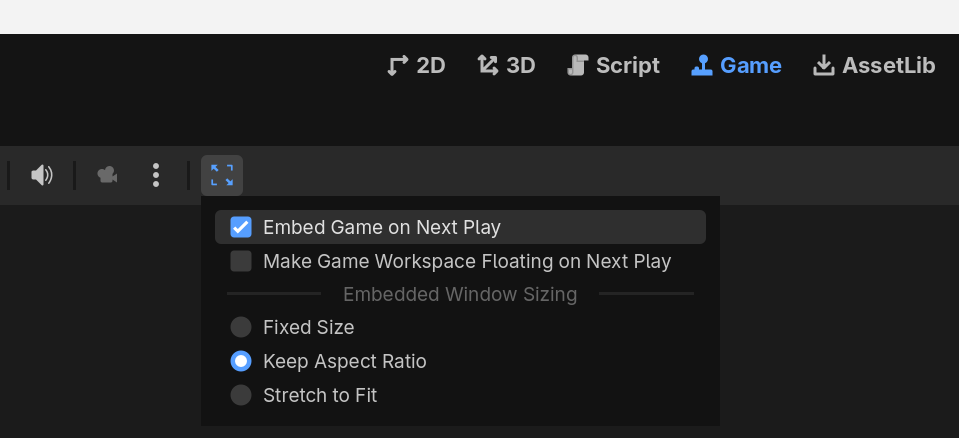
When I run the game in Godot 4.6 the game starts in a separate window by default but the window is not a normal operation system window but instead some kind of subwindow inside Godot editor. Now if I try to close the window with normal OS command it closes the Godot editor too. I also cannot alt-tab between editor and the game normally. Is there a way to test the game in a real window as it was in previous Godot versions?
(Exclusive fullscreen seems to still work as it was before.)