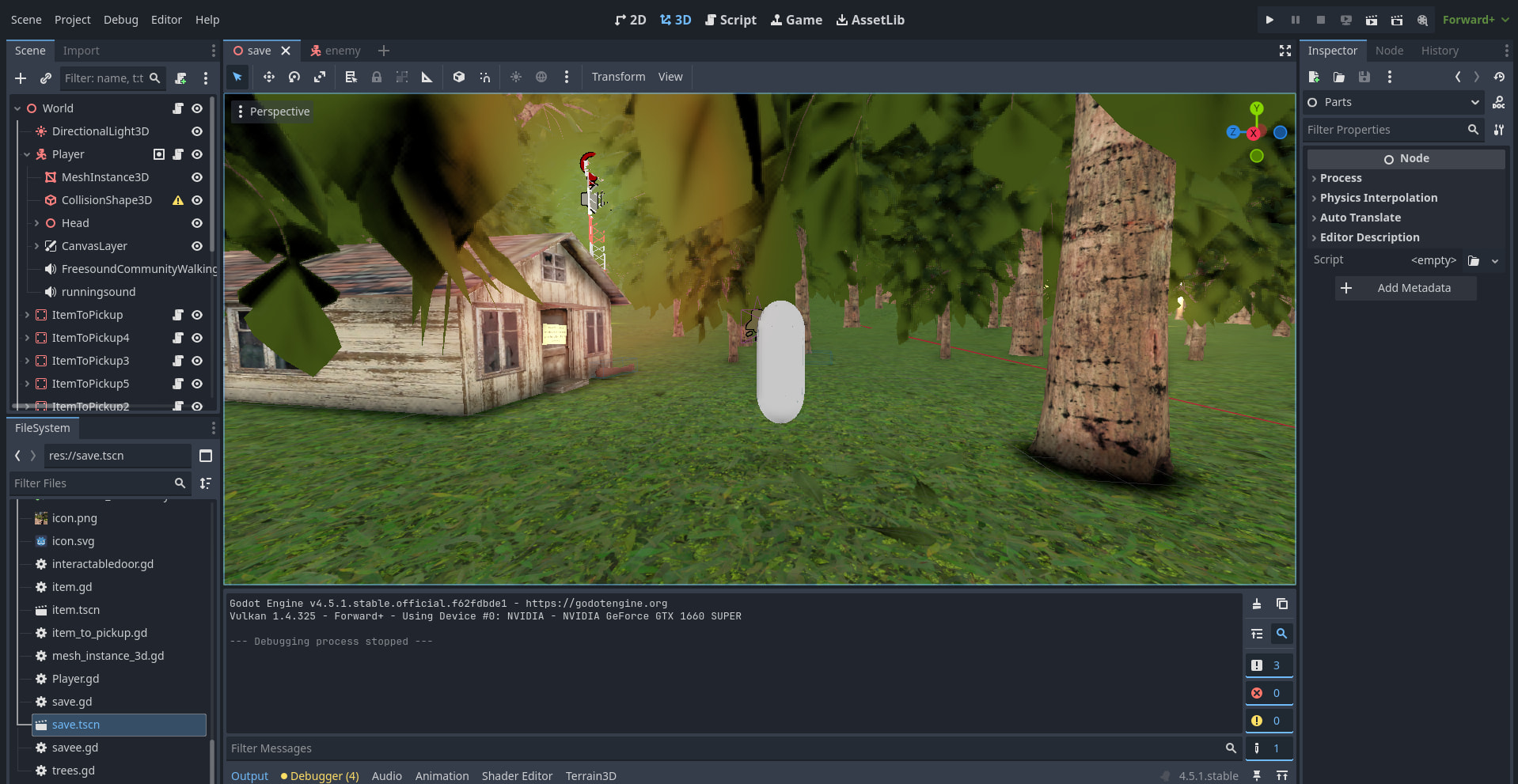
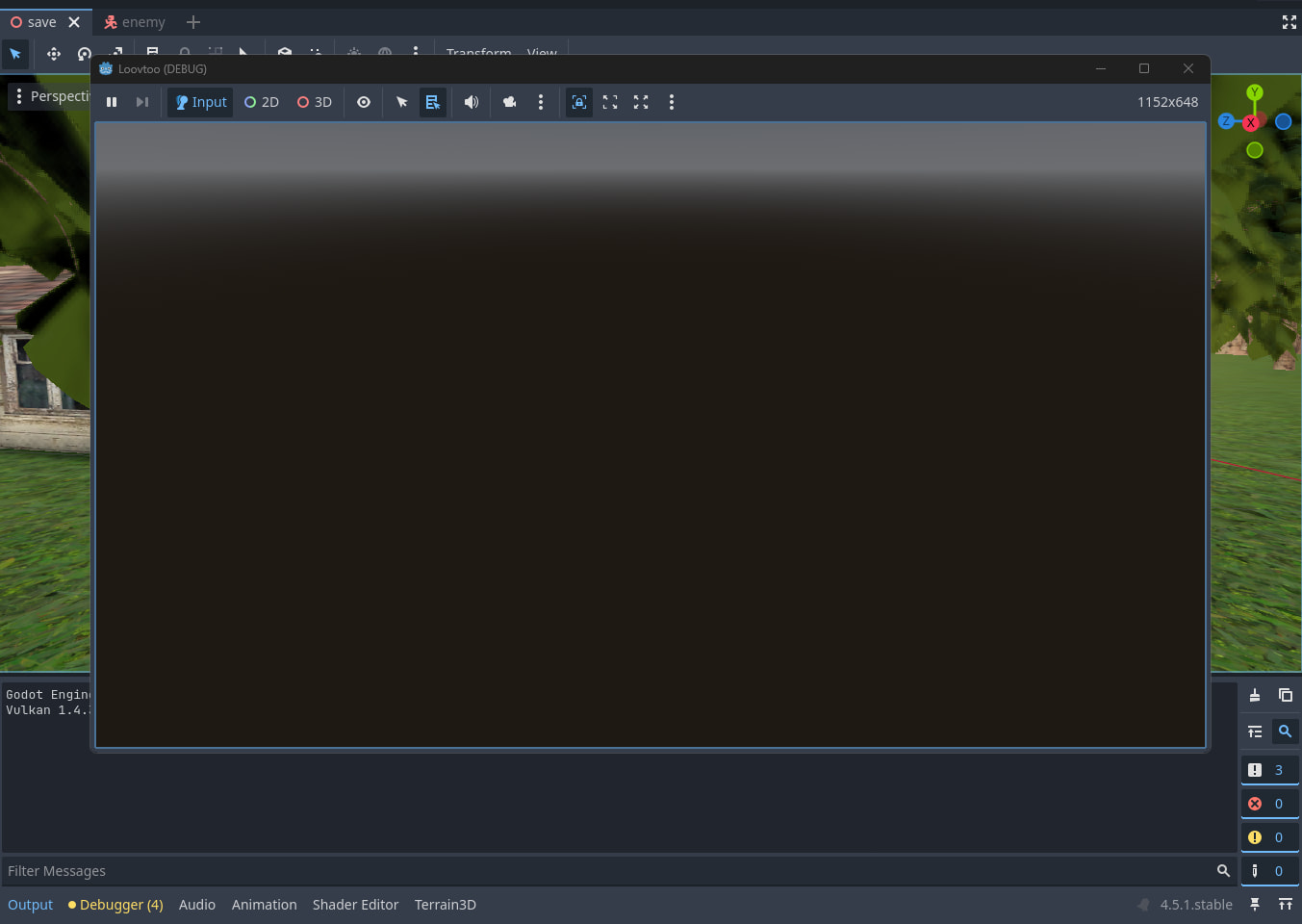
I have a whole bunch of stuff in the editor and when I press play/playtest then it shows me nothing but a empty game, I don’t exactly know why this happened but something that is probably related is that when I was pressed bake navigationmesh under the navigationregion3d then it took about like a whole minute and then it crashed my project, then when i opened it back up it had rerolled to like 10 minutes before i tried baking it and my playtest was blank. I did a whole bunch of stuff such as checking the save.tscn file and messing with the camera3d but none of that worked for me. I setup a camera in the middle of the map, and the map stays where it was earlier, the only things that seem to be teleported are the player and the enemy Character3Ds, I set a wait for the Enemies script of 10 seconds and once that 10 seconds was over it got teleported.
Are you sure it’s starting in the correct scene when you press play? There’s a default scene property in the project settings, maybe it somehow got unset when the project crashed.
Yes it is starting in the correct scene, although I did try adding a print to see the Y level of the player, and by the looks of it the Y level instantly spikes up to 15k~ and it’s more like an instant fall, i tried teleporting the player back down to the correct Y level but then it instantly teleports me back to 15k~. This happens only once the _func_physicsprocess() fires cause if i add a wait in the _ready() it doesn’t do it until the _func_physicsprocess() fires (it’s only doing the 15k~ Y level for the player and the enemy which are both Character3D with movement scripts attached.)
If you add a rigidbody3D to the scene, does it also teleport to 15k on Y? Check if it does. If it does, it has to do with some global physics setting (maybe the default gravity was somehow set to some ridiculous value?) or at least something happening globally in the physics in the scene and not specific to the characters.
If the rigidbody doesn’t get teleported, it might have something to do with how you are moving the Characters.
Also, if you create a new scene with just a floor and the character, and play that scene, does the same thing happen?
Ok so basically if I add the rigidbody3D it will teleport with the rest of the stuff, I found that if I delete the floor itself(StaticBody3D) then it won’t teleport me into the stratosphere. although the game is really weird like that, for example I’m for some reason really tall, as in the camera, I can see my body when I look down, and the enemy isn’t moving in the slightest. I don’t think removing the floor is the fix I can use permanently, honestly i’m not sure how i’m not just falling below the map since there is no other collision things holding me above the ground. Also to your other message, the collision shape warning is “make the size uniform (same on all axes)”. The errors in the debugger are 2 warnings of delta never being used in a script. W 0:00:01:795 _instance_reset_physics_interpolation_bind_compat_104269: instance_reset_physics_interpolation() is deprecated.
and a warning from a plugin that just makes terrain (Terrain3D)
Looks like you have no Camera3D in your scene. Add one to your Player. Also make sure you add a WorldEnvironment to it (I don’t see one). Missing either of these will make your scene grey like that.
Then my next guess is you don’t have your player detecting the layer the ground is on with the same mask set, or you are placing the player partially into the ground so the collision isn’t happening.
extends CharacterBody3D

@export var player: CharacterBody3D

var speed

const WALK_SPEED = 4
const SPRINT_SPEED = 20
const JUMP_VELOCITY = 3.5
const SENSITIVITY = 0.005

const BOB_FREQ = 2.0
const BOB_AMP = 0.06
var t_bob = 0.0

const BASE_FOV = 75.0
const FOV_CHANGE = 1.5

var gravity = 9.8

@onready var head = $Head
@onready var camera = $Head/Camera3D

func _unhandled_input(event):
	if event is InputEventMouseMotion:
		head.rotate_y(-event.relative.x * SENSITIVITY)
		camera.rotate_x(-event.relative.y * SENSITIVITY)
		camera.rotation.x = clamp(camera.rotation.x, deg_to_rad(-90), deg_to_rad(90))

func _physics_process(delta):

	print(position.y)
	if not is_on_floor():
		velocity.y -= gravity * delta

	if Input.is_action_just_pressed("jump") and is_on_floor():
		velocity.y = JUMP_VELOCITY

	if Input.is_action_pressed("sprint"):
		speed = SPRINT_SPEED
	else:
		speed = WALK_SPEED

	var input_dir = Input.get_vector("left", "right", "up", "down")
	var direction = (head.transform.basis * Vector3(input_dir.x, 0, input_dir.y)).normalized()

	if is_on_floor():
		if direction:
			velocity.x = direction.x * speed
			velocity.z = direction.z * speed
		else:
			velocity.x = 0
			velocity.z = 0
	else:
		velocity.x = lerp(velocity.x, direction.x * speed, delta * 2.0)
		velocity.z = lerp(velocity.z, direction.z * speed, delta * 2.0)

	t_bob += delta * velocity.length() * float(is_on_floor())
	camera.transform.origin = head.transform.origin + _headbob(t_bob)

	move_and_slide()

func _headbob(time) -> Vector3:
	var pos = Vector3.ZERO
	pos.y = sin(time * BOB_FREQ) * BOB_AMP
	pos.x = cos(time * BOB_FREQ / 2) * BOB_AMP
	return pos
This was done with a youtube tutorial since this is for a school project but it worked before. although I believe it’s not something to do with the code.
The headbob-function looks suspicious to me. From where do you call it and where do you apply the returned position?
Otherwise, try to remove the player character and see if the scene loads as expected. I had a weird issue similar to this that probably happened because two bodies using movie and slide were colliding and updating their positions. It seemed completely normal to me but for some reason one body dragged the other 100% straight up into the air. Do you have any colission detection in your script here?
I got it working after messing around with a bunch of stuff, I don’t know exactly which on of the replies was the fix it was more a mix of all of them, deleting the floor(StaticBody3D) made my player able to move, and not be teleported aswell as everything else like the enemy and the rigidbody. But also a lot of stuff was responsible for it so I can’t say for certain what fixed it.