Godot Version
v4.5.stable.custom_build
Context
I am populating multiple TileMapLayers with tiles at runtime, which are specified in a JSON. The TileSetSources are also created at runtime to allow people to swap out or add tiles outside of the Godot editor.
Each cell also has a “height” value associated with it, which just offsets the texture upwards by some amount.
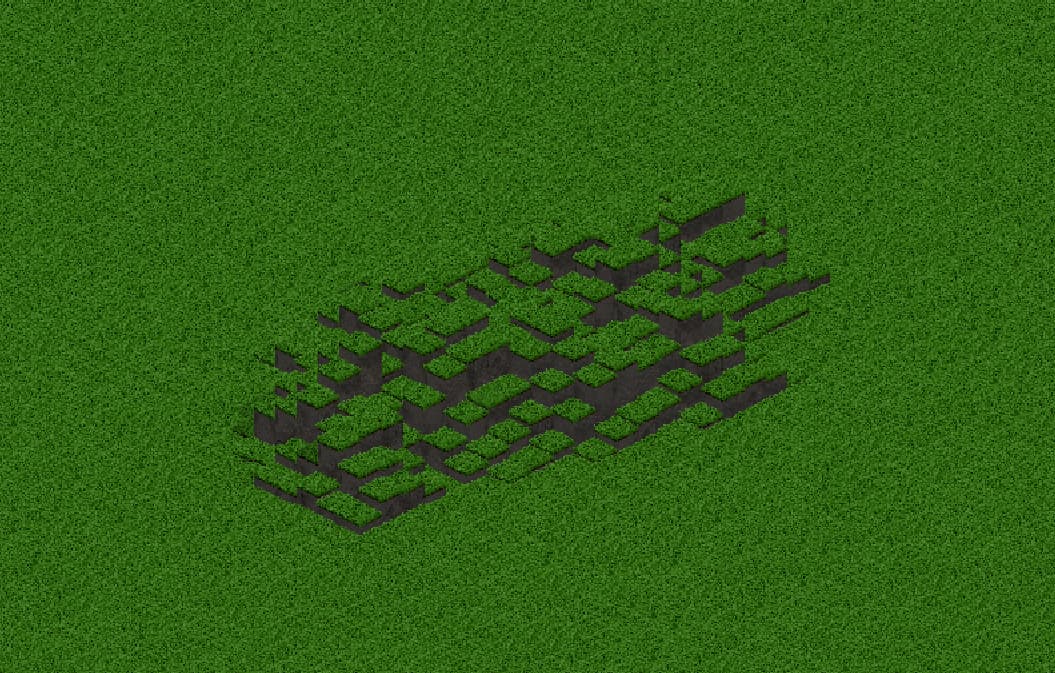
This height system is the part I did as a custom build. (The performance impact is essentially zero because I’m just changing the draw position of every cell slightly, without any calculations)
Sort of how it works, in case anyone's interested
I added the function set_cell_height to the TileMapLayer class:
// tile_map_layer.cpp

void TileMapLayer::set_cell_height(const Vector2i &p_coords, const int p_height) {
	HashMap<Vector2i, CellData>::Iterator E = tile_map_layer_data.find(p_coords);
	ERR_FAIL_COND_MSG(!E, "TileMapLayer has no cell at coords " + stringify_variants(p_coords));

	if (E->value.height == p_height) {
		return;
	}

	E->value.height = p_height;

	// Make the given cell dirty.
	if (!E->value.dirty_list_element.in_list()) {
		dirty.cell_list.add(&(E->value.dirty_list_element));
	}
	_queue_internal_update();

	used_rect_cache_dirty = true;
}
And hijack the struct “CellData” to store the height
// tile_map_layer.h

struct CellData {
	Vector2i coords;
	TileMapCell cell;
	int height; // this is new

	// ...
};
Then I subtract the height from the draw position in rendering_update
// tile_map_layer.cpp

void TileMapLayer::_rendering_update(bool p_force_cleanup) {
	// ...
	if (!forced_cleanup) {
		// ...
		for (SelfList<RenderingQuadrant> *quadrant_list_element = dirty_rendering_quadrant_list.first(); quadrant_list_element;) {
			// ...
			if (has_a_tile) {
				// ...
				for (SelfList<CellData> *cell_data_quadrant_list_element = rendering_quadrant->cells.first(); cell_data_quadrant_list_element; cell_data_quadrant_list_element = cell_data_quadrant_list_element->next()) {
					// ...
					// instead of just const Vector2 local_tile_pos = tile_set->map_to_local(cell_data.coords)
					const Vector2 local_tile_pos = tile_set->map_to_local(cell_data.coords) + Vector2(0, height_enabled * -cell_data.height);
}
As you can see, it’s not that complicated and definitely not that laggy
Edit: this is another solution to a question I posted before: Tilemap with 3rd "height" dimension
Question
As you can see in the image, I need to draw cliffs below all the offset tiles to get rid of any gaps. (The cliffs are on a separate TileMapLayer) Otherwise it would look like this:
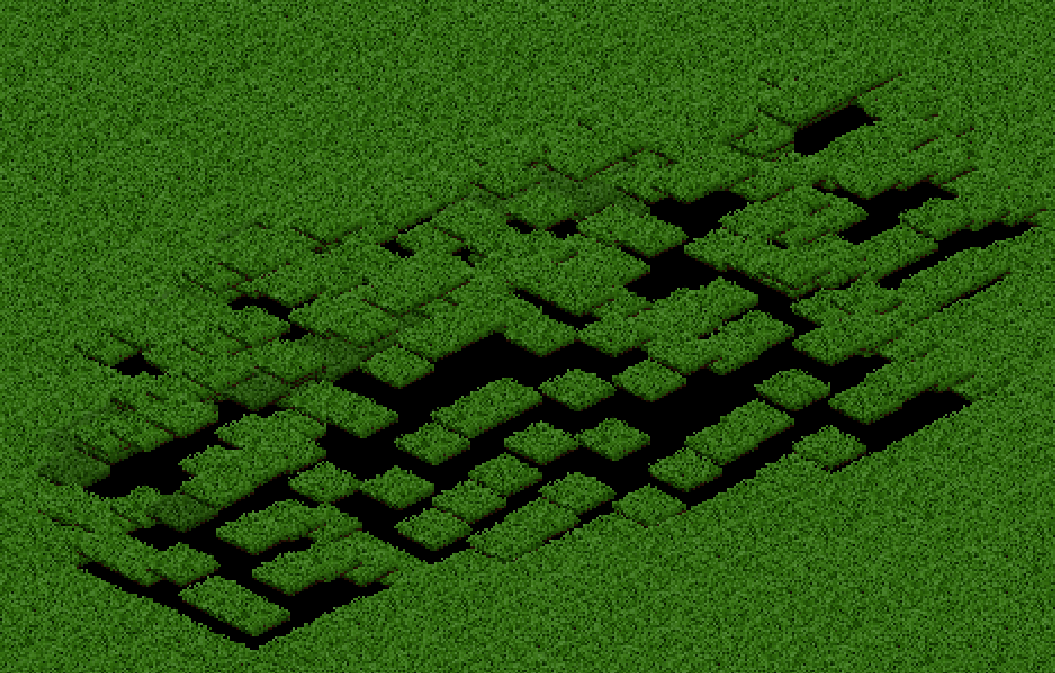
So I’ve got these huge cliff tiles under all the tiles:
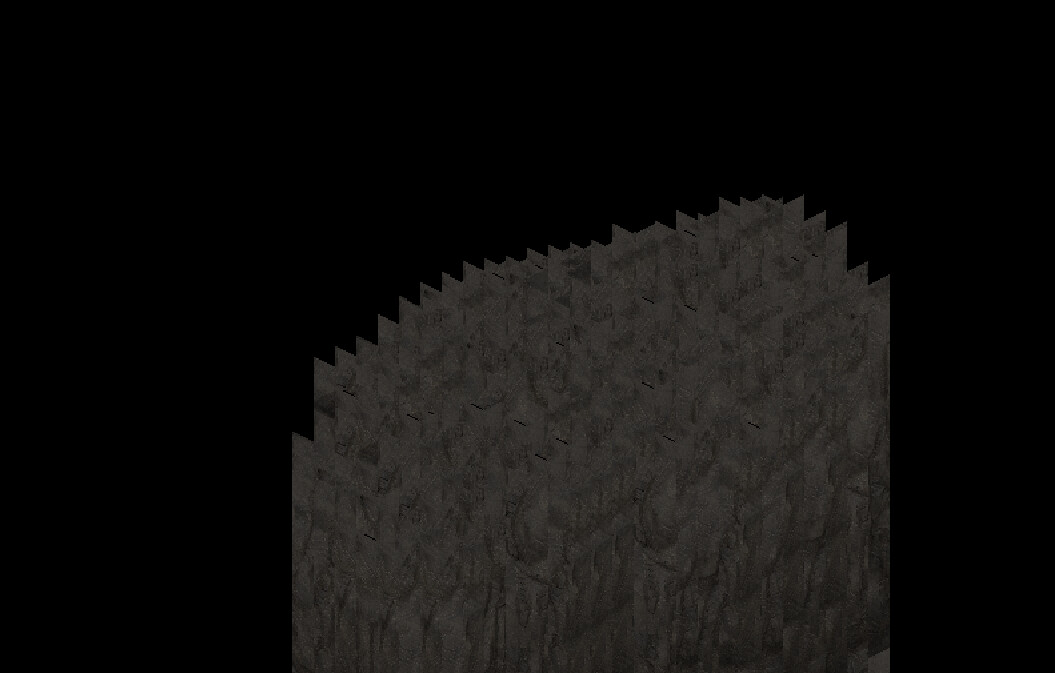
They need to be this big for every tile (1024 pixels tall) because I want to allow very big heights. And I can’t make 1023 smaller variants because that would be too expensive to generate at runtime.
The problem is, with a lot (a few hundred) of these visible, the game becomes really laggy.
These are the two solutions I can think of:
- Hide cliff tiles that are completely hidden by any other tiles
- Somehow optimise TileMapLayers for large tiles
But I don’t know how to do either. Is there a way to do this, or is there maybe another option?

