so
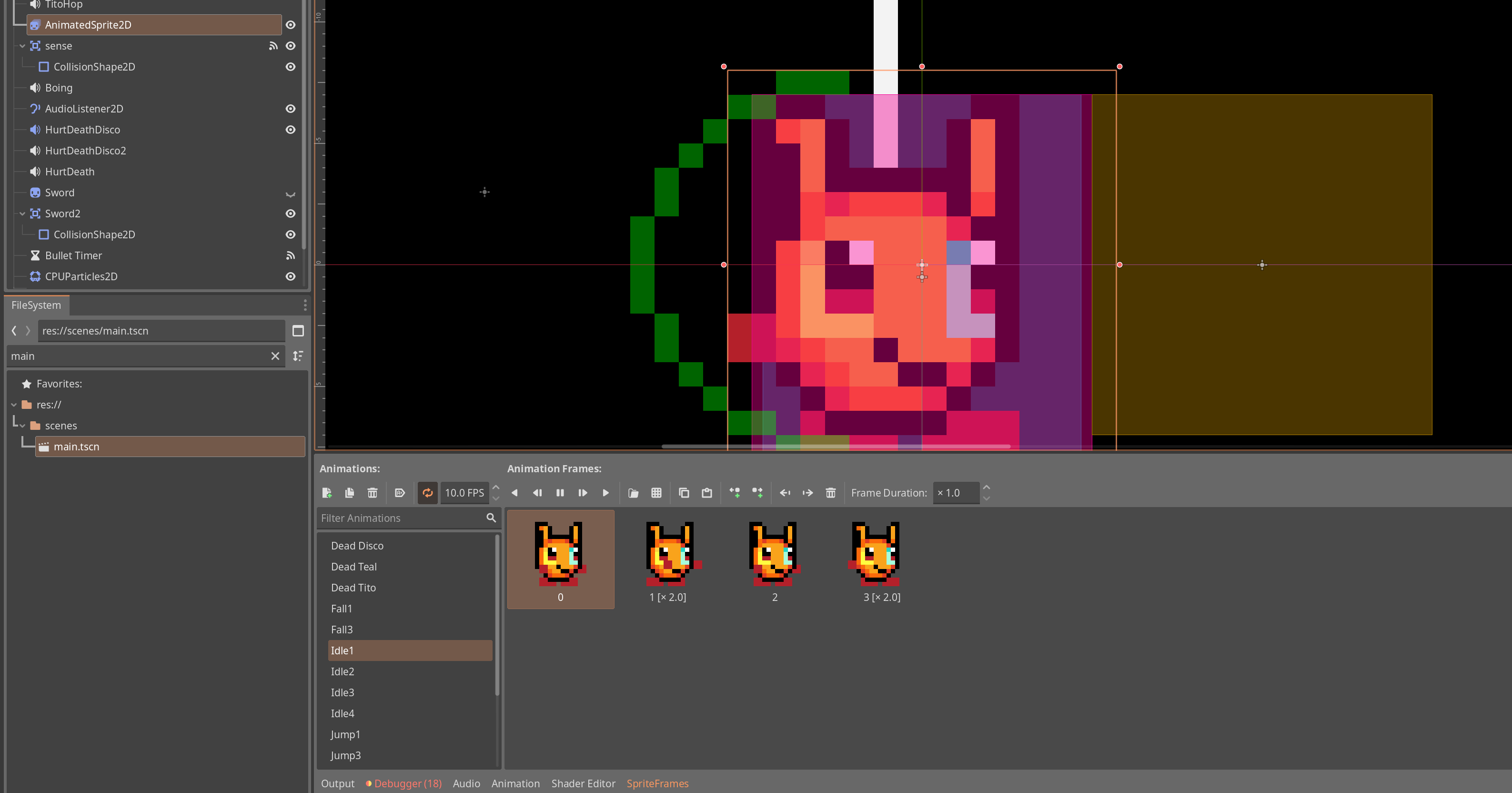
My animation sprite’s animations are on loop, but they wont work, why?
extends CharacterBody2D
const CharacterBody2d = preload("res://scenes/character_body_2d.gd")


@onready var animated_sprite_2d: AnimatedSprite2D = $AnimatedSprite2D
var flip_gravity = false
var JUMPS = 2
var SPEED = 100.0
var JUMP_VELOCITY = -150.0
var ChuRub_value = 0
var powerup = preload("res://scenes/bullets/Boomer.tscn")
var max_health = 100
var health = max_health
var attack = 10
var hurt = 10
var bounce_boost = 2
@onready var churub_0001: Sprite2D = %"Churub-0001"
var in_water = false
var character_type = 4
var current_item = 0
var full_health_boss = 100
var boss_health = 100
var canshoot = true
var save_path = "user://skibidi.save"
var points = 1
var beaten_levels = [false, false, false, false, false]
var current_level = 0
var world_index = 0
var unfinished = 0
var Disco_float = false

func _ready() -> void:
	var file = FileAccess.open(save_path, FileAccess.READ)
	points = file.get_var()
	current_level = file.get_var()
	beaten_levels = file.get_var()
	world_index = file.get_var()
	unfinished = file.get_var()
	print(current_level)
	print(points)
	print(unfinished)
	print(beaten_levels)

#thse who know... MANGO!! MAHAHAHAHAHAHAHAHAHAHAHAHA
func _on_sense_area_entered(area: Area2D) -> void:
	if (area.scene_file_path == "res://scenes/touchibles/water_area.tscn"):
		in_water = true
	if (area.scene_file_path == "res://scenes/touchibles/Door.tscn"):
		position = area.door
		print(area.door)

func _on_sense_area_exited(area: Area2D) -> void:
	if (area.scene_file_path == "res://scenes/touchibles/water_area.tscn"):
		in_water = false


func jump():
	velocity.y = JUMP_VELOCITY
	JUMPS = 1
	$TitoHop.play()

func boost_jump():
	velocity.y = JUMP_VELOCITY * bounce_boost
	JUMPS = 2
	$TitoHop.play()
	$Boing.play()


func _physics_process(delta: float) -> void:
	if ChuRub_value == 0:
		churub_0001.hide()
	if ChuRub_value == 1 or ChuRub_value == 2 or ChuRub_value == 3:
		churub_0001.show()
	churub_0001.flip_h = animated_sprite_2d.flip_h
	if character_type == 4:
		JUMP_VELOCITY = -200.0
		SPEED = 140
	if (velocity.x > 1 || velocity.x < -1):
		$AnimatedSprite2D.animation = ("Run" + str(character_type))
	else:
		$AnimatedSprite2D.animation = ("Idle" + str(character_type))
	if is_on_floor() or in_water == true or ChuRub_value == 1:
		JUMPS = 2
	# Add the gravity.
	if not is_on_floor():
		if velocity.y > 0:
			$AnimatedSprite2D.animation = ("Jump" + str(character_type))
		if velocity.y < 0:
			$AnimatedSprite2D.animation = ("Fall" + str(character_type))
		var ChuRub_power
		if ChuRub_value == 1 or ChuRub_value == 2 or ChuRub_value == 3:
			ChuRub_power = 0.3
		if ChuRub_value == 0:
			ChuRub_power = 1
		if in_water == true and not Disco_float == true:
			velocity += (get_gravity() * delta / 6) * ChuRub_power
		if in_water == false and not Disco_float == true:
			velocity += (get_gravity() * delta / 3) * ChuRub_power
	if ChuRub_value == 2:
		velocity.y = -2000 * delta

	if Input.is_action_just_pressed("accept") and JUMPS > 0:
		if flip_gravity == false:
			velocity.y = JUMP_VELOCITY
		if flip_gravity == true:
			velocity.y = JUMP_VELOCITY * -1
		if in_water == false:
			JUMPS -= 1
		$TitoHop.play()


	if Input.is_action_just_pressed("Conferm"):
		if not current_item == 0:
			if canshoot == true:
				var BULLET = [preload("res://scenes/bullets/bomb.tscn"), preload("res://scenes/bullets/bomb.tscn")]
				$TitoHop.play()
				var CUBEYS = (BULLET[current_item]).instantiate()
				CUBEYS.position.x = self.position.x
				CUBEYS.position.y = self.position.y
				if $AnimatedSprite2D.flip_h == true:
					CUBEYS.direction = -1
				get_tree().current_scene.add_child(CUBEYS)
				canshoot = false
				$"Bullet Timer".start()
				if character_type == 4:
					CUBEYS.SPEED = CUBEYS.SPEED * 1.5

	# Get the input direction and handle the movement/deceleration.
	# As good practice, you should replace UI actions with custom gameplay actions.
	var direction := Input.get_axis("left", "right")
	if velocity.x < 0:
		animated_sprite_2d.flip_h = true
	else: if velocity.x > 0:
		animated_sprite_2d.flip_h = false
	if direction:
		velocity.x = direction * SPEED
	else:
		velocity.x = move_toward(velocity.x, 0, 16) * delta
	if in_water == true:
		velocity.x = velocity.x / 1.5
	%"Churub-0001".skew = (velocity.x / -999)
	%"Churub-0001".position.x = velocity.x / -14
	move_and_slide()

func decrease_health():
	health -= hurt
	if not character_type == 2:
		$HurtDeath.play()
	else: if character_type == 2:
		$HurtDeathDisco2.play()
	current_item = 0
	#ChuRub = false
	if health < 1:
		Die()


func Die():
	print ("die!!!")
	get_tree().reload_current_scene()

func add_point():
	points += 1
	print(points)

func heal():
	health += 10
	if health > max_health:
		health = max_health
	print (health)

func boss():
	pass
#var isLeft = velocity.x < 0
#$AnimatedSprite2D.flip_h = isLeft
func save_gem():
	var file = FileAccess.open(save_path, FileAccess.WRITE)
	(beaten_levels[current_level]) = true
	if (beaten_levels[4]) == true and world_index == unfinished:
		beaten_levels = [false, false, false, false, false]
		unfinished += 1
		world_index += 1
		print("OIIII!!!")
		print(unfinished)
	file.store_var(points)
	file.store_var(current_level)
	file.store_var(beaten_levels)
	file.store_var(world_index)
	file.store_var(unfinished)
	file.close()

func _on_bullet_timer_timeout() -> void:
	canshoot = true