Good day. Please let me know what improvements I need to make to this game. Try the game and tell me what’s missing and what you’d like to see changed. If you’d like access to the source code, let me know and I’ll add you to GitHub.
1 Like
This is similar to SimCity.  There’s still a lot that could be done that hasn’t been implemented in similar games. The idea is excellent, but the execution is still very rough.
- Building construction stops working.
- The store doesn’t always open.
- Camera rotation doesn’t work.
- Saving doesn’t work.
- …
Maybe the problem is with AI Assisted, Code?
I set construction to use the LMB in the game settings, and construction started working again.
Congratulations on the release of the first alpha version! 
I’ll keep an eye on the game’s development.
1 Like
Thank you for your response.
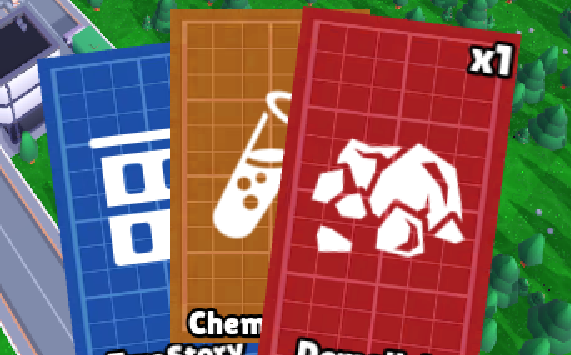
We were inspired by the game Cardboard Town while developing this game. However, we wanted to offer a different concept and perspective. As you mentioned, demolishing buildings is very cumbersome, so we will use cards for this: in other words, demolishing buildings in real life is costly, so we will only be able to demolish a limited number of buildings.
Regarding writing code using AI: we don’t hide this, as you may have noticed, we use free assets in the game, we are making the game part-time, and if we spent this time debugging and searching for solutions, we probably wouldn’t make any progress.
We are not professional game developers. We are just trying to create the game of our dreams. Thank you again for your response; thanks to you, we will have the opportunity to fix the issues that are not working.
1 Like
Cardboard Town is, in fact, a SimCity clone. I was just about to say that the idea with the cards isn’t very good, IMHO. What’s the point of them?
“Free assets” and “AI code” are very different things. You can eventually replace free resources with your own. BTW, there are programs that make content creation easier. I use free resources in my own project. But fixing code written by AI requires a very high level of expertise. Will you be able to change it when you need to? (And you’ll definitely need to.)
Basically, our project is very similar to yours, but I “approached it from the other end.” Perhaps we could try to join forces.
1 Like
It’s a good foundation, but it’s not quite a game yet 
Most importantly, you need a win condition, otherwise it’s really just a sandbox.
The UI could use some work - camera rotation doesn’t work even after changing the hotkey, it’s unclear what the buttons do or how to how / hide the card hand, and the cards could be automatically lowered when the mouse is not over them (most card games do this to show more of the game when the cards aren’t being looked at).
The mouse cursor seems to point just below the structure being placed - the grab point should be raised.
Progression wise, you might want to start the player out with much fewer cards, and a very quick tutorial, explaining the goal and how to earn money and buy cards. That way every new bought card will feel like an earned reward, rather than something slightly overwhelming to out start with.
Also obviously get rid of bugs, like the game window moving when going to options, and card descriptions being inaccurate / placeholder. Later you may wish to add illustrations to the cards, music and sound effects, and stuff like that
1 Like
A “sandbox” is a type of game.
But there will be a “win condition” here—the mayor must be re-elected. This might present a logical contradiction: if the mayor is elected, the game will presumably end, which doesn’t make sense. Or will the game continue?
Q – the market, but it doesn’t always work.
Tab – card set.
And, of course, 1920 × 1080 is a very small resolution. It would be nice to have the option to choose higher resolutions.
1 Like
It’s good that you have a win condition planned, now you just need to communicate that to the player
As to what happens with the mayor, that’s entirely up to you. Maybe the mayor’s job just continues, or maybe that’s when the player moves on to a new challenge? Story logic is generally not as important as fun in a game.
The problem isn’t that it’s not possible, it’s that it’s not clear. Ideally you want your player to know what a key or button does before needing / pressing it.
And don’t worry about the resolution, 1920 x 1080 is plenty for any game. In any case, higher resolution will not change the look of your game.
1 Like
This isn’t my rule, but the game developer’s. I took this condition from the game description on the website.
The player’s help menu is accessed via Esc.
It looks a bit clunky on a large monitor.
1 Like
First of all, thank you for sharing your thoughts. I’ve made some improvements based on your feedback.
-
I added 2K and 4K resolution to the display settings.
-
I tried to make the card model look nicer.
-
I added the demolition card.
-
I made a few more improvements that I forgot to mention.
2 Likes
Just gave it another spin,
I would suggest focusing on introducing some game mechanics (earning and spending etc, citizen satisfaction, …), and fixing up the UI problems, to make the game more playable. Then thinking about adding features
For instance, even after changing the key layout, plenty of keys don’t seem to work, including showing / hiding the hand and rotating the camera.
If you want to spend some effort polishing it, you could fill out those descriptions, for instance. Card artwork doesn’t have to be amazing either - you can get far with just color coding certain buildings to certain types (infrastructure / residential / public / business / …) and some scribbles to set them apart. Maybe your cards have tiers (1-2-3 / common-uncommon-rare / …), so it’s instantly visible that this is a tall / expensive tier-3 building, and there’s more to set them apart than just names.
2 Likes
Snap to grid is broken. It worked fine in the first version.
It seems to have glitched just this once. Everything works fine when I restart the game.
And it would probably be a good idea to add a button (command) to exit the game.
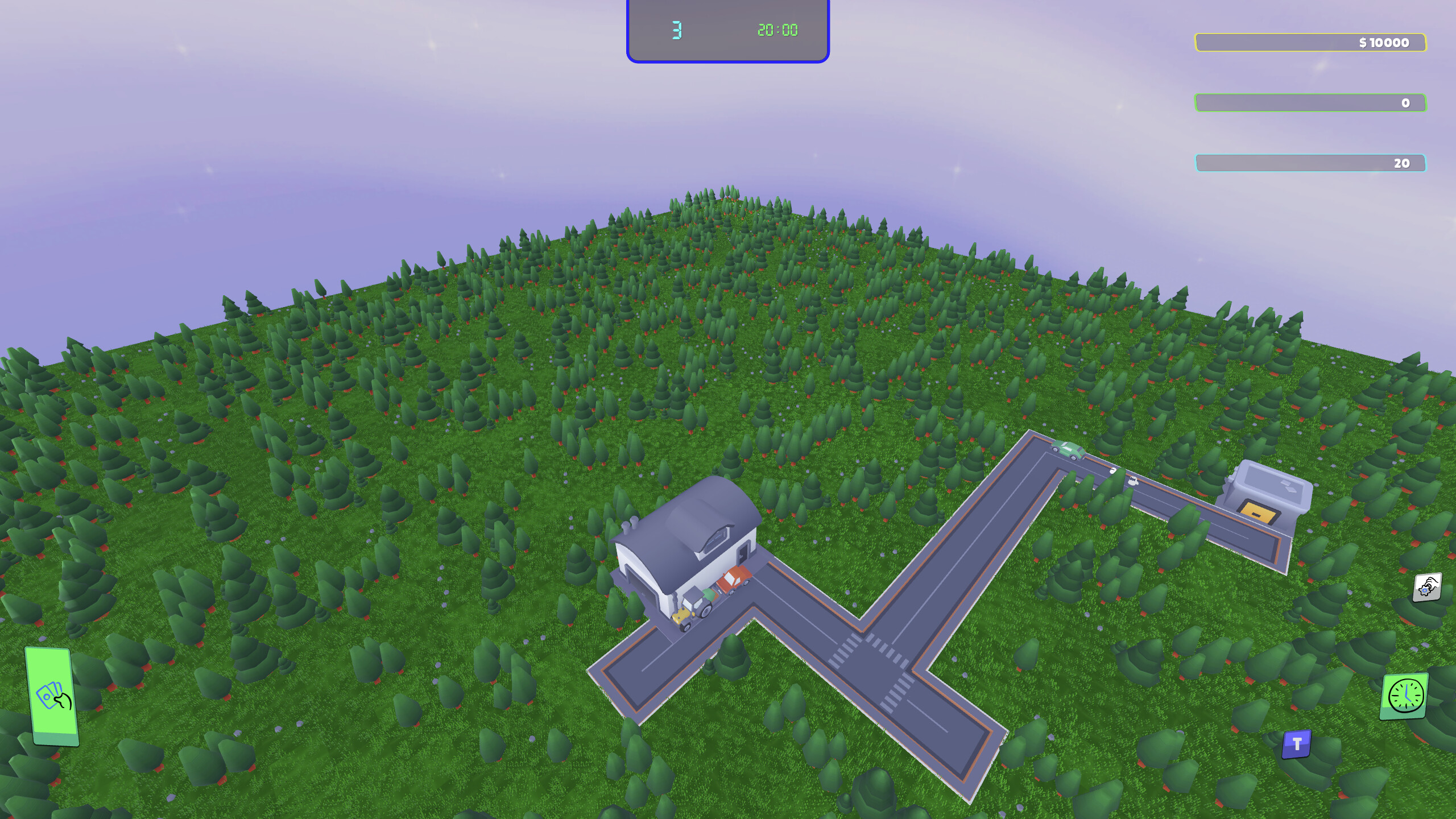
1 Like
First of all, thank you for your feedback. Based on your feedback, I’ve added a few new features, and I’ll need some time to add more.
New features:
- Several different card colors added to make it easier to distinguish categories.
- Town Hall model added.
- Grid issue fixed.
- Several code adjustments made (performance related).
- Building-specific icons added and will appear on cards.
- Card sounds added. I hope you like them.
Features I plan to add:
- There’s a button next to the Market button that’s not working; pressing it will show the building’s attributes on the card: population, employees, “new resources to be added”.
- I see some UI issues in the screenshot you shared; I’ll try to fix them.
- An exit button will also be added.
2 Likes
It’s nice with the changes to the cards, they’re already a lot easier to tell apart, and have some character I see you’ve also added quite a few buildings to the selection.
The sound also does a lot for the feeling of interaction, so there’s some feedback from the game.
I’m still getting the same kinds of bugs though, which really detract from what you have - the cards menu appears / disappears without my input, sometimes buildings and roads can’t be placed despite open spaces, camera rotation doesn’t work, placeholder or no descriptions and the window resizes when going to options.
The UI could use some work too - some of the numbers aren’t clear in their meaning (like the blue number next to the timer and the green and blue fields to the right), and the market menu is pretty bare-bones. You could have the cards on several lines to make them all visible (there’s a lot of wasted space), and center the info area so there isn’t so far between card “stats”, description and the buy button. It also has just one tab (card list), so unless you plan on adding more tabs, there is no reason to show one.
1 Like
I’ve added some updates and new resources to the game  .
.
-
Water and electricity resources have been added, but they aren’t functional yet.
-
You can view the resources on the back of the card by pressing the “I” key/button.
-
The market is gone; instead, it gives random cards for 100. However, you will pay for these when placing buildings. Because the full version of the game will give free random cards every day.
-
I think the grid issues have been somewhat fixed. There’s a minor issue with demolishing and placing buildings next to roads. The problem is that there’s no issue when making a 1x1 road, but when making a 2x2 (grid) road, I use the auto-rotate function, and this causes logical errors.
-
User interface issues seem to be resolved (it would be great if you could report the issues to me with a screenshot).
2 Likes
First of all, thank you very much for your feedback .
-
Many explanations need to be added to the game, which is extending the development time; all explanations will be added to the final version of the game.
-
Camera rotation is done with “CTRL + A/D”.
-
The town hall is hidden when you get too close due to its height. Actually, fixing this requires the camera and the building to physically interact; I will keep that in mind.
-
The issue should be resolved when you go to settings; please try again and provide feedback.
-
“the cards menu appears/disappears without my input” - if this is an issue, I will fix it, but it would help if you specify exactly how you want it fixed.
1 Like
You’re welcome! I’ll expect an hourly wage soon
My notes, as they popped up:
General:
- The game looks oddly pixelated at 1920 x 1080
- There seems to be no difference to the resolution, no matter which resolution is picked
Options:
- Options audio slider only has two settings - on or off
- Lowest three “reset” options in options → commands are partially unclickable. It seems the game UI underneath is interfering with them.
- Camera zooms when using mousewheel in options → commands window
- Commands window: camera rotate defaults to “ctrl”, which doesn’t show how to rotate the camera. Changing it does nothing. Further, you’d need two controls to bind - rotate camera left and rotate camera right.
- Ctrl + a key is unusual and unnecessary for rotating the camera - Q and E are commonly used with a ASDW layout.
Game:
-
Placing something hides the hand. Expected behavior = hand disappears while placing, then reappears when placement is done or cancelled.
-
Once the hand is gone, it takes two tab presses to show it again. Expected behavior = when the hand is not visible, one tab press shows it, and vice versa.
-
Placing multiple roads in a line sometimes only places every other road tile. It seems to happen when connecting to an existing road tile, but not always, and it seems to happen in the north west direction.
-
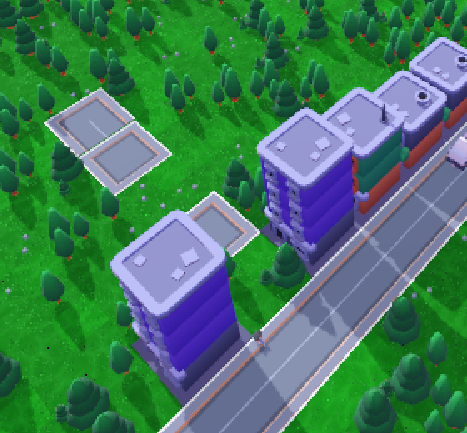
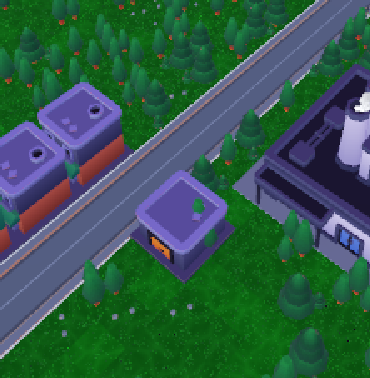
Placing buildings “south” of a road sometimes doesn’t work, while placing on the other side does. The building in center below could not be placed there, but could be placed one cell away from the road. Same with the plant on the right. This does not change when rotating the camera.
-
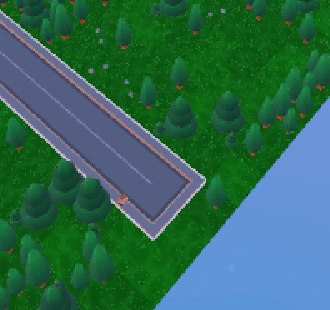
Roads don’t necessarily match up with the map edges, which presumably prevents vehicles from entering and exiting the map from there:
-
There is no way (that I can tell) to cancel building a building, except ESC which opens the options menu. Right click would suffice, as it’s not currently being used.
-
Sometimes only one or two random cards are shown, rather than three. I assume this is not by design.
-
Cards in hand are regularly too far down to read (this screenshot is with mouse hovering over the red card):
-
Getting buildings randomly means that the player can’t plan ahead or build as they like. Especially roads are annoying to be without, but utility buildings too, as they will be game mechanically important later. Maybe consider awarding some random card choices as well as allowing (some necessary) cards to be bought at a higher price than 100.
Also, having a flat cost (100 for any card) doesn’t make much sense in game terms. You could still have differentiated costs (ie a hospital costs more than a small residential building) with randomized choices. You could also provide choices in categories, so (for example) there’s always a road / pavement, a kind of residential buildind, a demolish and a utility building. That way the player can think ahead, rather than just wait and see.- Currently money is deducted when random cards are shown - price should be deducted when a card is picked.
1 Like
-
Pixelated image issue resolved. This issue was caused by the “Expand viewport” feature, but the screen could scroll when “disabled”.
-
The volume control slider in settings now works correctly.
-
I will need some time to get the controller section in settings working correctly. I will fix these control issues soon.
-
Now, when building a structure, construction stops when the cards run out or when you right-click, and the cards reappear.
-
Issue with placing buildings on the “south” side of the road resolved.
-
Issue with roads not aligning with the map edge resolved.
-
It’s possible for cards to sometimes randomly offer only 1 or 2 options. I think that would be fun; let me know if you want only 3 options.
-
I haven’t been able to make the card sizes compatible with the screen scale yet, but I’ve noted that as well.
You’re not making these changes for me Think about it and see what you prefer. By having the number of cards be random, you’re introducing more randomness = less predictability. If you don’t mind, here’s a bit of game design theory:
Zero predictability is like roulette, where the player basically has no meaningful control over the game, and is just guessing blindly as to what’s best to do. Obviously most games aren’t fully random. This direction encourages spontaneous playing, reacting in the moment, and doesn’t encourage planning ahead.
Complete predictability is like a sliding tile puzzle, where there are no surprises. This direction encourages careful thinking, and can feel quite stale if the player can easily figure out what’s best to do. It will tend to feel more serious whereas higher randomness tends toward an easy-going partygame feel.
Another way to look at it is that randomness levels the difficulty. The higher the randomness, the less a good player is rewarded, or a bad player punished. Take roulette, where it’s impossible to be better or worse - it’s just random. On the other hand in chess there is no randomness, and a bad player can never hope to beat a good player - only skill matters.
So randomness is a tool you can use, to change how your game feels, the difficulty, the kind of player it will appeal to, and much more.
2 Likes
Hello again.
Many new features and updates have been added to the game. Of course, it’s unclear what our goal should be while playing.
If it’s a card game, it should be based on chance, as it is in real life, but smart people use their luck wisely and choose the right cards. Therefore, the aim of this game should be to create challenges for players and enable them to develop strategies to overcome them. However, the mechanics shouldn’t be too complicated. I’d like to hear your opinions on how we should approach the game.
1 Like
When I think of SimCity, I think of a slow and gradual building game, that’s a little on the casual side - not too punishing, only a slight time limit, and with fairly straight-forward mechanics. If that’s the kind of game you’re envisioning, then that’s a tried-and-tested formula that you can build on and adapt.
Your game seems to me to be in the same style, with a bit more cartoony graphics, so I’d instinctively expect it to be not very hard, and not super complicated.
With that in mind, mechanics like homeless citizens might be too serious for that world - maybe yours is a world where all that matters are basic utilities, jobs, and getting people to move in.
I like how your town comes to life quickly in-game - maybe the aim of the game is to get this-and-that much life in the streets, and the level is complete? That also feels like a nice and positive goal, rather than making X amount of money.
Another typical one is having levels with their own win conditions (ie “build 10 highrises”) and limitations (extreme climate / small size / stones that need removing before you can build there / …).
1 Like