Trying FPS and crouch

Godot Version

4.5 Stable Ver.

Question

I copied and pasted from the description on YouTube and followed his direction. GitHub and tutorial.

extends CharacterBody3D


@export var speed = 8.0
@export var crouch_speed = 4.0
@export var accel = 16.0
@export var jump = 8.0
@export var crouch_height = 2.4
@export var crouch_transition = 8.0
@export var sensitivity = 0.5
@export var min_angle = -80
@export var max_angle = 90

@onready var head = $"../Head"
@onready var collision_shape = $CollisionShape3D
@onready var top_cast = $"../TopCast"

var gravity = ProjectSettings.get_setting("physics/3d/default_gravity")
var look_rot : Vector2
var stand_height : float


func _ready():
	var stand_height = collision_shape.shape.height
	Input.set_mouse_mode(Input.MOUSE_MODE_CAPTURED)


func _physics_process(delta):
	var move_speed = speed
	
	if not is_on_floor():
		velocity.y -= gravity * delta
	else:
		if Input.is_action_just_pressed("jump"):
			velocity.y = jump
		elif Input.is_action_pressed("crouch") or top_cast.is_colliding():
			move_speed = crouch_speed
			crouch(delta)
		else:
			crouch(delta, true)

	var input_dir = Input.get_vector("left", "right", "forward", "backward")
	var direction = (transform.basis * Vector3(input_dir.x, 0, input_dir.y)).normalized()
	if direction:
		velocity.x = lerp(velocity.x, direction.x * move_speed, accel * delta)
		velocity.z = lerp(velocity.z, direction.z * move_speed, accel * delta)
	else:
		velocity.x = move_toward(velocity.x, 1, accel * delta)
		velocity.z = move_toward(velocity.z, 1, accel * delta)

	move_and_slide()
	
	var plat_rot = get_platform_angular_velocity()
	look_rot.y += rad_to_deg(plat_rot.y * delta)
	head.rotation_degrees.x = look_rot.x
	rotation_degrees.y = look_rot.y


func _input(event):
	if event is InputEventMouseMotion:
		look_rot.y -= (event.relative.x * sensitivity)
		look_rot.x -= (event.relative.y * sensitivity)
		look_rot.x = clamp(look_rot.x, min_angle, max_angle)


func crouch(delta : float, reverse = false):
	var target_height : float = crouch_height if not reverse else stand_height

	collision_shape.shape.height = lerp(collision_shape.shape.height, target_height, crouch_transition * delta)
	collision_shape.position.y = lerp(collision_shape.position.y, target_height * 0.5, crouch_transition * delta)
	head.position.y = lerp(head.position.y, target_height - 1, crouch_transition * delta)

Got some errors. I don’t understand this.

W 0:00:00:989 GDScript::reload: The local variable ā€œstand_heightā€ is shadowing an already-declared variable at line 20 in the current class.
SHADOWED_VARIABLE
Player.gd:24 @ GDScript::reload()

Remove var from this line.

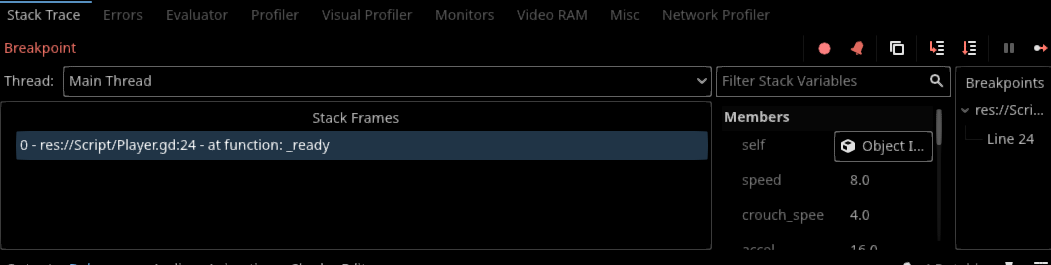
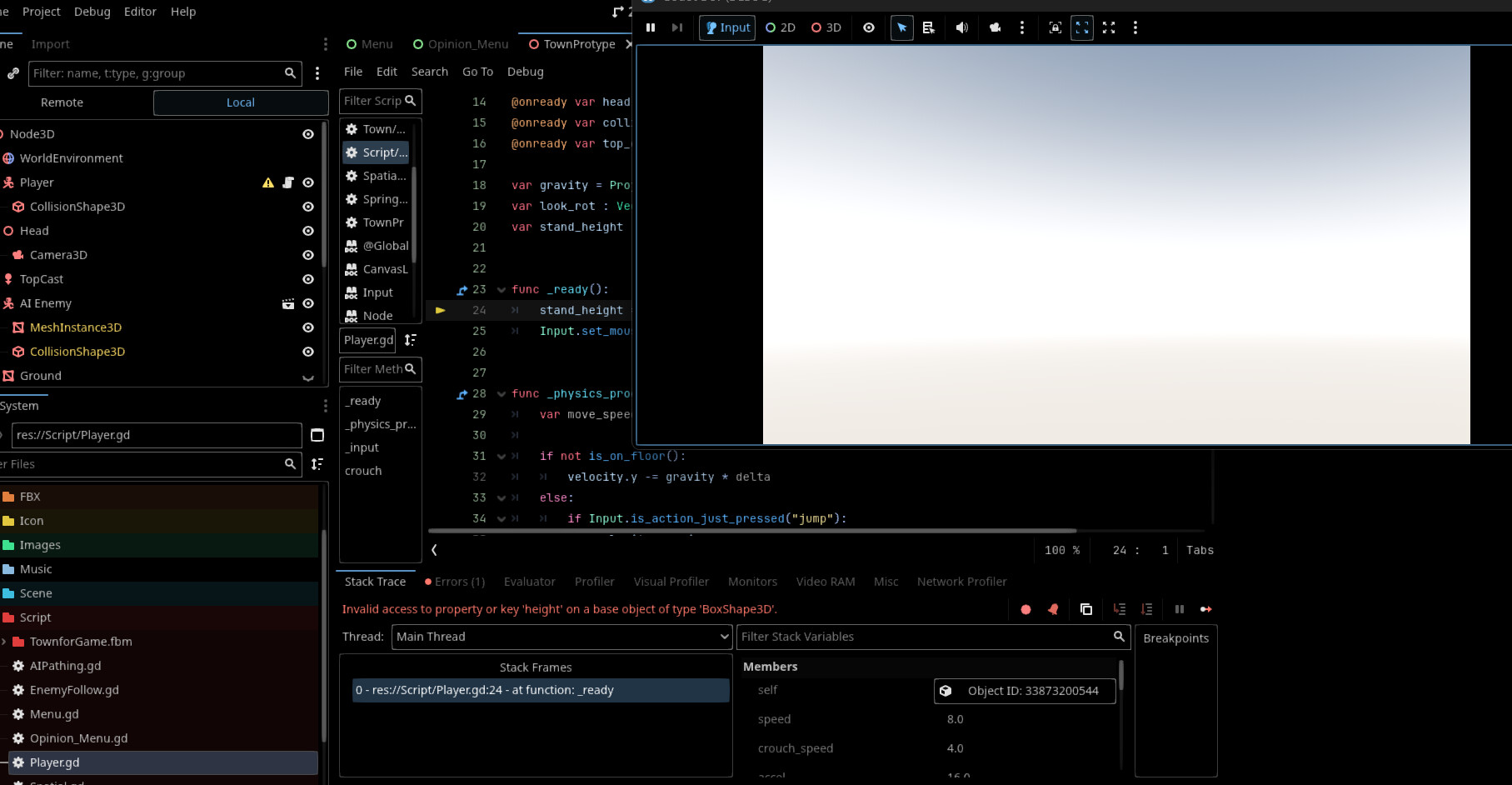
After removed var, the error appeared when played;

It’s not an error. It’s a debugger breakpoint you probably accidentally set. Is there a red dot left of the line number on line 24? Click on it again to deactivate the breakpoint.

Yeah, Im clicking on the red dot. Its looks like arrow after clicking on the red dot, then I’ve played it and this showed up. I haven’t changed anything.

E 0:00:01:736 _ready: Invalid access to property or key ā€˜height’ on a base object of type ā€˜BoxShape3D’.
Player.gd:24 @ _ready()

As the error says, there’s no such property on that shape object. Are you using the same kind of shape as used in the tutorial?

I notice he got CapulseShape3D, but I dont think so because all shape should be same.
I’m using BoxShape3D.

Shapes are not same. BoxShape3D doesn’t have the height property while CapulseShape3D has it. Hence your error. You should follow the tutorial as closely as possible to avoid such gotchas.

1 Like

Ivee changed it to CapsuleShape3D and played it. Suddenly the camera rotates itself.
Notices I’ve only move my mouse; when I moved Up is right rotates and down is left rotates.
WASD isn’t moving. I did set up all input in project setting.

Go through the tutorial again and double check if you did everything exactly as the tutorial says.

I’ve notice Nagi on Youtube skipped some and I’ve found the problem, he didn’t come back to fix the rotation for up and down or left and right. I’ve copied and pasted it on my Godot 4.5 stable.

head.rotation_degrees.y = look_rot.y
rotation_degrees.x = look_rot.x

I switched x to y and y to x, so it can rotate left and right, but Nagi didn’t do the same for up and down. How I do rotate for up and down?

And for WASD are still issues. I rechecked twice, but still the same.

You’ll need to re-check as many times as needed to find where you made the mistake.

Finally. I’ve found the problem.

All of this I changed from x to z in one line is this;

func _physics_process(_delta)
head.rotation.z = deg_to_rad(look_rot.x)

Also, I just has to find the WASD control.

	# --- WASD movement ---
var direction = Vector3.ZERO

if Input.is_action_pressed("left"):
	direction -= transform.basis.z
if Input.is_action_pressed("right"):
	direction += transform.basis.z
if Input.is_action_pressed("backward"):
	direction -= transform.basis.x
if Input.is_action_pressed("forward"):
	direction += transform.basis.x

Finally, finally its works! Thanks to AI ChatGPT for pointing this out.

1 Like