Godot Version
4.6.2.stable
Question
Hey there, folks!
I’m working on my first multiplayer game and just trying to learn the ropes of all the complexities that come with that, and I’ve been really stumped on this current hiccup.
For additional context, I’ve been following a YouTube tutorial series, and the second video (linked prior) goes into peer-to-peer via the Tube plugin and using WebRTC. I’ve gotten to the 21-minute mark, where one instance will create a session and the other instances would subsequently join, but when creating the session in the first instance, I’m met with these errors…
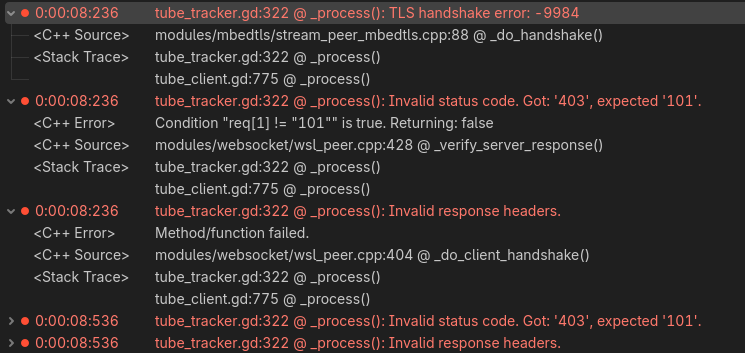
I even downloaded the tutorial provider’s finalized “part 2” of this project series to see if it was a coding error on my part, but I’m still getting the same errors when trying to create a session using their project.
At this point I’m wondering if it’s something outside of Godot entirely, or an Editor setting that may not be set properly, and because I’m so new to programming and understanding Network code, I’m just at a loss for what these errors could even mean or how to begin to fix them.
I would greatly appreciate any and all guidance on how I could fix this. Thank you for taking the time to read my post! 