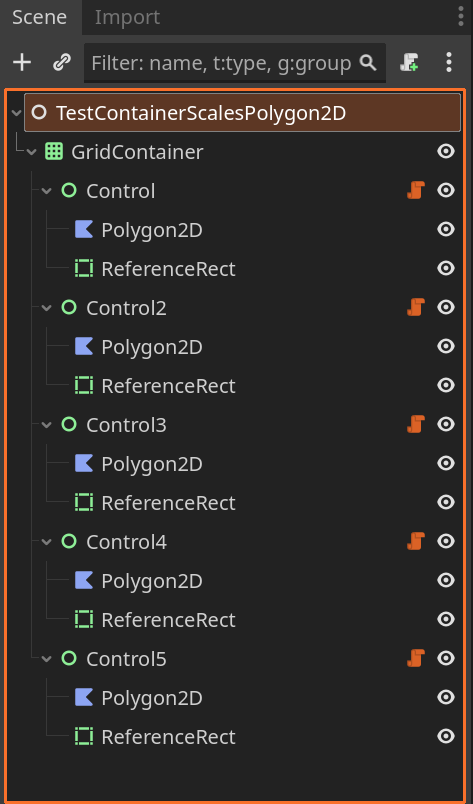
Hey guys.
I am trying to figure out a thing about UI. From the documentation, it seems like you have to use Control nodes (containers) for everything relating to the UI, cause Node2D and all its children do not interact with the containers (anchor etc.), which means they won’t be moved or rescaled by the Controls. Instead we are to use Container with applied texture, which works basically the same as a Sprite would.
Now my issue is, I am using a big image file with many different parts, and Polygon2D nodes to cut them out via UV into separate pieces to allow for deform and a Skeleton Rig capable of parts swapping without relying on texture swap that migh be really messy with different sized body parts (hence why I don’t want to use Sprite2D, although I think remote control for bones might work with multiple body parts). I wanted to make a UI Character Frame with the cut out polygon2D nodes inside so no matter what the player currently has (hair, facial expression…), it would be visible. But since Polygon2D does not work with the container, and (at least to my knowledge) there is no equivalent that allows UV and Polygon points, how am I supposed to do this? Am I forced to either not use Control nodes (that would be hard since it’s a text based UI heavy game, basically everything would be in a container to allow scaling etc.), or not to use polygon2D and transfer everything relevant into Sprite nodes/Control nodes and having hundreds of separate source images, and issues with part swapping due to different piece sizes? Also I read that Shader (particle effects) also would not work with containers, so having a container to nest animations would probably create issues there as well?
Or is there a way to bound the Polygon2D node to the Container so it somehow scales and positions with the container? I want to use containers to allow the player to rescale any part of the UI as necessary, be it a side panel with game info, or the scene that plays the character animations, and to allow scrolling etc.