Godot Version: 4.6
Question:
Hello! I need help, as I cannot declare an animation tree, because it literally doesn’t show up when I put the $ sign
Hierarchy:
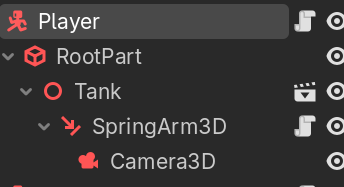
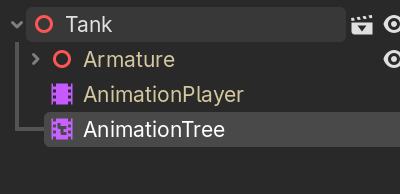
I noticed that the text under the ‘Tank’ node is yellow. Might have something to do with this problem.
I also cannot make the ‘Tank’ node a characterbody3d because I need the ‘RootPart’ CollisionShape3D to rotate (totally not imitating Roblox lol), and if I do make the ‘Tank’ node a CharacterBody3D, it messes up the model’s rotation, which I am completely unable to fix.
More of this game engine ragebaiting me:

I am able to declare the animation player and the armature but never the animation tree. I also have saved the ‘Tank’ node as a .tscn file.
I cannot provide a screenshot of the declaration because whenever I try to declare an object with $, it has like a 85% chance to not show up.
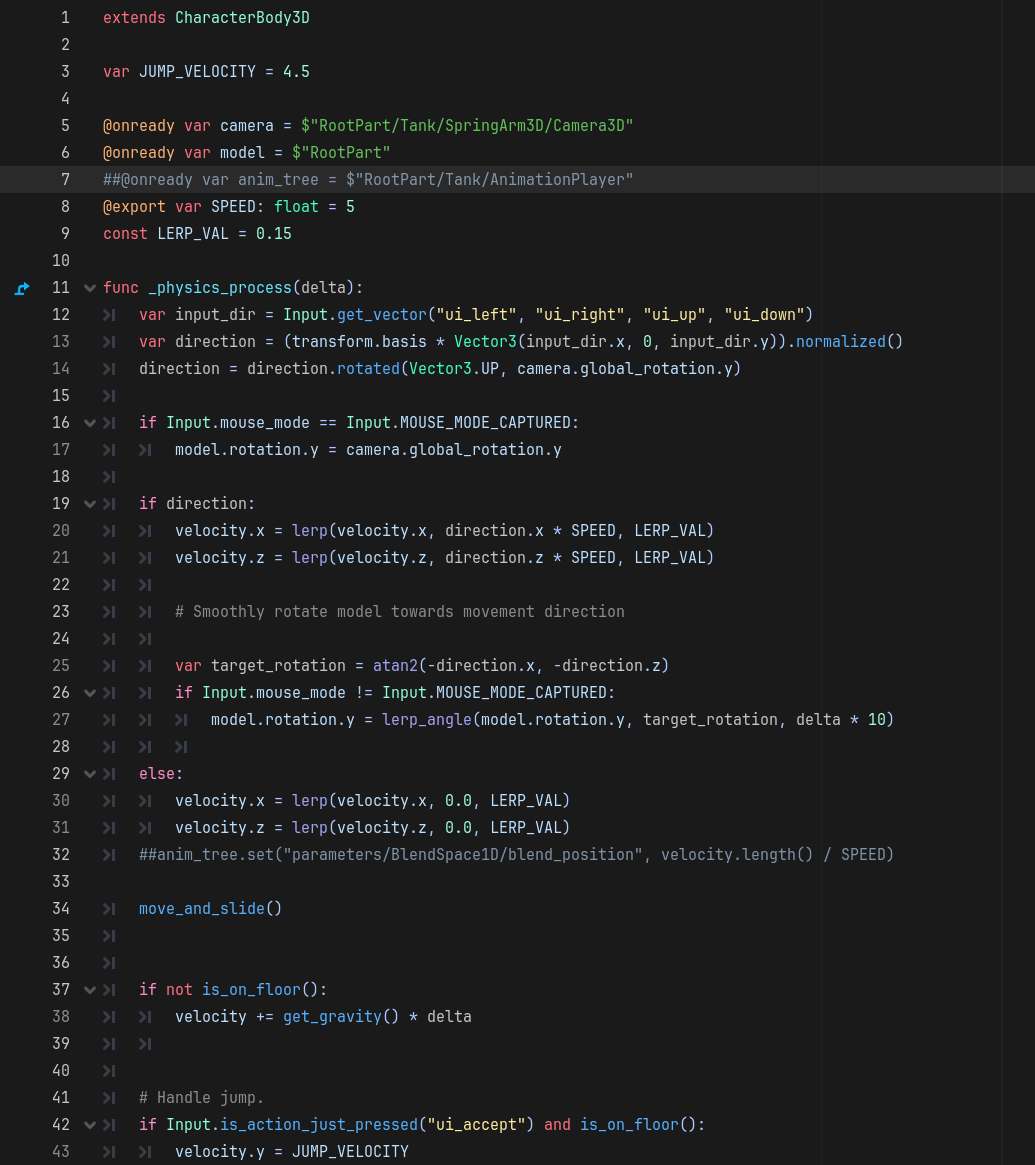
But here’s the script if that’s somehow useful (I am only able to declare the AnimationPlayer)
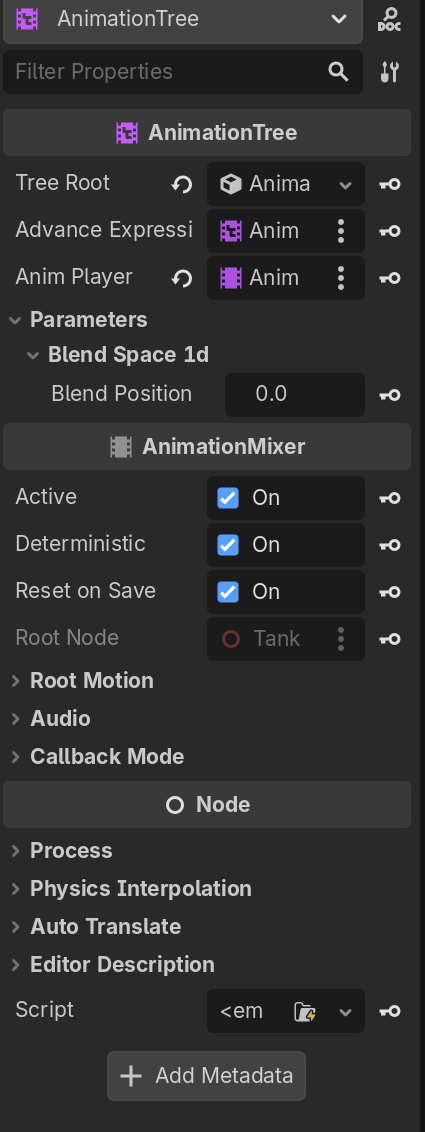
And here’s the AnimationTree’s properties:
Any help would be appreciated, and if there’s more I need to show, let me know! Thanks!
~ Spykra