Hey.
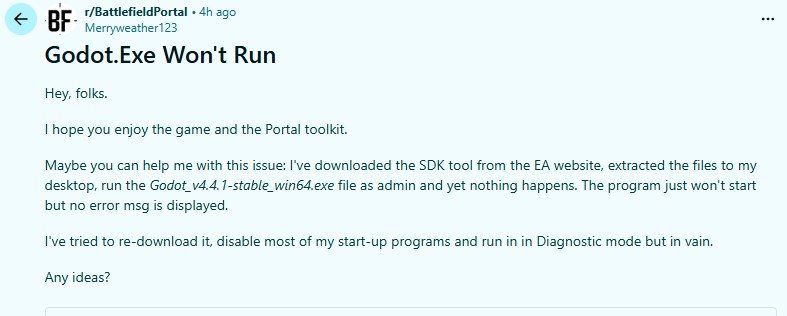
Please allow me to copy my post from reddit, which relates to the BF6 version of godot, as the same problem happens with Godot_v4.4.1-stable_win64, downloaded on this website.
I’d appreciate your help.
The Godot forum itself likely can’t help you with the battlefield version, as it’s a custom fork of the engine.
But if base godot won’t open for you either, you could go to the Event viewer in Windows and see what error message gets logged.
1 Like
I’d suggest running it on the command line; there may be useful text printed before it falls over.
Thx for the replies.
Please give me some pointers as to how to do that. I’m fairly familiar with Event Viewer, although creating a Custom View for that specific app is beyond my knowledge. And I don’t know the code to run an app from console.
I appreciate your help.
If you open the event viewer, simply go to the Application tab, and after you try to run godot, simply refresh and look for a log generated by godot. It’ll likely be red as it’s most likely a crash.
The Even Viewer Application tab has itself several subheadings that dont seem to be relevant. I haven’t found a source called “godot” or anything similar. Perusing over the errors according to their timestamp (in the last hour) didn’t help either. I need some more specific pointers.
If you open the event viewer’s Application tab, you will see a massive list of logs there. It won’t directly say “Godot” anywhere, obviously, you will need to click on the red error logs and read them. One of them will have the godot.exe file in there somewhere, and it will tell you what went wrong.
Open cmd.exe or powershell.exe. Use the cd (change directory) command to navigate to the location of godot.exe, then type godot.exe (or whatever the executable is called) and hit enter.
When you download Godot there’s a debug version. This is the one you want to run on the command line, as it will output to the command line any errors.
Thank you for this additional information!
Launching Godot from the command line worked.
What should I do to avoid having to use the Command prompts every time?
File had been extracted from the compressed folder correctly.
Nevermind, I unblocked it in Properties. I can’t believe I didn’t get an error msg or that you guys didn’t think of that reason first 
1 Like
Becuase that should not be the issue in most cases. Mr. Attitude.
I was only gently poking. But someone has messed up along the line, because I never had that pb while downloading an app. Thanks guys anyways.
This topic was automatically closed 30 days after the last reply. New replies are no longer allowed.