Godot Version
4.5.1.stable.official (Web Editor)
Question
There is no code I can show for this, but I am working on a game in the web Editor, and after importing an obj, it was still working fine, but after I closed the project and reopened it later, it would no longer load.
The engine would get stuck on “scanning files” at around 87% before freezing my tab, and when I try entering in recovery mode it freezes at 95%.
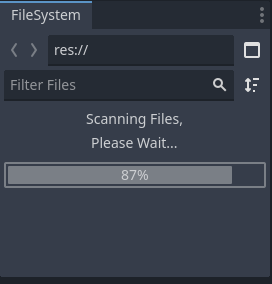
This happened previously as well with another project after I added several .obj files, but I had a very recent backup so I could load it on my PC.
I tried loading these projects on the browser editor on my PC but those didn’t work either, only the desktop app.
Is there a way I can export my most recent project’s files from the project list since I cannot open it and did not make a backup? Or is there a way to fix it from crashing the Godot web Editor?