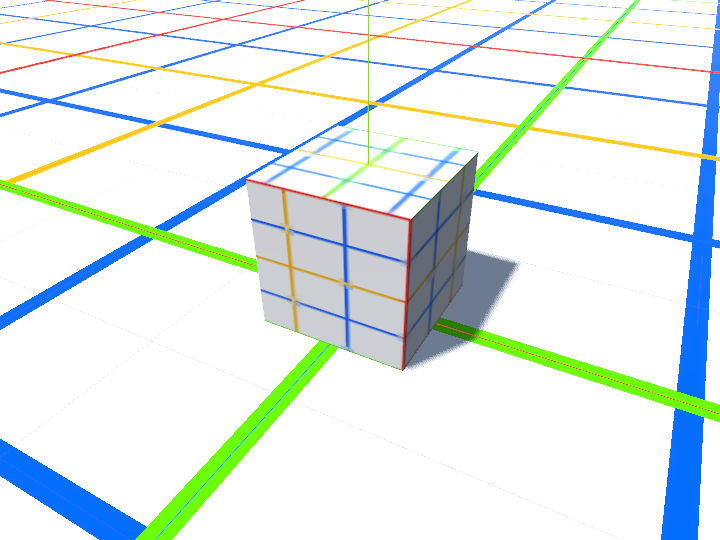
I created a new MeshInstance3D and gave it a cube mesh. In Material Override, I then assigned it this grid lines texture. The texture applied to the ground (Terrain3D) makes perfect squares as intended. But on the cube, I get about 3.7 squares on the Y axis and 2.7 squares on the X and Z axes.
It’s a standard cube mesh with 1m per side. The UV scale is set to 1 for each axis. So why does the texture stretch like this?
If I check triplanar, I get to see all 1024x1024 pixels of the texture file mapped accurately to each face. But according to the tooltip this isn’t resource efficient. And still doesn’t explain why it stretches unevenly like this in the first place.
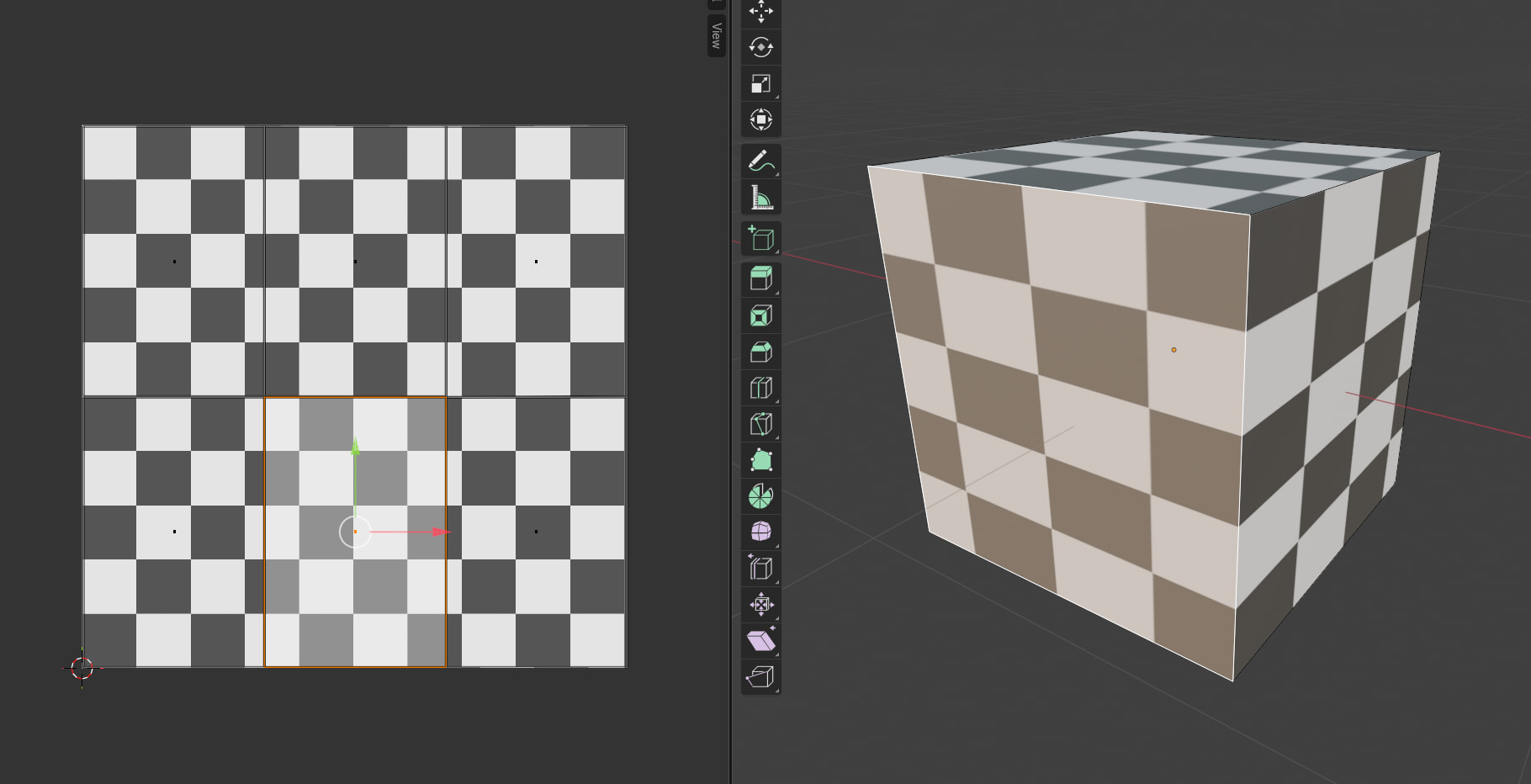
UV space is a square. If you pack 6 rectangles in there in a 3x2 layout, they won’t be squares. So if each of those 6 rectangles need to be mapped to a square side of a cube, the texture that ends up on the geometry will appear non-proportionally stretched.
How would you arrange the default UVs for a box mesh?
Blender has a different default layout for cubes (T-layout, which retains square proportions for each face in the UV space at the expense of wasting some of the UV estate)
You can do as the docs say if you want to stretch the whole uv space over each side.
If Godot’s default layout doesn’t fit your use case, model a custom mesh and layout the UVs as needed.
I think that this illustrates one of the many differences between software for making Games and software for 3D modelling. I wouldn’t expect Godot to have the same priorities, nor functioning, as Blender when it comes to modelling. Blender is not splendid for making video games, either; they are complementary, and one chooses whichever tool best fits the job in hand. For UV texturing, to me, Blender wins hands down, but Godot gets the cigar for turning these models into Games.
There’s no “UV texturing” in Godot. Built in mesh primitives have some default layout and that’s it. If anything beyond that is needed - you’re supposed to use a modeling app to produce it.