Godot Version
4.6 Beta1
Question
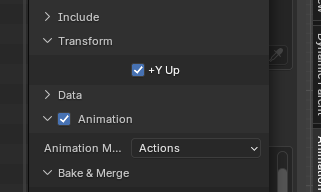
I’m having a strange issue where my Z and Y axis appear to be flipped for the root motion of my animation. I made the animation in blender and I swear that I checked “+ Y UP” before exporting it. I’ve double checked it a dozen times now.
Here is a video where I show the issue and that the root motion of the animation moves correctly in the animation player. In the video you can see that the model moves in the Y direction and clips through the wall. Then, I uncomment two lines of code: one setting the Y velocity to the root Z velocity and the other setting Z velocity to 0. Now the model moves to the top of the wall as intended. The last part of the video just shows that the animation moves correctly in the animation player when the root motion track property is cleared.
Here is the code. _process_update and _phsysics_update are called by the character body’s process and physics_process functions respectively.
	func _process_update(delta: float) -> void:
		var root_pos := character.animation_player.get_root_motion_position()
		var current_rotation := character.animation_player.get_root_motion_rotation_accumulator().inverse() \
		* character.get_quaternion()
		root_velocity = current_rotation * root_pos / delta
		var root_rotation := character.animation_player.get_root_motion_rotation()
		character.set_quaternion(character.get_quaternion() * root_rotation)

		#character.position += character.animation_player.get_root_motion_position()


	func _phsysics_update(delta: float) -> void:
		#character.position += character.animation_player.get_root_motion_position()

		character.velocity = root_velocity
		character.velocity.y = root_velocity.z
		character.velocity.z = 0
		character.move_and_slide()
Not sure where I’m going wrong. This is my first time using root motion.