Ive tried two different tutorials and theyve both somehow messed up my game (I couldnt move the mouse), most likely because while they are working on a 2d game, I am working on a 3d game, and something in there isnt computing with one another.
Im trying to make an inventory for collectable items and key items in my game, and I can not figure out how to do that. Do i need to 3d model an inventory scene to make it show up? If so, how do i make the game run in the background and have items appear in it?
(i have no code for an inventory anymore; i deleted it)
When tried to put in the cavas layer into my main scene and played the game, it would always be open, wouldnt close, and i couldnt move my camera (my camera is an fps controller that is moved by mouse movement)
It was also stuck in the top left corner. albiet, im also using a placeholder for now, but I still wanted to try and get it centered.
(I was going to use that tutorial as a basis and figure out how to do something like the drag-and-drop mechanics that items had with the objects they were supposed to be used on in a lot of point and click or early 2010s flash games)
Did you follow the entire tutorial? It includes steps on toggling visibility and centering it on screen, does your game seemingly just ignore the code?
Godot has entirely separate 2D and 3D worlds. Are you looking to make a fully 2D inventory that’s displayed on top of the 3D scene, or a 3D inventory with 3D models of all the items?
It’s possible to do it all in 3d, but it’ll be a much more complicated process, it would involve making custom classes inherited from 3d nodes, and likely a custom resource. Or you could make a fully functioning (but invisible) Control node hud and use your 3d nodes to reference the data in them, and make that your visual hud.
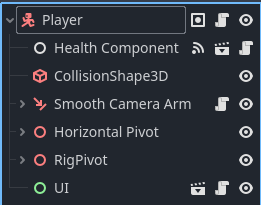
paintsimmon has a good suggestion of the diagnosis, beyond that if you’re having trouble, could you share your scene tree and scripts if you recreated them? It’ll be helpful in finding exactly what’s wrong, it could be version differences (you using godot 4.5 and the tutorial being 4.1), a typo, a missed minor detail or any combination of these and more
Ok, so easiest way to make an inventory in a 3D game is to make it with Control nodes, and then just hide/show the root node when the inventory is open/closed. If you are having problems with it showing up, attach it to a CanvasLayer and hide/show that instead.
The above picture is from Godot 4: Build an Action Combat RPG | GameDev.tv which usually is on sale for like $13. It seems to be more expensive right now, and I can’t recommend it at ~$50. However, I did learn a lot from it. My favorite part is that knight is actually a 3D model that can be rotated and reflects inventory item changes visually. It uses a SubViewPortContainer and SubViewPort to achieve this.
( i can try to recreate it again ^^ although my mouse mode is on captured)
but i guess my next quiestion is, is there any way i can keep the current scene running in the background as i switch to another scene? Because if i knew how to do that, i could just make a new scene with an inventory, right?
You can have both the scene with the inventory and the scene with the gameplay at once if you instantiate those scenes as children of a third scene. For example, if you make a new scene, you can press ctrl-shift-a or the link icon on the scene hierarchy panel to instance a pre-existing scene as a child of the current node in the current scene.
Did you copy and paste what I wrote? Or did you type it up yourself and change _unhandled_input to _mouse_input? Becuase the second way is the only way I can see the 5th character of any of those lines starting with _mouse_input.
 <3
<3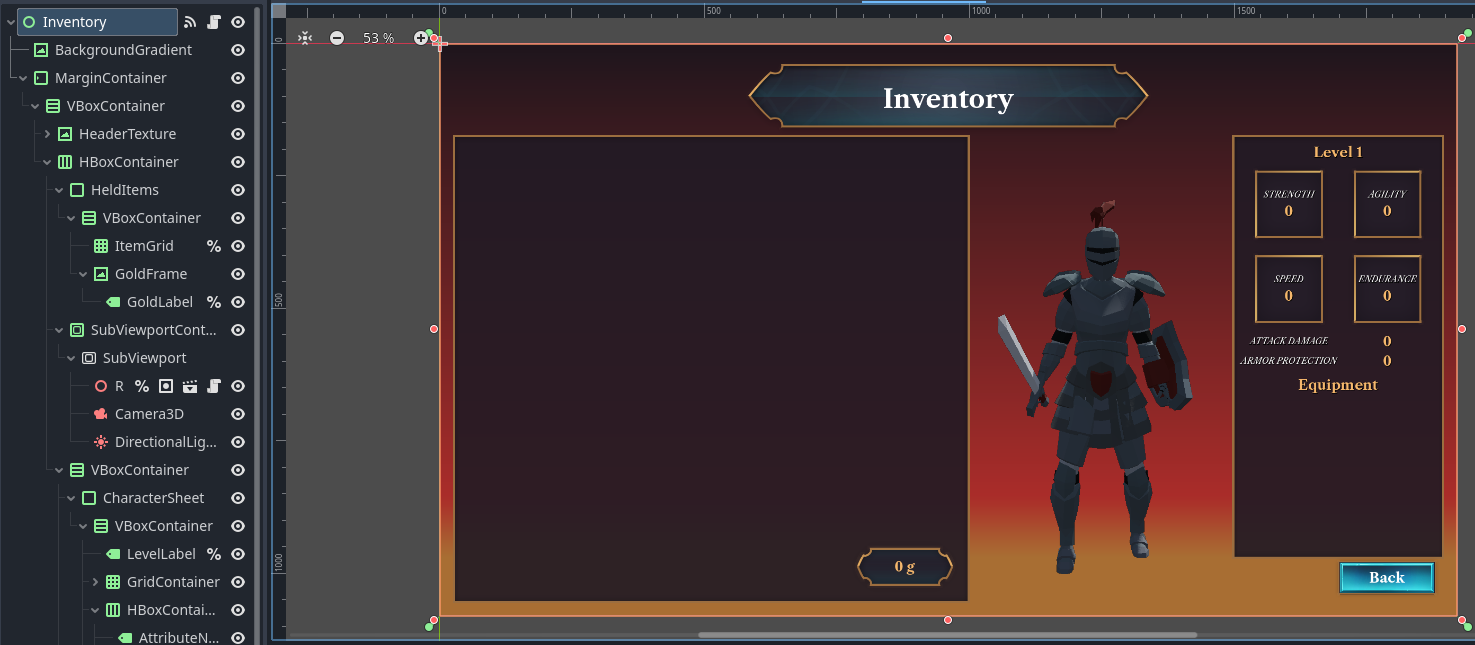
 its the only code out of everything thats red and its where clicking on the error takes me ^-^