Godot Version
v4.7.stable.official [5b4e0cb0f] - CachyOS KDE Plasma x86_64
Question
Hi,
We have encountered a strange memory issue with Godot Engine version 4.7 Stable:
Comparing memory usage between Web HTML5 version and Linux desktop x86_64 version,
the Web HTML5 version consumes much more memory(1.2GB) versus Linux desktop(274MB)?
(Web HTML5 version running in most up to date Google Chrome Internet browser)
The entire Web HTML5 folder is less than 104MB.
We think it has to do with how we play music, please see source code below:
Any help with the above issue would be greatly appreciated!
SS
#----------------------------------------------------------------------------------------
func PlayMusic(index, loop):
if index < 0 || index > (MusicTotal-1):  return

if MusicCurrentlyPlaying > -1:
	MusicPlayer.stop()

MusicCurrentlyPlaying = index

if index == 0:  MusicPlayer.stream = load("res://media/music/BGM_Title.ogg")
elif index == 1:  MusicPlayer.stream = load("res://media/music/BGM_Playing01.ogg")
elif index == 2:  MusicPlayer.stream = load("res://media/music/BGM_Playing02.ogg")
elif index == 3:  MusicPlayer.stream = load("res://media/music/BGM_Playing03.ogg")
elif index == 4:  MusicPlayer.stream = load("res://media/music/BGM_Playing04.ogg")
elif index == 5:  MusicPlayer.stream = load("res://media/music/BGM_Playing05.ogg")
elif index == 6:  MusicPlayer.stream = load("res://media/music/BGM_Playing06.ogg")
elif index == 7:  MusicPlayer.stream = load("res://media/music/BGM_Playing07.ogg")
elif index == 8:  MusicPlayer.stream = load("res://media/music/BGM_Playing08.ogg")
elif index == 9:  MusicPlayer.stream = load("res://media/music/InGame9BGM.ogg")
elif index == 10: MusicPlayer.stream = load("res://media/music/WonBGM.ogg")
elif index == 11: MusicPlayer.stream = load("res://media/music/Ending.ogg")
elif index == 12: MusicPlayer.stream = load("res://media/music/Intro.ogg")

MusicPlayer.set_volume_db(ConvertLinearToDB(MusicVolume))
MusicPlayer.stream.set_loop(loop)
MusicPlayer.play(0.0)

pass

#----------------------------------------------------------------------------------------
You can run the Web HTML5 version, download the Linux x86_64 version, and download the full MIT open-source project on the Official Itch web page below:
Why do you think it has to do with music? A web browser will require more RAM, they love to eat the stuff up, how are you measuring this increase? Have you checked the profiler?
You could reduce this code using an array, but otherwise it’s very standard.
func PlayMusic(index, loop):
	if index < 0 || index > (MusicTotal-1):  return

	if MusicCurrentlyPlaying > -1:
		MusicPlayer.stop()

	MusicCurrentlyPlaying = index

	const MUSIC_PATHS = [
		"res://media/music/BGM_Title.ogg",
		"res://media/music/BGM_Playing01.ogg",
		"res://media/music/BGM_Playing02.ogg",
		"res://media/music/BGM_Playing03.ogg",
		"res://media/music/BGM_Playing04.ogg",
		"res://media/music/BGM_Playing05.ogg",
		"res://media/music/BGM_Playing06.ogg",
		"res://media/music/BGM_Playing07.ogg",
		"res://media/music/BGM_Playing08.ogg",
		"res://media/music/InGame9BGM.ogg",
		"res://media/music/WonBGM.ogg",
		"res://media/music/Ending.ogg",
		"res://media/music/Intro.ogg",
	]
	MusicPlayer.stream = load(MUSIC_PATHS[index])

	MusicPlayer.set_volume_db(ConvertLinearToDB(MusicVolume))
	MusicPlayer.stream.set_loop(loop)
	MusicPlayer.play(0.0)
Hi,
Google Chrome(Linux/Win11) takes 1.2GB, while Linux x86_64 version takes 274MB??
Something is definitely wrong here somewhere, the music loading was an assumption…
Since it affects both Linux and Windows 11 on Google Chrome, there must be a problem in our source.
If anyone want to download the full project on Itch page above and have a quick look then try it…
SS
The web version of Godot works quite a bit differently than the desktop versions, games running in the browser will always consume more memory since the browser adds a lot of overhead.
But it’s worth asking the question how you arrived at the conclusion that your game uses more memory. Are you seeing increased memory in the profiler, or are you just looking at the memory usage of the currently open browser?
Hi,
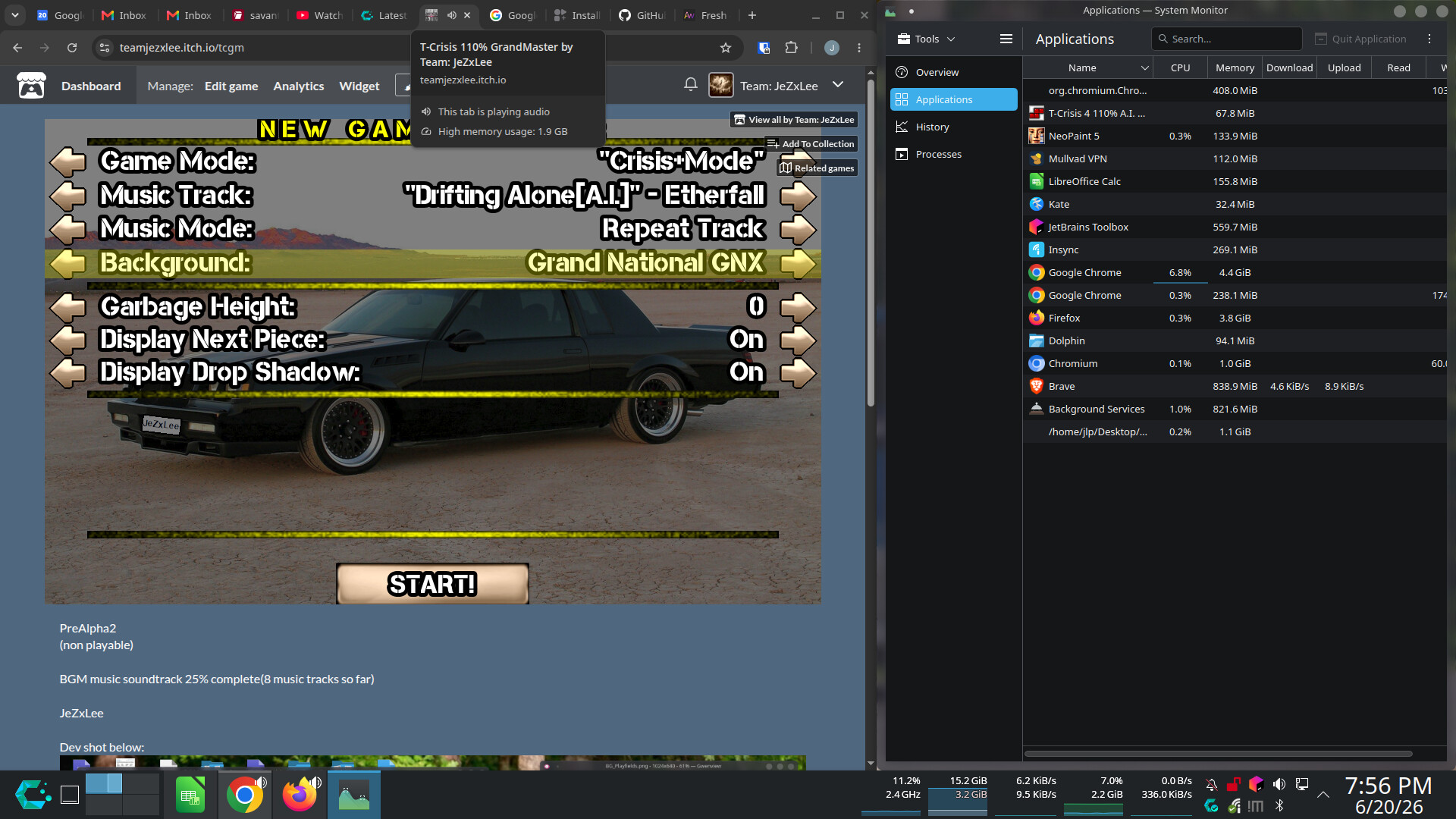
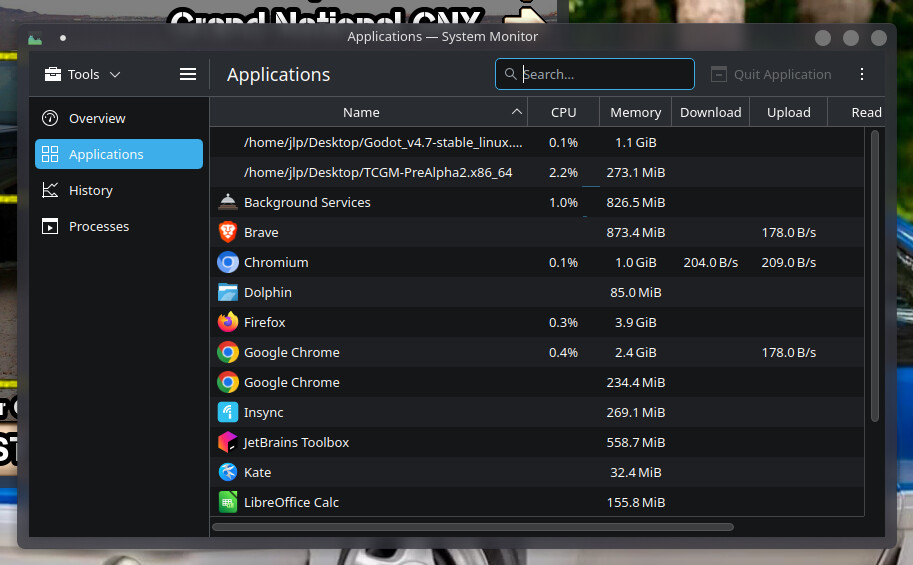
Sorry, please see attached screenshot(zoomed) of game running in Chrome with System Monitor open:
(we can’t continue with dev until this memory issue on Chrome is fixed)
SS
Running the Linux desktop x86_64 version only uses: 274MB ?
This is not accurate to your games memory usage, since it also has all the Itch related items loaded, as well as general browser overhead, your chrome addons are also counted in that usage as far as I know.
It doesn’t appear like you are reading the replies to this thread. Check the profiler for memory usage, it will be more accurate.
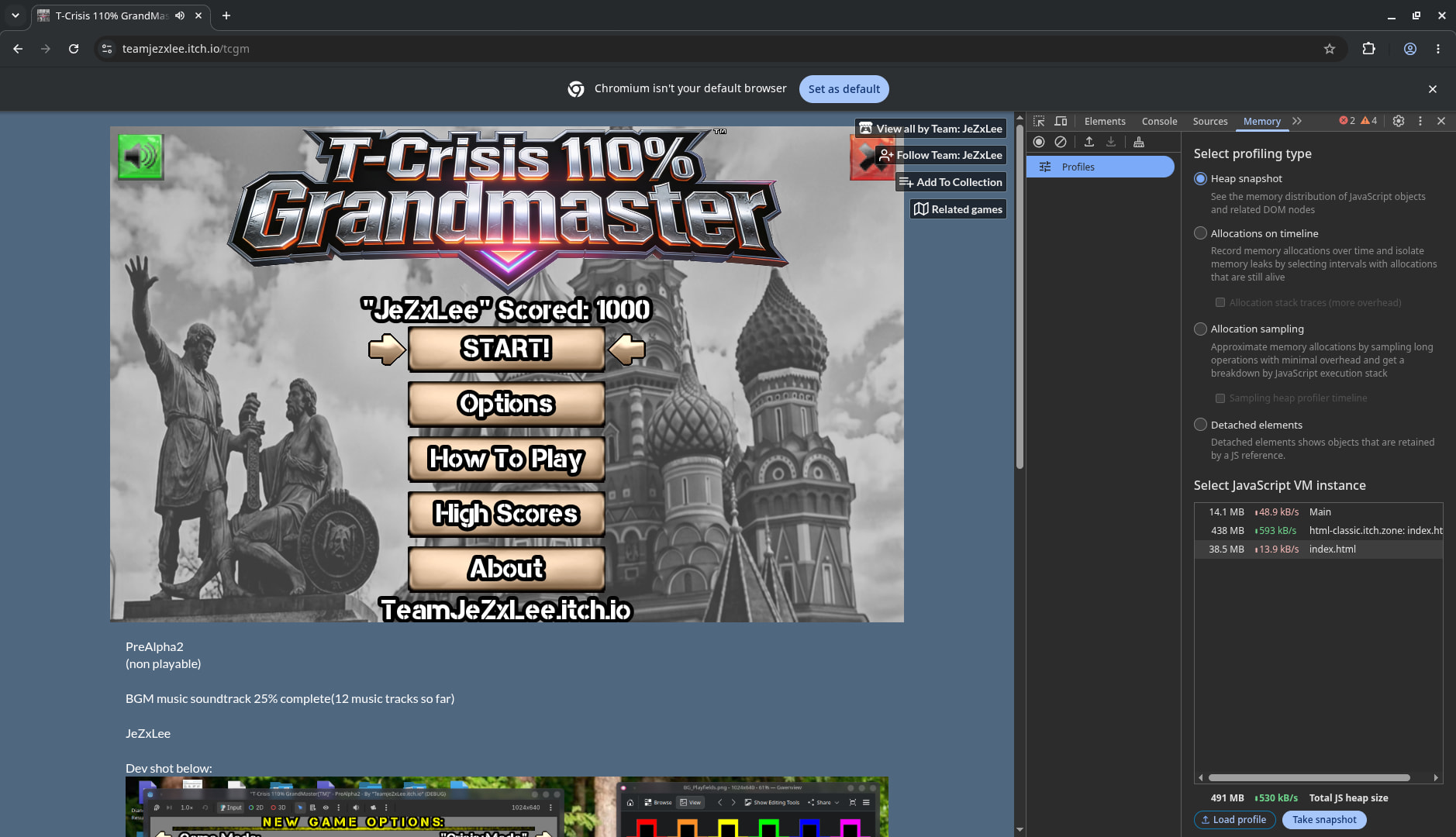
You have tons of tabs open, at the very least you could use the web browser’s own profiling tools rather than this far off satellite view of all your processes. Press F12 and check out chrome’s memory tools, it’s still not accurate to just Godot, but it’ll at least point out per-process memory. My system monitor records 2GB usage from Chrome when I took this screenshot, your game is reporting 0.4GB of that and it could be less by nature of the JS VM.
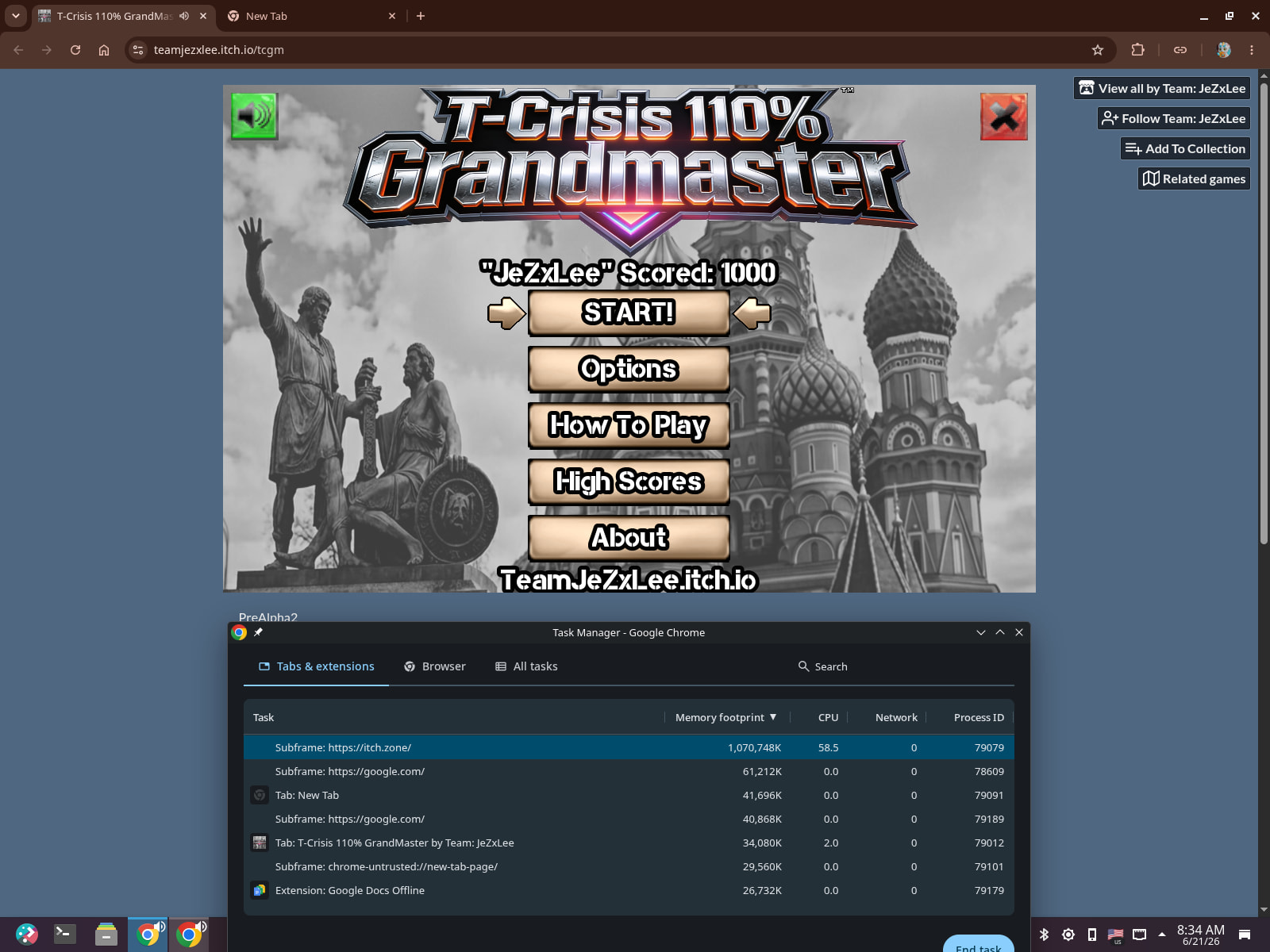
@gertkeno I did the exact thing and as we can see, it does actually hog up 1GB of RAM minimum (Also I have 20GB of usable ram, so the browser probably does not attempt to save on ram)