Hello. I recently started Godot and I would like to make an unnoficial revival of a cancelled Five Nights at Freddy’s fangame called The Return to Freddy’s: FRANKBURT’S. It’s actually my 1st ever game that I’m developing.
The game will have pre-rendered graphics (like what Clickteam Fusion can do, but more limited). So, everything will be just image sprites. I decided to change from Clickteam to Godot because I feel that Clickteam has many limitations and I believe that the fangame deserves less limitations.
I’m currently making the title screen part. The title screen will have 2 variations of it, each one shows one of the 5 animatronics (that will be present in the game) on the right side of the screen, with a main animation and, randomly, twitches. I have rendered the animation frames the twitch frames in Blender and saved each single frame as a transparent .png file.
I was following a video that recreates FNaF 1 title screen in Godot and making some changes to fit more in my fangame. The problem is that, in the video, shows that the FNaF 1 title screen has 1 single frame for the rest position and 3 frames for the twitches, while, in my case, it has 130 image frames for the main animation and 3 twitch frames to one of the title screen variations (the other variation has 100 image frames for the main animation and 3 twtch frames).
So, how can I make the 130 image frames I have made in Blender to form the main animation in the title screen, along with the character randomly twitching.
Oh, and I’d like to know how to make it so that, when every time the game is opened, one of the two title screen variations appears ramdomly?
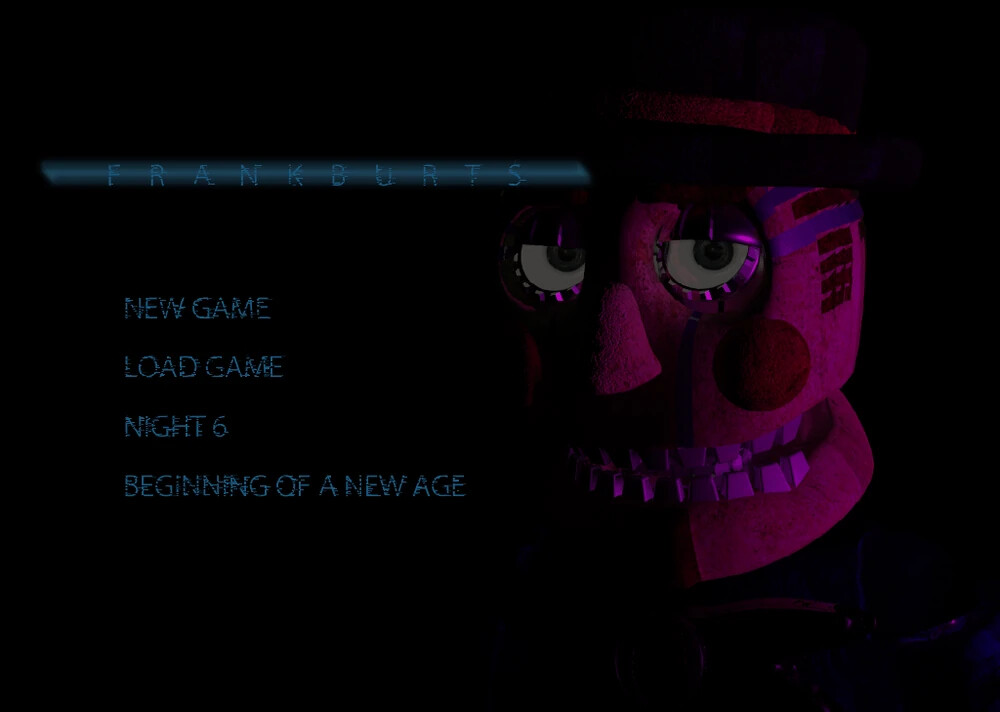
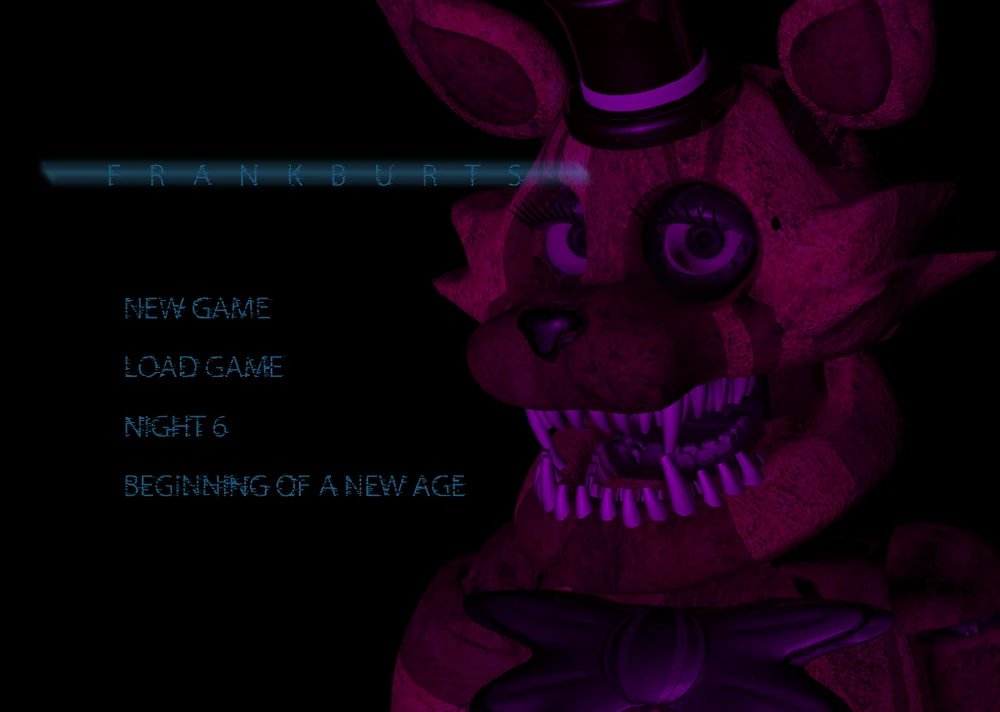
Here’s two screenshots that shows the two variations of the title screen that I would like to replicate in Godot:
Note that the characters on the right will have a main animation and randomly twitching.
Have you considered just exporting the the model from Blender, and showing that on the page with the animation using a ViewPort? No need to do all this extra hoop jumping.
No. My idea was to make a pre-rendered game because I wanted to capture that classic FNaF vibe, but without the RAM limitations of Clickteam Fusion. I actually started working on it in Clickteam first, but I decided to switch to Godot so I could learn from the experience for future projects.
Also, idk if the lighting and materials will look the same as what I rendered in Blender.
@dragonforge-dev How can I code to the right side of the title screen shows the animatronic’s main animation, occasionally twitching (just like in almost any FNaF-style game)?
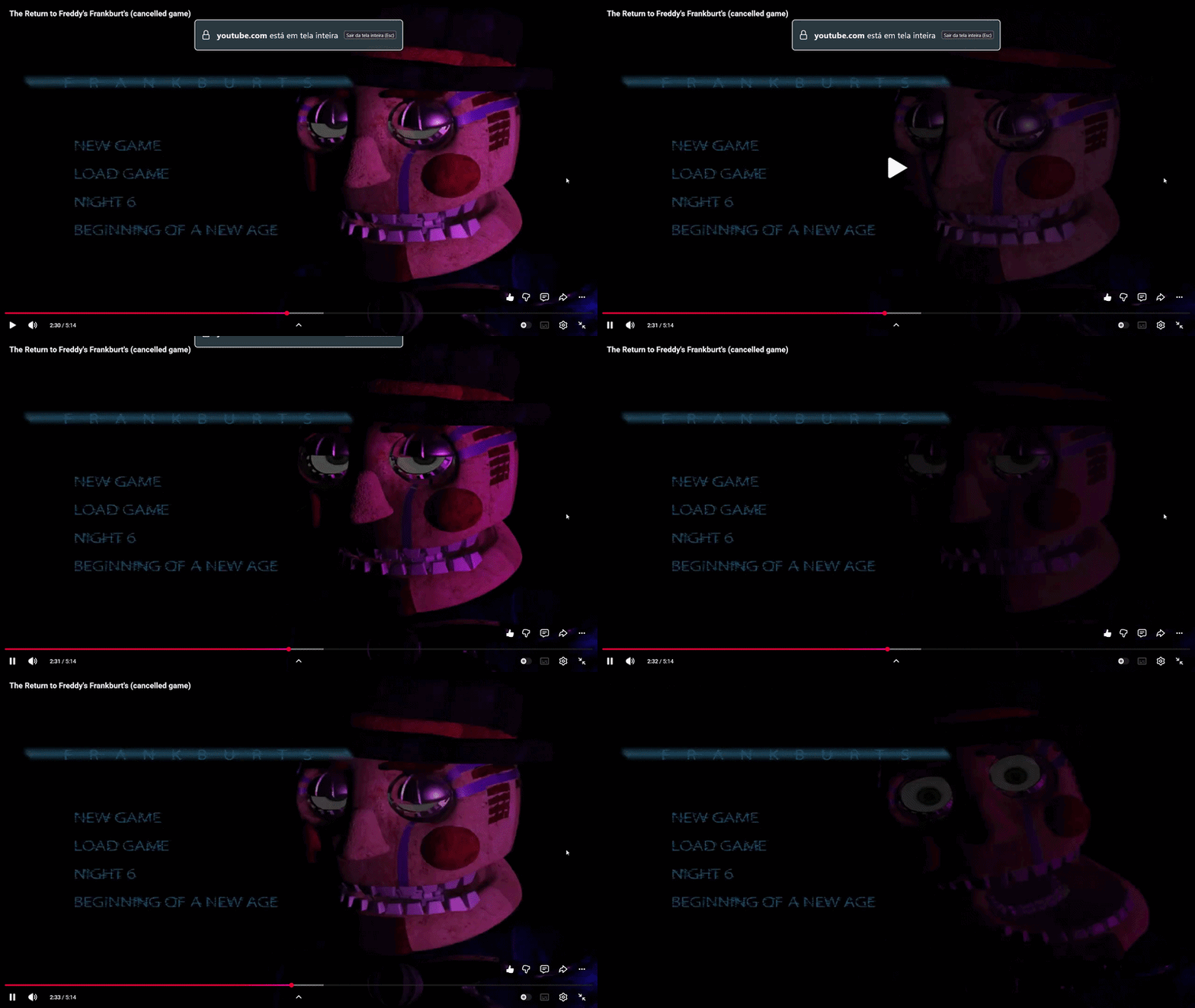
Here’s a gif that I made using a Youtube video that shows the title screen (that I would like to replicate in similar way on Godot) of the released unfinished build of the original cancelled game. Note that the animatronic on the right does a main animation, but he also ocasionally twitches.
Also, I’d like to know how to code 2 variations of the title screen so that, when every time the game is opened, one of the two title screen variations appears ramdomly? Each variation just change the animatronic that appears in the title screen.
Seems like you want to store the animation’s frame before twitching, play the twitching animation then reset to the old animation with the old frame.
Somehting along these lines
extends AnimatedSprite2D
var last_frame: int = 0

func start_twitch() -> void:
    # Store the current idle position
    last_frame = self.frame
    self.play("twitch")


func resume_idle() -> void:
    # Play and restore the last saved frame
    self.play("default")
    self.frame = last_frame


func _on_animation_finished() -> void:
    if self.animation == "twitch":
        resume_idle()
As for variations you may only have to set a different SpriteFrames resource if everything else works the same, i.e. both have an idle and a twitching animation.
func _ready() -> void:
    var dice: int = randi_range(0, 1)
    if dice == 0:
        self.sprite_frames = load("res://Variation1.tres")
    elif dice == 1:
        self.sprite_frames = load("res://Variatoin2.tres")
With the sample posted you can use start twitch when ever you want, even randomly. If you want to offset the switch animation by a random amount you can add that after playing the twitch animation
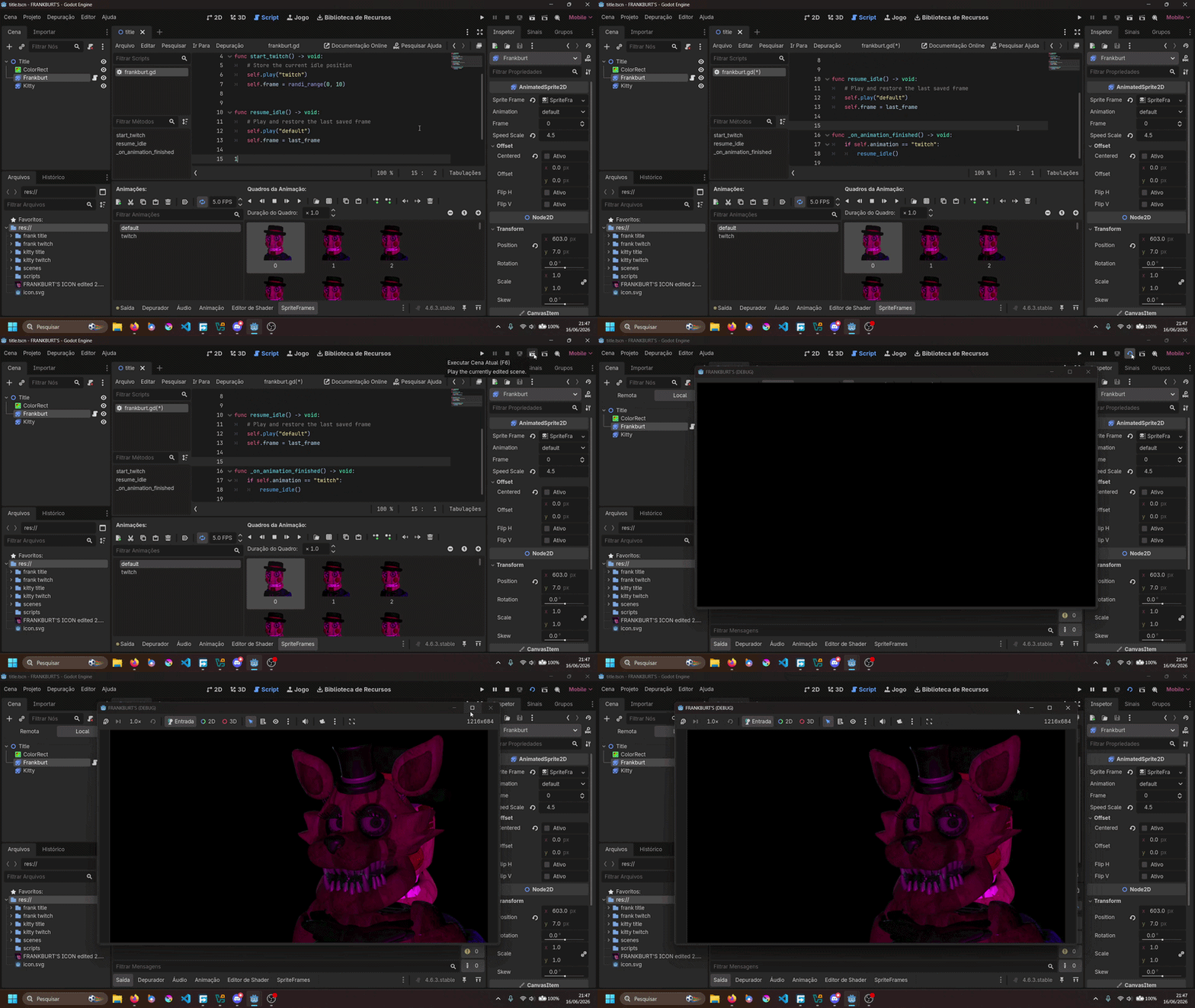
Hi. Sorry for not reply you earlier (I had other things to solve) but now I decided to go back to develop my project. I tried to redo from scratch, since I’ve made some mistakes with the old one. So, I tried to use what you’ve shared, but, when I click to execute the current scene, this happens:
Is there a way to make the current scene choose who’ll appear in the title screen randomly every time the scene (and the game) is open, without sprites overlapping each other? And how the scene can play the main animation for each character (if the game selected that specific character, it’ll show the character making an idle animation while randomly twitching, regardless of whether the main animation has ended or not) when the scene is executed?
I’m not sure what I’m supposed to see in the gif, what is it you are wanting to happen? what is really happening?
It doesn’t appear you have any signals connected, the _on_animation_finished function doesn’t do anything on it’s own, you will have to connect an AnimatedSprite2D’s animation_finished signal to it first. Similarly the start_twitch function doesn’t do anything on it’s own, you may want to connect it to a timer.
This part of my post is a way to switch between characters using SpriteFrames resources, you may have to save your SpriteFrames to the filesystem.