Godot Version
4.6.3
Question
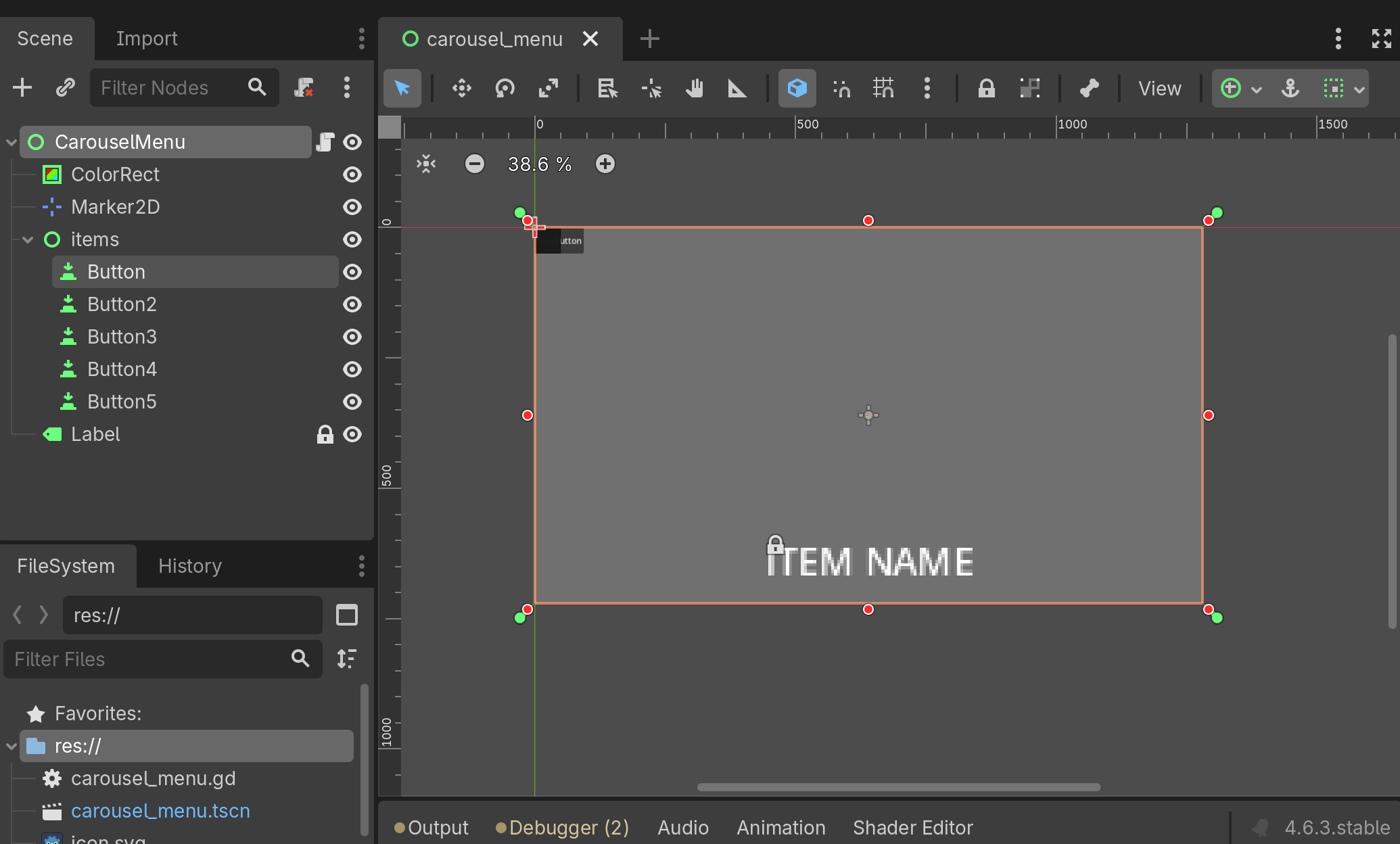
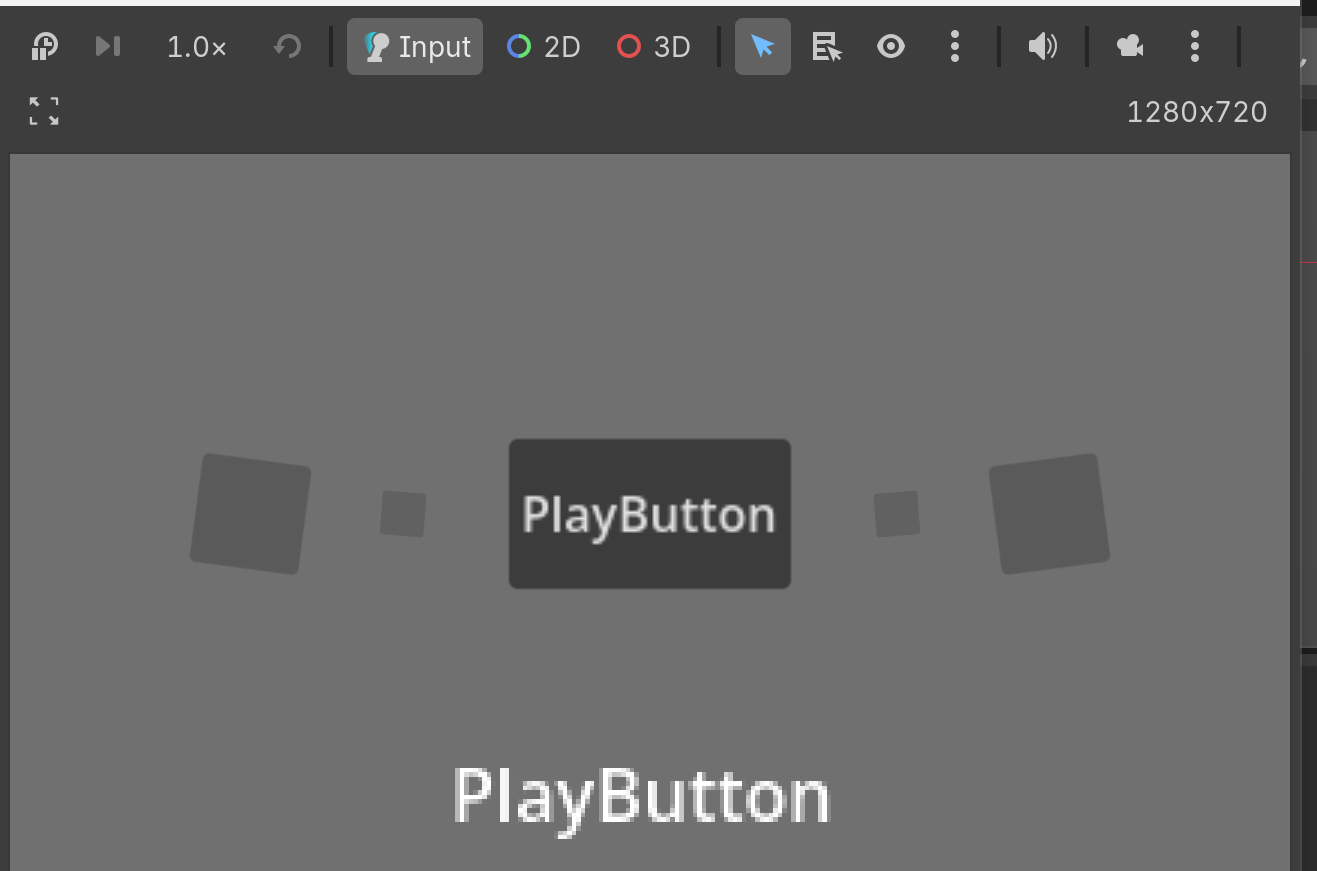
Hi, I need some advice on how to change this menu I got from a tutorial into one that stays 2D but uses 3D objects in sub viewports, I also want the selected object to be able to be rotated with the mouse but that’s an extra thing.
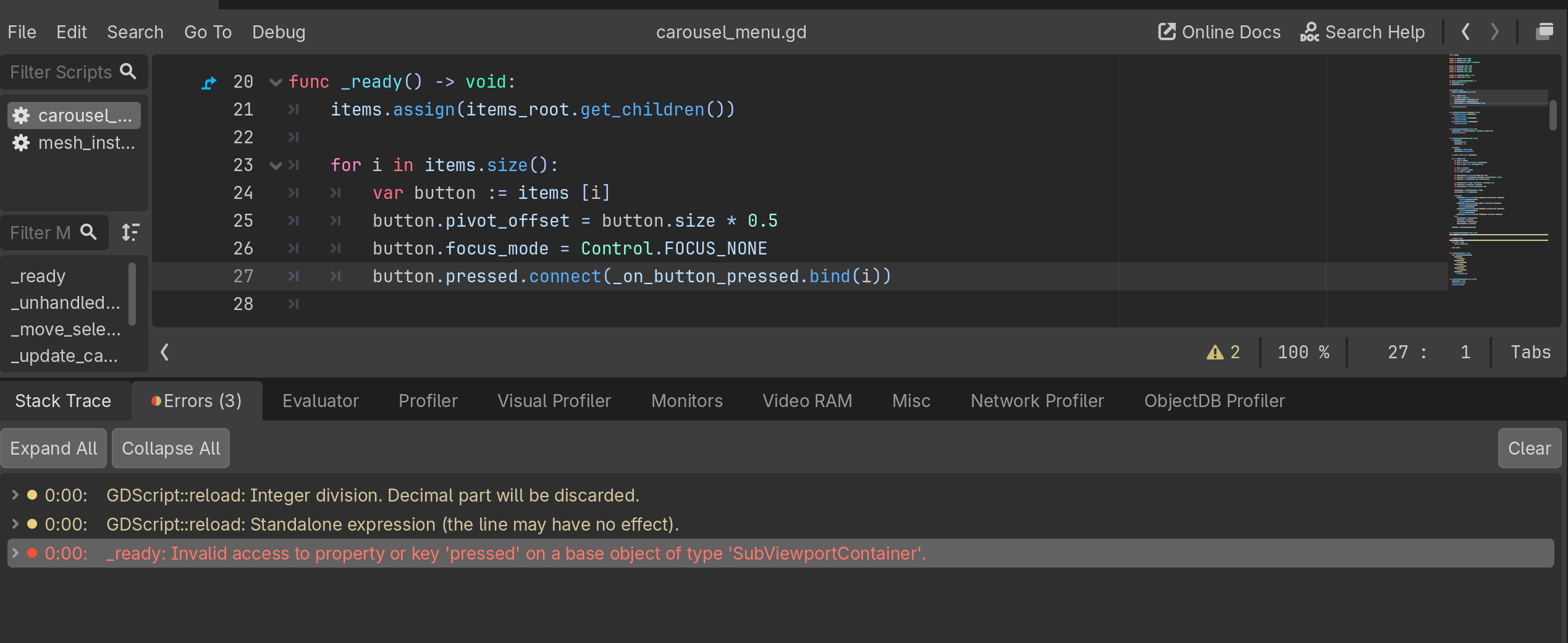
i have screenshots of the current layout along with the code
extends Control

@export var radius_x: float = 420.0
@export var radius_y: float = 120.0
@export var center_offset: Vector2 = Vector2(0, 0)

@export var front_scale: float = 1.35
@export var back_scale: float = 0.65
@export var side_alpha: float = 0.55
@export var tween_time: float = 0.25

@onready var items_root: Control = $items
@onready var label: Label = $Label

var items: Array[Button] = []
var selected_index: int = 0
var active_tween: Tween


func _ready() -> void:
	items.assign(items_root.get_children())

	for i in items.size():
		var button := items [i]
		button.pivot_offset = button.size * 0.5
		button.focus_mode = Control.FOCUS_NONE
		button.pressed.connect(_on_button_pressed.bind(i))

	_update_carousel(false)


func _unhandled_input(event: InputEvent) -> void:
	if event.is_action_pressed("ui_right"):
		_move_selection(1)
	elif event.is_action_pressed("ui_left"):
		_move_selection(-1)
	elif event.is_action_pressed("ui_accept"):
		_activate_selected()


func _move_selection(direction: int) -> void:
	selected_index = wrapi(selected_index + direction, 0, items.size())
	_update_carousel(true)


func _update_carousel(animated: bool) -> void:
	if active_tween:
		active_tween.kill()
		active_tween = null

	if animated:
		active_tween = create_tween()
		active_tween.set_parallel(true)

	var center := size * 0.5 + center_offset

	for i in items.size():
		var button := items[i]
		var offset := _get_wrapped_offset(i - selected_index)
		var angle := offset * TAU / float(items.size())

		var depth := cos(angle)
		var x := sin(angle) * radius_x
		var y := -depth * radius_y

		var depth_normalized := inverse_lerp(-1.0, 1.0, depth)
		var scale_value := (lerp(back_scale, front_scale, depth_normalized) as float)
		var alpha_value = lerp(side_alpha, 1.0, depth_normalized)

		var target_position := center + Vector2(x,y) - button.size * 0.5
		var target_scale := Vector2.ONE * scale_value
		var target_rotation := deg_to_rad(-sin(angle) * 8.0)

		button.z_index = int(depth_normalized * 100.0)
		button.disabled = i != selected_index

		if animated:
			active_tween.tween_property(button, "position", target_position, tween_time)\
				.set_trans(Tween.TRANS_CUBIC)\
				.set_ease(Tween.EASE_OUT)
			active_tween.tween_property(button, "scale" , target_scale, tween_time)\
				.set_trans(Tween.TRANS_CUBIC)\
				.set_ease(Tween.EASE_OUT)
			active_tween.tween_property(button, "rotation", target_rotation, tween_time)\
				.set_trans(Tween.TRANS_CUBIC)\
				.set_ease(Tween.EASE_OUT)
			active_tween.tween_property(button, "modulate:a", alpha_value, tween_time)
		else:
			button.position = target_position
			button.scale = target_scale
			button.rotation = target_rotation
			button.modulate.a = alpha_value

	label.text = items[selected_index].text


func _get_wrapped_offset(offset: int) -> int:
	var half := floori(items.size()) /2

	if offset > half:
		offset -+ items.size()
	elif offset < -half:
		offset += items.size()

	return offset


func _activate_selected() -> void:
	match items[selected_index].name:
		"PlayButton":
			print("Play")
		"OptionsButton":
			print("Options")
		"ExtrasButton":
			print("extras")
		"CreditsButton":
			print("Credits")
		"QuitButton":
			get_tree().quit()


func _on_button_pressed(index: int) -> void:
	selected_index = index
	_update_carousel(true)
	_activate_selected()
I ideally need to be able to add more objects to the index as I’m not sure how many objects I will end up with.
any help would greatly appreciated.