So Godot itself is a system built on the idea of components. A Node is a component. A CharacterBody2D is a component. The CollisionShape2D that you have to attach to the CharacterBody2D is a component.
Now imagine that to use ANY of those nodes, you had to go through a ComponentManager object. Imagine how frustrating and complicated that would be.
Componentization is the process of splitting a larger system into smaller re-usable pieces that can be re-used. In object-oriented programming, it’s creating something that you can add to an object to give it new functionality.
Initial Design
You’ve got the concept of a health component and a hunger component. So let’s look at your game concept. I’m assuming that you have a player and enemies and they will both have health. I’m going to guess that while you want to track hunger for your player, you are not going to be tracking it for your enemies.
With that information, I’m going to say that health makes sense as a component. If you add it to players and enemies, they can die. If you don’t add it to NPCs, players (and enemies) cannot accidentally kill them and create a soft-lock bug in your game.
But hunger only affects the player. What do you get by creating a hunger component? Is anyone else going to use it? No. However, by creating it as a component, you encapsulate the code. All the hunger code will be in your component.
Implementation Design
So we could create a ComponentManager to handle all components, but really we don’t need that. Think of the Godot editor as your component manager. It allows you to add them and track them.
You can make components pure code, or since this is Godot, you can make them Nodes. I recommend Nodes because then your component manager (the Godot engine) has a way to display them and even create them.
Naming
As Nodes, they can be hung off of anything to give it Health or Hunger functionality. So we can name them as such. Just as CharacterBody2D isn’t named CharacterBody2DComponent, we don’t need to give components names like HealthComponent.
Communication
Another thing to think about is how these nodes communicate. When a player gets attacked, how do we know if it can take damage? There are many ways of dealing with this. @Exported variables is one. Either attaching the player as a variable of the component, or the component as a variable of the player. However, both of these break the encapsulation principle of Object-Oriented Programming.
Instead, we can just search an object to see if it has a component, and interact with it if it does, and not if it doesn’t.
Likewise, when the component needs to communicate, it can do so through signals. (More on that later.)
Making a Health Component
So here’s a look at a possible Health component node. First, create a script named health.gd. It does not need to be attached to a scene.
@icon("res://assets/textures/icons/heart-svgrepo-com.svg")
## A Health Component to add to players and enemies.
class_name Health extends Node

signal death

@export var health: int = 1:
	set(value):
		health = value
		if health <= 0:
			death.emit()


func damage(amount: int) -> void:
	health -= amount
You can download the heart icon here. You’ll want to change the icon path in the code if you store it somewhere other than res://assets/textures/icons/. (You made need to reload your project to see the icon in the editor.)
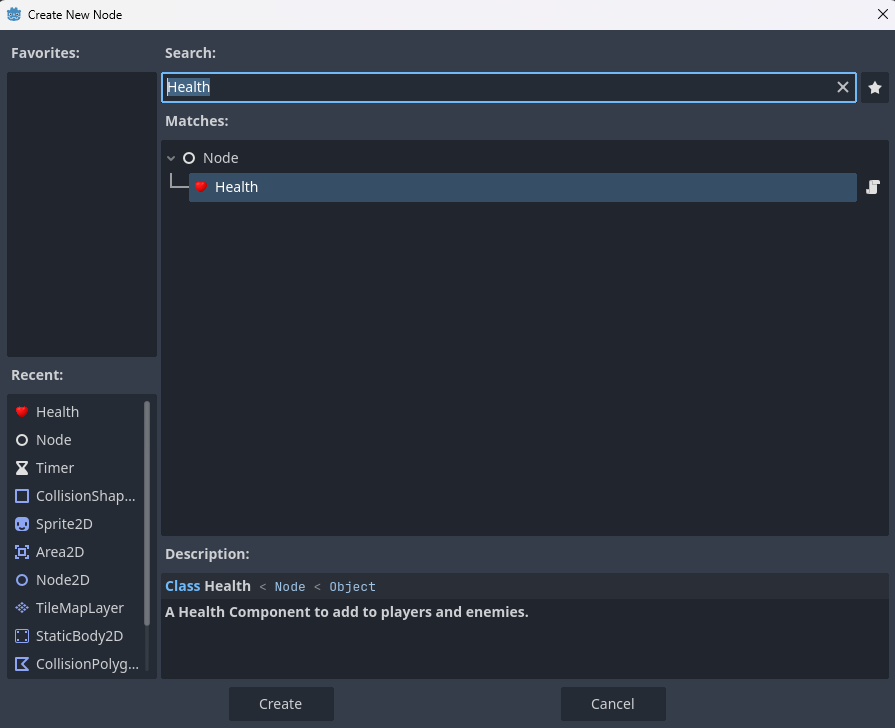
Then, you can select your CharacterBody2D and click the Add Node (+) button. And search for Health.
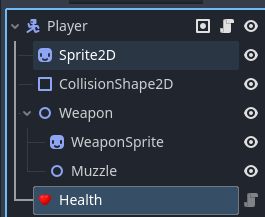
Voila! We now have our re-usable component that can be added to any object in the game, like so:
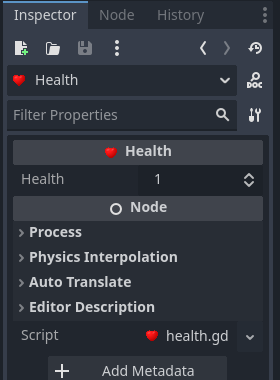
And this is what it looks like in the inspector:
Using the Health Component
So we have a health component attached to the player. Right now, we just want to know if the player dies and queue_free() the object. So in our player code:
@onready var health: Health = $Health


func _ready() -> void:
	health.death.connect(_on_death)


func _on_death() -> void:
	queue_free()
Then we need a way to damage them so in our enemy or enemy weapon object:
@export var weapon_damage = 1

func _on_hit(body: Node2D) -> void:
	var target_health = body.get_node_or_null("Health") as Health
	if target_health:
		target_health.damage(weapon_damage)
Making a Hunger Component
The Hunger component follows the same pattern, but is self-contained in that as time passes, the player gets more and more hungry. As the hunger increases it emits hungry then starving then death signals.
@icon("res://assets/textures/icons/poultry-leg-svgrepo-com.svg")
## A Hunger Component to add to the player.
class_name Hunger extends Node

signal hungry
signal starving
signal death

## The amount hunger is decreased everyt time the hunger timer expires.
@export var hunger_amount: float = 5.0
## How long the hunger timer runs before expiring
@export var hunger_time: float = 10.0


var hunger: float = 100.0:
	set(value):
		hunger = value
		if hunger <= 0:
			death.emit()
		elif hunger <= 25.0:
			starving.emit()
		elif hunger <= 50.0:
			hungry.emit()
var hunger_timer: Timer


func _ready() -> void:
	hunger_timer = Timer.new()
	add_child(hunger_timer)
	hunger_timer.start(hunger_time)
	hunger_timer.timeout.connect(_on_hunger_timeout)


func _on_hunger_timeout() -> void:
	hunger -= hunger_amount
	if hunger >= 0:
		hunger_timer.start(hunger_time)
You can download the hunger icon here. You’ll want to change the icon path in the code if you store it somewhere other than res://assets/textures/icons/. (You made need to reload your project to see the icon in the editor.)
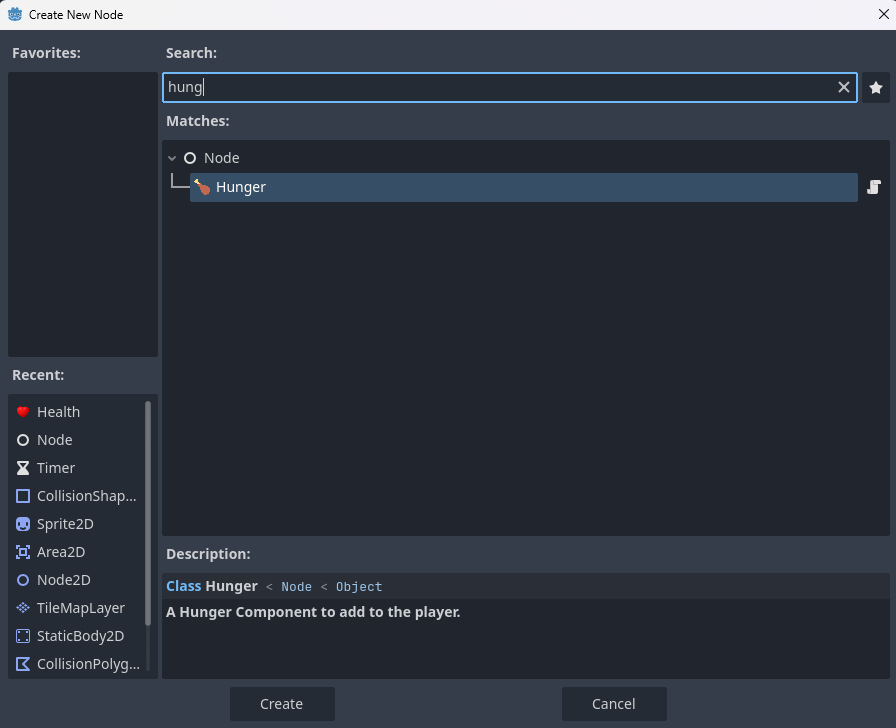
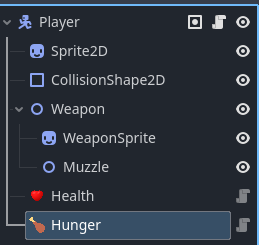
Again, we can add the component to anything:
Even if it’s just the player:
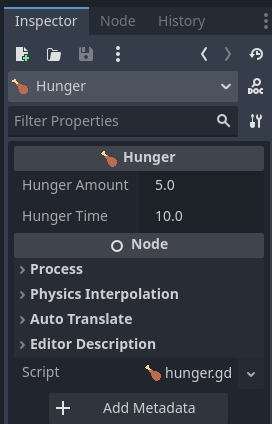
And we can change how fast the hunger goes down:
I will leave the exercise of hooking up the signals to the reader, as it’s the same as the Health component.
Conclusion
There’s lots of ways to do components. Personally I find them overkill unless the component is more complex, like you’re dealing with 5 elemental damage types and resistances, etc. But in those cases it’s really helpful.
Another implementation is to use Resource objects. Create a base Stat object, an @export array to hold them, and then use the the code inside them that way. IMO the Node implementation in Godot makes the most sense because of how Godot is structured.