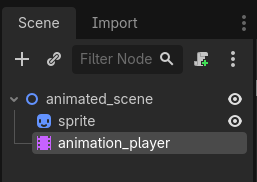
Background info: below is the scene that is used as the inherited scene in the following screenshots. It has two children: AnimationPlayer node and Sprite2D node that is animated by the animation player.
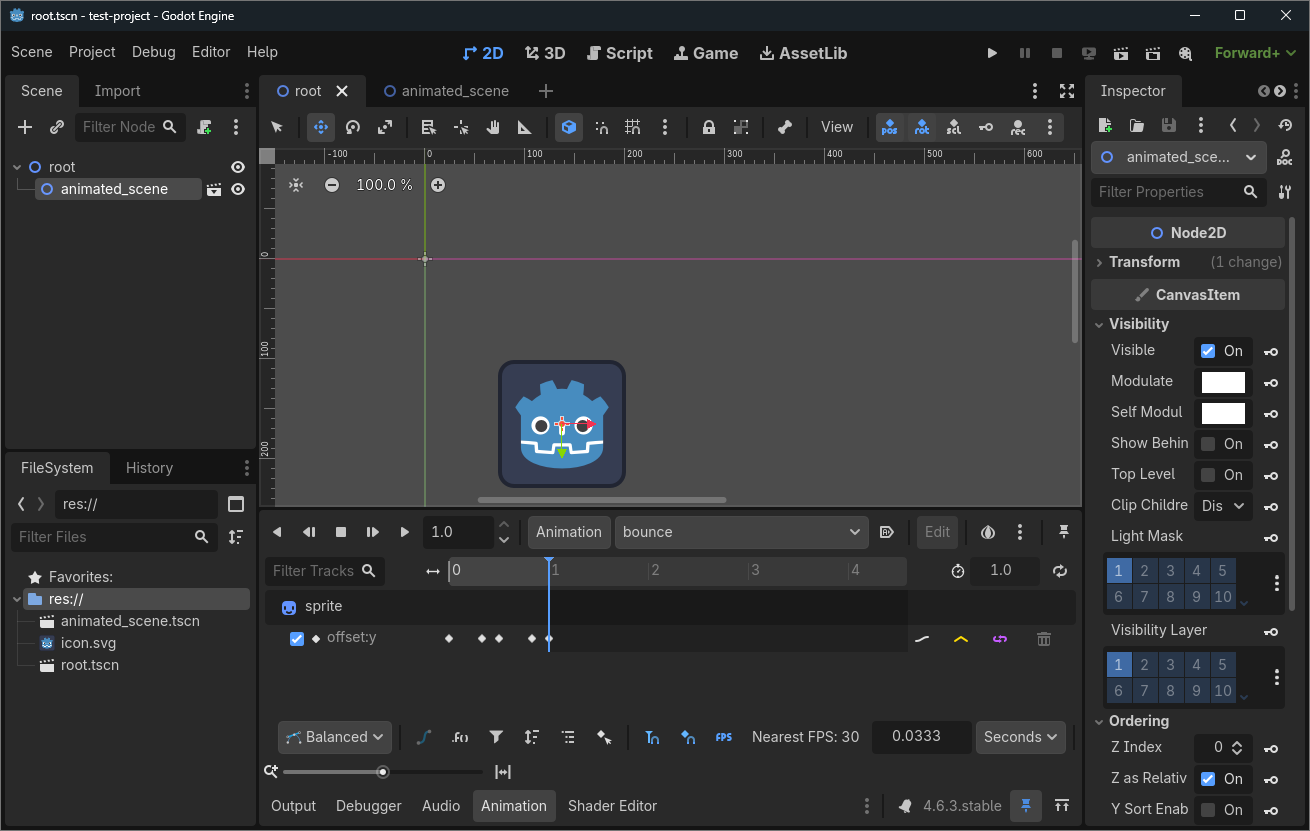
When another scene has one of these scenes inherited, Animation dock shows the inherited scene’s AnimationPlayer animation tracks. Animation can be changed and played, showing the animation on the editor.
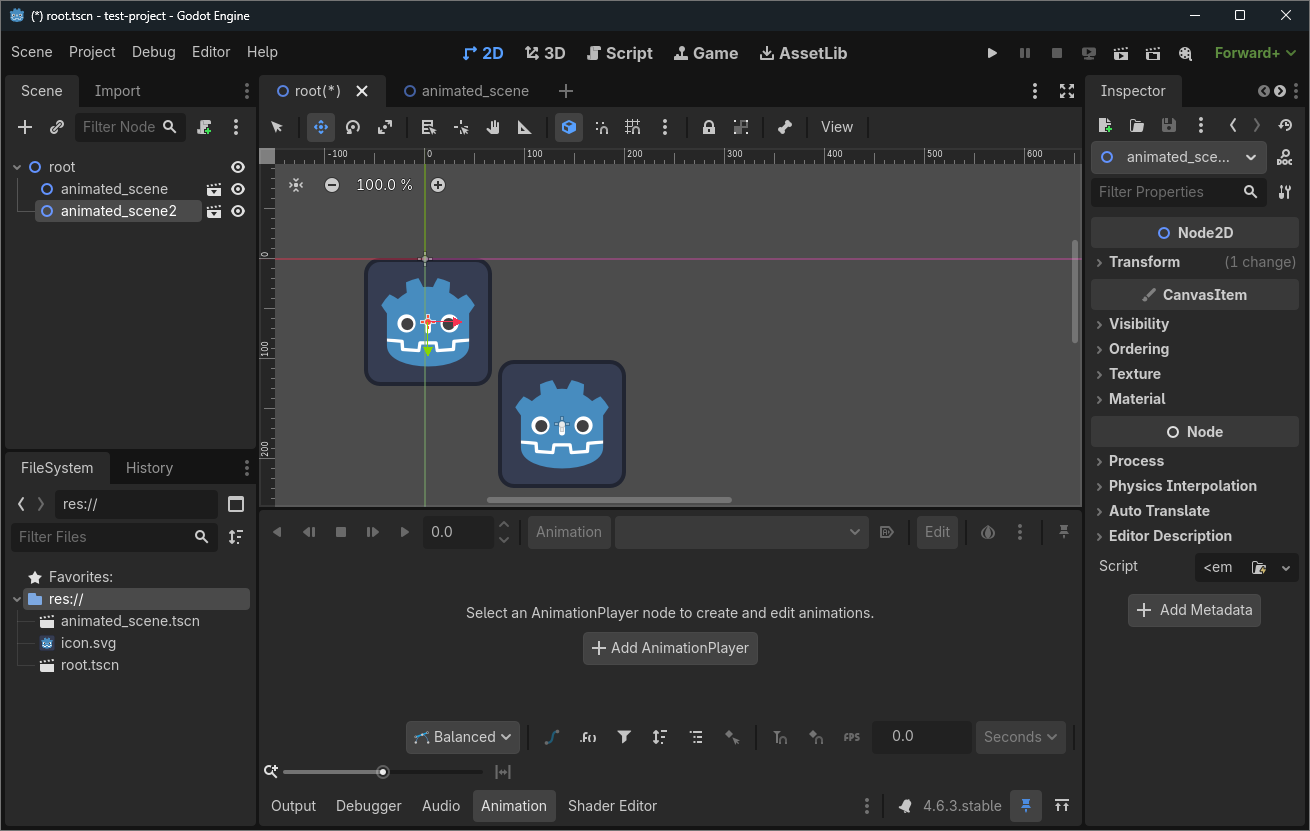
When another inherited scene is added (save + reload saved scene), Animation dock no longer shows the AnimationPlayer from either of the inherited scenes, even when one of them is selected.
A workaround is to enable Editable Children and manually choosing the AnimationPlayer from under the inherited scene, but this introduces some unwanted friction.
Is there a way to have the Animation dock show the AnimationPlayer of the selected inherited scene?
Unless you make the second imported scene instance unique in your main scene, it is one and the same AnimationPlayer. Looks like you need to either/or:
decouple your AnimationPlayer from animated_scene
make more separate animations and pick the right one for the right scene
another option
Did you mean to say “imported scene” in stead of “inherited scene”?
The fact that the Animation dock does not come up may be a result of this. It will probably open properly when you open animated_scene in a new tab.
Ah, you’re correct, I meant to say add an instance of a scene (Ctrl+Shift+A, Instantiate Child Scene) instead of “inherited scene”.
Our use case is that the animated_scene has the animation player + animations that we want to use in multiple places. We’ve implemented the animations in the animated_scene once, and want to just add it to other scenes to bring the animations there. But to easily test how the result will look in these scenes is now harder since the animation dock doesn’t allow us to play the animations in editor to see how it’ll look without enabling Editable Children and selecting the AnimationPlayer.
The animation that will be played is chosen via code, so if I’ve understood correctly it’s fine that the same scene is instantiated multiple times, since the chosen animation isn’t stored in the scene itself.
We’ll think if some of your proposals would fit our use case.
In that case you may have to @export var anim_name : String in a script for animated_scene and give it a setter to call $AnimationPlayer.play(anim_name) with.
But then you’d need to change that value via remote debug while test running your game.
How far along are you in learning how to program inside the Godot Engine using gdscript?
Assigning a button press and scripting it to start an animation is probably simpler than using a setter…
I think we will solve this problem with the export variables and tool script on the root node of animated_scene. It’s unfortunate that the animation dock cannot show the animation player of the selected scene, but this will be an acceptable workaround over the Editable Children option.