Godot Version
4.6
Question
Why does call method track from Player or Mob scene stop calling given method after reparenting AnimationPlayer owner(Player or Mob) in main game tree?
Hey! I’m seeking help because im losing my sanity over this one. I’ve tried debugging myself, tried Godot Docs, tried GPT to scan the internet for any viable solution, and nothing. Only thing strictly related to that is unresponded forum thread: .
Context
3D orthogonal isometric, topdown aRPG. I’m in early prototype stage for Combat system. Said system is based on attack range check performed when attack animation reaches given frame. I really enjoyed the idea of not relying on hitboxes because 3D animation is not my cup of tea. Didn’t want to be dependent on actual collisions happening.
Core of the problem
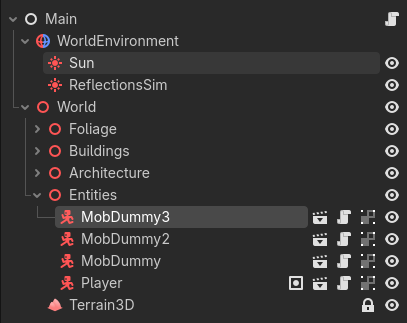
Whenever I place Player and Mobs into a main scene tree into ‘entities’ tree, call method track works just fine. But just after I reparent Player or Mob into a different tree, tracks aren’t calling the attack_check method anymore (The track still exists and seems fine, but it just won’t call it’s function).
I can manually delete the track, create it again, insert key in given time, select the same exact method as before and it works again just fine. Hovever - this is driving me nuts, as the project will grow and it’s structure will surely change lot of times. I can’t afford to rebuild this method track for every entity as soon as it gets reparented (whether intentionally or accidentally).
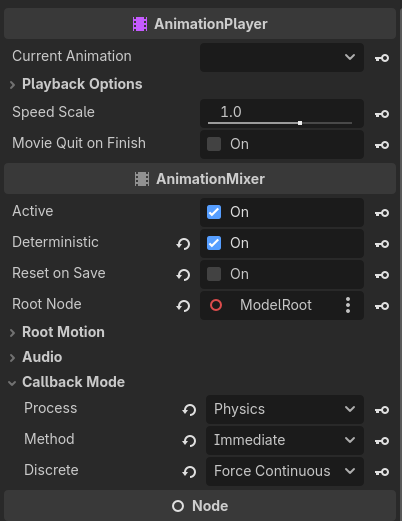
I’ll add that I know I have to let the animation (attack oneshot) filter IN those methods. As soon as I reparent Player or Mob, the filtering option for method is gone untill i manually recreate the method track. Then filtering the method is available again.
I’ve tried writing the function both in owner node, as in player.gd for now, and in enemyattackcomponent.gd as in enemy for now. I know it’s a bit chaotic but i just tried different things.
This is my main.tscn
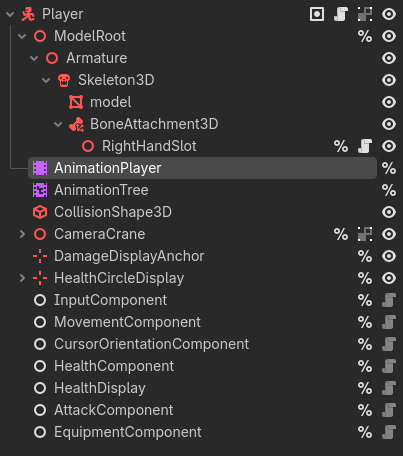
This is my player.tscn
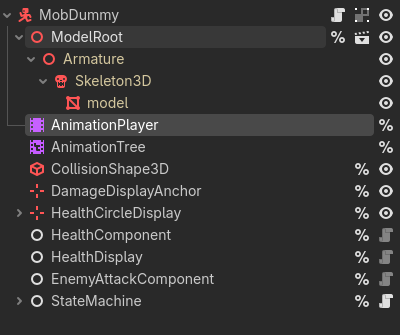
This is mobdummy.tscn:
This is mobdummy’s AnimationPlayer setup:
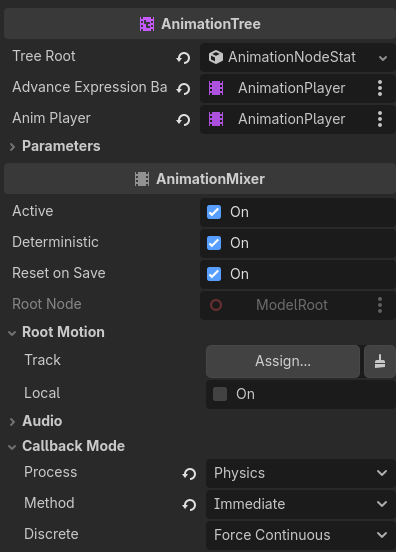
This is it’s AnimationTree:
This is EnemyAttackComponent, where method track would call it’s method:
class_name EnemyAttackComponent
extends Node

@export var attack_damage: int = 3 # Initial damage value
@export var attack_range: float = 2.5 # Initial range value is 1m
@export var attack_angle_deg: float = 25.0 # Initial cone angle
@export var target_expander: float = 0.1 # Used to expand target’s hit area detection in dot()

@export var attacker: CharacterBody3D # Attacker is a …

var player: CharacterBody3D
const DAMAGE_DISPLAY = preload(“uid://bp00ij0dh7fwc”)

func _ready():
player = get_tree().get_first_node_in_group(“player”) # Reference player
print(player) # Debug

SignalBus.attack_triggered.connect(_on_attack_triggered) # Attack trigger from AnimPlayer

func _on_attack_triggered(attacking_entity):

if attacking_entity == player: #Ignore signal if attacker is player
	return # Break function

var forward = attacker.model.transform.basis.z.normalized() # Setting forward dir
var attack_angle_cos = cos(deg_to_rad(attack_angle_deg)) # Attack angle to rads

#Range check
var to_player = player.global_position - attacker.global_position # Coordinates diff
var distance = to_player.length() # Length func automatically calculates dist

if distance > attack_range:
	return # Do nothin when not in range

#Cone area check

var direction = to_player.normalized() # Normalized (clamped to 1) direction vector
var dot = forward.dot(direction) # Two vector dot relation that returns float -1 to 1

if dot < attack_angle_cos - target_expander:
	return # Compare attack range with dot func result

#Deal damage - make sure enemy has health
if player.has_node("HealthComponent"):
	var player_health_component = player.get_node("HealthComponent") #Get health node
	var final_damage = attack_damage + randi_range(1, 5) # Dmg + randomizer modifier
	player_health_component.take_damage(final_damage) # Take damage boiiii!

#SFX
AudioManager.play_attack_sfx() # Takes attacker pos arg and sets sfx pos.

func attack_check() → void:

print("Enemy attack check emitted")
SignalBus.attack_triggered.emit(self)
I am not sure what else to provide for you to have a proper look at, so sorry for that. I am just 2-months when it comes to any game-dev or coding venture. I am clueless as to what is hapenning with that thing.
Here is a short video:
I know there is a warning with healthdisplay, but that is not my concern for now 
If anyone can provide some help, I will be forever grateful. Thank you all in advance.
P.S
Even some tips in the spirit of “Method tracks and gameplay relying on animation is not viable solution in aRPG you dumbass moron” will be highly appreciated!
Thank you x100