Godot Version
v4.6
Question
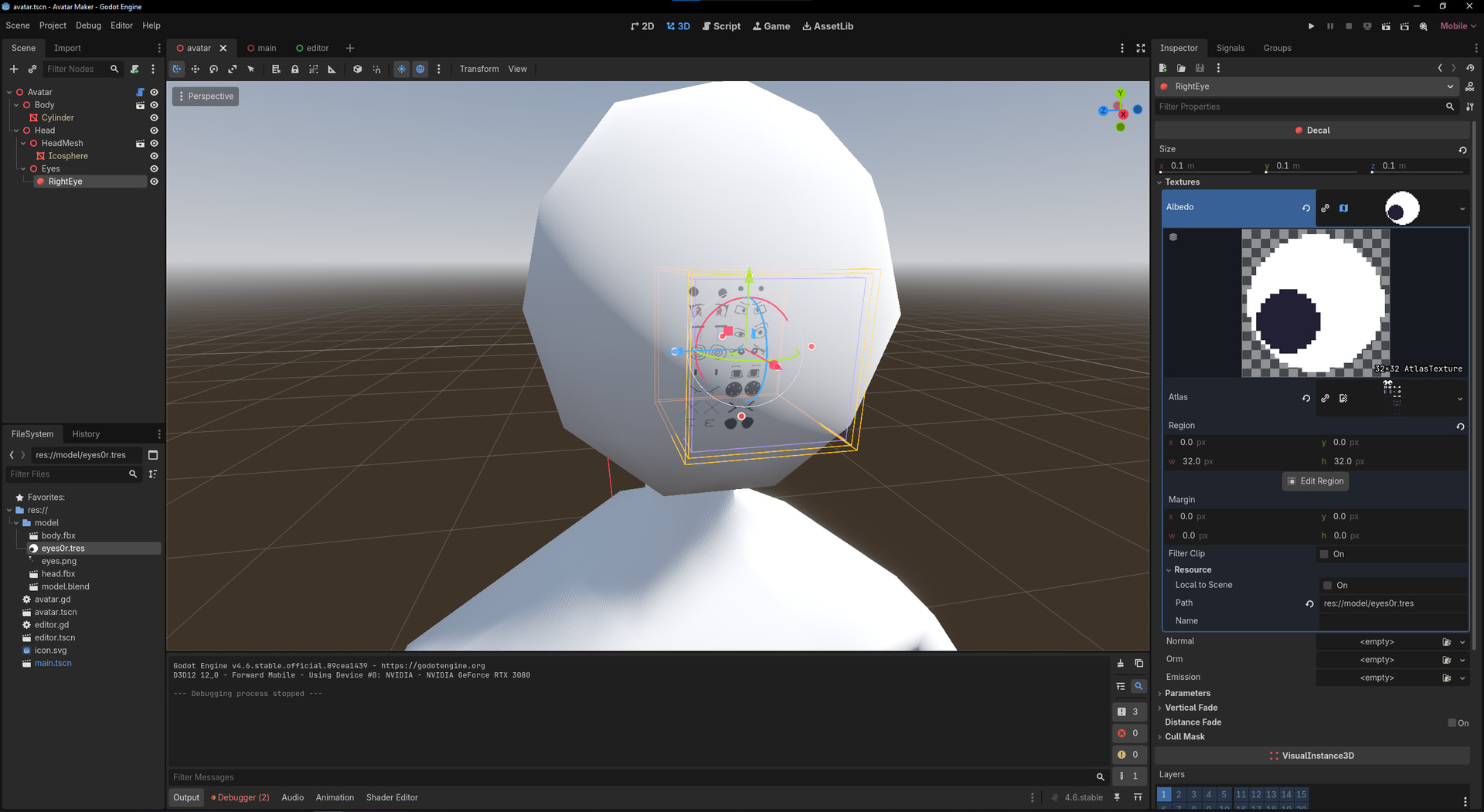
I’m trying to use an AtlasTexture on a Decal, but it seems to be ignoring the Region property and using the whole Atlas.
Here’s exactly what I did:
I created an AtlasTexture resource, chose the Atlas image and saved it. I then created a Decal and under Textures → Albedo I clicked Load and chose the resource file I just created. I positioned the Decal and went to adjust the AtlasTexture’s region. When I noticed that the Decal didn’t update on the editor’s viewport, I re-selected the resource to be it’s albedo texture, but nothing changed.
I tried searching about it but did not find an answer. What should I do to make the Decal only apply the part of the atlas specified by the AtlasTexture resource?