Godot Version
4.4.1
Question
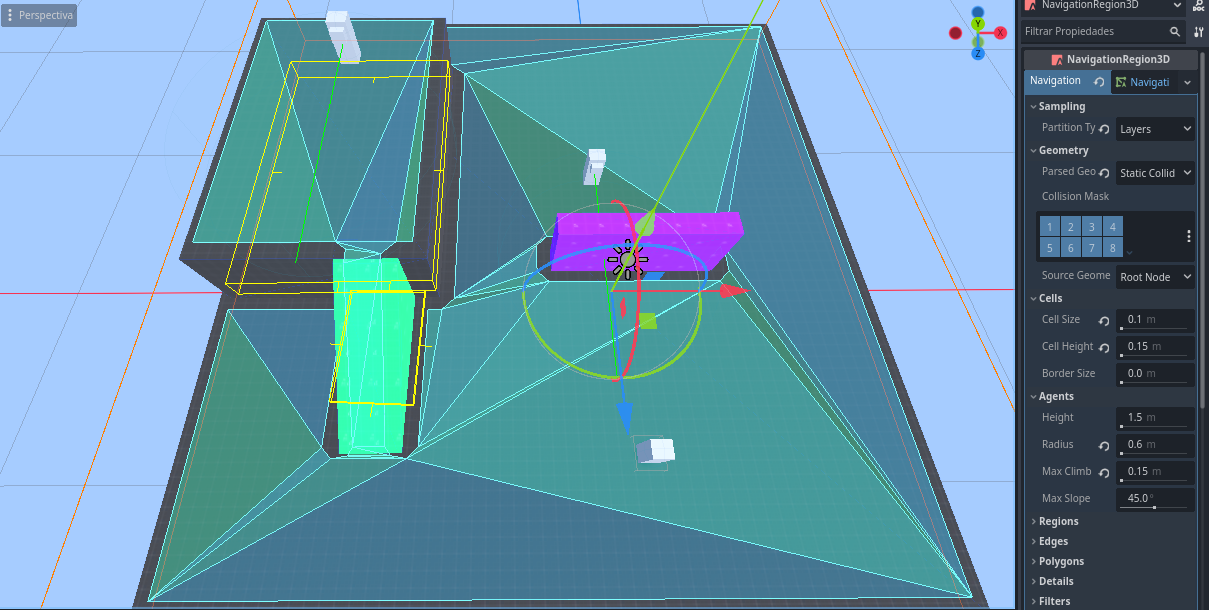
Hello, I’m trying to implement the 3D navigation system that Godot has to make a Body3d character chase the player, but when going up a ramp or being very close to the edge of a platform the agent takes a wrong route.

4.4.1
Hello, I’m trying to implement the 3D navigation system that Godot has to make a Body3d character chase the player, but when going up a ramp or being very close to the edge of a platform the agent takes a wrong route.
You may have to use NavigationServer3D.map_get_closest_point to nudge the target location onto the navigateable region
It sounds good but I’m not sure how to implement it in my enemy’s code.
class_name Enemigo2_0
extends CharacterBody3D

@export var velocidad = 2
@export var detection_cerca: float = 5.0

var jugador: Node3D = null
var collider: Node3D = null
var alerta: bool = false
@onready var eye_ray: RayCast3D = $EyeRay
@onready var navigation_agent_3d: NavigationAgent3D = $NavigationAgent3D

func _physics_process(delta: float) -> void:

	collider = eye_ray.get_collider()

	if not is_on_floor():
		velocity.y -= 1 * delta

	if jugador and ver_jugador() or alerta:
		alerta = true
		var target_pos = jugador.global_transform.origin
		@warning_ignore("unused_variable")
		var dist = global_transform.origin.distance_to(target_pos)
		target_pos.y = global_transform.origin.y
		look_at(target_pos, Vector3.UP)
		rotate_y(deg_to_rad(180)) # Corrige que el frente sea +Z
		navigation_agent_3d.target_position = target_pos
		var destino = navigation_agent_3d.get_next_path_position()
		var direccion := global_position.direction_to(destino)

		#if dist > detection_cerca:
		velocity = direccion * velocidad
		#else:
			#velocity = Vector3.ZERO

	move_and_slide()

func ver_jugador() -> bool:
	var player_pos: Vector3 = jugador.global_transform.origin
	var local_target: Vector3 = to_local(player_pos)
	eye_ray.target_position = local_target.limit_length(10)
	eye_ray.force_raycast_update()
	if eye_ray.is_colliding() and collider == jugador:
		return collider == jugador
	else:
		return false


func _on_area_3d_body_entered(body: Node3D) -> void:
	if body.is_in_group("player"):
		jugador = body as Node3D
		print(jugador)

func _on_area_3d_body_exited(body: Node3D) -> void:
	if body == jugador and not alerta:
		jugador = null
You would need to nudge this target_pos
First you need to find the navigation map RID, as per the first argument. Assuming this is your only navigation map, you can use the following code.
var map_rid: RID

func _ready() -> void:
	map_rid = NavigationServer3D.get_maps()[0]
Then you can nudge your target position, but this may be bad for performance, especially with multiple enemies chasing. It could be beneficial to only update the target_position every few seconds
navigation_agent_3d.target_position = NavigationServer3D.map_get_closest_point(map_rid, target_pos)There was no change, I even tried putting 10 enemies simultaneously and there was no difference in performance (my PC is a potato), a solution I saw is to make an obstacle around the ramp and the platform so that it has a different radius than the rest of the objects, this made the enemy look for the route to go up to the player but I don’t know to what extent that is a solution
It’s as if the navigation agent didn’t take into account the height of the point to reach, the enemy is using the code with the NavegationServer3D but still has questionable decisions about which is the closest point to the player.
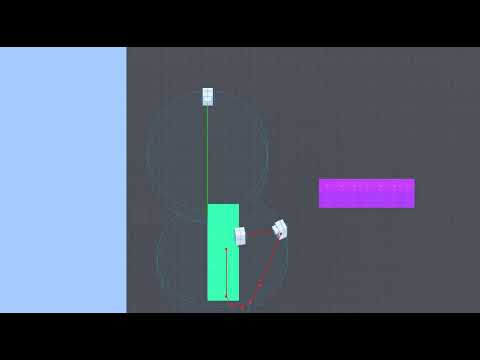
okay.. it’s my fault, I had a line of code target_pos.y = global_transform.origin.y which is responsible for the enemy model not rotating on the y axis when it sees the player but at the same time it disables the function of distinguishing heights with navigation, the solution was to create a separate variable to use in the look_at and thus be able to block the y axis without affecting navigation
This topic was automatically closed 30 days after the last reply. New replies are no longer allowed.