Beginner struggling with movement script

Godot Version

Godot v4.5.1

Question

Need help identifying my error in 8 way movement script please!

extends CharacterBody2D

@export var speed = 400

func get_input():
	var input_direction = Input.get_vector("left", "right", "back", "forward")
	velocity = input_direction * speed
	
func _physics_process(delta):
	get_input()
	move_and_slide()

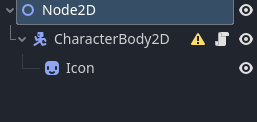
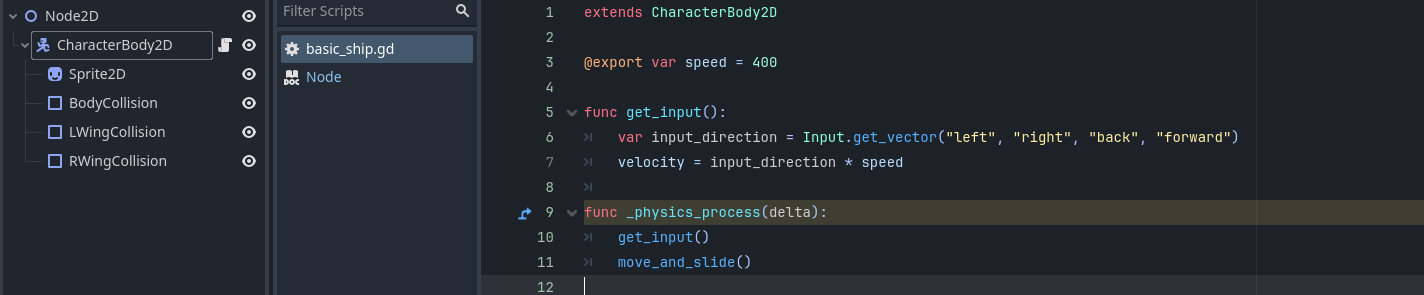
I cannot spot the error in my ways unfortunately. I have triple checked my inputs are mapped and referenced in the script variable the same. I believe I have attached the script to the correct node. I am at a bit of a loss as a complete beginner to scripting and/or Godot. Have attached screengrabs of the scene tree and input mapping too. Any help would be very much appreciated.

What is your error? What do you expect to happen versus what really happens?

If it helps at all your script looks fine, your tree looks fine and your input mappings look fine too.

I created your tree, added the inputs (only I used up and down) and used your code and everything is fine, my Godot Icon moved around perfectly.

If you are doing something wrong, it is not shown here.

The warning triangle is because I did not bother doing any collision shapes.

extends CharacterBody2D

@export var speed = 400

func get_input():
	var input_direction = Input.get_vector("left", "right", "up", "down")
	velocity = input_direction * speed
	
func _physics_process(delta):
	get_input()
	move_and_slide()

What @gertkeno asked is the key question here.

1 Like

Hi, yes that is a key bit of info I omitted. I do not appear to be getting any movement at all.

I have a camera2D node attached as a child under the node2D of the main Game scene. I also added some coloured tiles to give me something to relate movement against incase it was an issue with me just not seeing any movement.

I am not able to try right now, but should I maybe try remove camera? Or is there a way I can get the script to print confirmation input is being registered?

Hi thanks for checking this for me, I have replied to gertkeno with the missing problem information. Thanks!

No

You can add this print statement to your code and check what it prints to the Output console

func _physics_process(delta):
	get_input()
	move_and_slide()

	prints(position, velocity)
1 Like

Thanks for the reply, handy to know for future.

I believe the scene for my character that I had attached in my game scene was maybe a delted version that still remained as no matter what code I entered there was no output in the console. I deleted and replaced with a new saved one and it now works. Equivalent of turning off and on again as always lol
1 Like